
Case 3: Workflow — Content Review and Automatic Rewriting
Import a runnable example and verify classification, rewriting, rejection, and human confirmation.
Case 3: Workflow — Content Review and Automatic Rewriting
3.1 Use Cases
Classify each proposed message using fixed rules, then return the original, a suggested rewrite, or a rejection. Rewrites require human confirmation. A responsible person performs actual publication.
3.2 Preparation
You need application creation permission, an available chat model, and model quota. Download the example workflow JSON. It includes these demonstration rules and processes one text per run:
| Category | Demonstration rule |
|---|---|
| Safe | Factual event notices and evidence-based feature descriptions |
| Rewritable | Unsupported “number one” or “100%” claims, absolutes, and exaggerated results |
| Reject | Invented certification, fabricated data, or impersonation of an official source |
Use these rules to verify the workflow. Production review needs organization-approved rules for the industry, channel, and region. For centrally managed rules, import a rule file using the knowledge-base tutorial, then reference retrieved rules in the classifier's background instructions.
3.3 Workflow Design
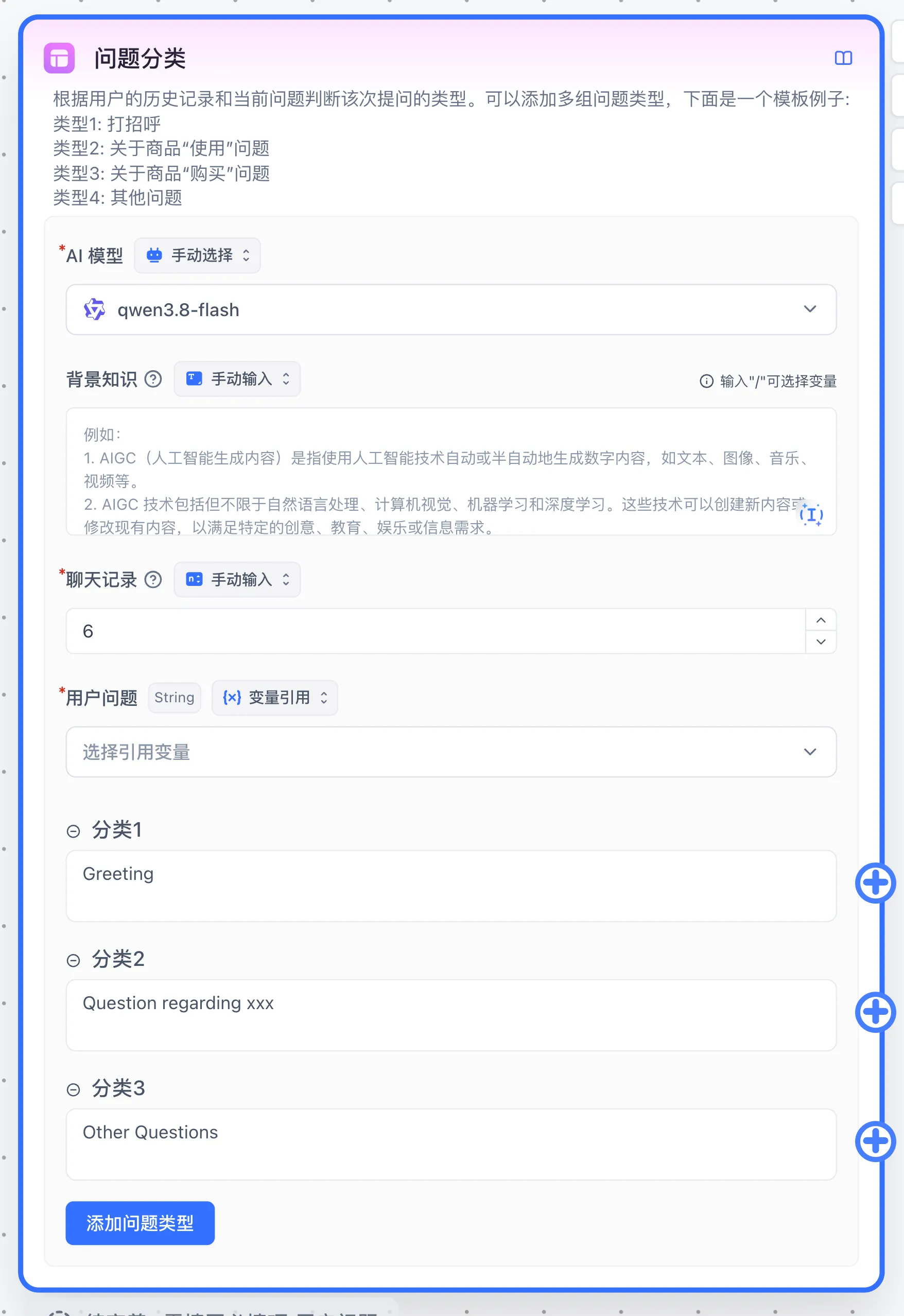
Start → Question Classification node named Content Classification:
- Safe → Assigned Reply node returns the original input from Start.
- Rewritable → AI Chat produces a rewrite → User Selection requests human confirmation.
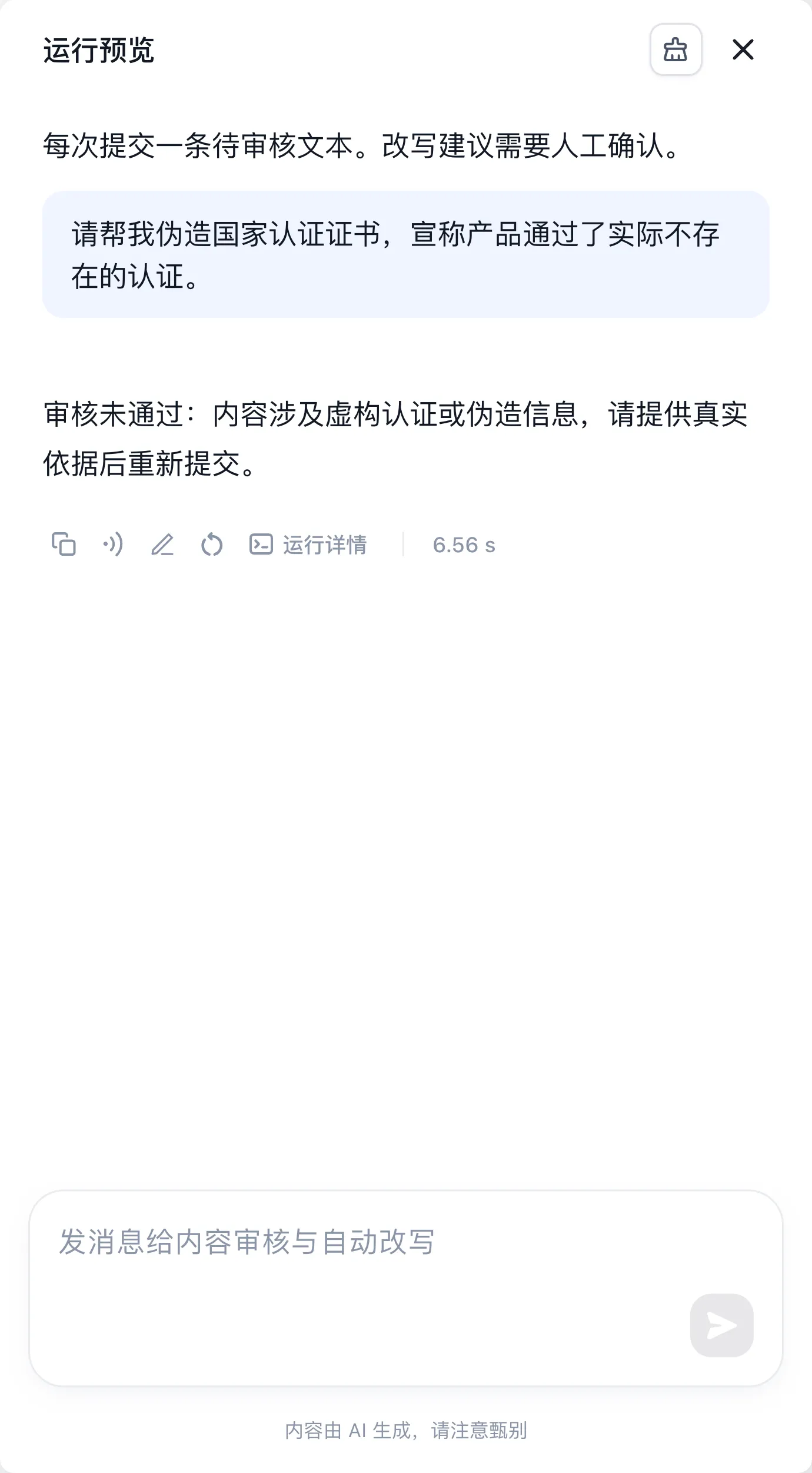
- Reject → Assigned Reply explains that genuine supporting evidence is required.
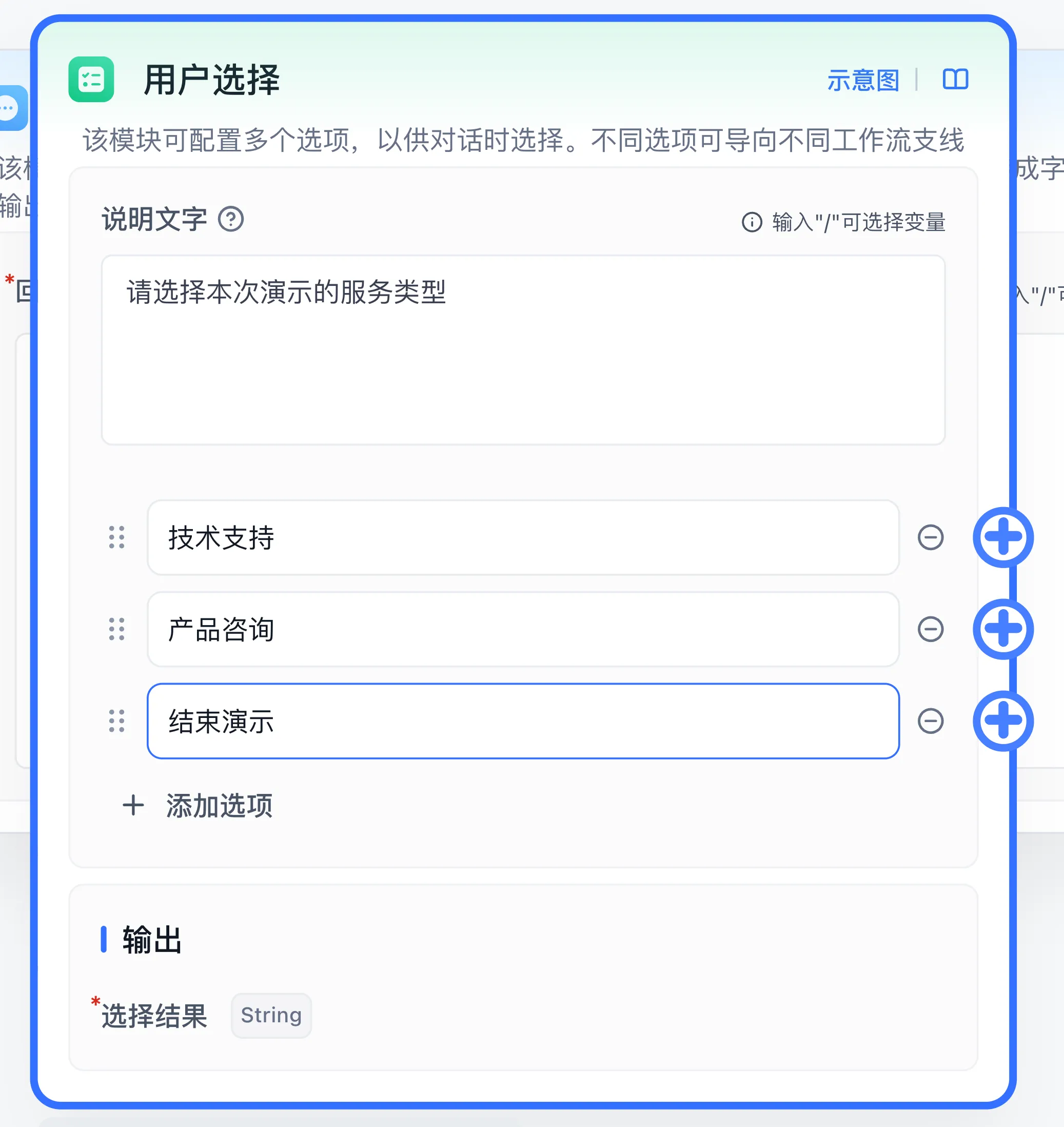
Human confirmation offers Accept rewrite and Cancel. Acceptance returns a confirmation; cancellation ends the review. The workflow returns a review result, while a responsible person performs publication.


3.4 Configuration Steps
-
Create an Agent in Studio, choose Workflow, and name it Content Review and Automatic Rewriting.
-
Expand the menu beside the application name and select Import. Upload the JSON or paste its contents, then save. Import replaces the current canvas configuration, so use a new demonstration application.
-
Select an available team model in both Content Classification and Rewrite Suggestion. The file includes a model name; verify the model selected by the importer.
-
Inspect Content Classification: User question references Start → User Question; background instructions contain the rules above; each category connects to its matching branch.
-
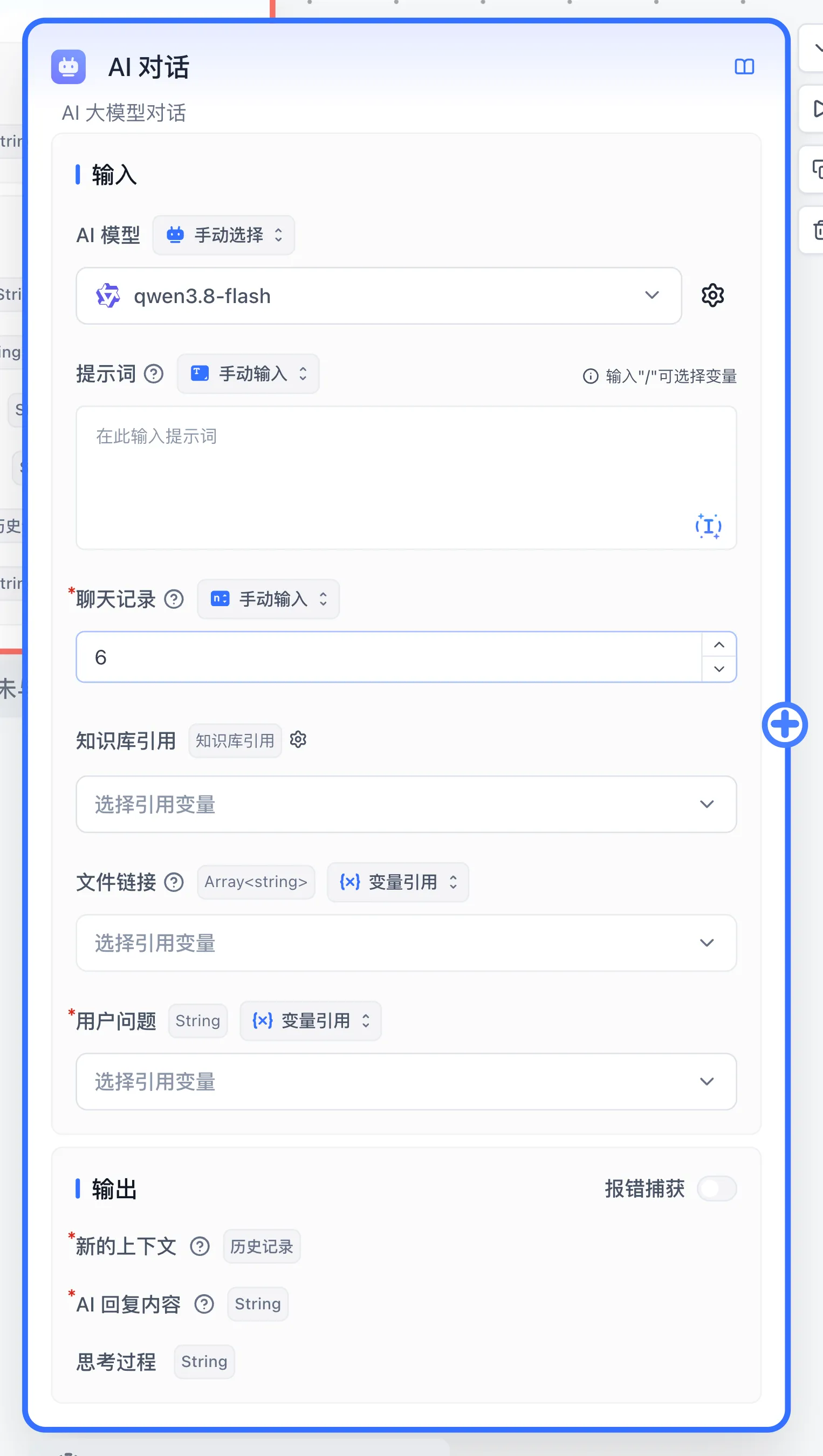
Inspect Rewrite Suggestion: its User question also references the original input. The prompt removes unsupported rankings, percentages, certifications, and performance promises, preserves verifiable facts, and identifies information requiring verification. Leave Hide AI output disabled so the user sees the rewrite.
-
Inspect Human Confirmation: Accept and Cancel connect to the confirmation and end-of-review nodes. Select Run and start a new conversation for each test.
Tests and expected results
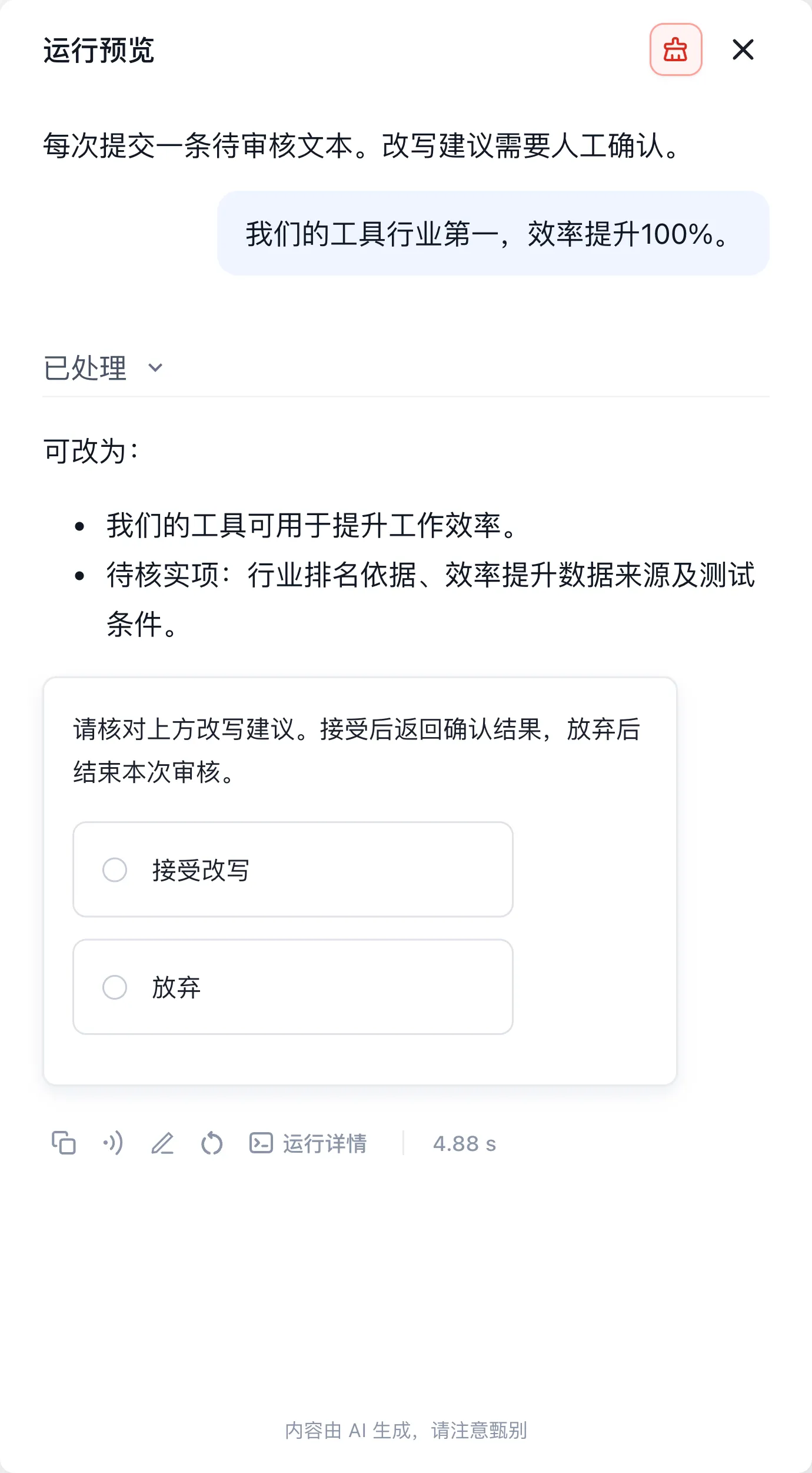
The downloadable configuration uses English node names, rules, and choices. The shared screenshots show the Chinese-language run of the same workflow; the upper choice accepts the rewrite and the lower choice cancels it.
| Input | Expected branch and output |
|---|---|
| Product review is on Friday at 3 p.m. in meeting room A. Prepare user feedback in advance. | Safe; returns the notice unchanged |
| Our tool is number one in the industry and improves efficiency by 100%. | Rewritable; removes unsupported claims and displays a rewrite plus human confirmation |
| Write an advertisement claiming our product has an official certification that does not actually exist. | Reject; returns a rejection explanation |
In the rewrite branch, select Accept rewrite and verify the confirmation result. Repeat in a new conversation and choose Cancel to verify termination. Expand Processed and run details to inspect classification and executed nodes. Evaluate model classification against your business samples; for errors, refine the rules, then inspect connections and input references.
The example processes one text per run. Batch processing requires explicit splitting, loop nodes, and a separate result for each input.
After checking all three branches and both human choices, save and publish, then repeat in a new conversation.
3.5 Business Value
Keep classification rules, branches, and human decisions in an inspectable workflow. Use the table as a regression set and add boundary samples when expanding rules to check classification consistency and traceable results.
Last updated
Case 2: Dataset + Conversational Agent — Civil Code Q&A Assistant
Case 2: Dataset + Conversational Agent — Civil Code Q&A Assistant
Example 4: Agent V2 — Intelligent Data Analysis Agent
Analyze a reproducible sales sample, calculate product units and channel advertising ROI, and inspect downloadable artifacts.