
Create and debug HTTP tools
Turn an HTTP service into a callable tool and verify authentication, input, and response.
HTTP tools convert internal REST services or third-party HTTP APIs into callable tools for Chat Agents, Agent V2 apps, and Workflows using either batch OpenAPI Schema import or manual single-endpoint configuration.
Prerequisites and Creation Modes
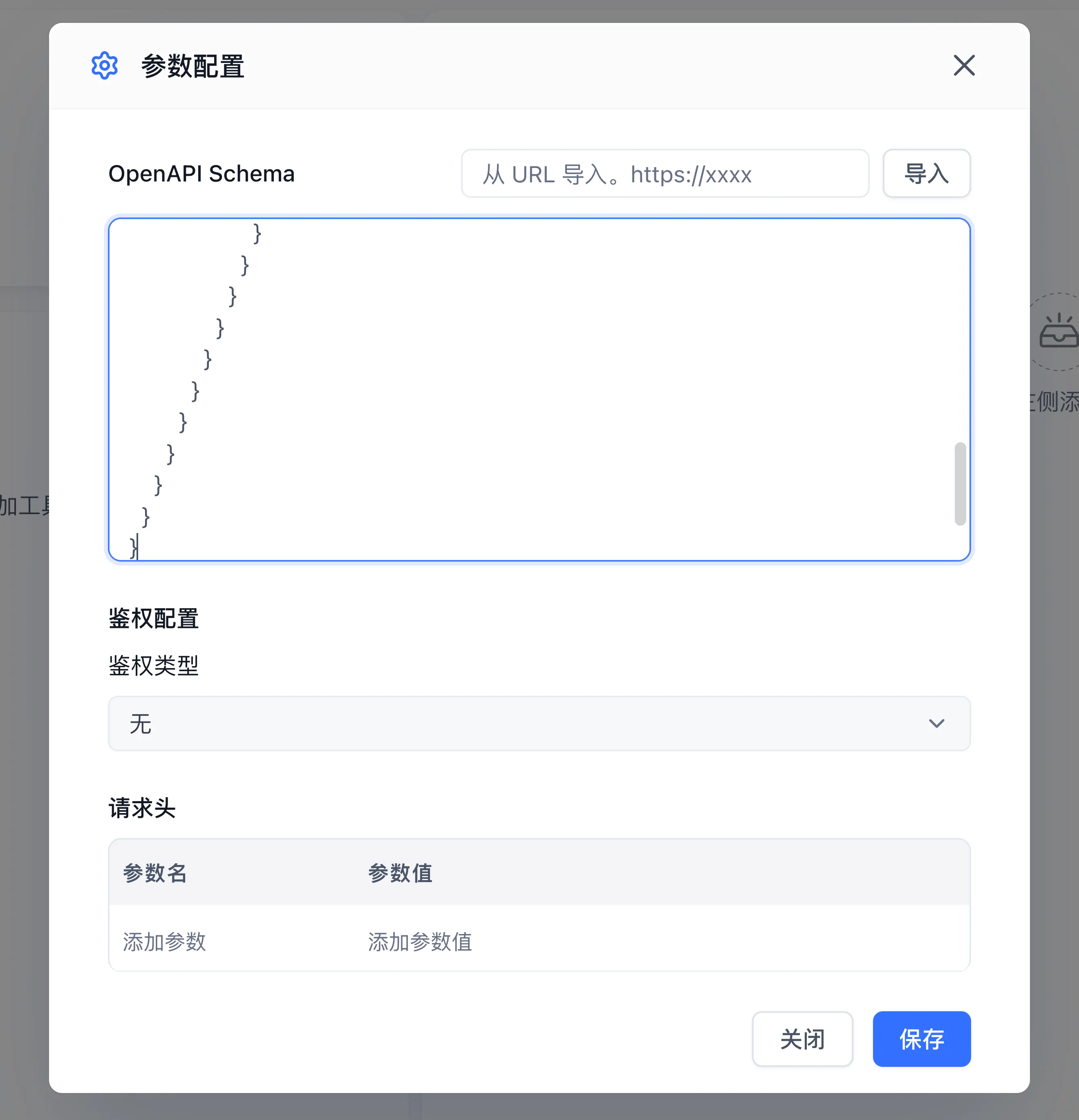
You need tool creation permission in the active team and network reachability from the FastGPT server to the target API. Both modes are options under Create Type when you create an HTTP tool set, and the choice cannot be changed afterward.
| Creation Mode | Best For | Key Characteristics |
|---|---|---|
| Bulk creation (OpenAPI Schema) | A service exposing multiple related endpoints (such as order lookup, creation, and cancellation) | Shares a common Base URL and auth headers; paste OpenAPI 3.0 / Swagger JSON or YAML, or import it from a URL, to parse child tools automatically |
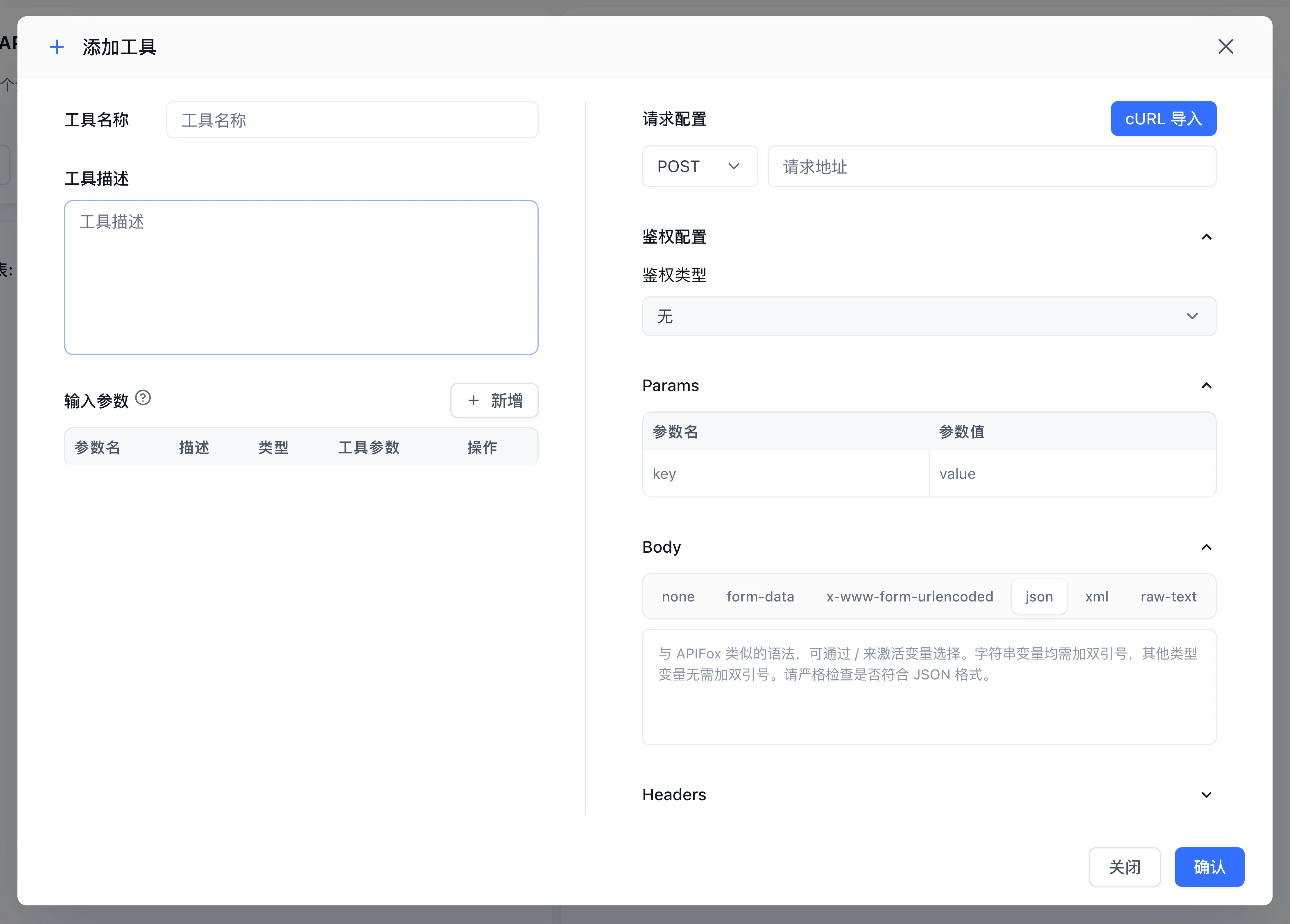
| Create manually (curl import or manual entry) | Connecting one standalone endpoint | Imports a curl command, or directly configures HTTP method (GET/POST/PUT/DELETE/PATCH), URL, query parameters, and body template |
Configure
- Go to Studio → My Tools, click New → HTTP Tools in the upper-right corner, and choose Bulk creation or Create manually under Create Type.
- Enter the service address, tool name, and description. In manual mode, import a curl command or set method and path; in bulk mode, inspect the parsed tool list.
- Configure authentication headers (None,
Bearer Token,Basic Auth, or custom Header key-value pairs), keeping fixed credentials in authentication settings. Define caller-supplied arguments, types, descriptions, and required fields. - Inspect request parameters, body, and output structure, then save.
- Select a tool, supply known arguments in its debug panel, run it, and inspect the response or error.
For example, configure the read-only GET /status endpoint of your own test service. Expect the status fields defined by that service's contract. First verify server access with the same credential, then compare the FastGPT debug result.
Authentication and Parameter Mapping
| Section | Description | Recommendation |
|---|---|---|
| Authentication (Header Secret) | Supports Authorization: Bearer <token>, Basic, or custom headers | Store static tokens in authentication settings rather than exposing them as model-populated input arguments |
| Path & Query Parameters | Path placeholders in the URL or entries in the Params table | Declare accurate types (string/number/boolean) and clear descriptions so models supply valid values |
| Request Body | Supports application/json, form-data, x-www-form-urlencoded, xml, and raw-text | Bind declared input parameters into the JSON body template |
Connect an application
Add the tool through the application's tool selector and describe when to use it. Test a question requiring the tool and inspect model-supplied arguments and returned content. See HTTP Request node for an explicitly configured request inside a workflow.
Troubleshoot
| Error | Check |
|---|---|
| 401 / 403 | Authentication value, service authorization scope, and expiration |
| 404 | Service address, path, and request method |
| Non-2xx status code (e.g., 400 / 422 / 500) | The system includes the downstream HTTP response body in the tool error text; expand the execution details to inspect the upstream error code and message directly |
| Timeout or network failure | DNS, egress, TLS, and target service status from the FastGPT server |
| Argument or schema failure | Types, required values, body format, and actual response structure |
Debugging can call the external service and produce its real effects. Verify target permissions and business confirmation requirements before using write operations. Remove authentication headers and personal data from troubleshooting material.
Last updated