
Connecting Knowledge Bases to Applications
Master attaching knowledge bases to Chat Agents, Chat Agent V2, and Workflows, configuring retrieval parameters, and authoring grounding templates.
Connecting a validated knowledge base to an application allows models to retrieve relevant context chunks before answering user queries, using source documentation as grounding evidence.
Scenario 1: Mount Knowledge Bases into Chat Agents
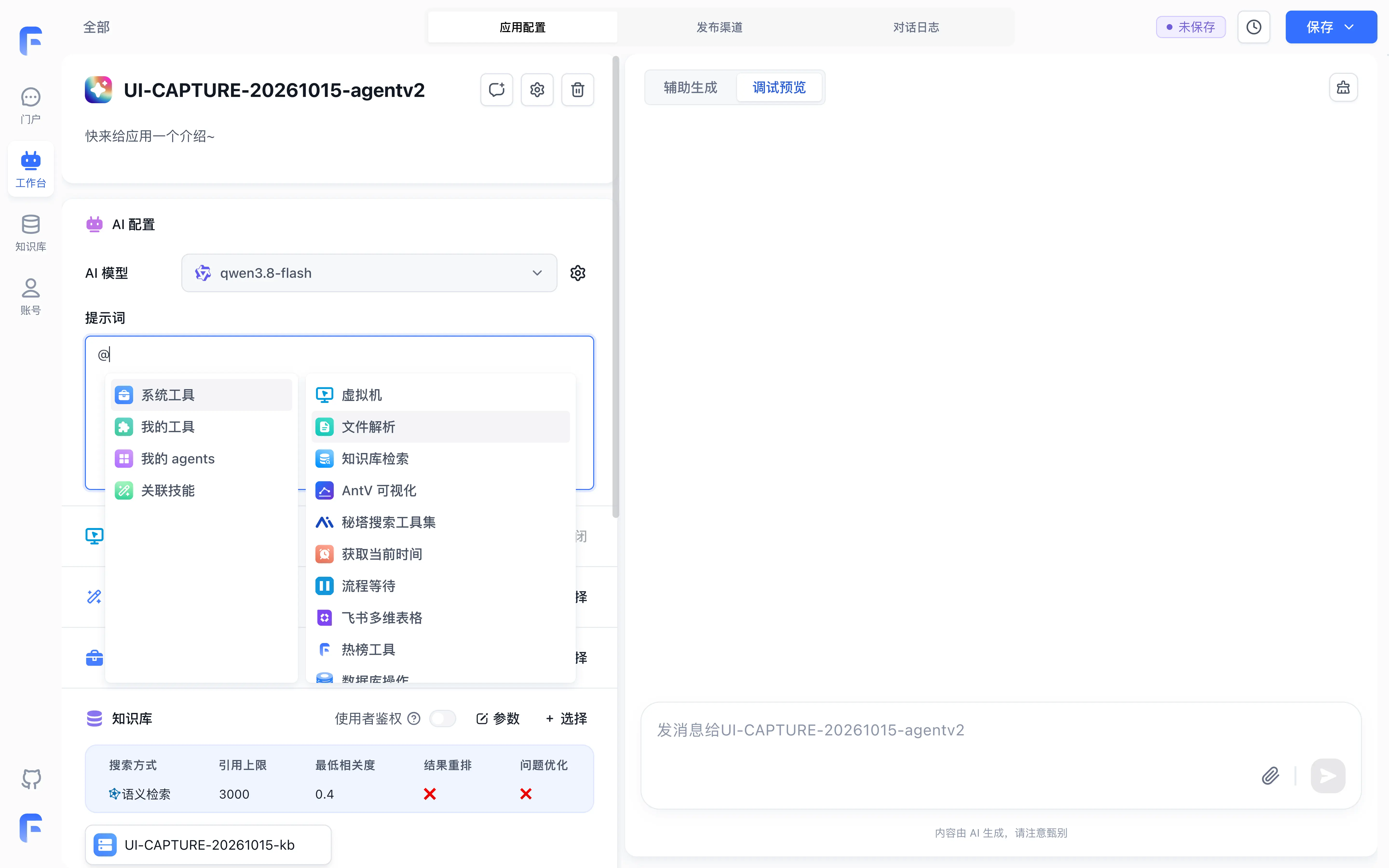
Chat Agents (both standard Chat Agent and Chat Agent V2) support mounting single or multiple knowledge bases directly:
- Go to Studio → Agents and open your target Chat Agent.
- In the application configuration panel, locate the Dataset section and click + Choose.
- Check the target knowledge bases you want to connect. FastGPT supports multi-dataset attachments (for example, simultaneously attaching both a Product Manual and a Service Policy).
- Click Parameters in the Dataset section to open the Dataset search settings modal and configure:
- Search Method: Defaults to Semantic search (as shown in the screenshots below); switching to Hybrid search is recommended to combine semantic generalization and keyword matching.
- Citation cap: Set the retrieved-context token budget according to chunk size and model context capacity.
- Lowest correlation: Calibrate the threshold with labeled questions and verify that score filtering is active.
Scenario 2: Orchestrate Knowledge Retrieval in Workflows
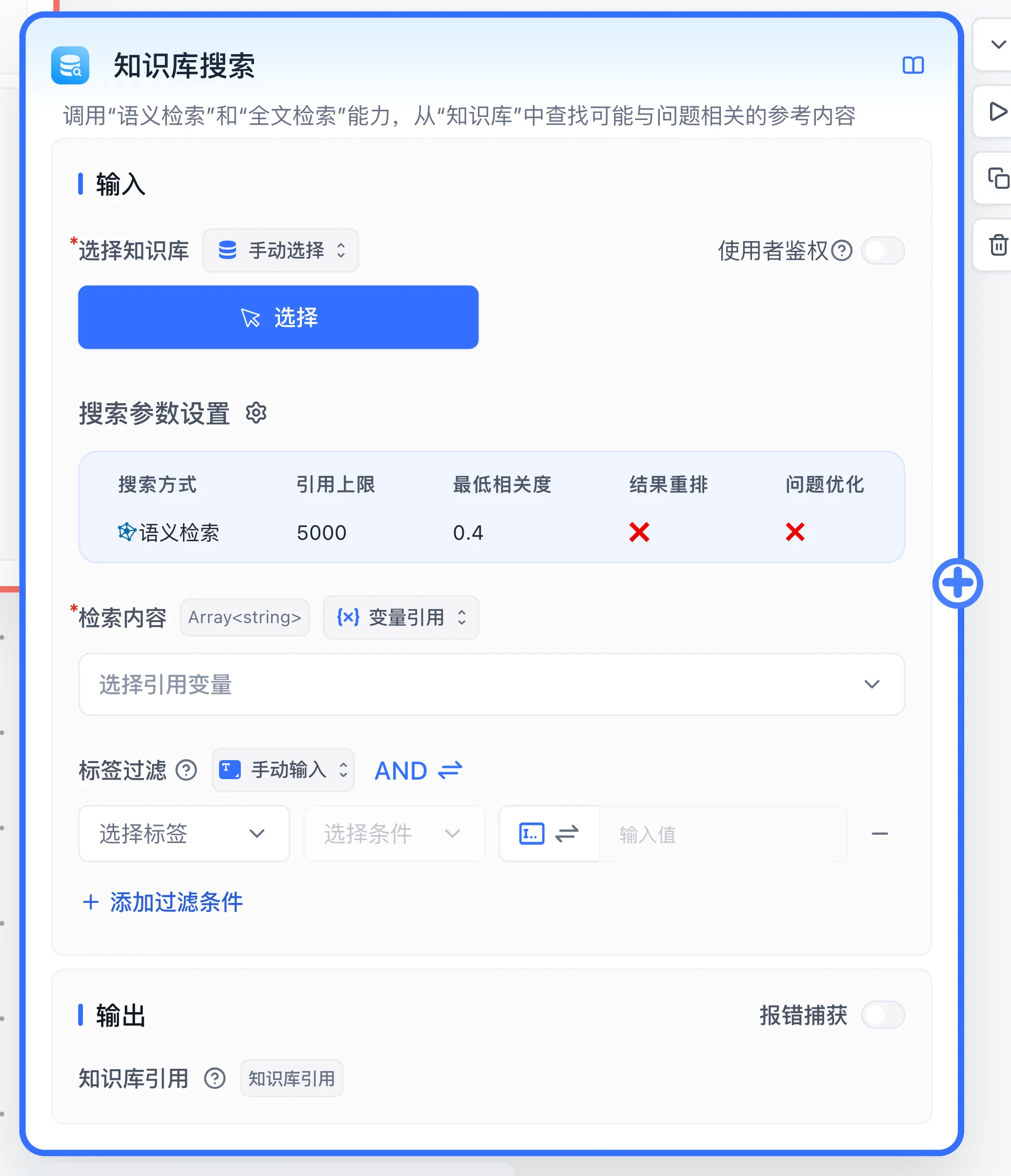
In workflows, knowledge base search operates as a discrete functional node, connecting with upstream and downstream components across the visual canvas:
- Open your target workflow canvas, click the
+button on the left, and choose Dataset Search under Basic → AI capability. - Connect an incoming execution edge from an upstream node (such as Start or Classify).
- Configure Node Inputs:
- Select Dataset (
datasets): Select one or more target datasets. - Search Settings: Set the search method, citation cap, and lowest correlation.
- Search Text (
datasetSearchInput): Click the variable picker and bind to User Question on Start, or link to a rewritten query from an upstream node.
- Select Dataset (
- Merge Multi-Dataset Searches:
When parallel retrieval branches query multiple datasets, add a Dataset search citation merge (
datasetConcatNode) node downstream to consolidate and deduplicate results. - Downstream Execution Flow:
Connect the execution output of the search node to an AI Chat node, and bind the search node's Dataset citations (
quoteQA) output to the Dataset citations (quoteQA) input of the AI Chat node.
Common Configuration: Author Grounded System Prompt Templates
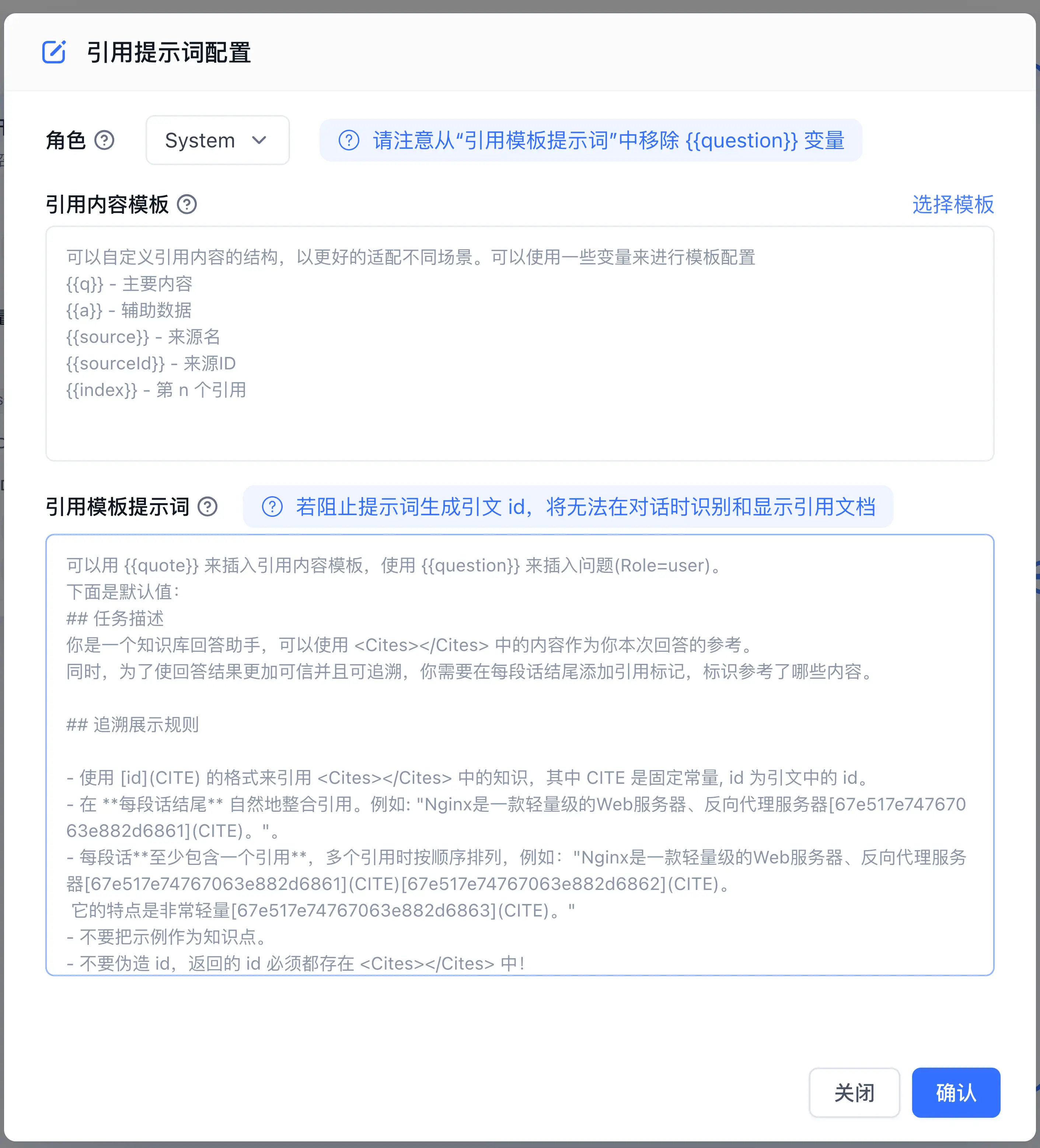
To maximize the accuracy of knowledge base integration, compose strict grounding instructions in your system prompt (retrieved chunks are injected automatically via {{quote}} in the citation prompt template, so no manual placeholder is needed in the system prompt):
You are an enterprise knowledge specialist. Your duty is to answer user inquiries strictly using the provided reference material.

Operational Principles:
1. Extract and state facts directly supported by the reference material.
2. Maintain an objective, disciplined tone, outlining specific policies and procedures clearly.
3. If the reference material does not contain the required facts, state that the current knowledge base contains no record and advise contacting customer support.
Bind search results to the AI Chat node's knowledge input. The dedicated knowledge reference prompt uses {{quote}} to insert formatted chunks; keep its default template or edit it in the reference settings.
Common Verification: End-to-End Testing and Publication
- In the right-hand testing drawer, submit a representative business query.
- Click Run Details below the response and review each step:
- Verify that the knowledge base search node triggered successfully.
- Confirm that recalled chunks align closely with the query topic.
- Verify that the generated answer incorporates the retrieved facts faithfully.
- Once the output meets production standards, click Save → Save and Publish in the top-right corner to freeze the configuration into the active production version.
Next Steps
- Tag-based filtering: Learn Collection Tag System.
- Collaborator permissions: Study Collection Permission Control.
- Automated sync: Review Data Maintenance and Incremental Updates.
Last updated
Search Testing and Retrieval Parameters
Master knowledge base search testing, hybrid search modes, similarity score analysis, and zero-recall troubleshooting.
Data Maintenance and Incremental Updates
Master data chunk fine-tuning, whole-file overwriting, hash-based content diffing, and batch index rebuilding.