
How-to Guide: Build an Accurate Knowledge-Base Q&A Application
Master knowledge ingestion chunking, multi-route retrieval and reranking, prompt constraints, and citation transparency.
This guide provides a standardized recipe for building high-precision knowledge-base Q&A applications that deliver dependable answers with explicit citations.
Scenario and Prerequisites
This guide addresses a core problem: transforming structured or unstructured policy documentation into an operational Q&A system that adheres strictly to source facts and exposes verifiable citations.
Before starting, confirm the following prerequisites:
- Permissions to create datasets, manage applications, and publish channels in your active team.
- Available embedding, reranker (Rerank), and chat models configured in the environment (refer to Model Configuration).
- A multi-section UTF-8 policy document prepared locally, such as
travel-policy-full.txtwith five distinct sections to verify multi-chunk splitting, exact keyword recall, and semantic retrieval (named separately from the 3-linetravel-policy.txtused in Quick Start):
# FastGPT Corporate Travel Policy (Doc ID: FIN-TRV-2026)

## 1. Submission Deadlines and Required Receipts
1. Submission deadline: Employees must submit expense reports within 15 calendar days after returning from a business trip; late submissions require written approval from the department head.
2. Mandatory receipts: Every claim must attach an official tax invoice and an approved travel request form (form prefix: OA-TRV).

## 2. Intercity Transit Standards and Rebooking Rules
1. High-speed rail: Standard second-class seat by default; first-class seat is permitted when a continuous single trip exceeds 6 hours.
2. Flights: Economy class is permitted when flight distance exceeds 1,200 km or high-speed rail travel exceeds 5 hours; business rebooking requires official airline fee receipts.

## 3. Hotel Lodging Caps and Exception Approvals
1. Tier-1 cities (Beijing, Shanghai, Guangzhou, Shenzhen): Standard room reimbursement cap is 600 CNY per night.
2. Other provincial capitals and Tier-2 cities: Standard room reimbursement cap is 400 CNY per night. Amounts exceeding the cap at client-designated hotels require special approval records.

## 4. Meal Per Diem and Local Transit Allowances
1. Meal per diem: Domestic business trips receive a fixed allowance of 100 CNY per calendar day without requiring meal invoices.
2. Local transit: Prioritize the corporate ride-hailing platform; self-paid taxi fares are reimbursed up to 80 CNY per day with printed receipts or electronic trip logs.

## 5. Finance Review SLA and Year-End Cutoff
1. Review and disbursement SLA: The finance department completes review and payment within 5 business days after receiving complete valid receipts.
2. Year-end cutoff: Travel expenses incurred before December 20 must be submitted and archived before December 31 of the same year.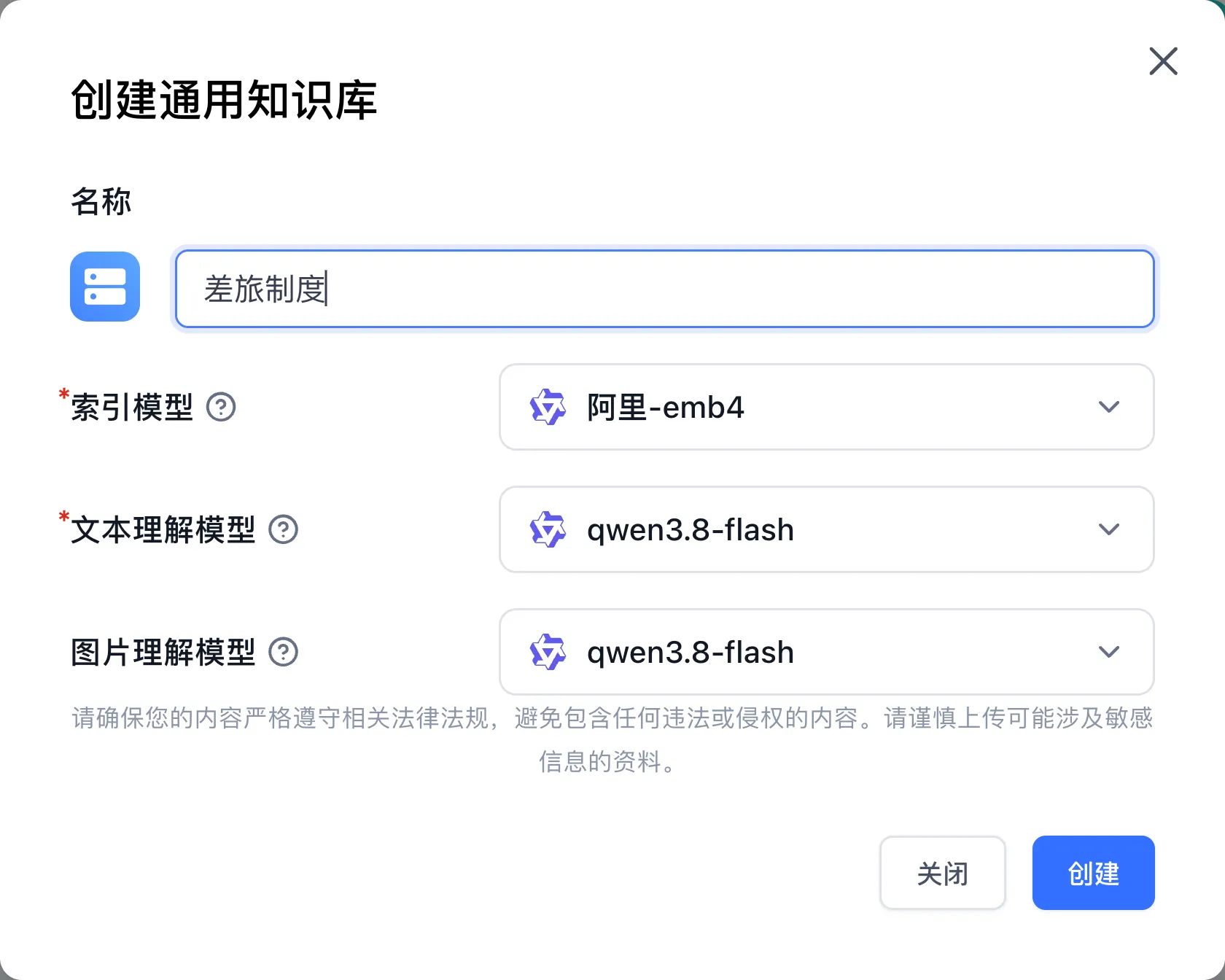
Step 1: Create a Knowledge Base and Configure Chunking
- Click "Dataset" in the left navigation bar, click "New" in the upper right corner, and select "General Dataset"; name it
Corporate Travel Policy (Full), keep the default models, and click "Create". - Open the knowledge base, click "Create/Import → Text Collection → Local File", upload
travel-policy-full.txtin the "Select a file" step, wait until upload reaches 100%, and click "Next". - Parameter settings (Chunking Strategy):
- Multi-section policy documents: Keep the "Chunk mode" processing option. Under "Chunking parameters", select "Custom", then choose "Split by paragraph" (which splits on Markdown headings by default), or choose "Split by delimiter" and select "Custom" under "Delimiter" with
##, or choose "Split by length" and set "Chunk size" to256–512tokens so deadlines, transit rules, lodging caps, allowances, and finance SLAs each form a dedicated chunk. - For structured Q&A catalogs: Use the "QA" processing mode to automatically derive query-answer pairs for higher semantic matching.
- Multi-section policy documents: Keep the "Chunk mode" processing option. Under "Chunking parameters", select "Custom", then choose "Split by paragraph" (which splits on Markdown headings by default), or choose "Split by delimiter" and select "Custom" under "Delimiter" with
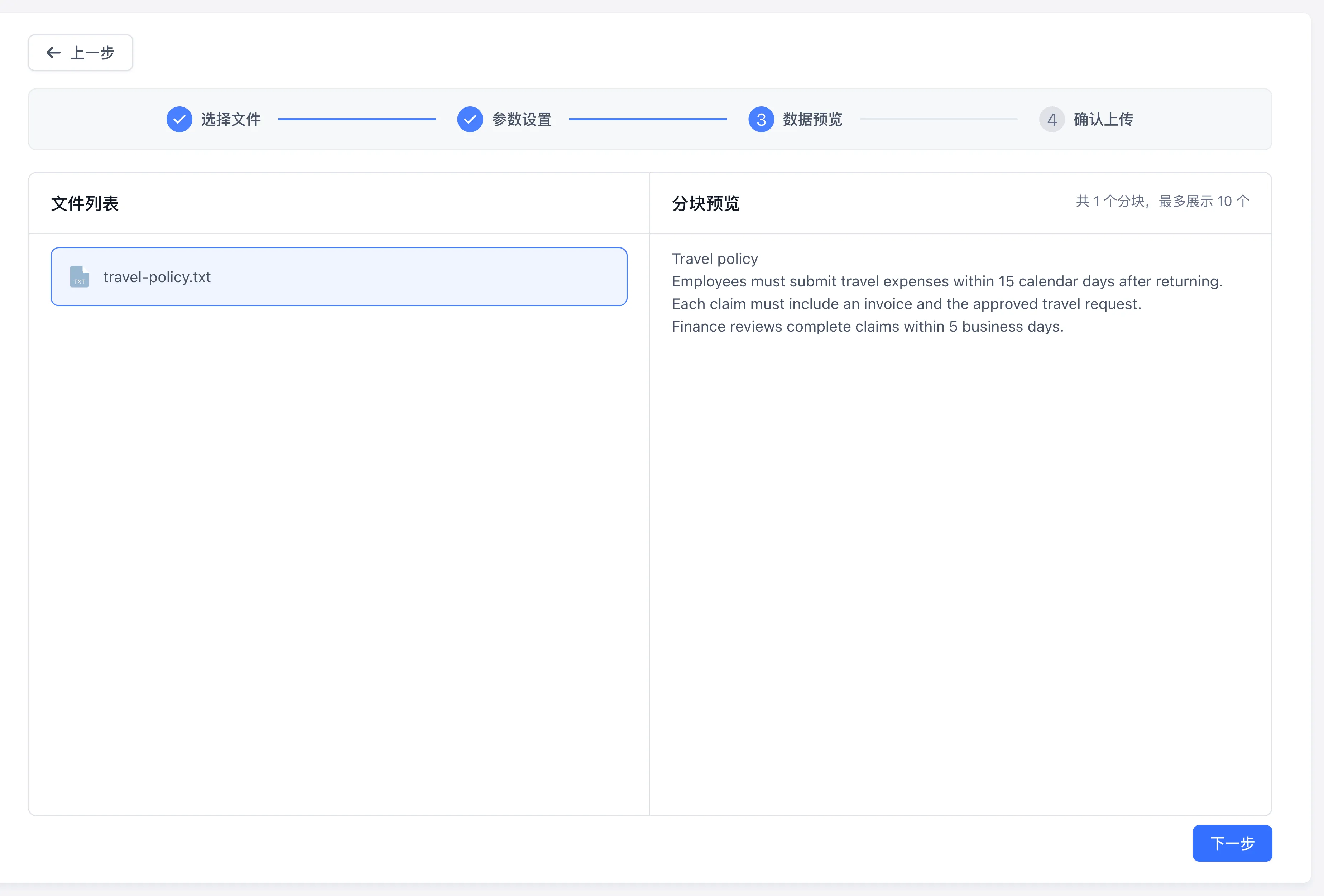
- Click "Next" to enter the "Data preview" step, click
travel-policy-full.txtin the left file list, and verify in the "Preview chunks" panel on the right that each section is split into its own chunk with complete time limits, amount caps, and form codes. Click "Next", then click "Start Upload" in the final step (the preview screenshot below illustrates the interface with the shorttravel-policy.txtsample).
Step 2: Validate Search Recall and Reranking
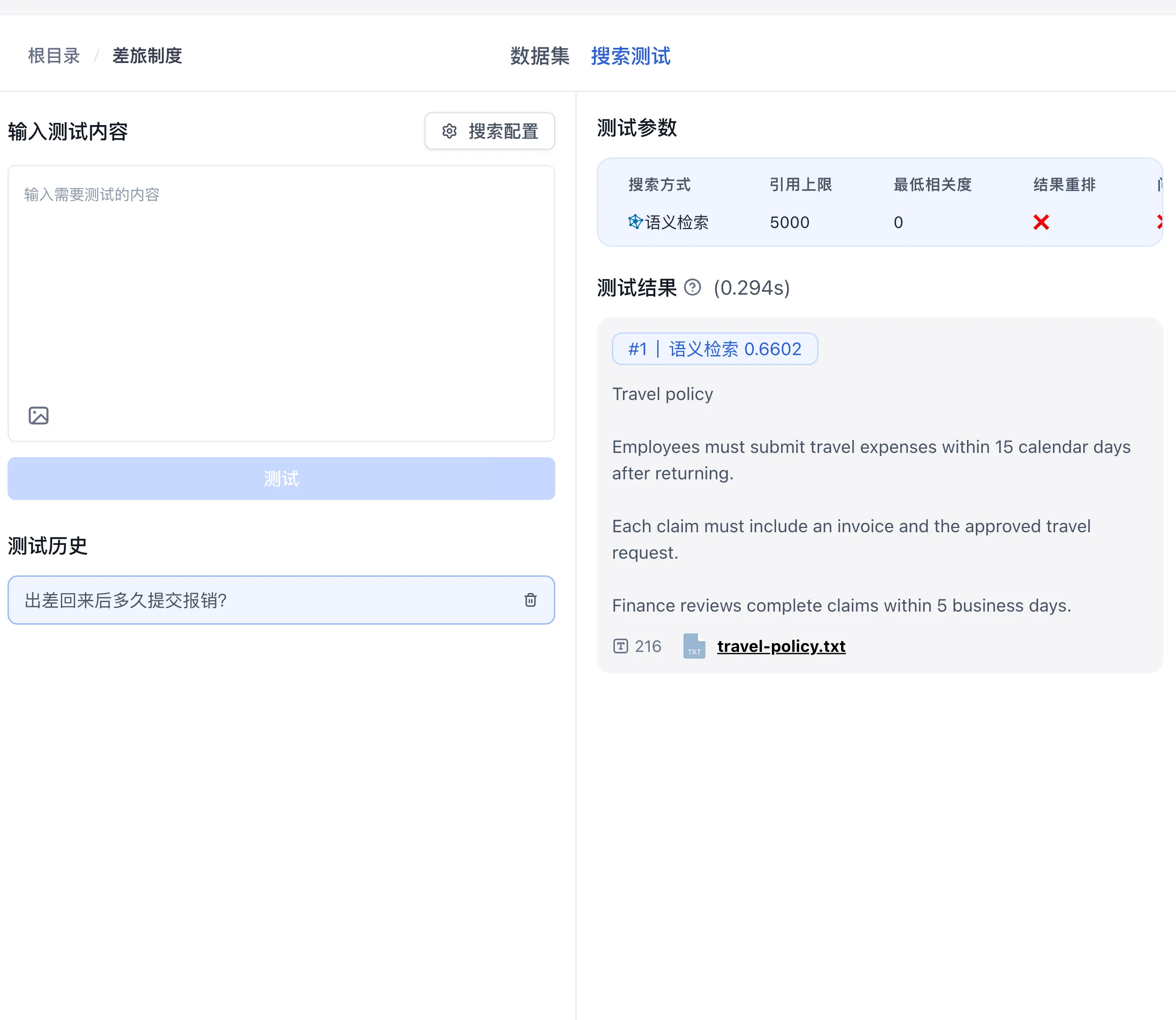
Before connecting the knowledge base to an application, compare single-route search against multi-route hybrid retrieval with reranking in "Search Test":
- Navigate to the "Search Test" tab at the top of the knowledge base.
- Click the "Search settings" button in the upper right of the input box to configure multi-route recall and reranking:
- Search mode: Select "Hybrid search" (combining vector semantic retrieval and BM25 full-text search via Reciprocal Rank Fusion) and keep balanced weights (such as
0.5 : 0.5). - Re-rank: Enable the "Re-rank" toggle so the reranker model performs second-pass cross-attention scoring across candidate chunks.
- Search filter: Set "Max Tokens" (such as
1000–3000) and "Minimum relevance" (such as0.2–0.4) to filter out low-relevance chunks.
- Search mode: Select "Hybrid search" (combining vector semantic retrieval and BM25 full-text search via Reciprocal Rank Fusion) and keep balanced weights (such as
- Test both semantic queries ("Within how many days must an employee file expenses after returning?") and exact code/cap queries ("OA-TRV form requirements" or "Shanghai hotel lodging cap").
- Inspect the combined ranking (
#1 | Comprehensive ranking) and individual score badges (Re-rank,Semantic search,Full-text search) to confirm the target section ranks first.

Step 3: Create a Chat Agent with Grounding Prompts
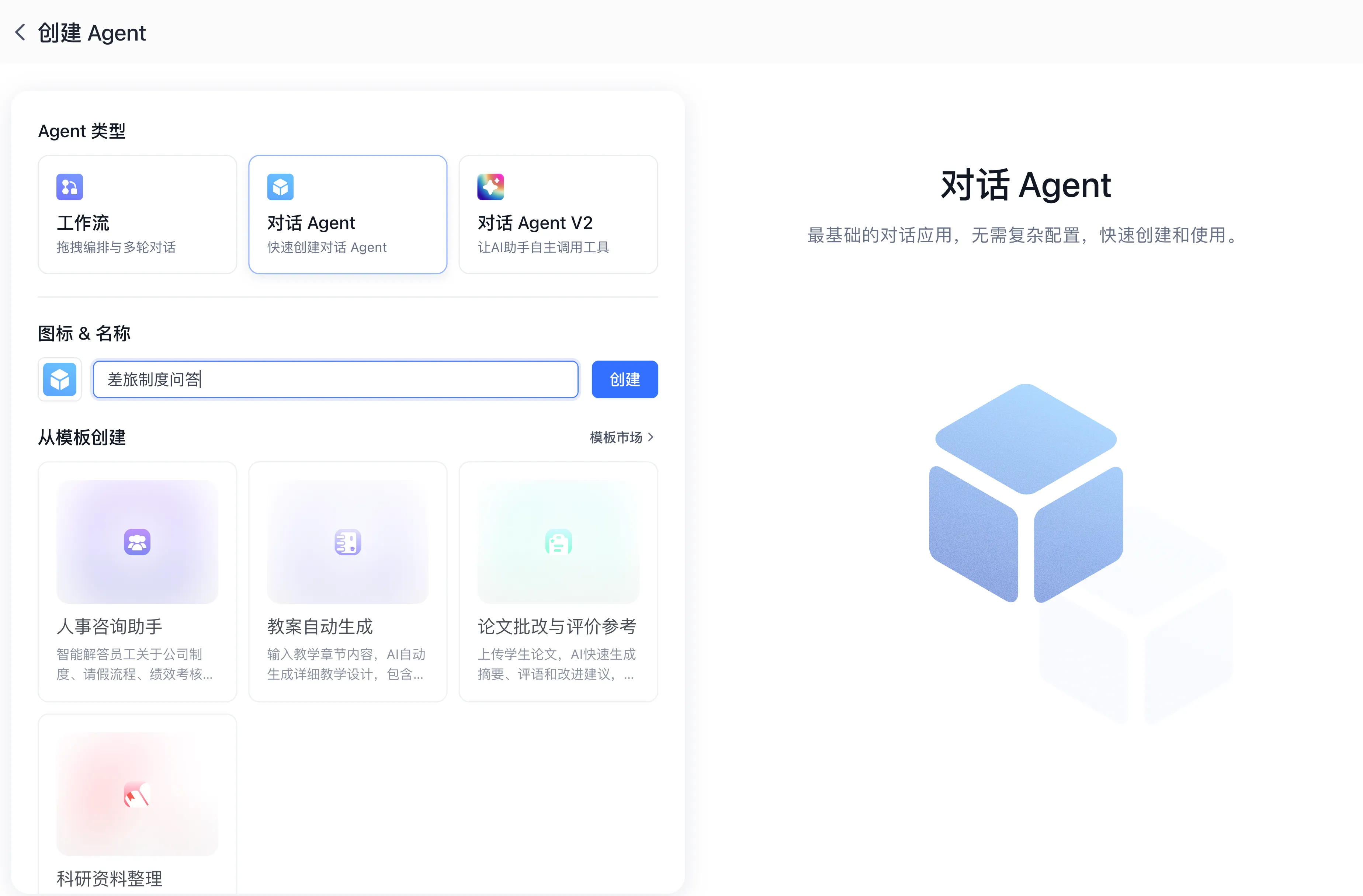
- Click "Studio" in the left navigation bar, click "Create your first Agent" (or the "New" card), choose "Chat Agent", name it
Travel Policy Q&A, and click "Create".
- Under "AI Settings → Model", pick an active chat model.
- In the "Dataset" section, click "+ Choose" and attach the validated
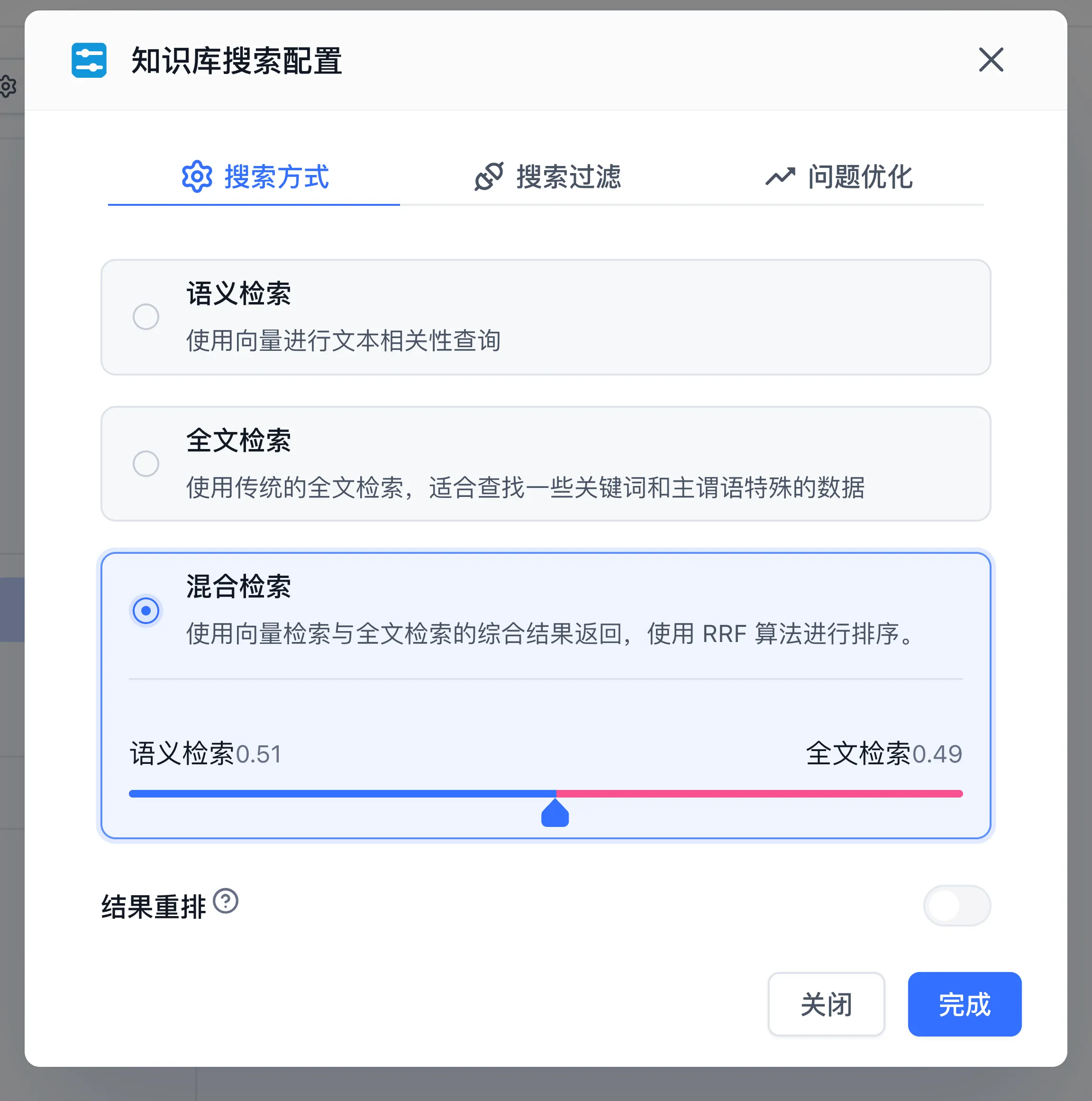
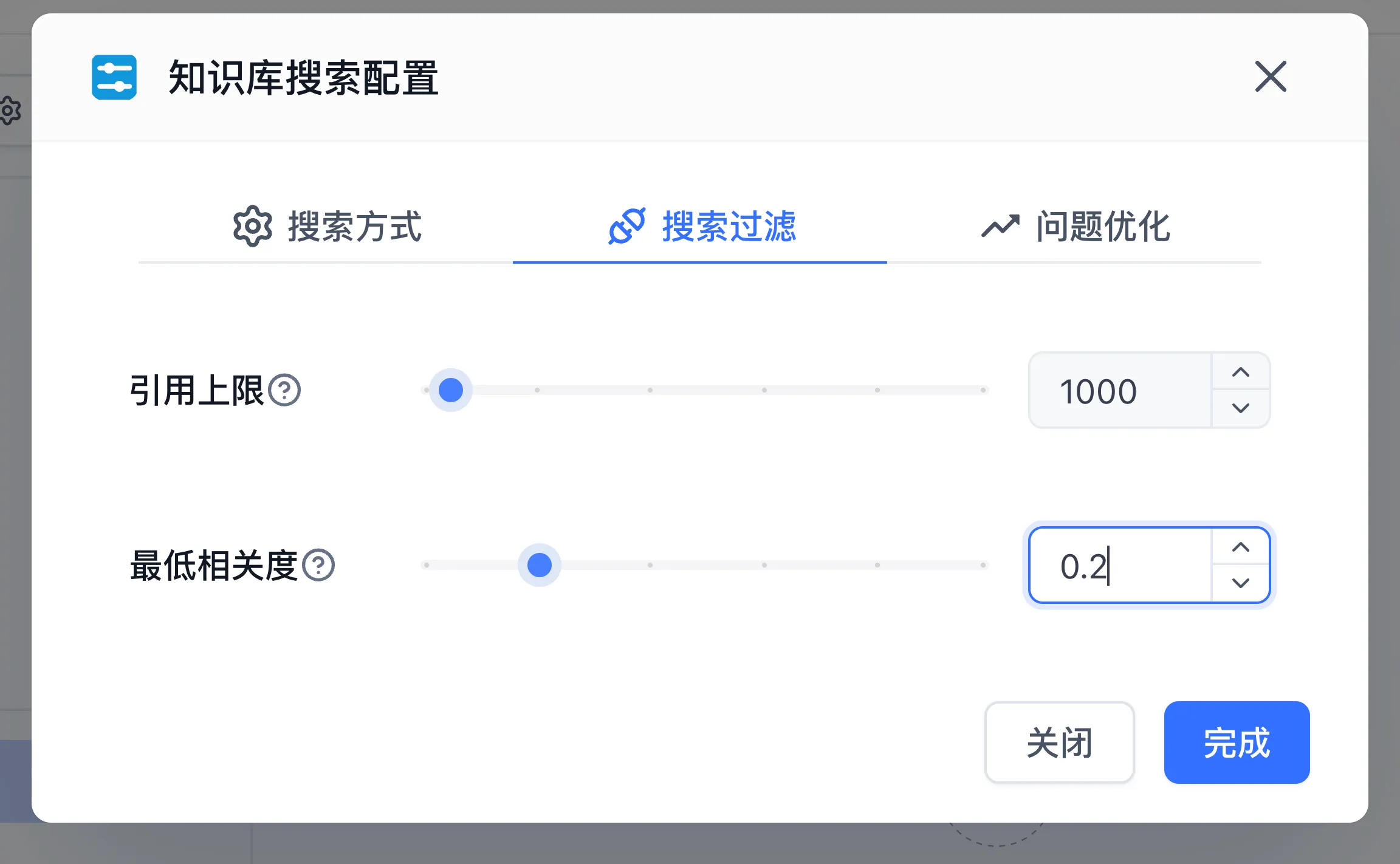
Corporate Travel Policy (Full). - Click "Params" in the "Dataset" section to open the "Dataset search settings" modal and apply the verified multi-route retrieval settings:
- Under Search mode, select Hybrid search, adjust semantic vs. full-text weights as needed, and turn on Re-rank.
- Under Search filter, configure Max Tokens (for example
3000) and Minimum relevance (for example0.4). - Optionally enable query extension under Query extension for multi-turn coreference resolution, then click "Done".
- In the "Prompt" field, compose instructions enforcing strict factual adherence:
You are a corporate travel policy assistant.
Answer user questions strictly using the retrieved reference text.

Operational rules:
1. State deadlines, processes, and mandatory documentation as explicitly recorded in the policy.
2. Append source citations at the end of each answer.
3. For information not recorded in the references, state that the current policy contains no record and direct the user to HR or Finance.
Step 4: Test in Workspace and Verify Edge Cases
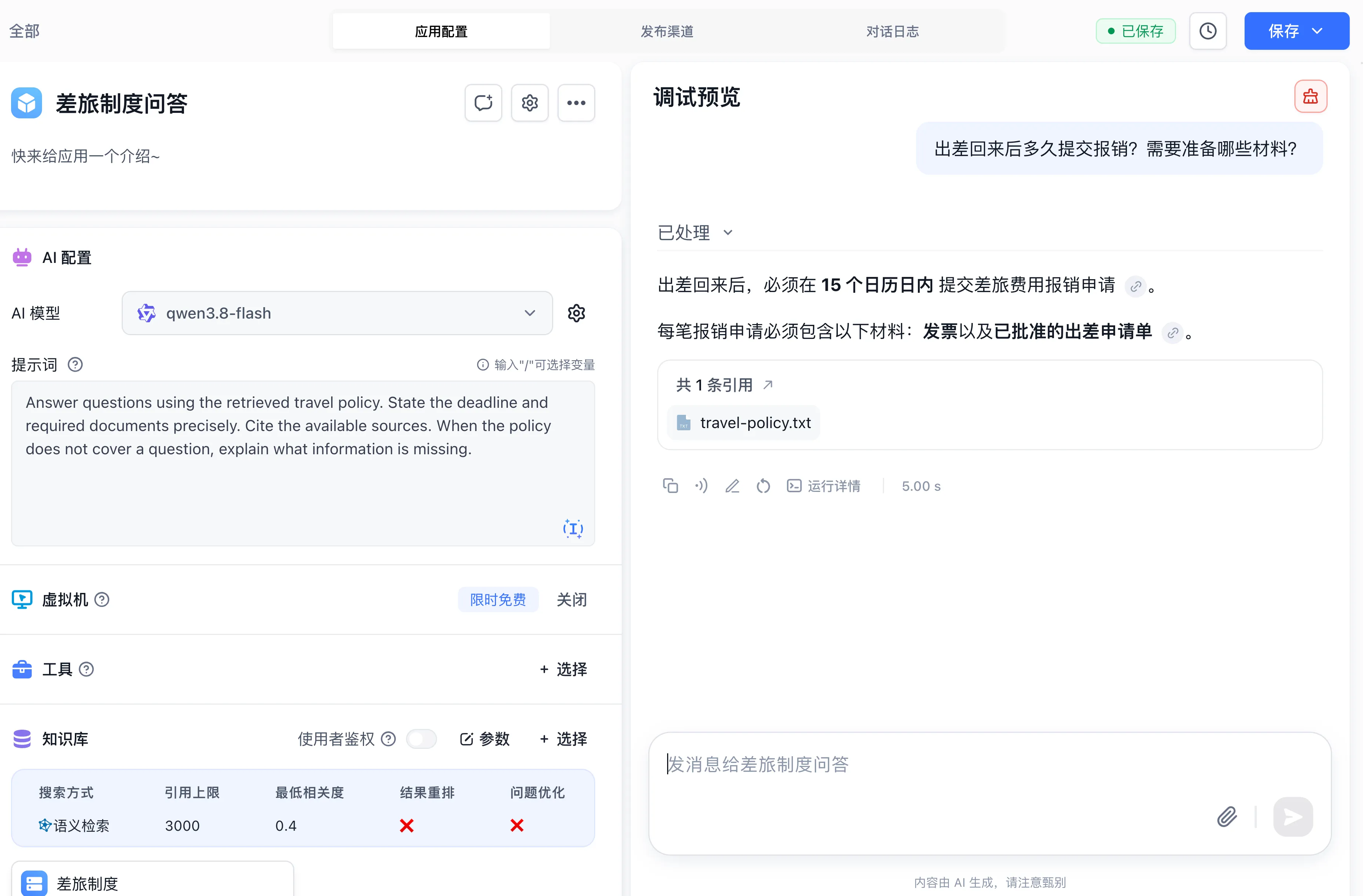
Run two distinct tests in the "Debugging preview" panel on the right:
- Factual Recall Test: Ask "What receipts are required for reimbursement?". Confirm that the assistant lists invoices and approved request forms with accurate citations.
- Boundary Test: Ask "How are overseas visa application fees reimbursed during a business trip?". Confirm that the model states the current policy contains no record of overseas visa reimbursement, preventing fabricated rules.
Step 5: Configure Citation Visibility and Publish
- Click "Save" in the top right corner, choose "Save and Publish", enter a version name, and click "Confirm".
- Open the "Publishing channels" tab at the top, select "Login-Free Window", and click "Create New Link".
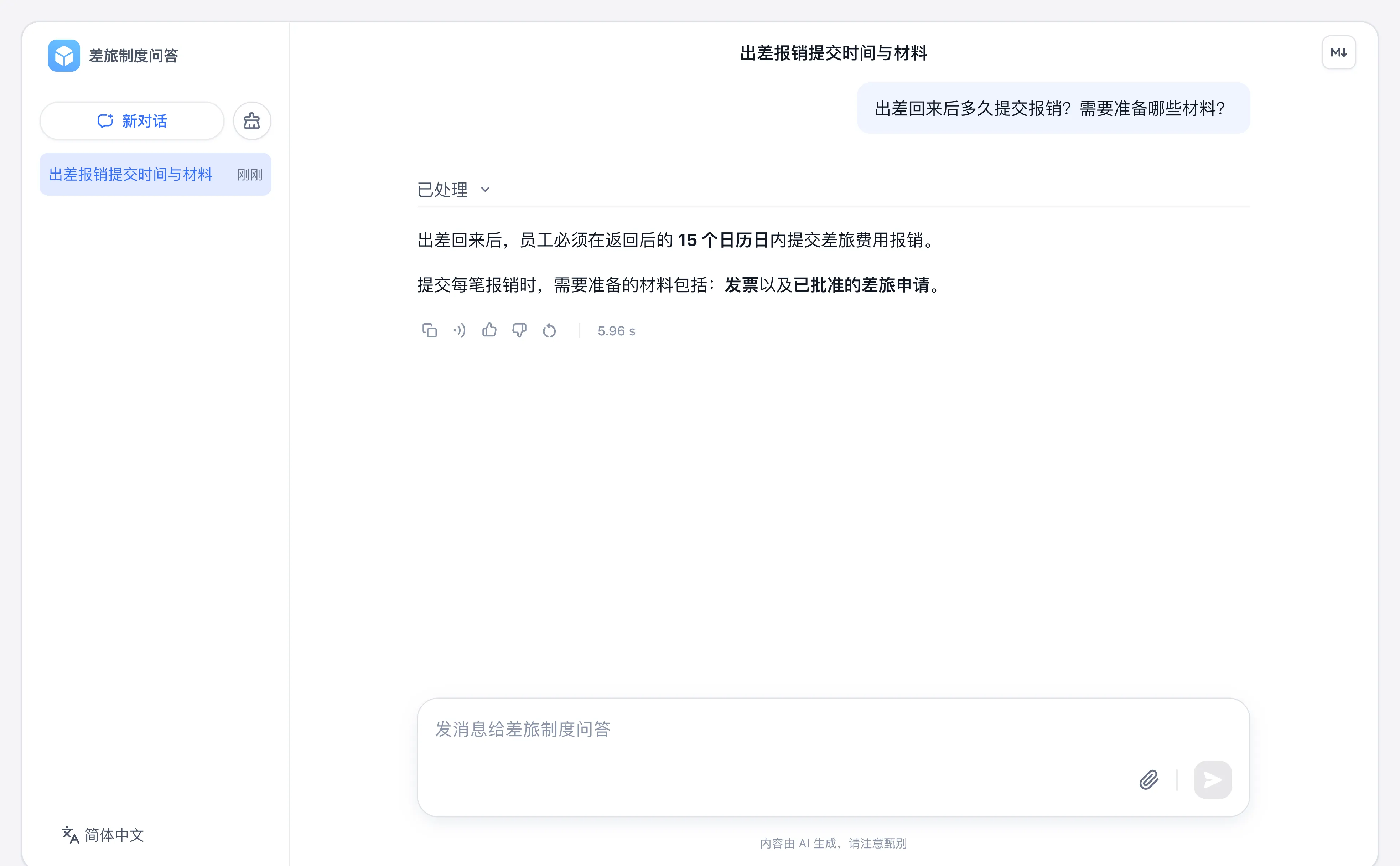
- Enter a link name, toggle on "View citation snippets", and click "Confirm". This lets end users inspect source citations in answers.
- Copy the URL and test the experience in an external browser tab.
Next Steps
- Maintenance: Read Knowledge Base Lifecycle and Incremental Data Updates.
- Search tuning: Study Retrieval Testing and Parameters.
- Advanced orchestration: Mount datasets into visual pipelines in Build Your First Workflow.
Last updated