
Access App via API
Access FastGPT app via API
In FastGPT, the API entry under Publish Channels shows API Keys available to the current signed-in member. API Keys are member credentials for OpenAPI calls and are no longer created as app-scoped keys.
When calling this app through chat/completions, passing appId in the request body is recommended. If a third-party app only supports OpenAI SDK-style key configuration, you can use the apiKey-appId compatibility format. For details, see the OpenAPI Introduction.
Connect your user system
Requires FastGPT 4.18.0 or later.
Keep the APIKey on your backend. After authenticating a user, pass your user ID as customUid:
{
  "appId": "68ad85a7463006c963799a05",
  "customUid": "customer-42",
  "messages": [{ "role": "user", "content": "Hello" }]
}
customUid accepts up to 1,024 characters. FastGPT passes the value unchanged to the Workflow's userId and records it as the user in chat logs. An omitted, null, or empty value uses the default member identity. It does not change the APIKey's authenticated member or permissions. customUid and authProxy, which runs a call as a Team member, are mutually exclusive. Providing both returns a parameter error.
Chat logs show the user by default. Enable the hidden Authorizer column in column settings to see the authenticated member. CSV exports follow your selected columns. This parameter identifies users; your backend remains responsible for user authentication and access to sessions.
Get an API Key
Go to App -> "Publish Channels" -> "API", then click "New" to create a key.
An API Key represents the current signed-in member's OpenAPI credential. Keep your key safe. To copy it again later, use the copy button in the API list.
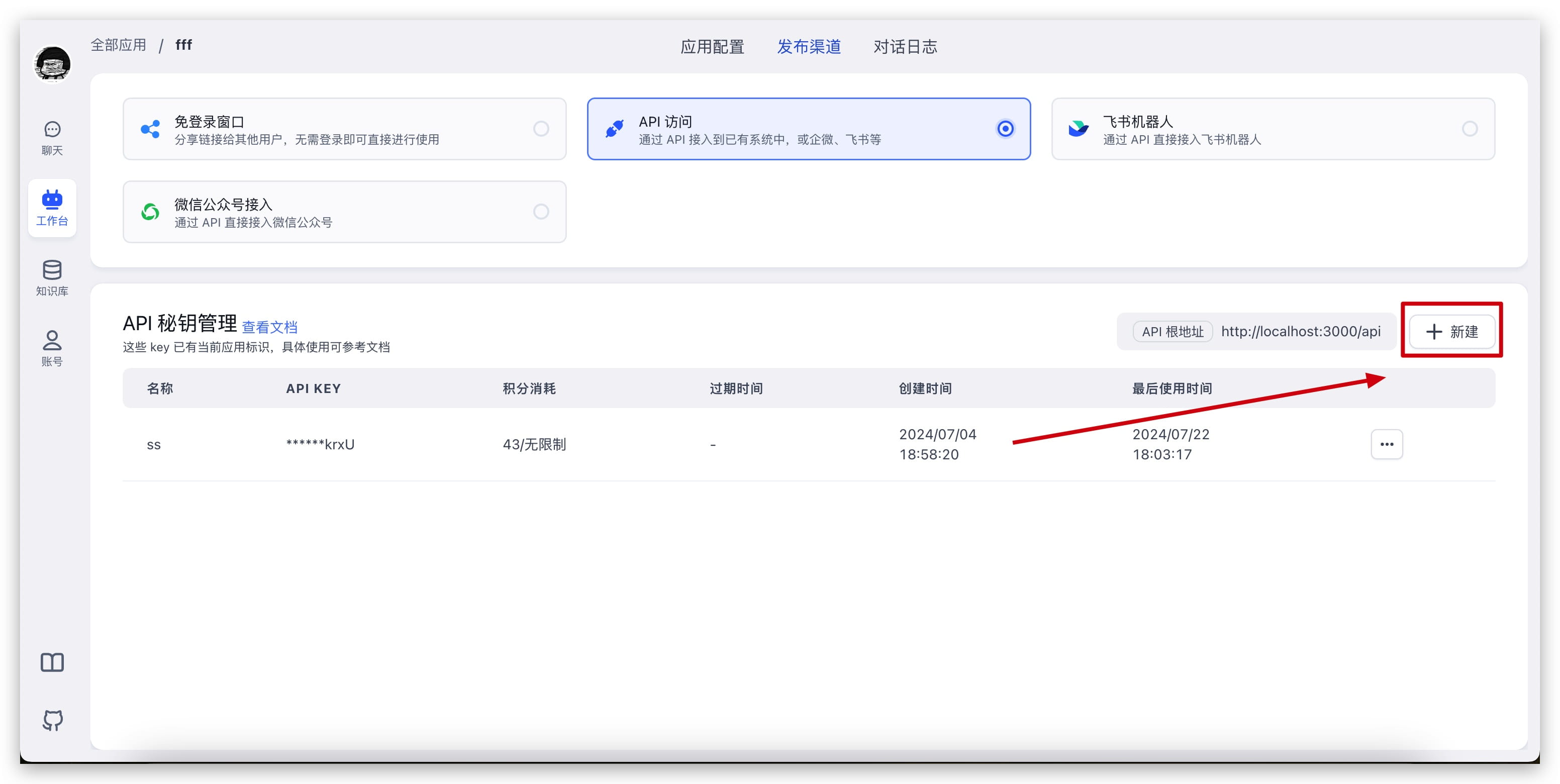
Tip: For security, you can set a quota or expiration time to prevent key abuse.
Replace Variables in Third-Party Apps
OPENAI_API_BASE_URL: http://localhost:3000/api (replace with your deployed domain)
OPENAI_API_KEY = the key obtained in the previous step (passing appId in the request body is recommended; if the third-party app only accepts a key, use the apiKey-appId compatibility format)
ChatGPT Next Web Example:

ChatGPT Web Example:

Last updated