
4.14.x
V4.14.0 (Includes Upgrade Script)
FastGPT V4.14.0 Release Notes
Upgrade Guide
1. Update Images:
- Update FastGPT image tag: v4.14.0
- Update FastGPT commercial edition image tag: v4.14.0
- Update fastgpt-plugin image tag: v0.3.0
- mcp_server: no update needed
- Sandbox: no update needed
- AIProxy: no update needed
2. Run the Upgrade Script
Only required for commercial edition users who have used custom system tools.
From any terminal, send an HTTP request. Replace {{rootkey}} with the rootkey from your environment variables, and {{host}} with your FastGPT domain.
curl --location --request POST 'https://{{host}}/api/admin/initv4140' \
--header 'rootkey: {{rootkey}}' \
--header 'Content-Type: application/json'
This will migrate existing system tools to the latest data table.
3. Install System Plugins
Starting from V4.14.0, the fastgpt-plugin image only provides the runtime environment and no longer comes with pre-installed system plugins. All FastGPT systems must manually install system plugins.
Important Notes
- Previously manually installed JS plugin packages will become invalid and need to be repackaged and reinstalled.
- Installing via the Plugin Marketplace will fetch data from the public FastGPT Marketplace by default.
- If your FastGPT instance cannot access the Plugin Marketplace, you can manually visit the FastGPT Plugin Marketplace, download the .pkg file, and import it into your system.
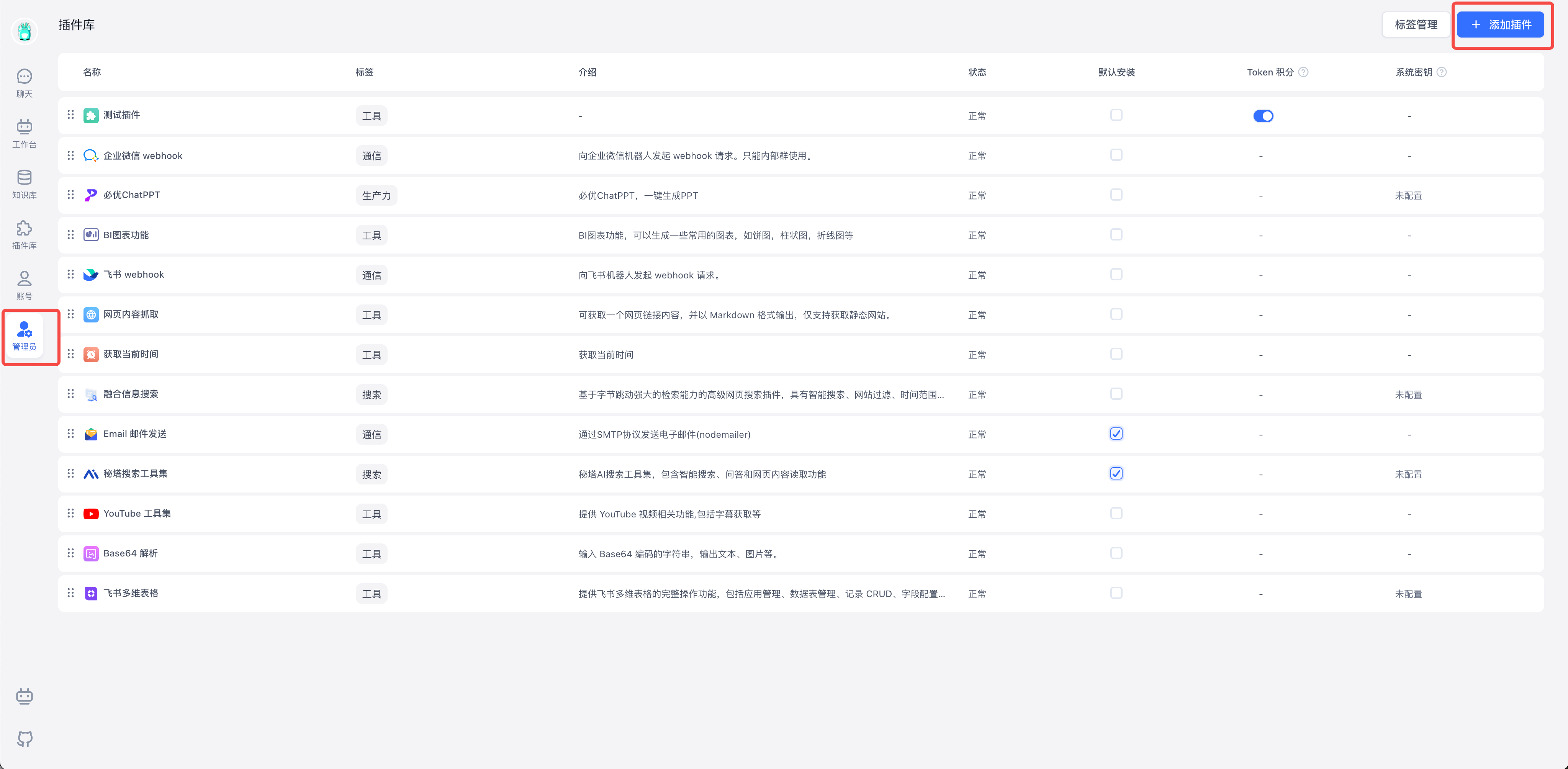
- In addition to installation, you can also sort tools, set default installations, manage tags, and more.
- Currently, the plugin system only includes tools. Triggers, document parsers, data chunking strategies, and index enhancement strategies will be added in future releases.
- After system plugins are installed, in multi-tenant systems, team administrators can activate the corresponding tools in the plugin library to use them in apps. For the open-source edition, the root team will have all system tools activated by default.
In addition to installation, you can also sort tools, set default installations, manage tags, and more.
New Features
- Added Plugin Marketplace, and removed custom plugin groups (only custom tags are retained). This release supports system tools that can be installed from the FastGPT Marketplace. Future releases will support more plugin types: workflow triggers, data source parsers, data chunking strategies, index enhancement strategies, and more.
- Files uploaded in the chat dialog are now stored in S3 and will not auto-expire -- they are deleted only when the chat record is deleted. Security is improved with signed preview links that expire after 1 hour instead of being long-lived.
- Global variables now support time point / time range / chat model selection types.
- Plugin input now supports password type.
Improvements
- Improved regex performance for matching Base64 images in Markdown.
- After a team member accepts an invitation, the default member name is now set to the member's account name.
Bug Fixes
- Prompt editor could not parse content correctly when special syntax was present.
- Claude tool calls failed when indices started from 1, causing parameter errors.
- S3 avatar deletion threw an error when the key was empty, blocking the process.
- Workflow dependencies were not refreshed promptly when upstream I/O changed.
- Exported chat logs were missing feedback records.
- Cursor jumped to the end of the input when typing in the workflow welcome message field.
- Interactive nodes combined with consecutive batch execution caused workflow logic errors.
- After a workflow Redo operation, edit history could no longer push snapshots.
- HTTP custom input was lost.
Edit on GitHub
File Updated