
Integrate SigNoz Service Monitoring
FastGPT integration with SigNoz service monitoring
Introduction
SigNoz is an open-source Application Performance Monitoring (APM) and observability platform that provides comprehensive service monitoring for FastGPT. Built on the OpenTelemetry standard, it collects, processes, and visualizes telemetry data from distributed systems, including tracing, metrics, and logging.
Key Features:
- Distributed Tracing: Track the complete call chain of user requests across FastGPT services
- Performance Monitoring: Monitor key metrics like API response times and throughput
- Error Tracking: Automatically capture and record system exceptions for troubleshooting
- Log Aggregation: Centrally collect and manage application logs with structured query support
- Real-time Alerts: Set alert rules based on metric thresholds to detect anomalies early
Deploy SigNoz
You can use SigNoz cloud service or self-host it. Here's how to quickly deploy SigNoz on Sealos.
- Click the card below to deploy SigNoz with one click.

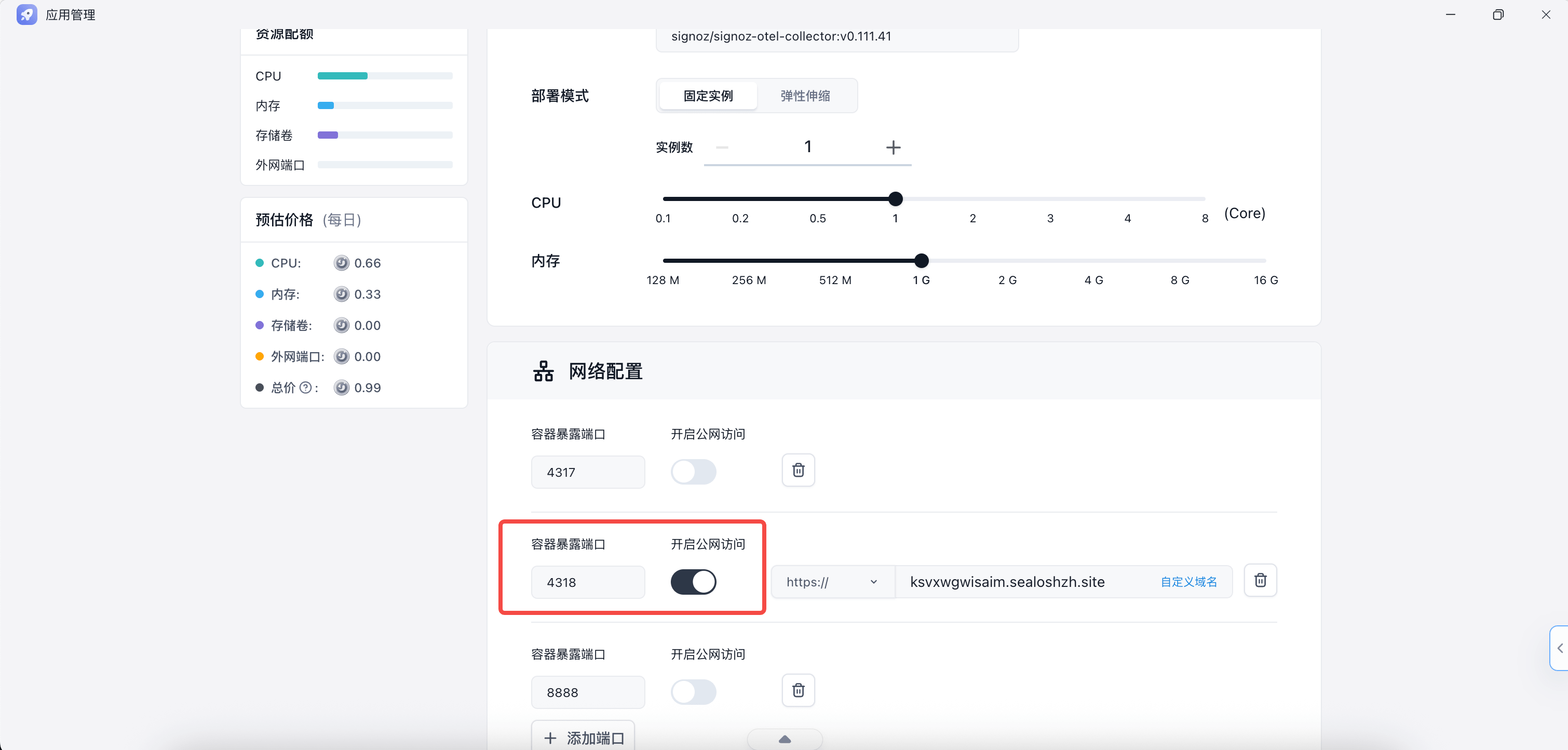
- Enable external access for SigNoz
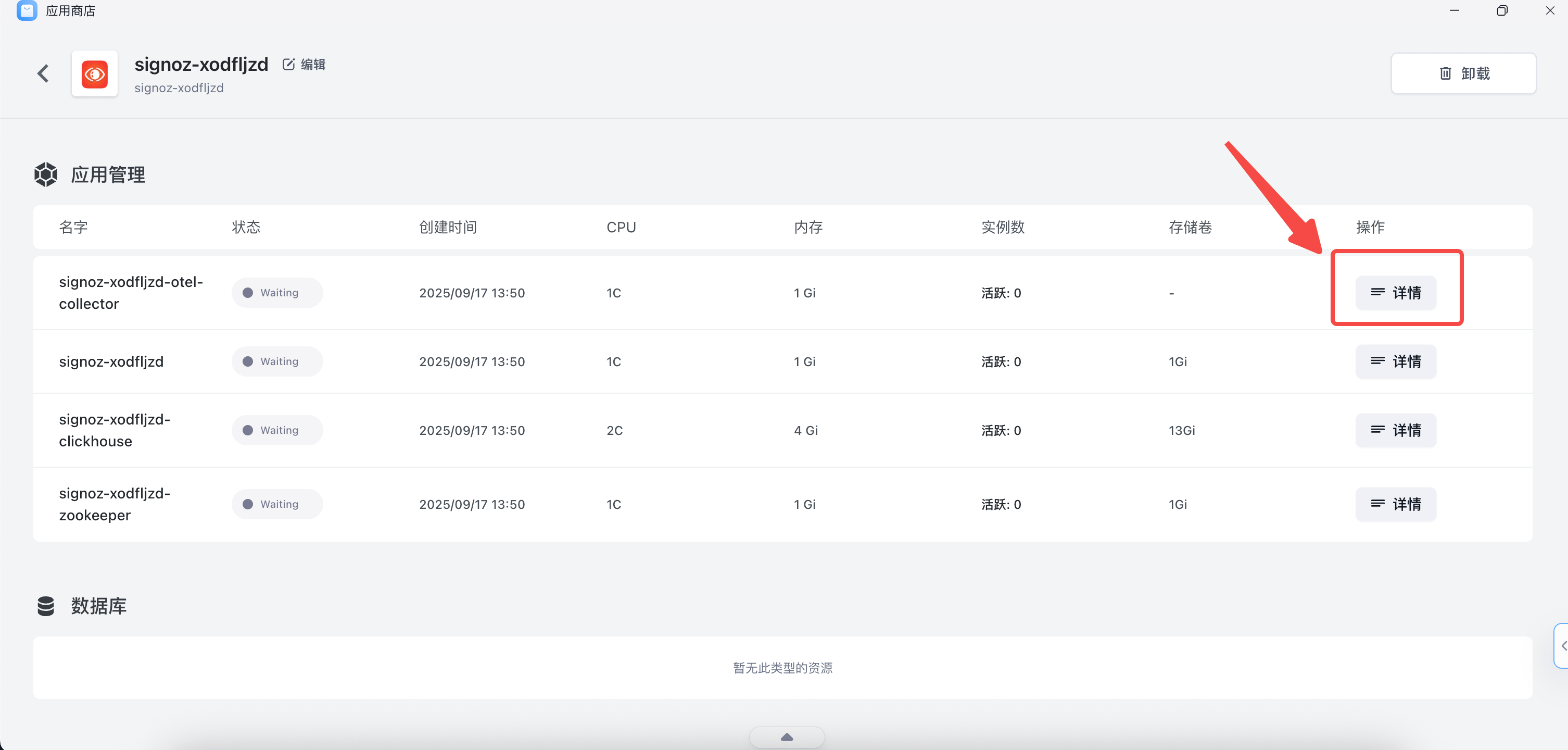
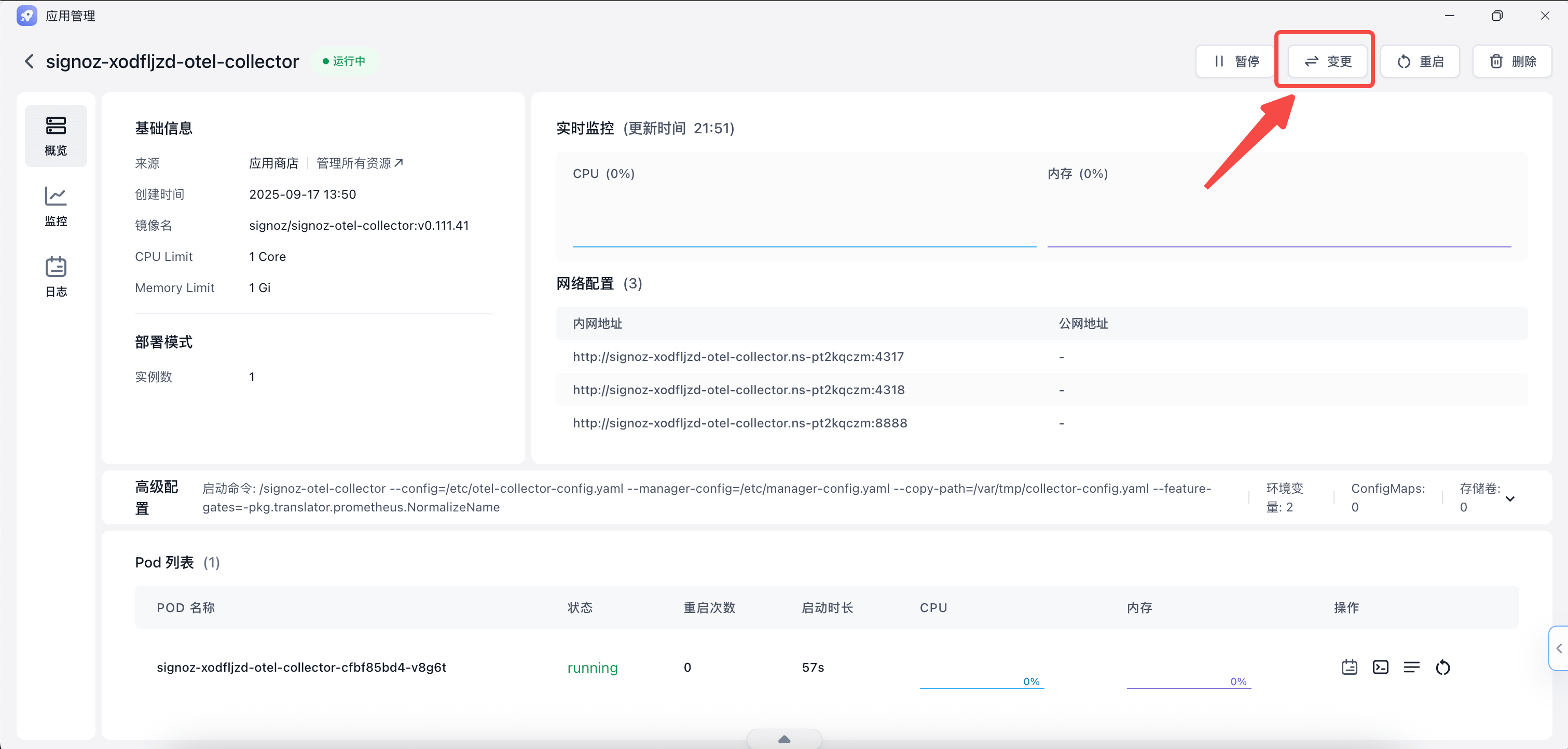
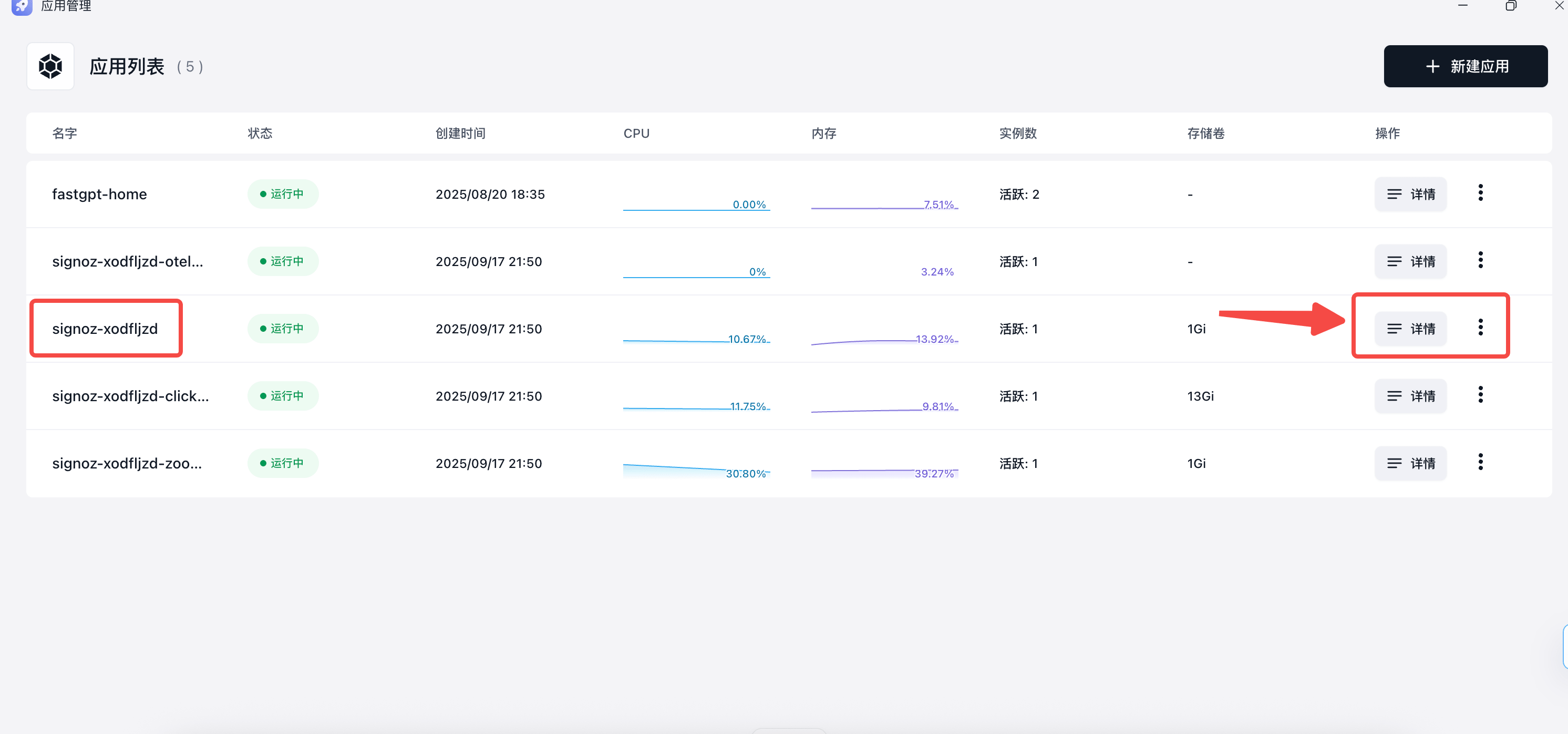
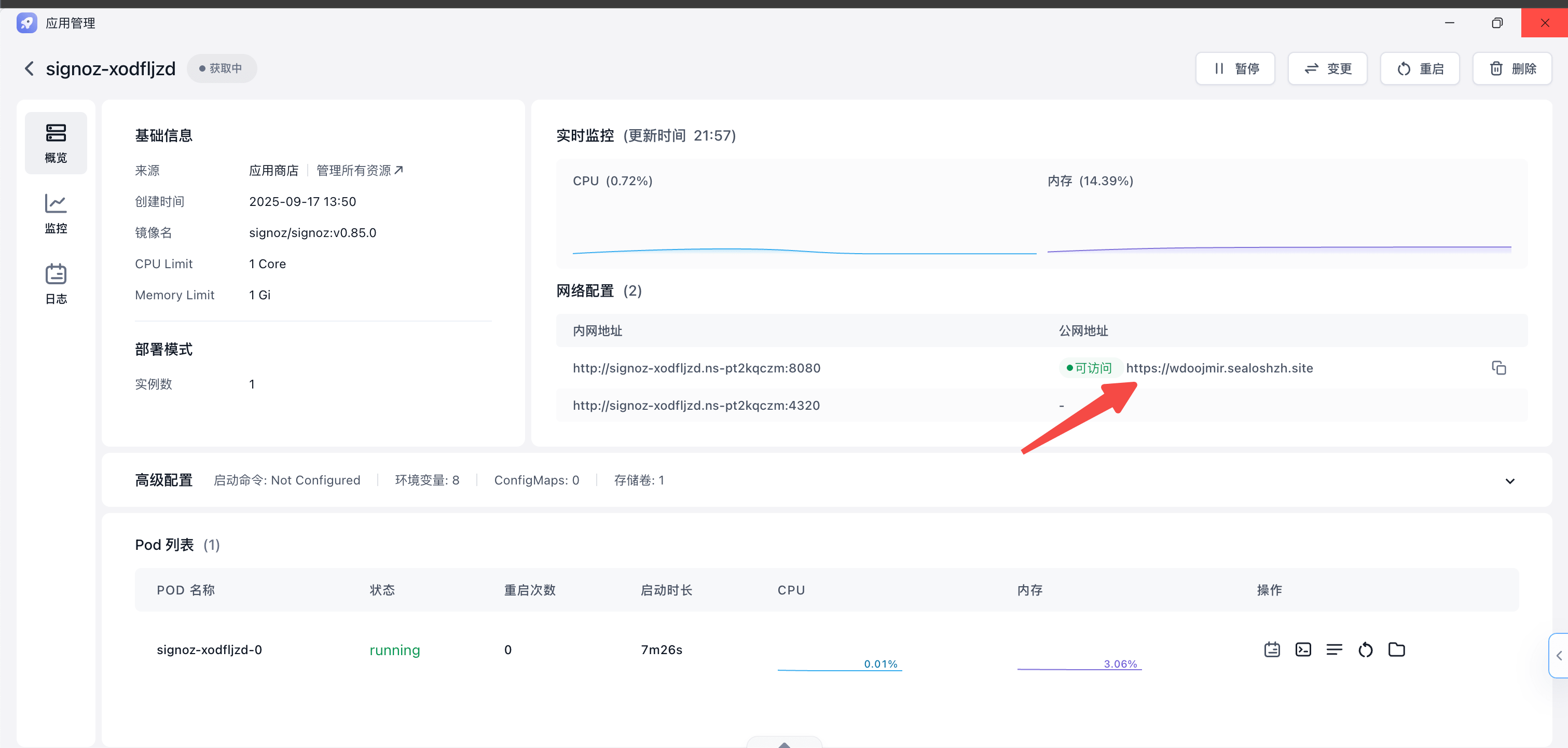
After deployment, click Details in P1 to open the app details page, then click Change in the top right and enable the external address for port 4318 (skip this step if using internal network).
| P1 | P2 | P3 |
|---|---|---|
 |  |  |
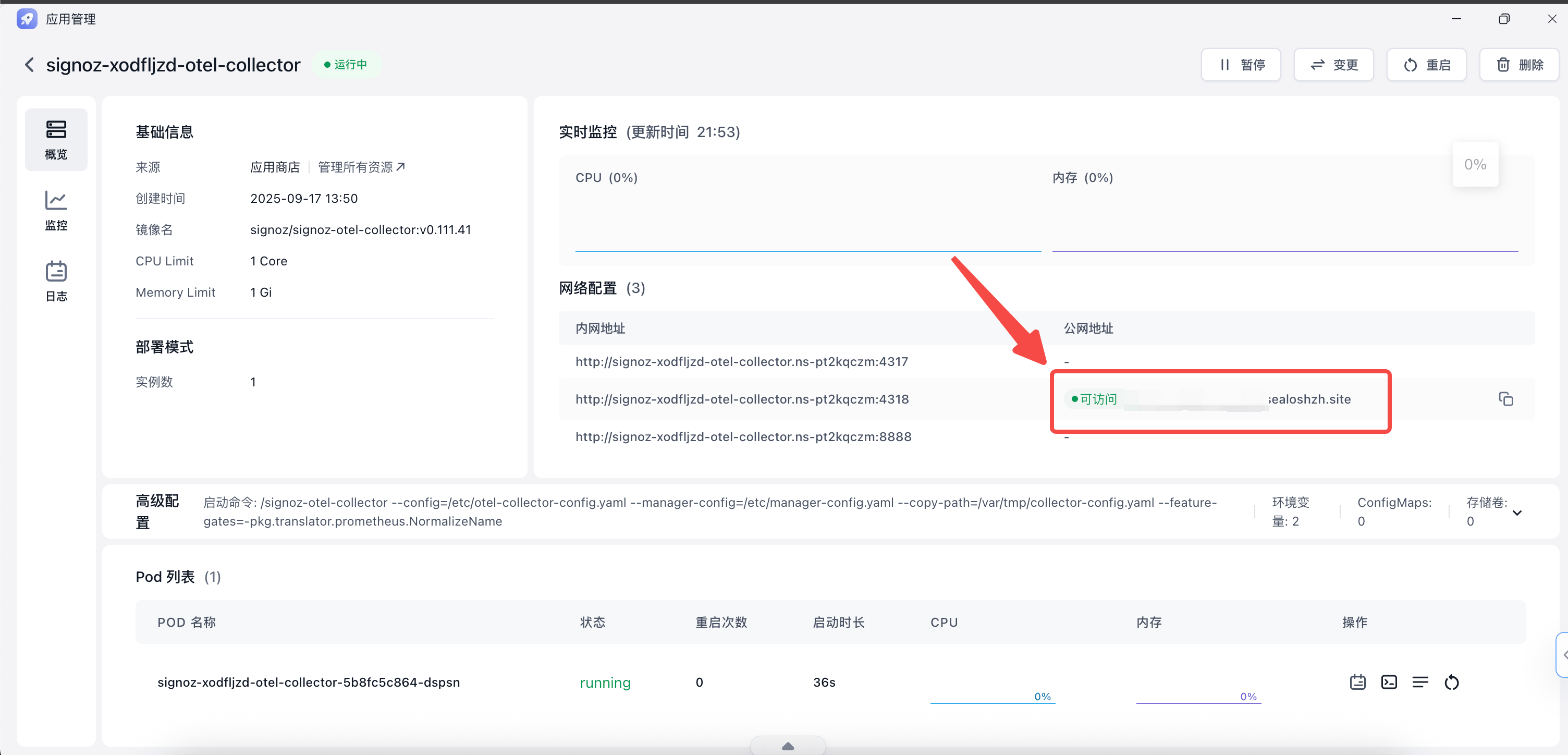
- Get the SigNoz access address
After the change completes, wait for the public address to be ready, copy it, and enter it in FastGPT. If using internal network, copy the internal address for port 4318 directly.
Configure FastGPT
- Update FastGPT environment variables
Log level options: trace | debug | info | warning | error | fatal
LOG_ENABLE_CONSOLE=true # Enable console logging
LOG_CONSOLE_LEVEL=debug # Minimum log level for console output
LOG_ENABLE_OTEL=true # Enable OTEL log collection
LOG_OTEL_LEVEL=info # Minimum log level for OTEL collection
LOG_OTEL_SERVICE_NAME=fastgpt-client # Service name passed to the OTLP collector
LOG_OTEL_URL=http://localhost:4318/v1/logs # Your OTLP collector address — don't omit /v1/logs- Restart FastGPT
Verify the Setup
Go back to the Sealos app management list, open the SigNoz frontend project, and access its public address to open the dashboard.
 |  |
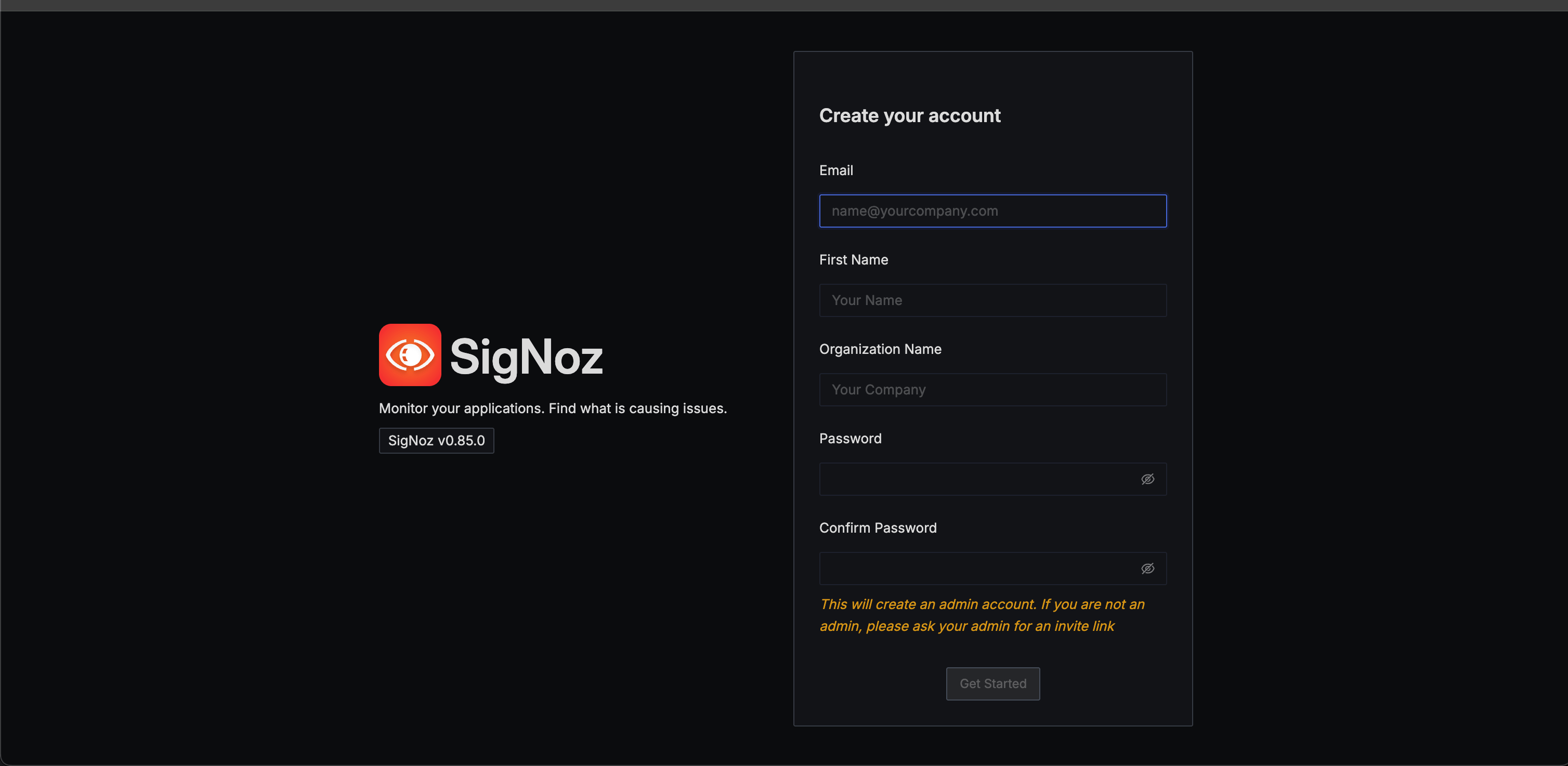
First-time access requires creating an account (data is stored in the local database) — fill in anything.
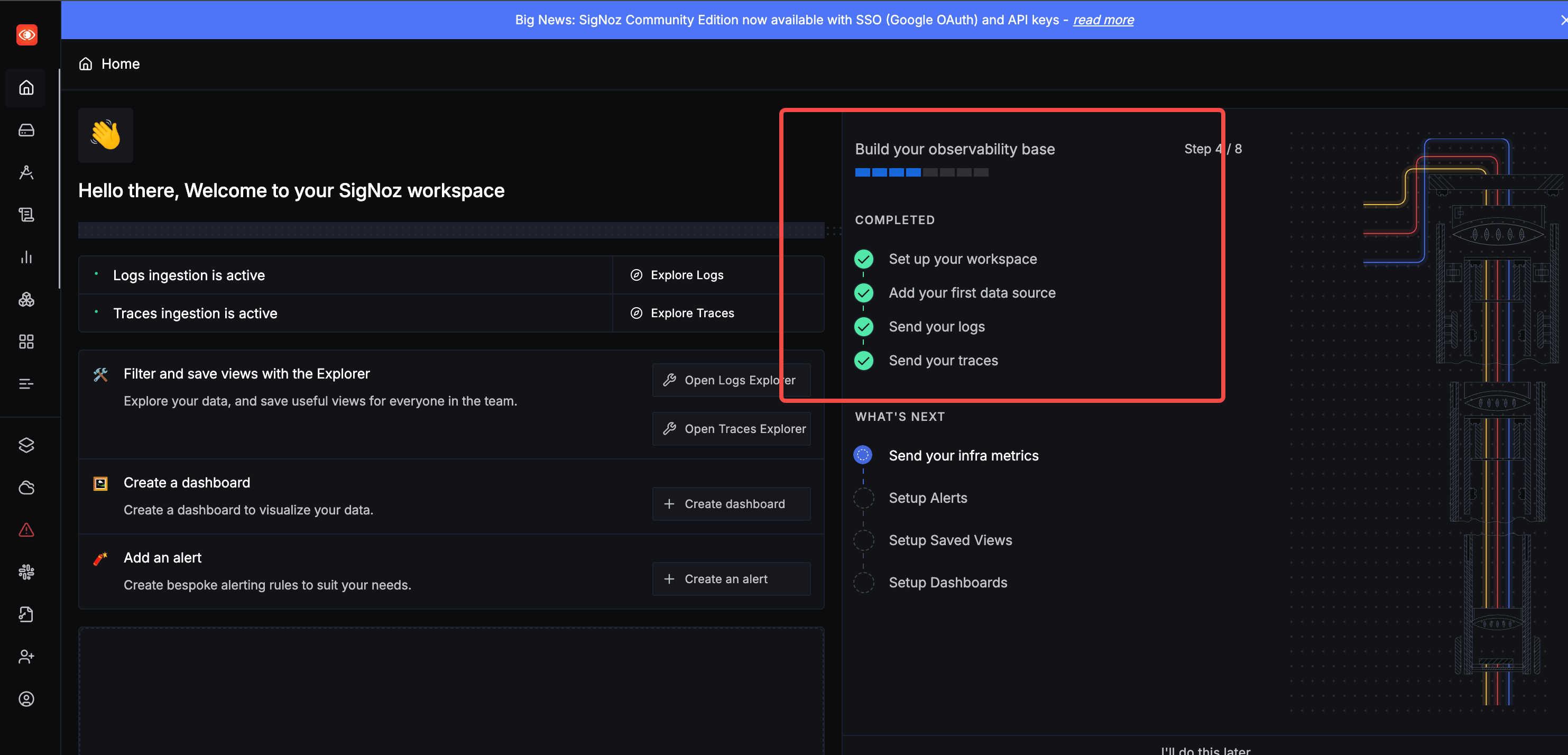
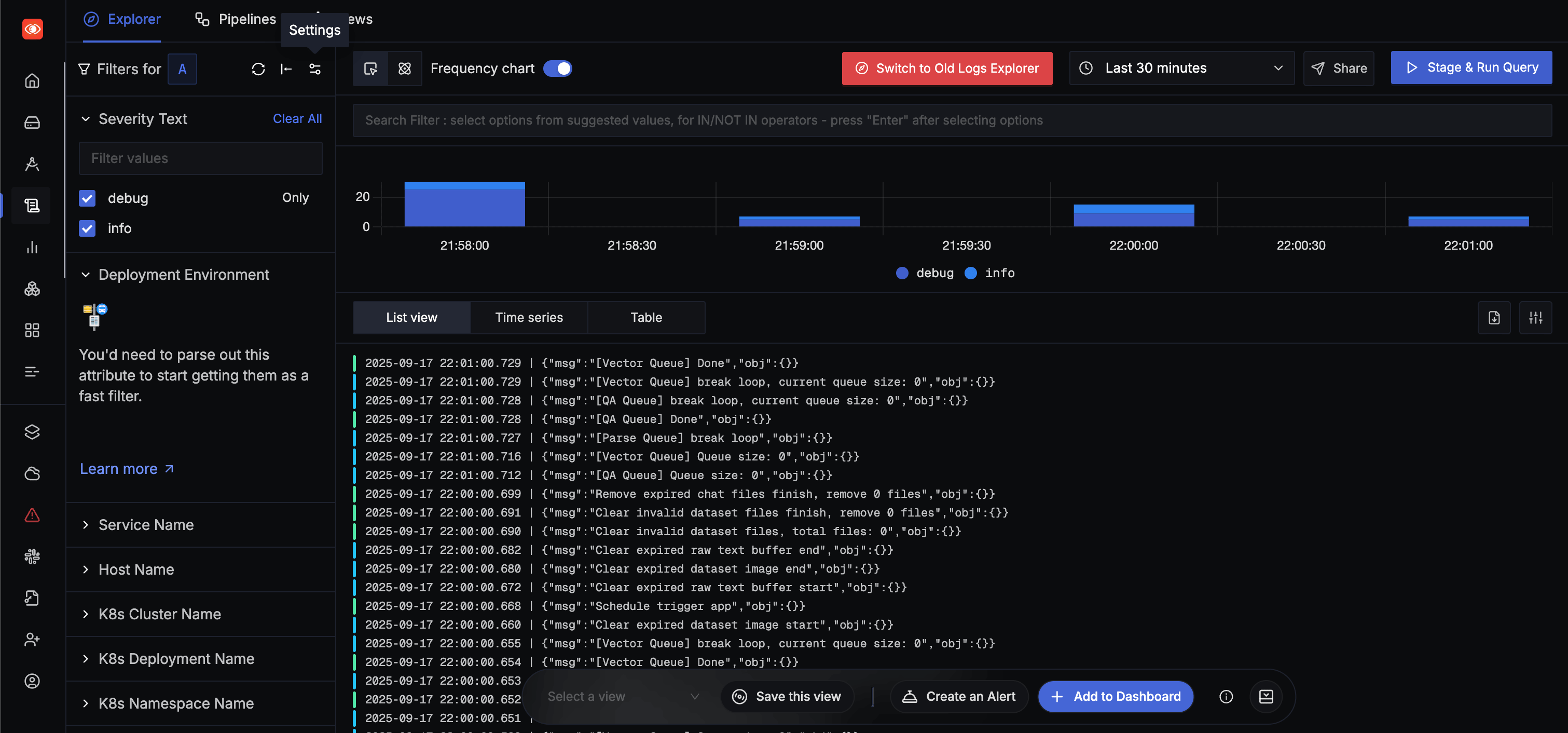
After logging in, if logs and traces are lit up in the COMPLETED steps on the right side, the configuration is successful.
Notes
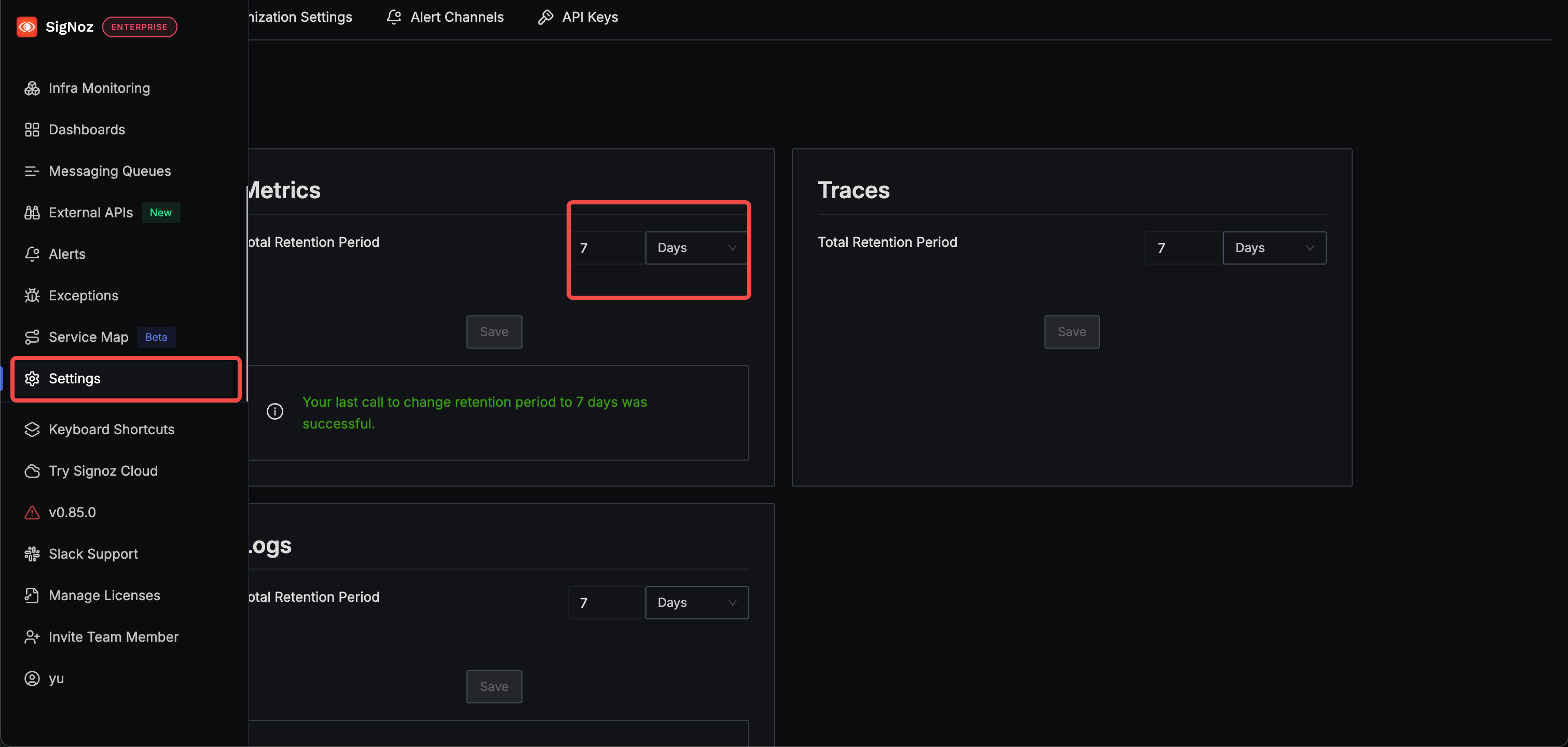
- Adjust log retention period
SigNoz monitoring is very disk-intensive. First, avoid storing FastGPT debug logs in SigNoz. Also consider setting the log retention period to 7 days. If SigNoz data stops growing while memory keeps increasing, the disk is full — expand capacity.
File Updated