Model Configuration

FastGPT Model Configuration Guide

FastGPT Model Configuration Guide

Before version 4.8.20, FastGPT model configuration was declared in the config.json file. You can find the legacy configuration file example at https://github.com/labring/FastGPT/blob/main/projects/app/data/model.json.

Starting from version 4.8.20, you can configure models directly in the FastGPT UI. The system includes a large number of built-in models, so you don't need to start from scratch. Here's the basic configuration flow:

Configuring Models

1. Connect to Model Providers

AI Proxy

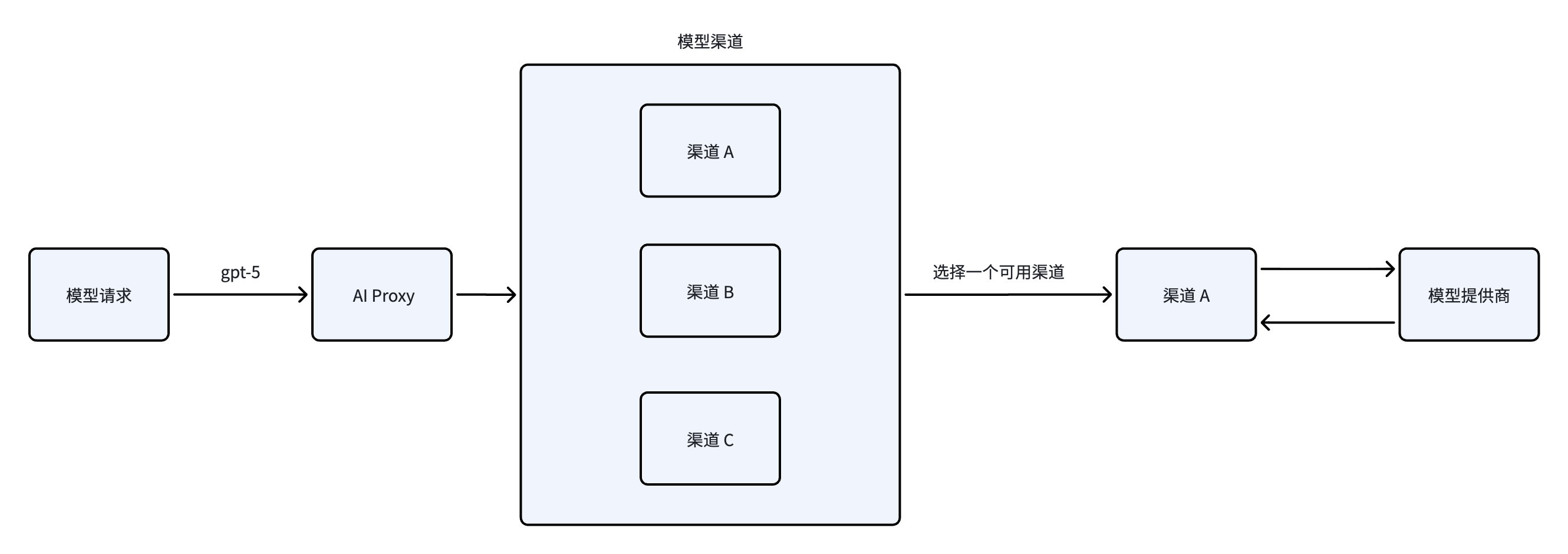
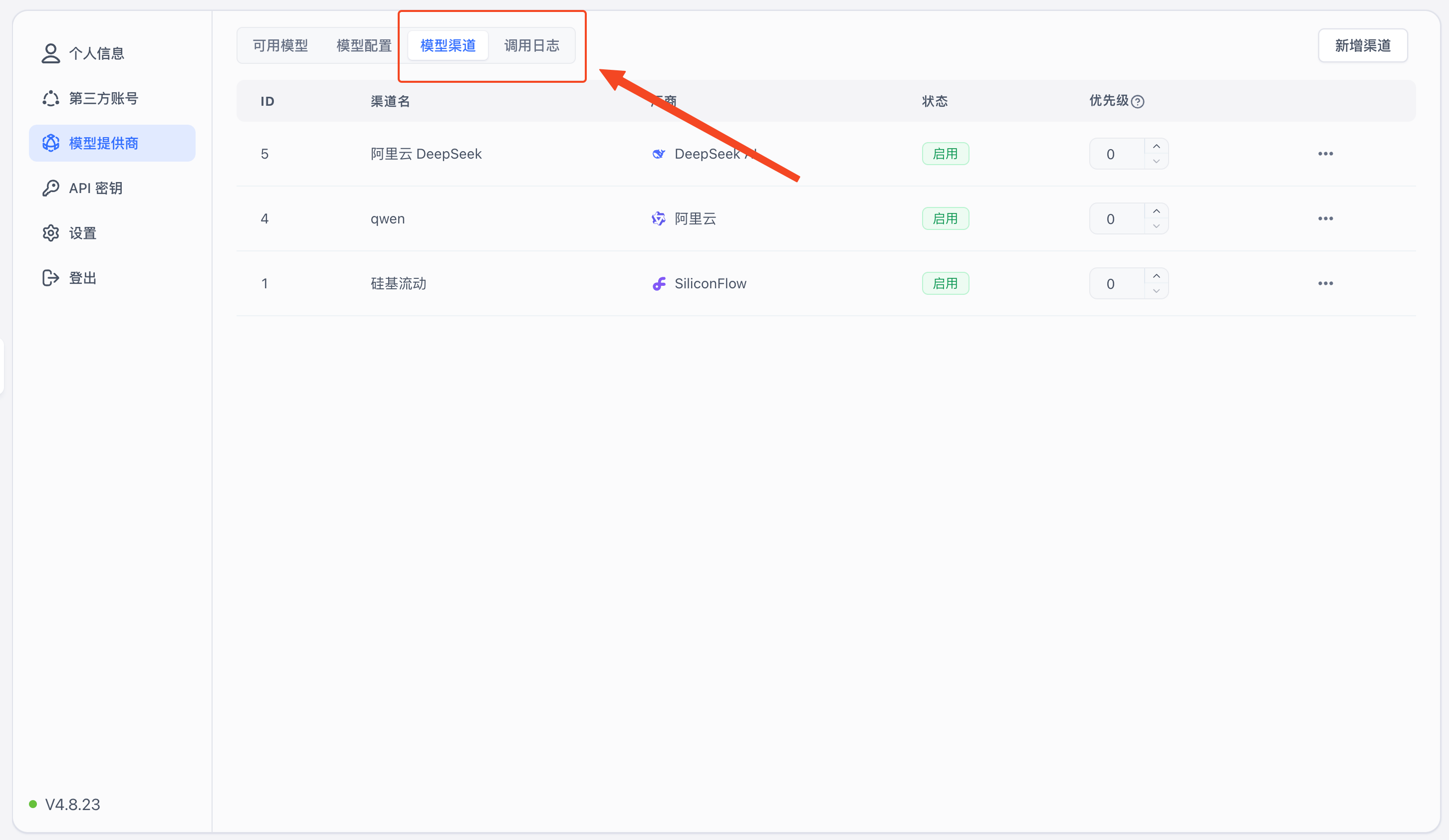
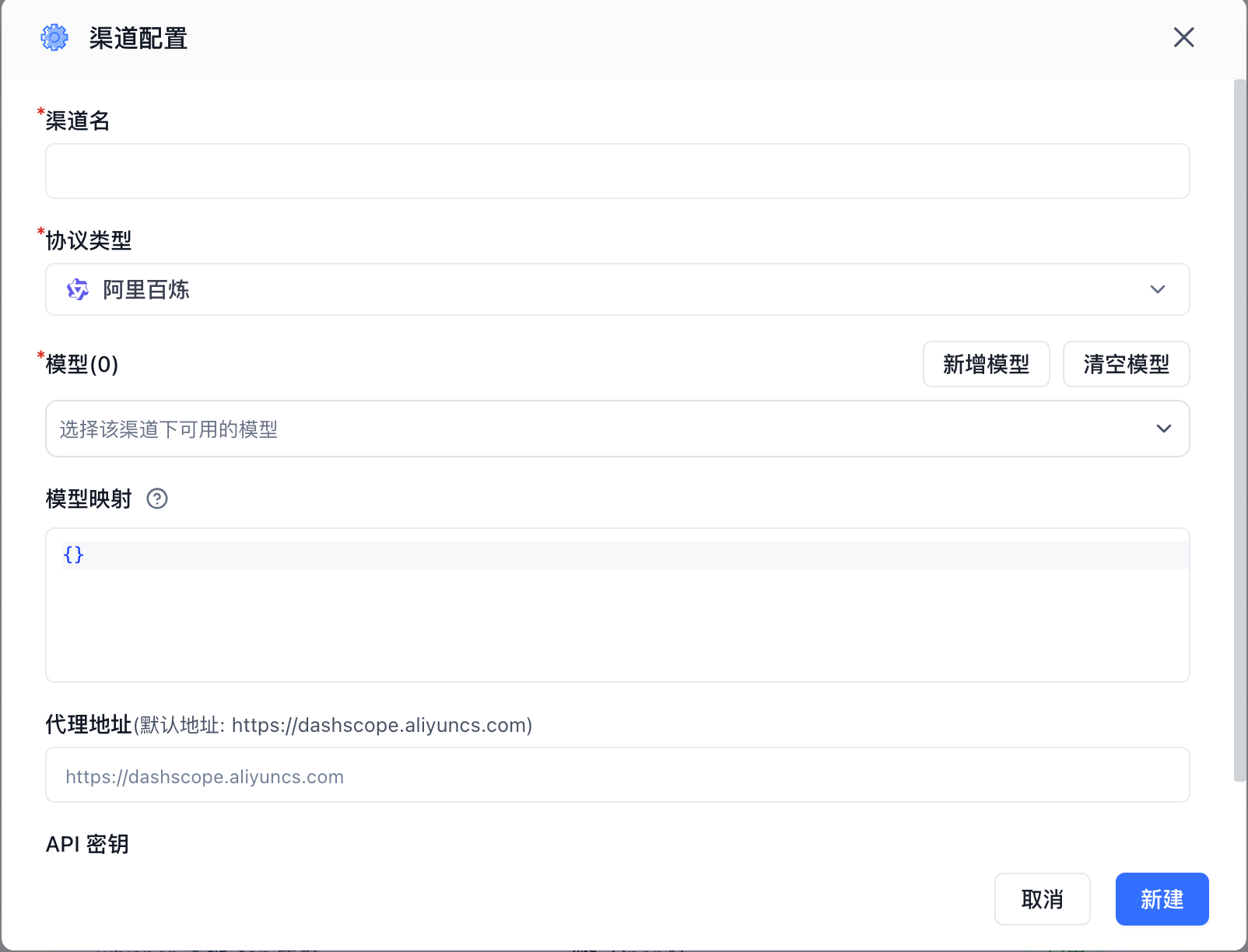
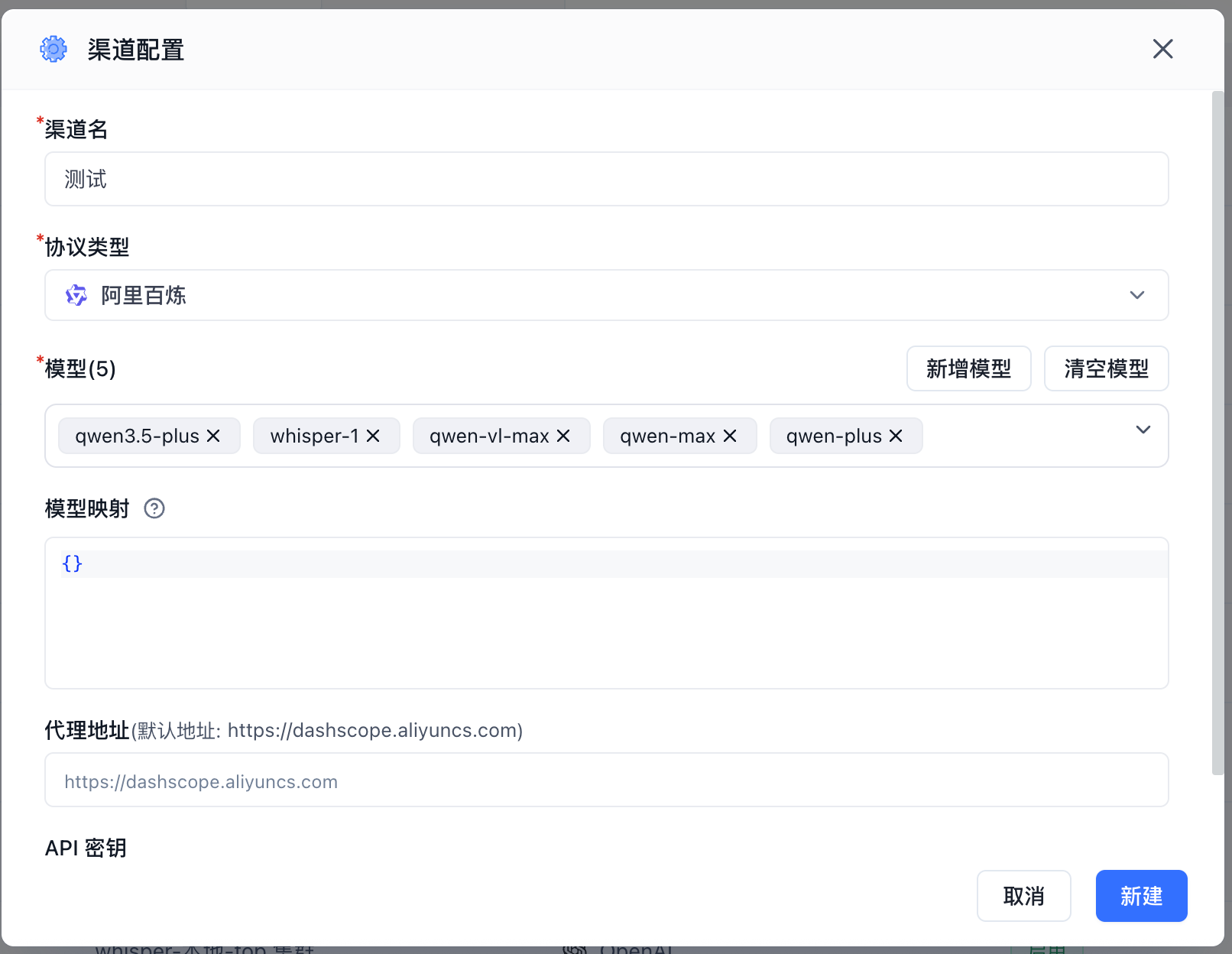
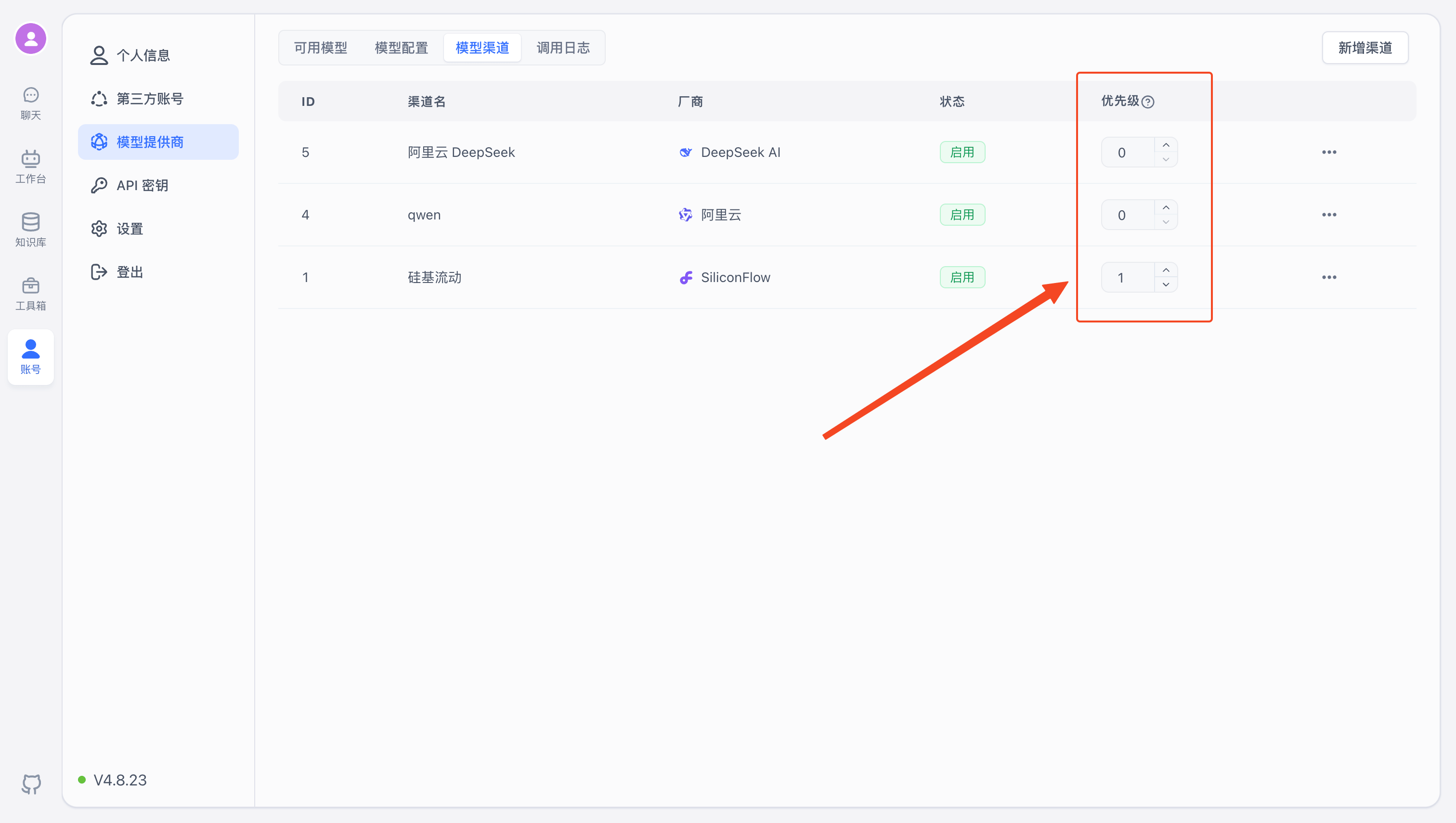
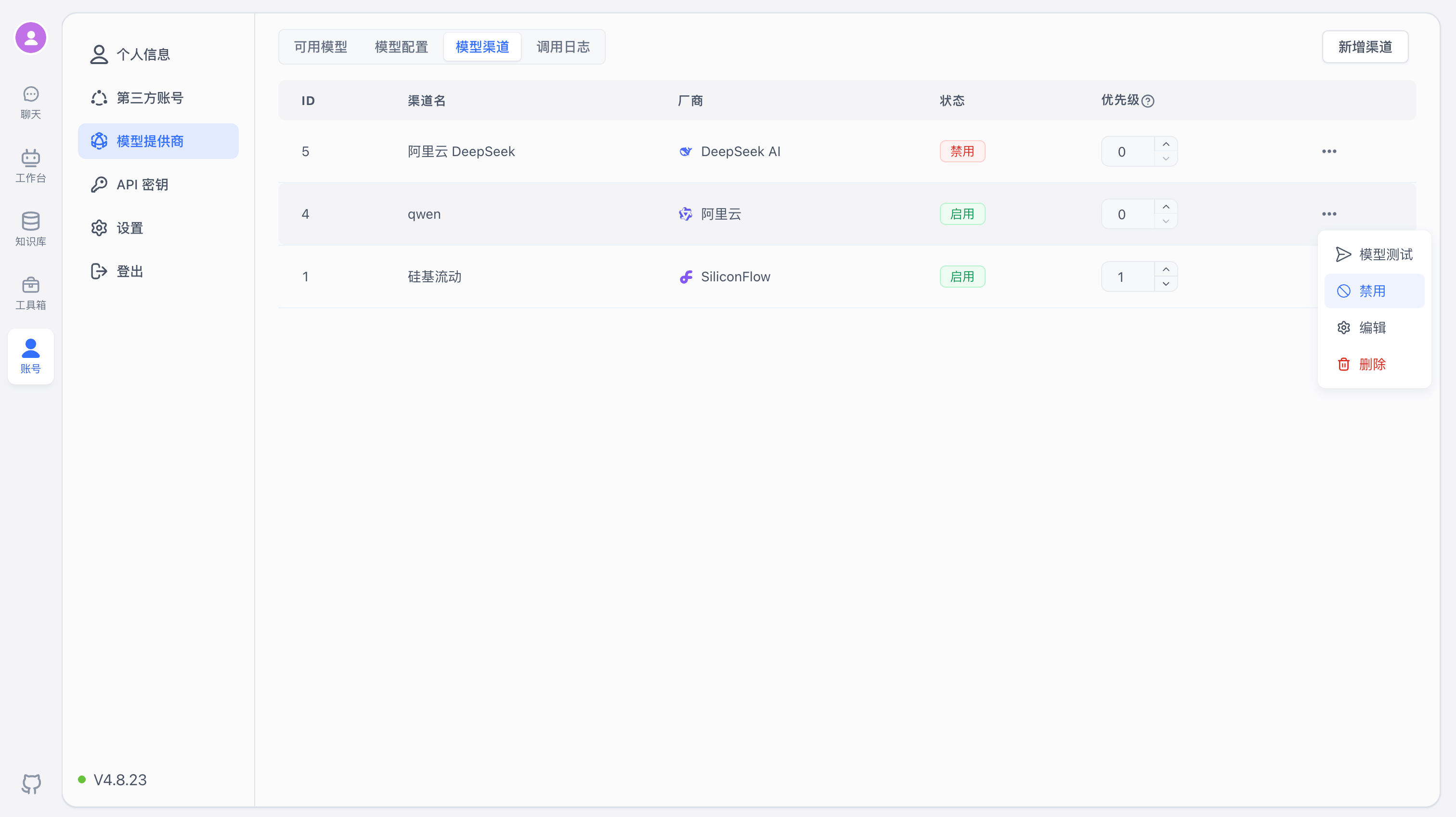
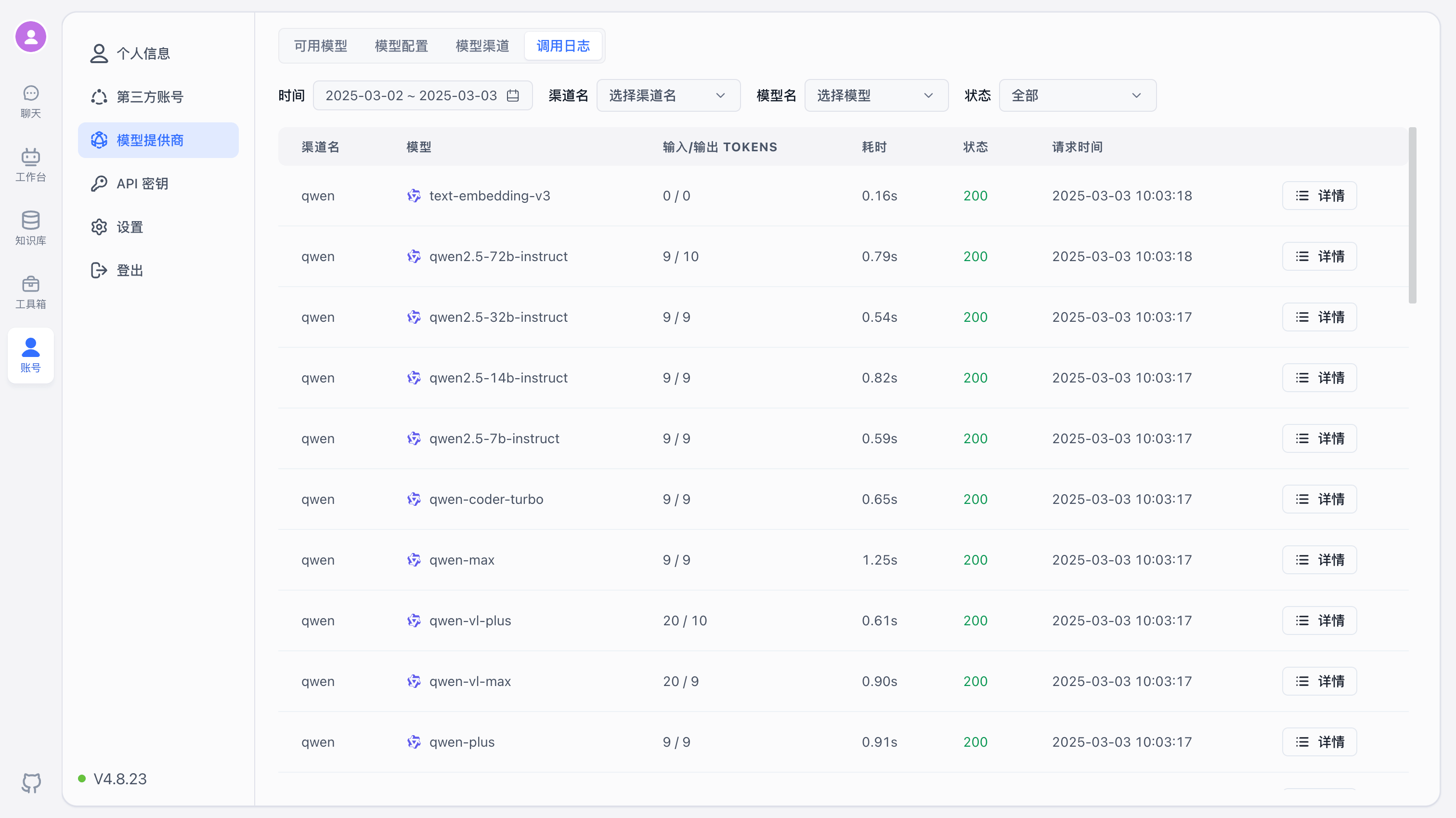
Starting from version 4.8.23, FastGPT supports configuring model providers directly in the UI using AI Proxy for model aggregation, enabling connections to more providers.

One API

You can also use the OneAPI Integration Guide. You'll need to apply for API access from each provider and add them to OneAPI before using them in FastGPT. Example flow:

alt text

Besides official provider services, there are third-party services that offer model access. You can also use Ollama to deploy local models — all of these ultimately connect through OneAPI. Here are some third-party providers:

  • SiliconCloud: A platform for open source model APIs. - Sealos AIProxy: Proxies for various Chinese model providers — no need to apply for each API separately.

Once you've configured models in OneAPI, open the FastGPT page and enable the corresponding models.

2. Configuration Overview

🤖

Note: 1. Only one speech recognition model can be active at a time, so you only need to configure one. 2. The system requires at least one language model and one embedding model to function properly.

Core Configuration

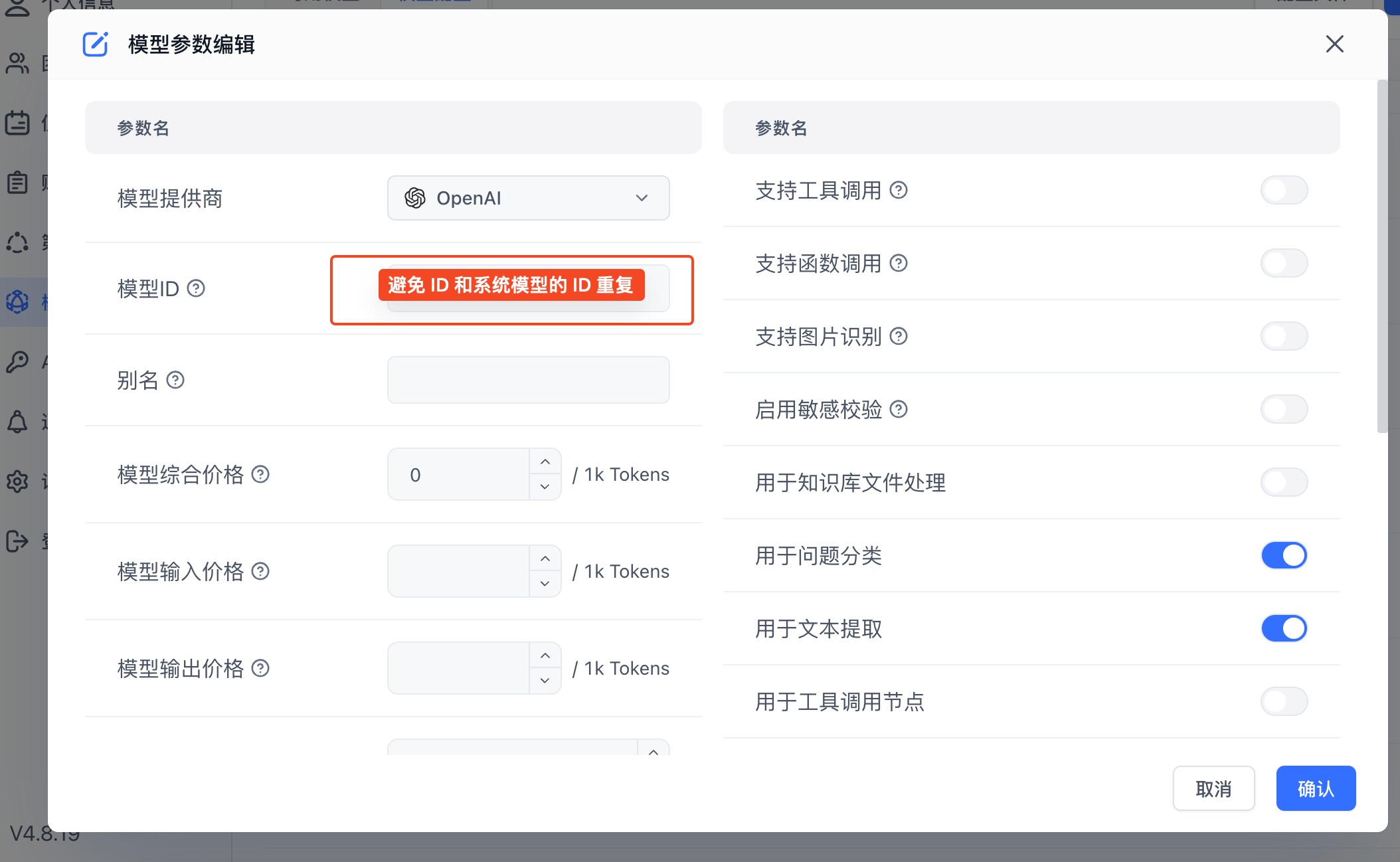
  • Model ID: The value of the model field in the API request body. Must be globally unique.
  • Custom Request URL/Key: If you need to bypass OneAPI, you can set a custom request URL and token. Generally not needed, but useful if OneAPI doesn't support certain models.

Model Types

  1. Language Model - Text conversations; multimodal models support image recognition.
  2. Embedding Model - Indexes text chunks for relevant text retrieval.
  3. Rerank Model - Reorders retrieval results to optimize ranking.
  4. Text-to-Speech - Converts text to audio.
  5. Speech-to-Text - Converts audio to text.

Enabling Models

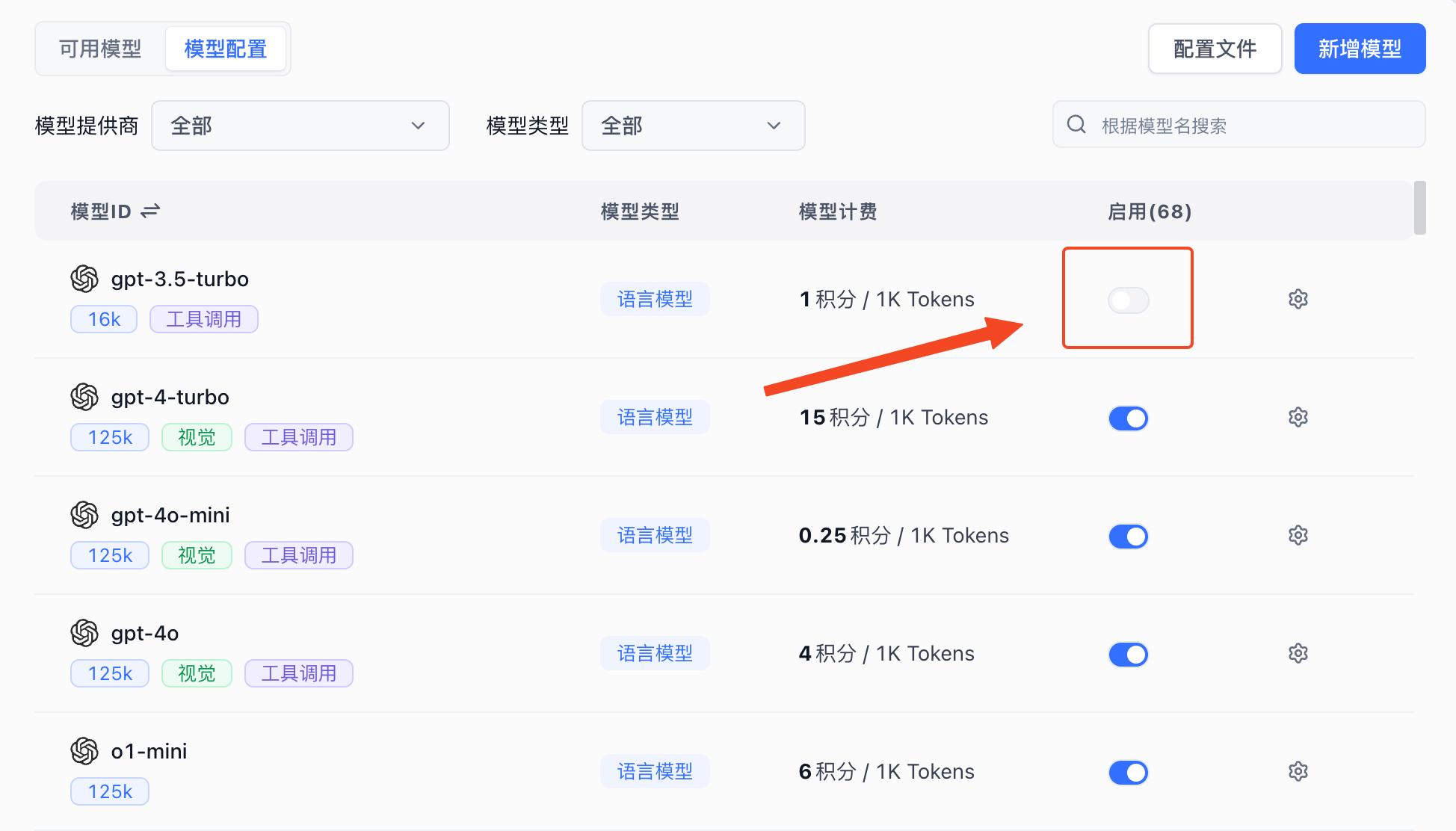
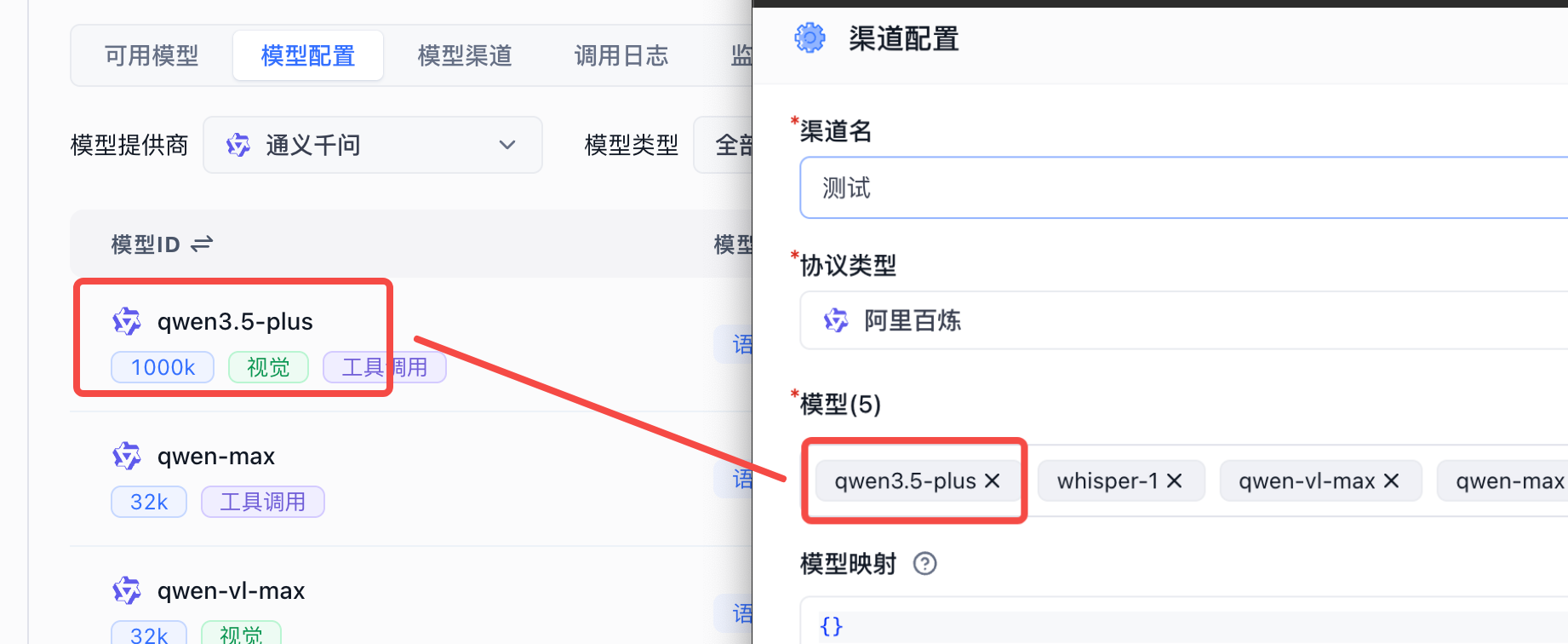
The system includes built-in models from mainstream providers. If you're unfamiliar with configuration, just click Enable. Make sure the Model ID matches the Model name in your OneAPI channel.

alt textalt text

Modifying Model Configuration

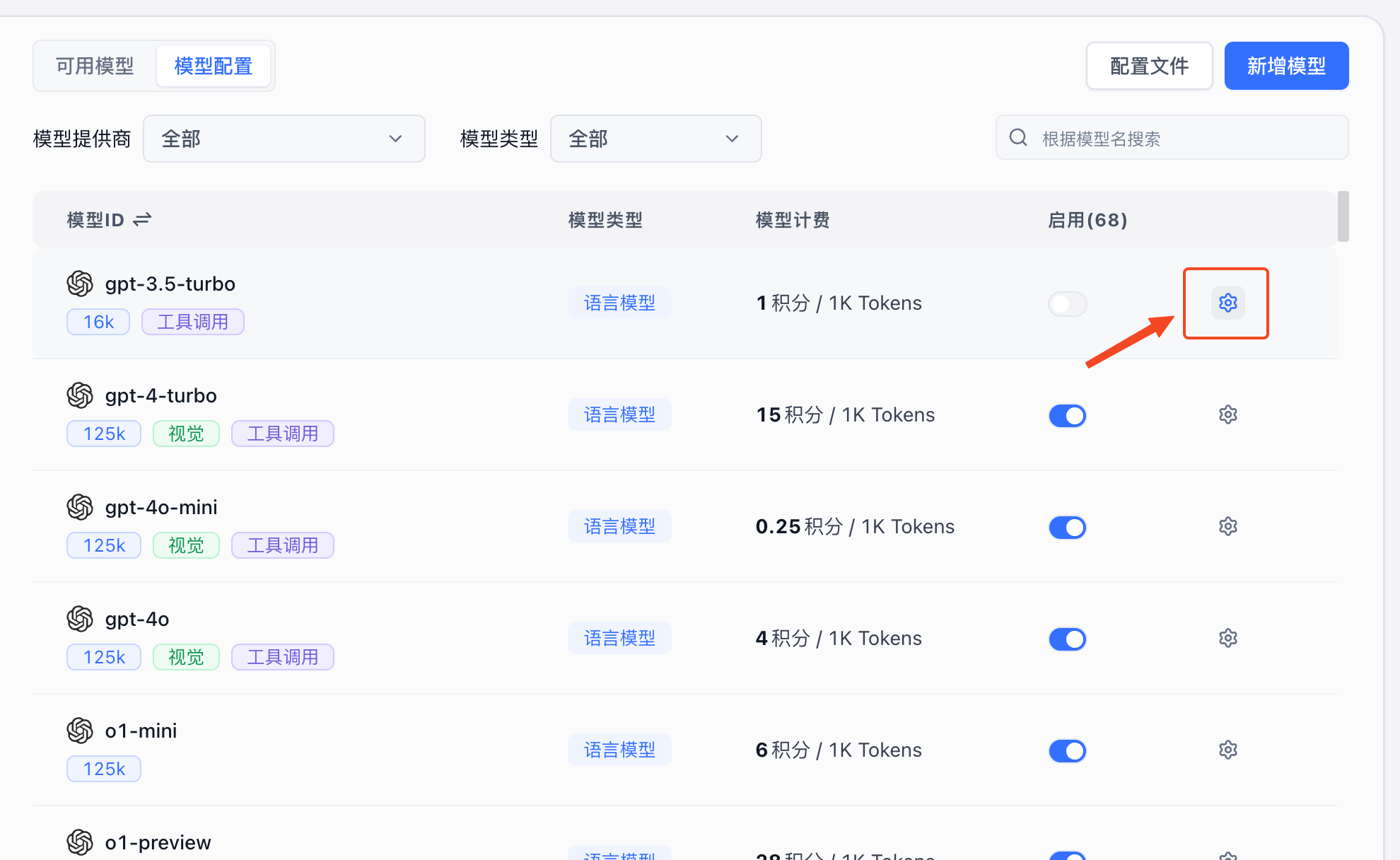
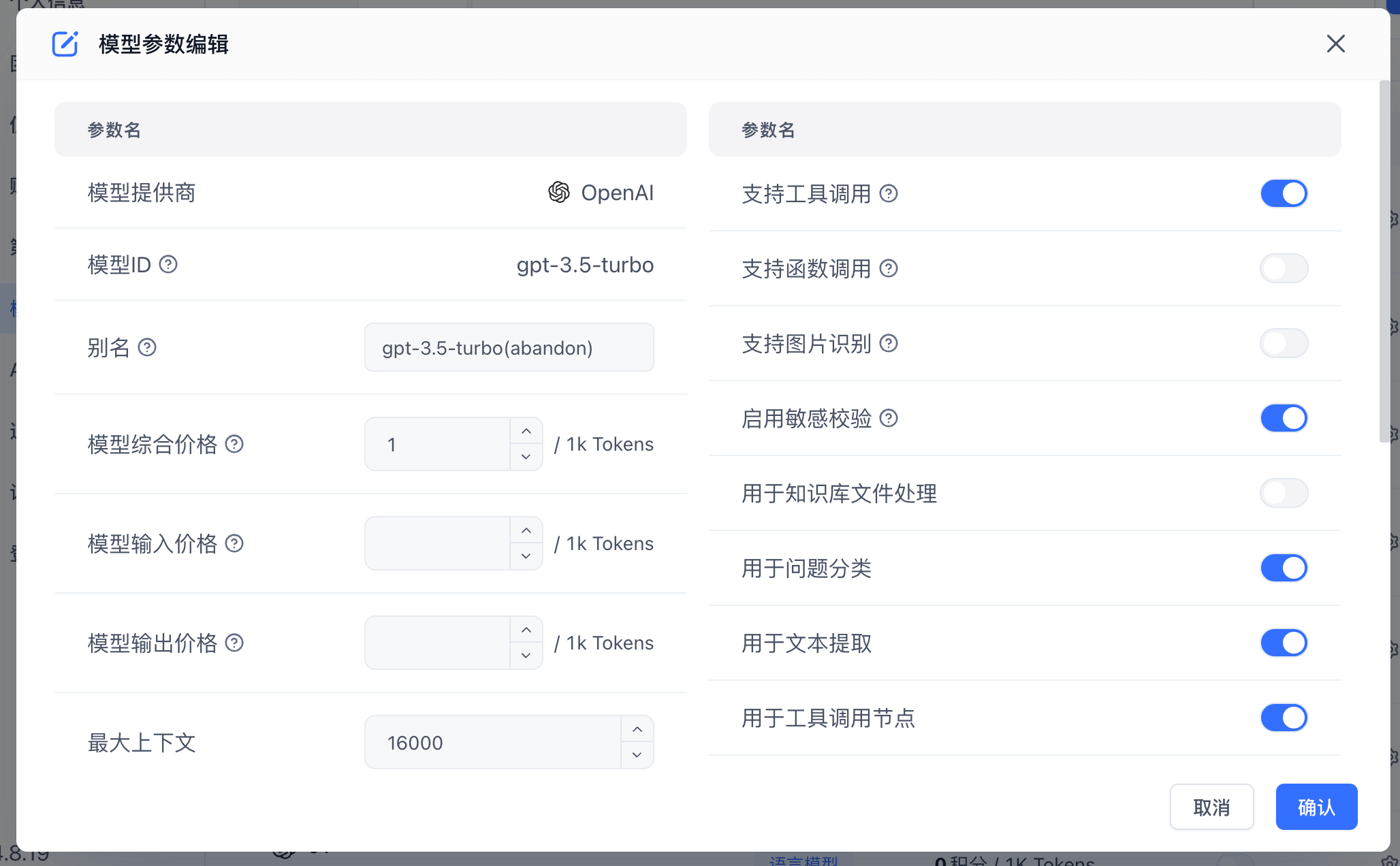
Click the gear icon on the right side of a model to configure it. Different model types have different configuration options.

alt textalt text

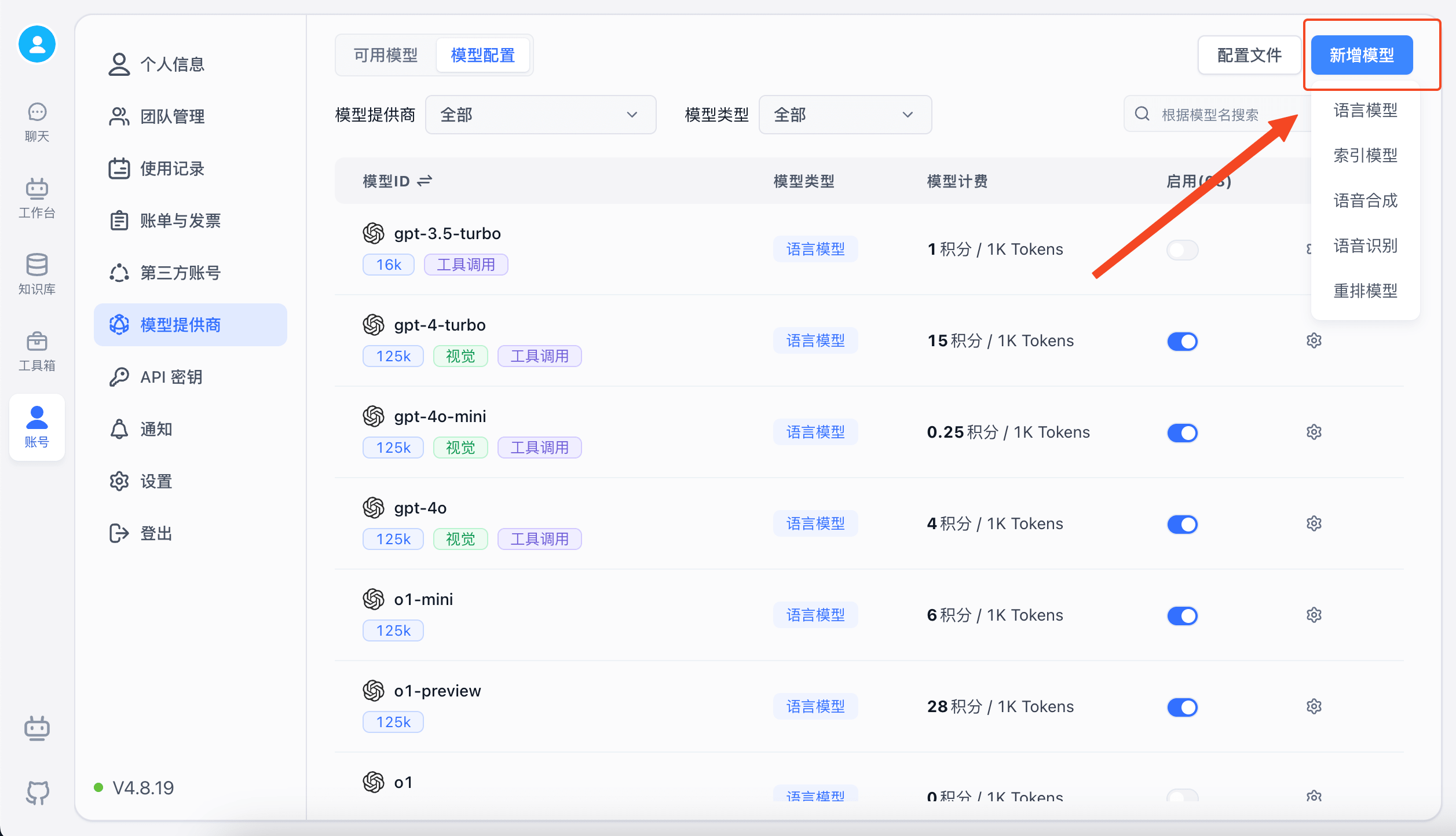
Adding Custom Models

If the built-in models don't meet your needs, you can add custom models. If a custom model's Model ID matches a built-in model ID, it will be treated as a modification of the built-in model.

alt textalt text

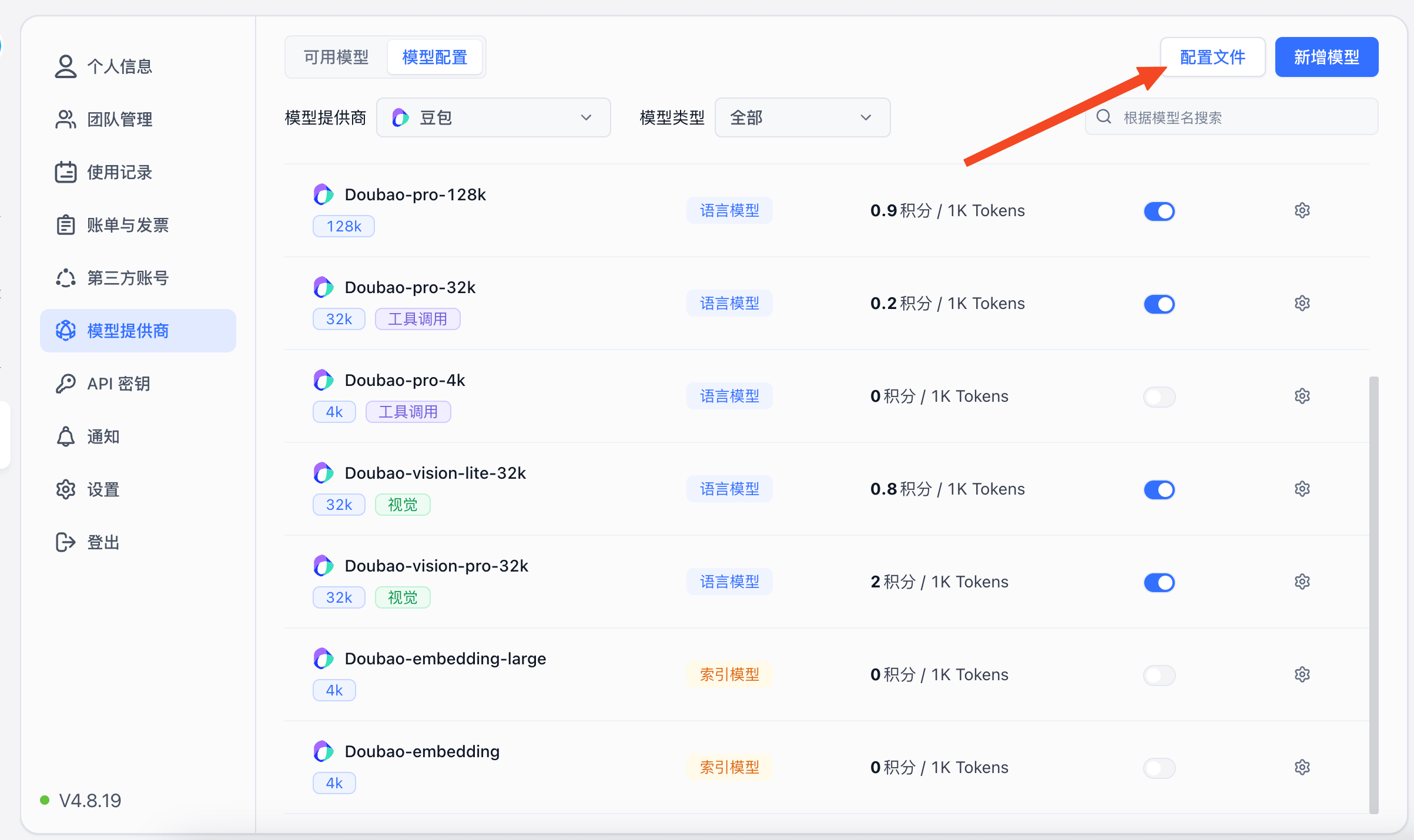
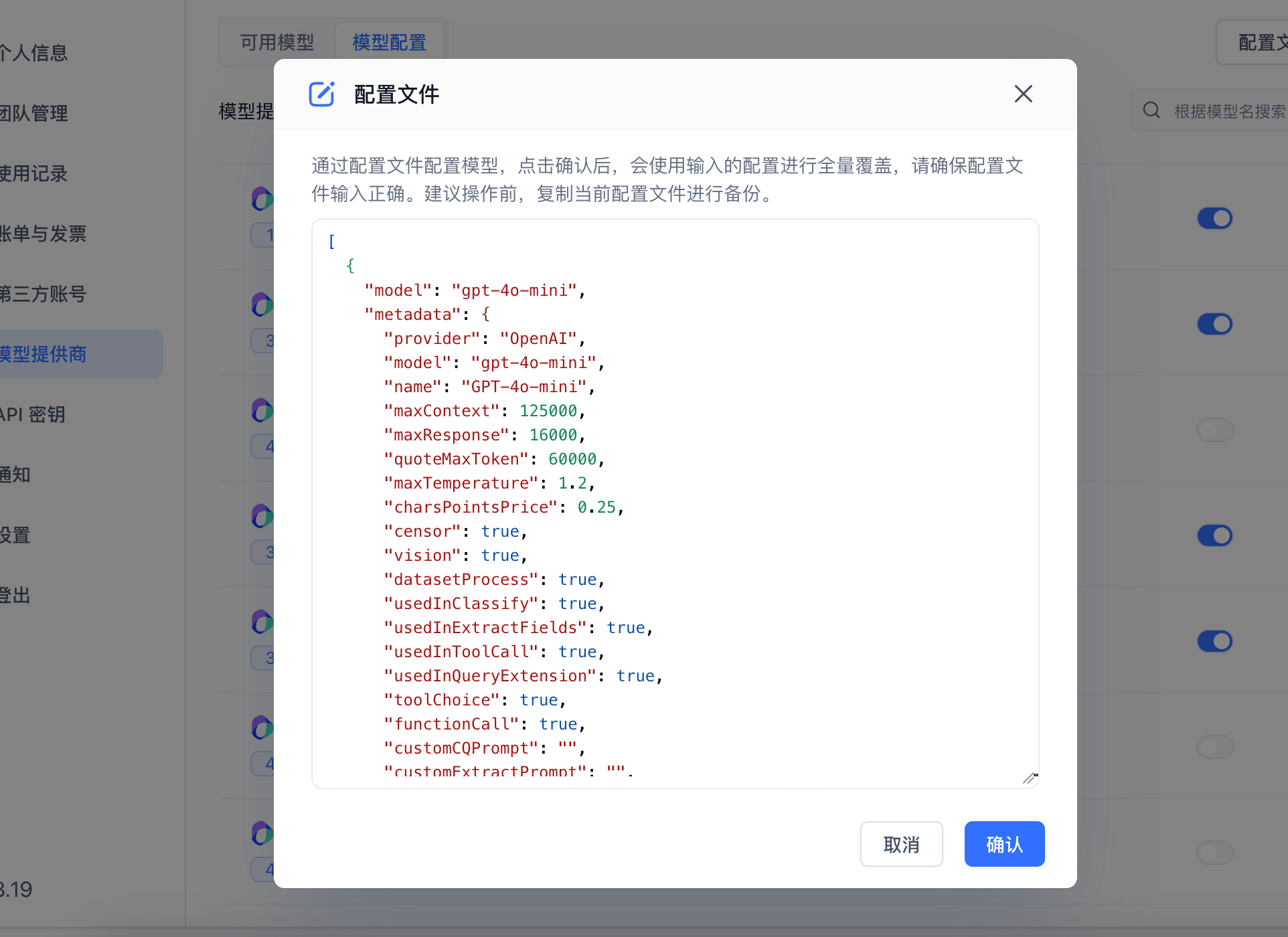
Configuration via Config File

If you find UI-based model configuration tedious, or want to quickly copy configuration from one system to another, you can use config files instead.

alt textalt text

Language Model Field Descriptions:

{
  "model": "Model ID",
  "metadata": {
    "isCustom": true, // Whether this is a custom model
    "isActive": true, // Whether this model is enabled
    "provider": "OpenAI", // Model provider, mainly for categorization display. Built-in providers: https://github.com/labring/FastGPT/blob/main/packages/global/core/ai/provider.ts. You can submit a PR for new providers, or use "Other"
    "model": "gpt-5", // Model ID (matches the model name in OneAPI channel)
    "name": "gpt-5", // Model display name
    "maxContext": 125000, // Max context length
    "maxResponse": 16000, // Max response length
    "quoteMaxToken": 120000, // Max quote content tokens
    "maxTemperature": 1.2, // Max temperature
    "charsPointsPrice": 0, // n points/1k tokens (commercial version)
    "censor": false, // Enable content moderation (commercial version)
    "vision": true, // Supports image input
    "datasetProcess": true, // Use as text understanding model (QA). At least one model must have this set to true, otherwise the knowledge base will error
    "usedInClassify": true, // Use for question classification (at least one must be true)
    "usedInExtractFields": true, // Use for content extraction (at least one must be true)
    "usedInToolCall": true, // Use for tool calling (at least one must be true)
    "toolChoice": true, // Supports tool choice (used in classification, extraction, and tool calling)
    "functionCall": false, // Supports function calling (used in classification, extraction, and tool calling). toolChoice takes priority; if false, falls back to functionCall; if still false, falls back to prompt mode
    "customCQPrompt": "", // Custom classification prompt (for models without tool/function call support)
    "customExtractPrompt": "", // Custom content extraction prompt
    "defaultSystemChatPrompt": "", // Default system prompt for conversations
    "defaultConfig": {}, // Default config sent with API requests (e.g., GLM4's top_p)
    "fieldMap": {} // Field mapping (e.g., o1 models need max_tokens mapped to max_completion_tokens)
  }
}

Embedding Model Field Descriptions:

{
  "model": "Model ID",
  "metadata": {
    "isCustom": true, // Whether this is a custom model
    "isActive": true, // Whether this model is enabled
    "provider": "OpenAI", // Model provider
    "model": "text-embedding-3-small", // Model ID
    "name": "text-embedding-3-small", // Model display name
    "charsPointsPrice": 0, // n points/1k tokens
    "defaultToken": 512, // Default token count for text splitting
    "maxToken": 3000 // Max tokens
  }
}

Rerank Model Field Descriptions:

{
  "model": "Model ID",
  "metadata": {
    "isCustom": true, // Whether this is a custom model
    "isActive": true, // Whether this model is enabled
    "provider": "BAAI", // Model provider
    "model": "bge-reranker-v2-m3", // Model ID
    "name": "ReRanker-Base", // Model display name
    "requestUrl": "", // Custom request URL
    "requestAuth": "", // Custom request auth
    "type": "rerank" // Model type
  }
}

Text-to-Speech Model Field Descriptions:

{
  "model": "Model ID",
  "metadata": {
    "isActive": true, // Whether this model is enabled
    "isCustom": true, // Whether this is a custom model
    "type": "tts", // Model type
    "provider": "FishAudio", // Model provider
    "model": "fishaudio/fish-speech-1.5", // Model ID
    "name": "fish-speech-1.5", // Model display name
    "voices": [
      // Voice options
      {
        "label": "fish-alex", // Voice name
        "value": "fishaudio/fish-speech-1.5:alex" // Voice ID
      },
      {
        "label": "fish-anna", // Voice name
        "value": "fishaudio/fish-speech-1.5:anna" // Voice ID
      }
    ],
    "charsPointsPrice": 0 // n points/1k tokens
  }
}

Speech-to-Text Model Field Descriptions:

{
  "model": "whisper-1",
  "metadata": {
    "isActive": true, // Whether this model is enabled
    "isCustom": true, // Whether this is a custom model
    "provider": "OpenAI", // Model provider
    "model": "whisper-1", // Model ID
    "name": "whisper-1", // Model display name
    "charsPointsPrice": 0, // n points/1k tokens
    "type": "stt" // Model type
  }
}

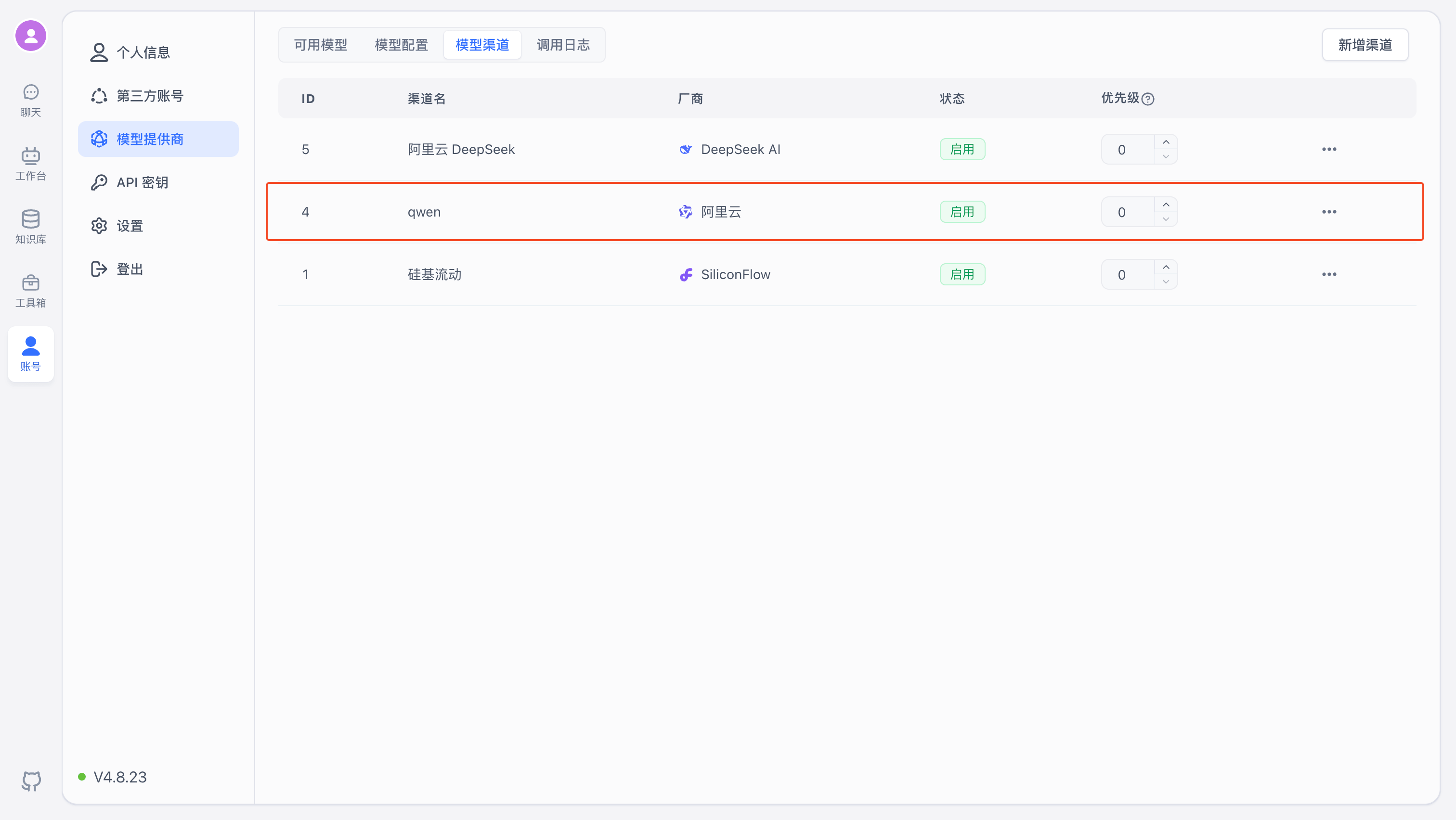
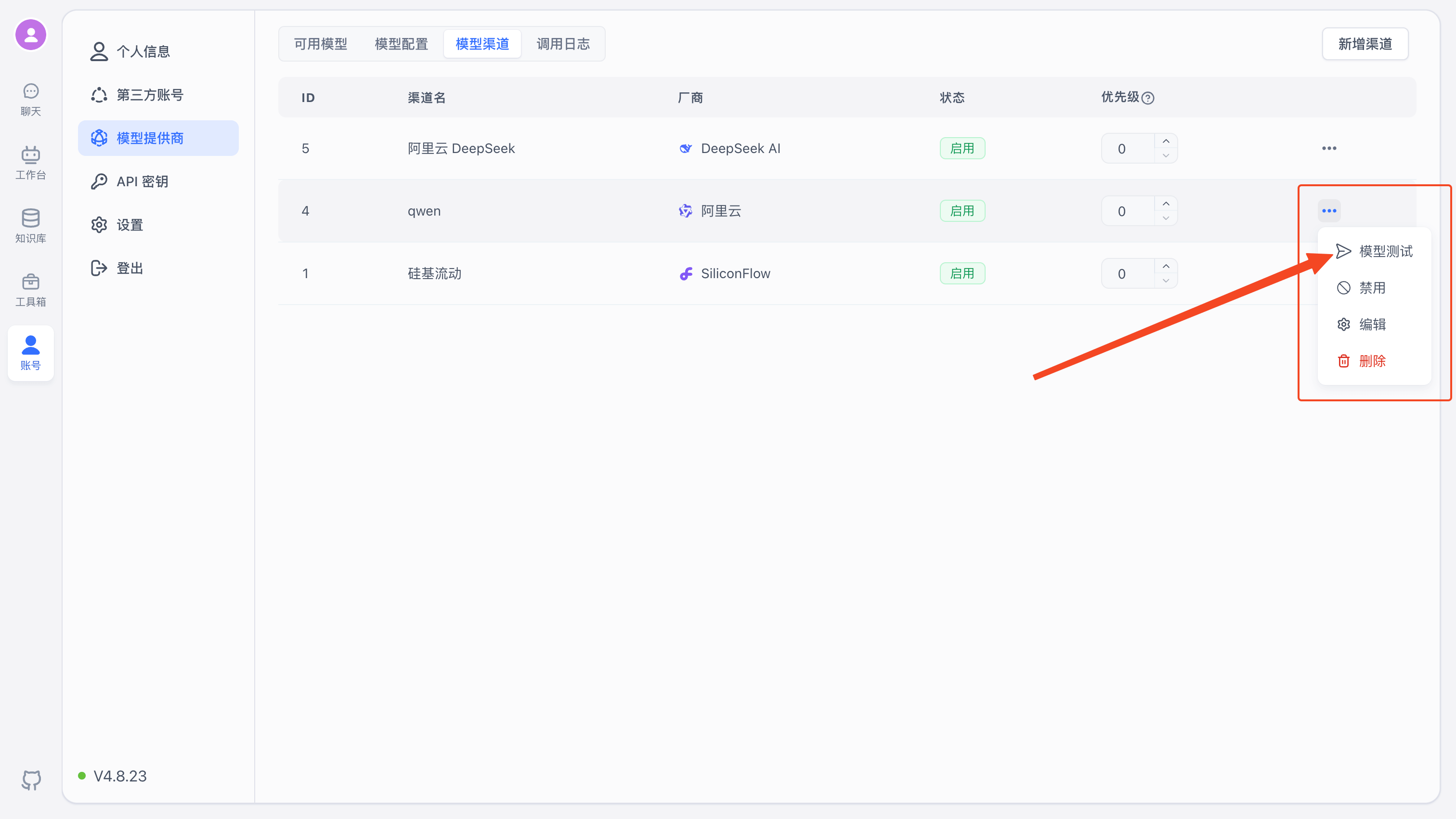
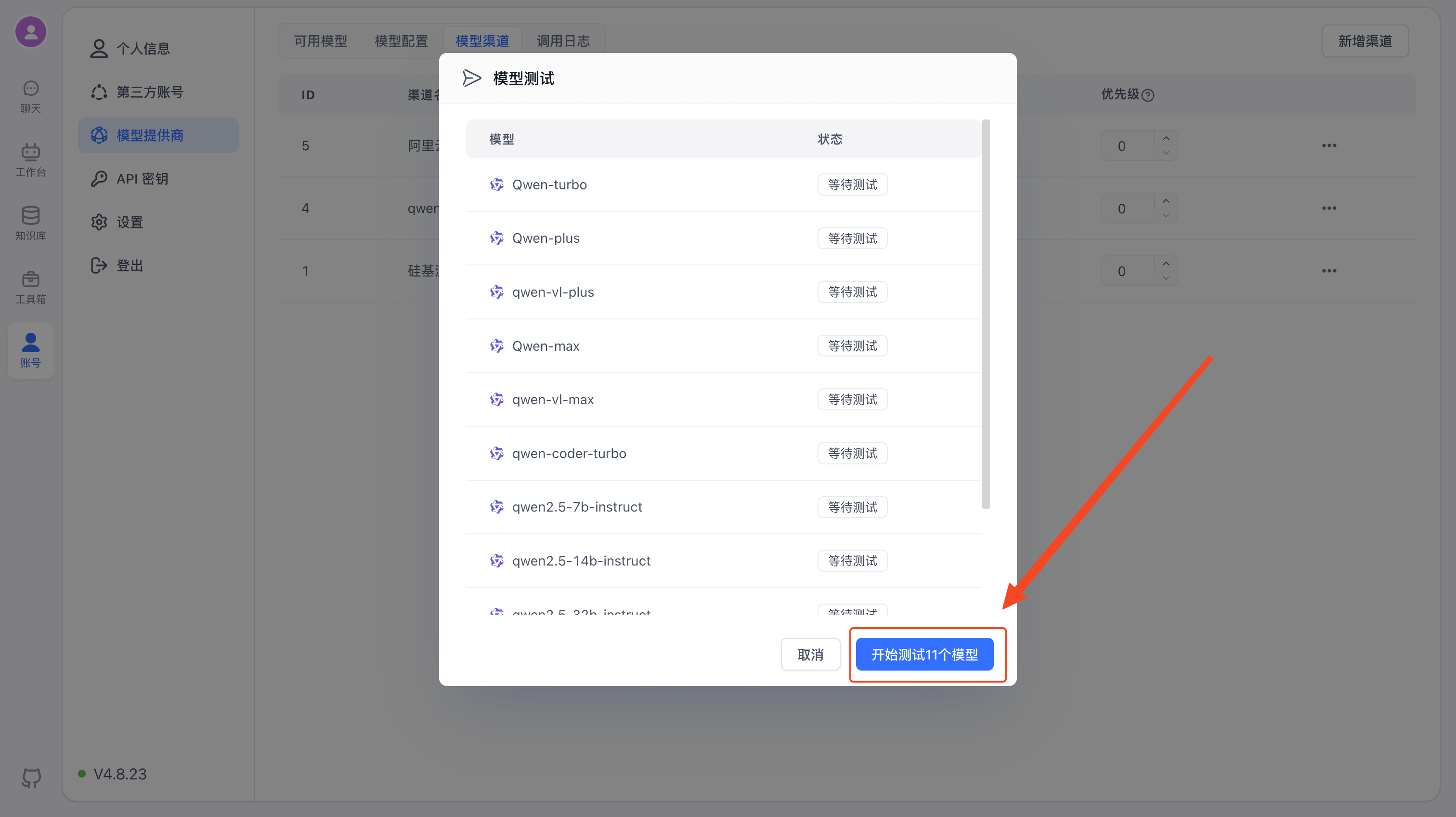
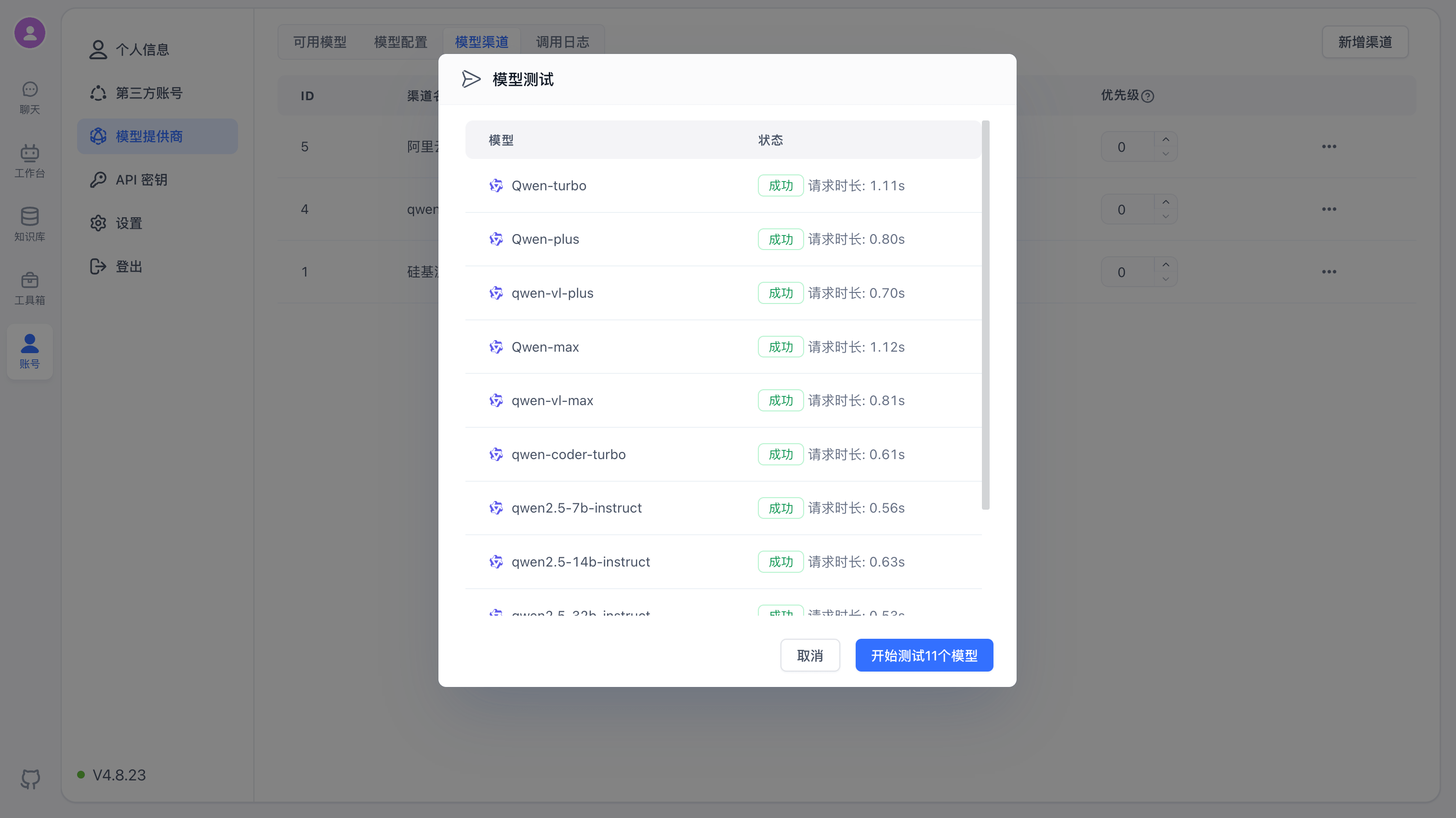
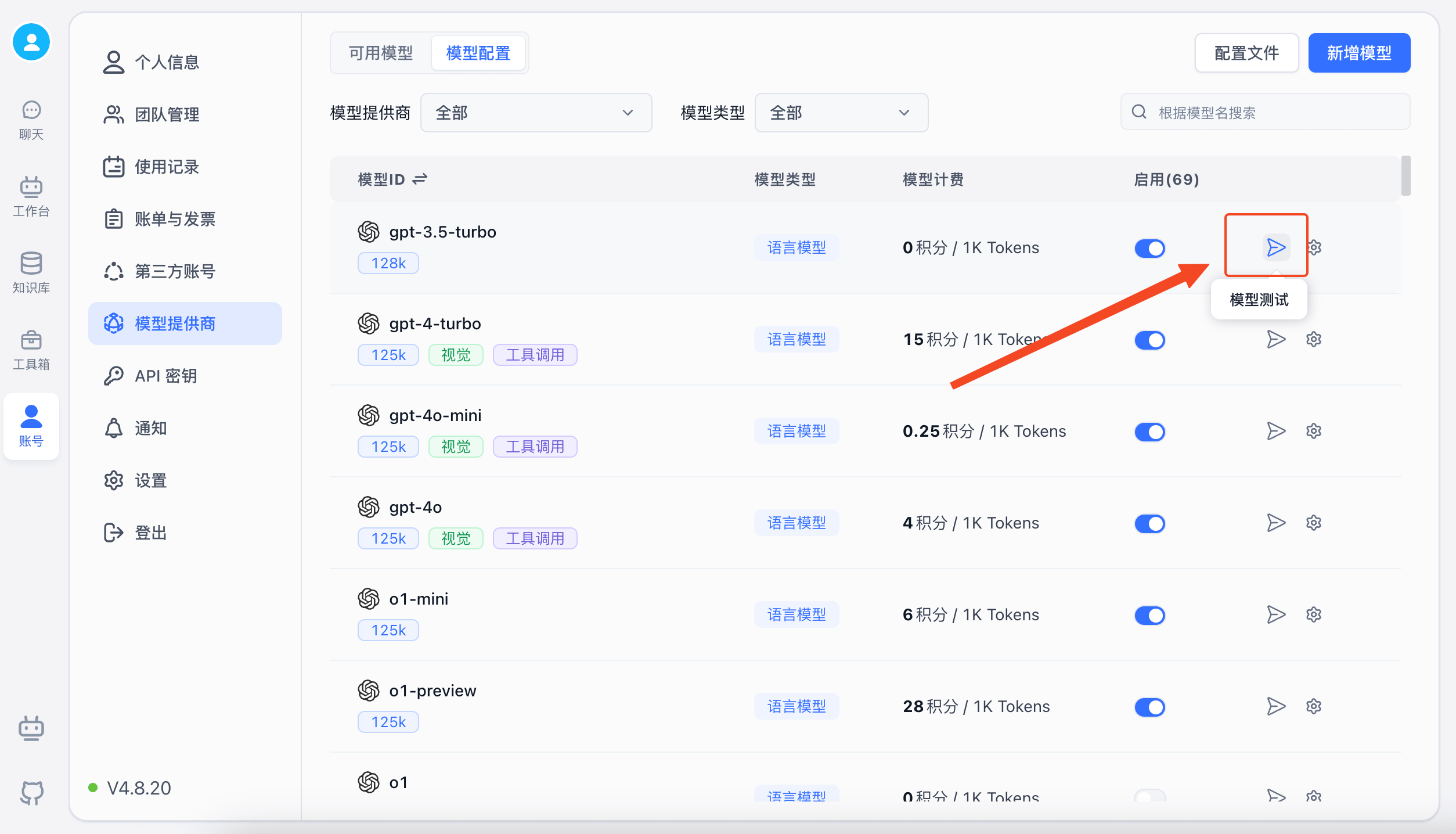
Model Testing

FastGPT provides simple tests for each model type on the UI. You can run a quick check to verify models are working correctly — it sends an actual request using a template.
alt text

Special Integration Examples

Integrating Rerank Models

Since OneAPI doesn't support Rerank models, they need to be configured separately. FastGPT's model configuration supports custom request URLs, allowing you to bypass OneAPI and send requests directly to providers. You can use this feature to integrate Rerank models.

Using SiliconCloud's Online Models

A free bge-reranker-v2-m3 model is available.

  1. Register a SiliconCloud account
  2. Go to the console and get your API key: https://cloud.siliconflow.cn/account/ak
  3. Open FastGPT model configuration and add a BAAI/bge-reranker-v2-m3 rerank model (or modify the built-in one if it already exists).

alt text

Self-Hosted Rerank Models

View the ReRank model deployment tutorial

Integrating Speech Recognition Models

OneAPI's speech recognition interface cannot correctly identify non-Whisper models (it always defaults to whisper-1). To integrate other models, use a custom request URL. For example, to integrate SiliconCloud's FunAudioLLM/SenseVoiceSmall model:

Click model edit:

alt text

Enter SiliconCloud's URL: https://api.siliconflow.cn/v1/audio/transcriptions, and enter your SiliconCloud API Key.

alt text

Other Configuration Options

Custom Request URL

Setting this value allows you to bypass OneAPI and send requests directly to the custom URL. You need to provide the complete request URL, for example:

  • LLM: [host]/v1/chat/completions
  • Embedding: [host]/v1/embeddings
  • STT: [host]/v1/audio/transcriptions
  • TTS: [host]/v1/audio/speech
  • Rerank: [host]/v1/rerank

The custom request key is sent as a request header: Authorization: Bearer xxx.

All interfaces follow OpenAI's model format. See the OpenAI API documentation for details.

Since OpenAI doesn't provide a ReRank model, the Cohere format is used instead. View request examples

Model Pricing Configuration

Commercial version users can configure model pricing for account billing. The system supports two billing modes: total token billing and separate input/output token billing.

For separate input/output token billing, fill in both Model Input Price and Model Output Price. For total token billing, fill in only Model Combined Price.

How to Submit Built-in Models

Since models update frequently, the official team may not always keep up. If you can't find the built-in model you need, you can submit an Issue with the model name and official website, or directly submit a PR with the model configuration.

Adding Model Providers

To add a model provider, modify the following:

  1. FastGPT/packages/web/components/common/Icon/icons/model - Add the provider's SVG logo in this directory.
  2. In the FastGPT root directory, run pnpm initIcon to load the icon into the config file.
  3. FastGPT/packages/global/core/ai/provider.ts - Add the provider configuration in this file.

Adding Models

In the FastGPT-plugin project, find the corresponding provider's config file under the modules/model/provider directory and add the model configuration. Make sure the model field is unique across all models. For field descriptions, see Model Configuration Field Descriptions.

Legacy Model Configuration

After configuring OneAPI, you need to manually add model configuration to the config.json file and restart.

Since environment variables aren't ideal for complex configuration, FastGPT uses ConfigMap to mount config files. You can find the default config file at projects/app/data/config.json. See docker-compose Quick Deployment for how to mount config files.

In development, copy the example config file config.json to config.local.json for it to take effect. In Docker deployment, modifying config.json requires restarting the container.

The example config file below includes system parameters and model configurations:

{
  "feConfigs": {
    "lafEnv": "https://laf.dev" // Laf environment. https://laf.run (Hangzhou Alibaba Cloud), or a private Laf environment. Latest Laf version required for Laf OpenAPI features.
  },
  "systemEnv": {
    "vectorMaxProcess": 15, // Vector processing thread count
    "qaMaxProcess": 15, // QA splitting thread count
    "tokenWorkers": 50, // Token calculation worker count (persistent memory usage — don't set too high)
    "hnswEfSearch": 100 // Vector search parameter (PG and OB only). Higher = more accurate but slower. 100 gives 99%+ accuracy.
  },
  "llmModels": [
    {
      "provider": "OpenAI", // Model provider, mainly for categorization display. Built-in providers: https://github.com/labring/FastGPT/blob/main/packages/global/core/ai/provider.ts. You can submit a PR for new providers, or use "Other"
      "model": "gpt-5", // Model name (matches OneAPI channel model name)
      "name": "gpt-5", // Model display name
      "maxContext": 125000, // Max context
      "maxResponse": 16000, // Max response
      "quoteMaxToken": 120000, // Max quote content
      "maxTemperature": 1.2, // Max temperature
      "charsPointsPrice": 0, // n points/1k tokens (commercial version)
      "censor": false, // Enable content moderation (commercial version)
      "vision": true, // Supports image input
      "datasetProcess": true, // Use as text understanding model (QA) — at least one must be true or knowledge base will error
      "usedInClassify": true, // Use for question classification (at least one must be true)
      "usedInExtractFields": true, // Use for content extraction (at least one must be true)
      "usedInToolCall": true, // Use for tool calling (at least one must be true)
      "toolChoice": true, // Supports tool choice (used in classification, extraction, tool calling)
      "functionCall": false, // Supports function calling (used in classification, extraction, tool calling). toolChoice takes priority; if false, falls back to functionCall; if still false, falls back to prompt mode
      "customCQPrompt": "", // Custom classification prompt (for models without tool/function call support)
      "customExtractPrompt": "", // Custom content extraction prompt
      "defaultSystemChatPrompt": "", // Default system prompt for conversations
      "defaultConfig": {}, // Default config sent with API requests (e.g., GLM4's top_p)
      "fieldMap": {} // Field mapping (e.g., o1 models need max_tokens mapped to max_completion_tokens)
    },
    {
      "provider": "OpenAI",
      "model": "gpt-4o",
      "name": "gpt-4o",
      "maxContext": 125000,
      "maxResponse": 4000,
      "quoteMaxToken": 120000,
      "maxTemperature": 1.2,
      "charsPointsPrice": 0,
      "censor": false,
      "vision": true,
      "datasetProcess": true,
      "usedInClassify": true,
      "usedInExtractFields": true,
      "usedInToolCall": true,
      "toolChoice": true,
      "functionCall": false,
      "customCQPrompt": "",
      "customExtractPrompt": "",
      "defaultSystemChatPrompt": "",
      "defaultConfig": {},
      "fieldMap": {}
    },
    {
      "provider": "OpenAI",
      "model": "o1-mini",
      "name": "o1-mini",
      "maxContext": 125000,
      "maxResponse": 65000,
      "quoteMaxToken": 120000,
      "maxTemperature": 1.2,
      "charsPointsPrice": 0,
      "censor": false,
      "vision": false,
      "datasetProcess": true,
      "usedInClassify": true,
      "usedInExtractFields": true,
      "usedInToolCall": true,
      "toolChoice": false,
      "functionCall": false,
      "customCQPrompt": "",
      "customExtractPrompt": "",
      "defaultSystemChatPrompt": "",
      "defaultConfig": {
        "temperature": 1,
        "max_tokens": null,
        "stream": false
      }
    },
    {
      "provider": "OpenAI",
      "model": "o1-preview",
      "name": "o1-preview",
      "maxContext": 125000,
      "maxResponse": 32000,
      "quoteMaxToken": 120000,
      "maxTemperature": 1.2,
      "charsPointsPrice": 0,
      "censor": false,
      "vision": false,
      "datasetProcess": true,
      "usedInClassify": true,
      "usedInExtractFields": true,
      "usedInToolCall": true,
      "toolChoice": false,
      "functionCall": false,
      "customCQPrompt": "",
      "customExtractPrompt": "",
      "defaultSystemChatPrompt": "",
      "defaultConfig": {
        "temperature": 1,
        "max_tokens": null,
        "stream": false
      }
    }
  ],
  "vectorModels": [
    {
      "provider": "OpenAI",
      "model": "text-embedding-3-small",
      "name": "text-embedding-3-small",
      "charsPointsPrice": 0,
      "defaultToken": 512,
      "maxToken": 3000,
      "weight": 100
    },
    {
      "provider": "OpenAI",
      "model": "text-embedding-3-large",
      "name": "text-embedding-3-large",
      "charsPointsPrice": 0,
      "defaultToken": 512,
      "maxToken": 3000,
      "weight": 100,
      "defaultConfig": {
        "dimensions": 1024
      }
    },
    {
      "provider": "OpenAI",
      "model": "text-embedding-ada-002", // Model name (matches OneAPI)
      "name": "Embedding-2", // Model display name
      "charsPointsPrice": 0, // n points/1k tokens
      "defaultToken": 700, // Default token count for text splitting
      "maxToken": 3000, // Max tokens
      "weight": 100, // Training priority weight
      "defaultConfig": {}, // Custom extra parameters. For example, to use embedding3-large, pass dimensions:1024 to return 1024-dimensional vectors (currently must be less than 1536 dimensions)
      "dbConfig": {}, // Extra parameters for storage (needed for asymmetric vector models)
      "queryConfig": {} // Extra parameters for querying
    }
  ],
  "reRankModels": [],
  "audioSpeechModels": [
    {
      "provider": "OpenAI",
      "model": "tts-1",
      "name": "OpenAI TTS1",
      "charsPointsPrice": 0,
      "voices": [
        { "label": "Alloy", "value": "alloy", "bufferId": "openai-Alloy" },
        { "label": "Echo", "value": "echo", "bufferId": "openai-Echo" },
        { "label": "Fable", "value": "fable", "bufferId": "openai-Fable" },
        { "label": "Onyx", "value": "onyx", "bufferId": "openai-Onyx" },
        { "label": "Nova", "value": "nova", "bufferId": "openai-Nova" },
        { "label": "Shimmer", "value": "shimmer", "bufferId": "openai-Shimmer" }
      ]
    }
  ],
  "whisperModel": {
    "provider": "OpenAI",
    "model": "whisper-1",
    "name": "Whisper1",
    "charsPointsPrice": 0
  }
}
Edit on GitHub

File Updated