
Dashboard/Workflow Nodes
Parallel Run
FastGPT Parallel Run node overview and usage (available in 4.14.11+)
Node Overview
The Parallel Run node takes an array as input and runs the same sub-workflow for every element at the same time, then aggregates the results.
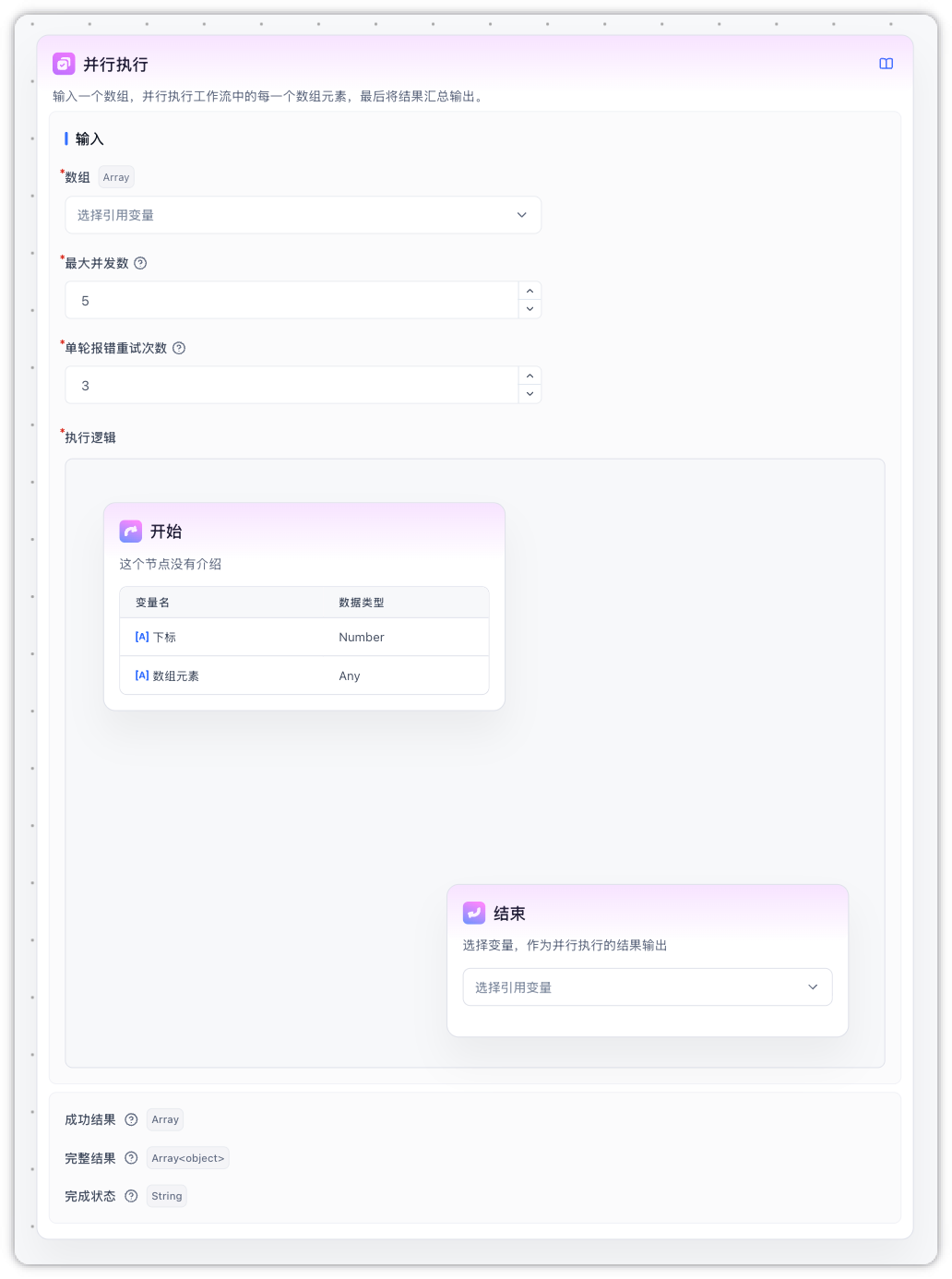
It fits batch tasks where each item is independent and does not depend on the others — for example:
- Translating a batch of text snippets
- Scraping multiple web pages and extracting information
- Calling an external API for many records
Core Features
-
Runs in parallel, finishes faster
- Items are processed at the same time instead of queuing one by one
- You can set "how many to run at once" to balance speed against resource usage
-
A single failure does not break the batch
- A failed task does not interrupt the others
- Failures are retried automatically; the retry count is configurable
- Successful and failed results are grouped separately for easier downstream handling
-
Per-task view in the debug panel
- After the run finishes, each task's execution can be inspected independently
- No need to dig through a flat list of child-node responses
Parameters
Inputs
| Parameter | Required | Default | Description |
|---|---|---|---|
| Array | Yes | - | The items to process, usually from an upstream node's array output. Elements can be strings, numbers, objects, etc. |
| Max concurrency | Yes | 5 | How many tasks are allowed to run at the same time. Range: 1 to the upper limit (set by the deployment, default 10) |
| Max retries per task | Yes | 3 | How many times to retry a failed task. Range: 0–5. 0 disables retries |
| Execution Logic | Yes | - | The sub-flow to run, wrapped between the fixed Start and End anchors. You can place any nodes in between |
Outputs
| Output | Type | Description |
|---|---|---|
| Success Results | Array<any> | Outputs of successful tasks only, ordered by input index. Failed items are filtered out. This is what you usually reference downstream. |
| Full Results | Array<object> | Has the same length as the input. Each item is { success, message, data }: on success success=true and data is the value; on failure success=false, message holds the error and data is null |
| Status | string | Overall status: success (all succeeded), partial_success (some failed), failed (all failed). Useful for branching |
Notes
- No nesting: a Parallel Run node cannot contain another Parallel Run or a Batch Processing node
- No interactive nodes: form input, user selection, and other interactive nodes cannot run inside the Execution Logic — the editor blocks dropping them in
- Variable isolation: changes made to global variables inside the Execution Logic are not carried back to the main flow. Use the End node's output to persist anything you need
- Array length cap: the input array is capped at 100 items by default (adjustable by the deployment — see below)
- Turn off streaming for AI nodes inside the Execution Logic: it is strongly recommended to disable "Return AI content" on AI Chat nodes placed inside the parallel body. Otherwise multiple tasks will stream to the same chat window at once and the text will interleave into a garbled mess. Usually you only want a final Specified Reply node after the parallel node to emit the aggregated result.
Deployment Settings
The following environment variables can be tuned on self-hosted deployments:
| Environment variable | Default | Description |
|---|---|---|
WORKFLOW_MAX_LOOP_TIMES | 100 | Maximum length of the input array (shared by Batch Processing and Parallel Run) |
WORKFLOW_PARALLEL_MAX_CONCURRENCY | 10 | Upper bound of the Max concurrency setting. Must not exceed WORKFLOW_MAX_LOOP_TIMES |
Example: Translate a Text Array in Parallel
The minimal flow below translates a few text snippets into English in parallel.
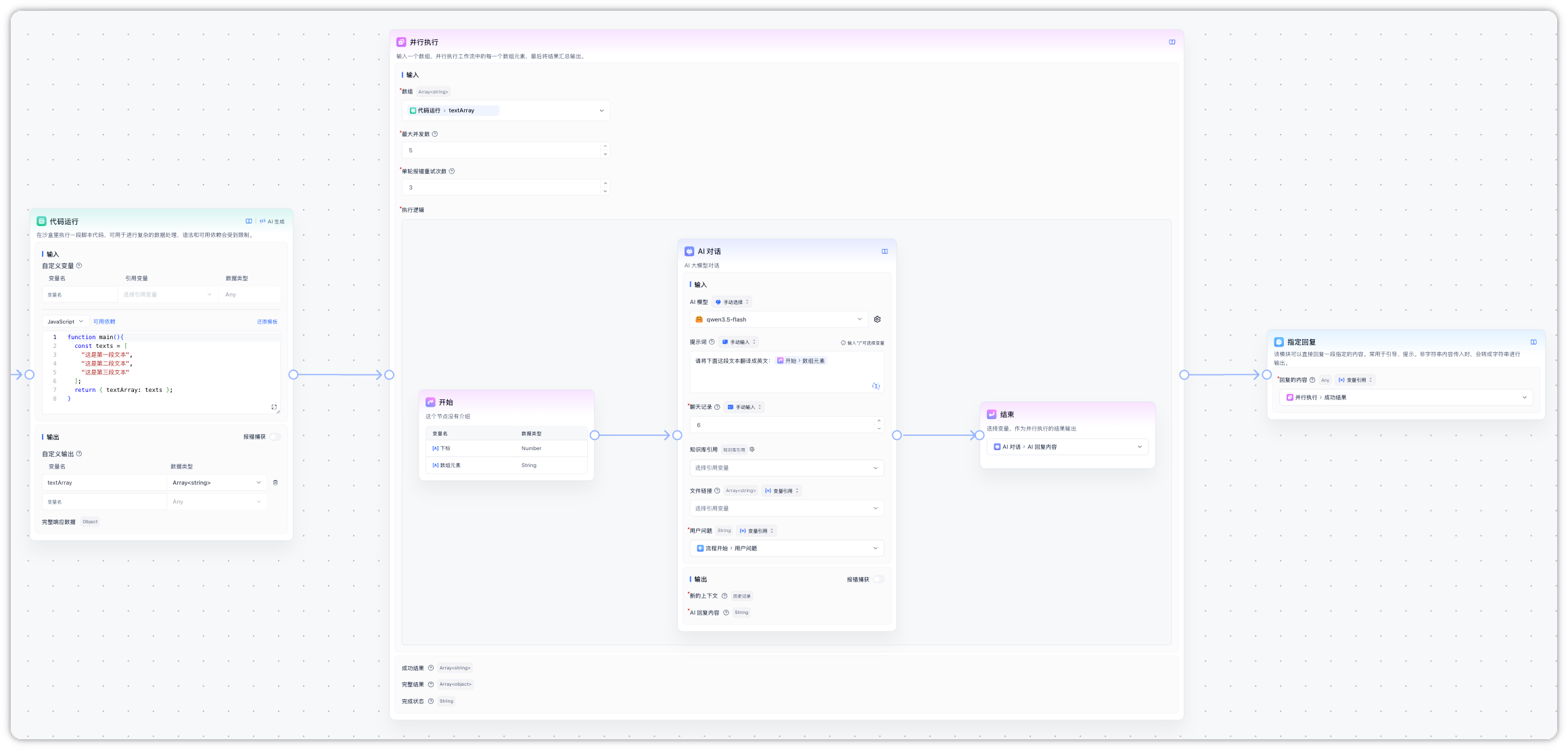
Steps
-
Prepare the input array
Use a Code Execution node to build a test array:
function main(){ const texts = [ "这是第一段文本", "这是第二段文本", "这是第三段文本" ]; return { textArray: texts }; } -
Configure the Parallel Run node
- Array input: select
textArrayfrom the previous Code Execution node - Max concurrency: keep the default
5(only 3 items, so 3 tasks actually run at once) - Max retries per task: keep the default
3 - Inside the Execution Logic, add an AI Chat node that references the Start node's input as the text to translate, with a prompt like
Translate the following text into English: {current item}. Be sure to turn off "Return AI content" so outputs from different tasks do not interleave. - On the End node, select the AI reply as the output variable
- Array input: select
-
Use the results
- Reference Success Results downstream to get the array of translated strings
- Reference Full Results when you need to check each item's success/failure
- Use Status to decide whether to run a fallback (for example, alert when everything failed)
Execution Flow
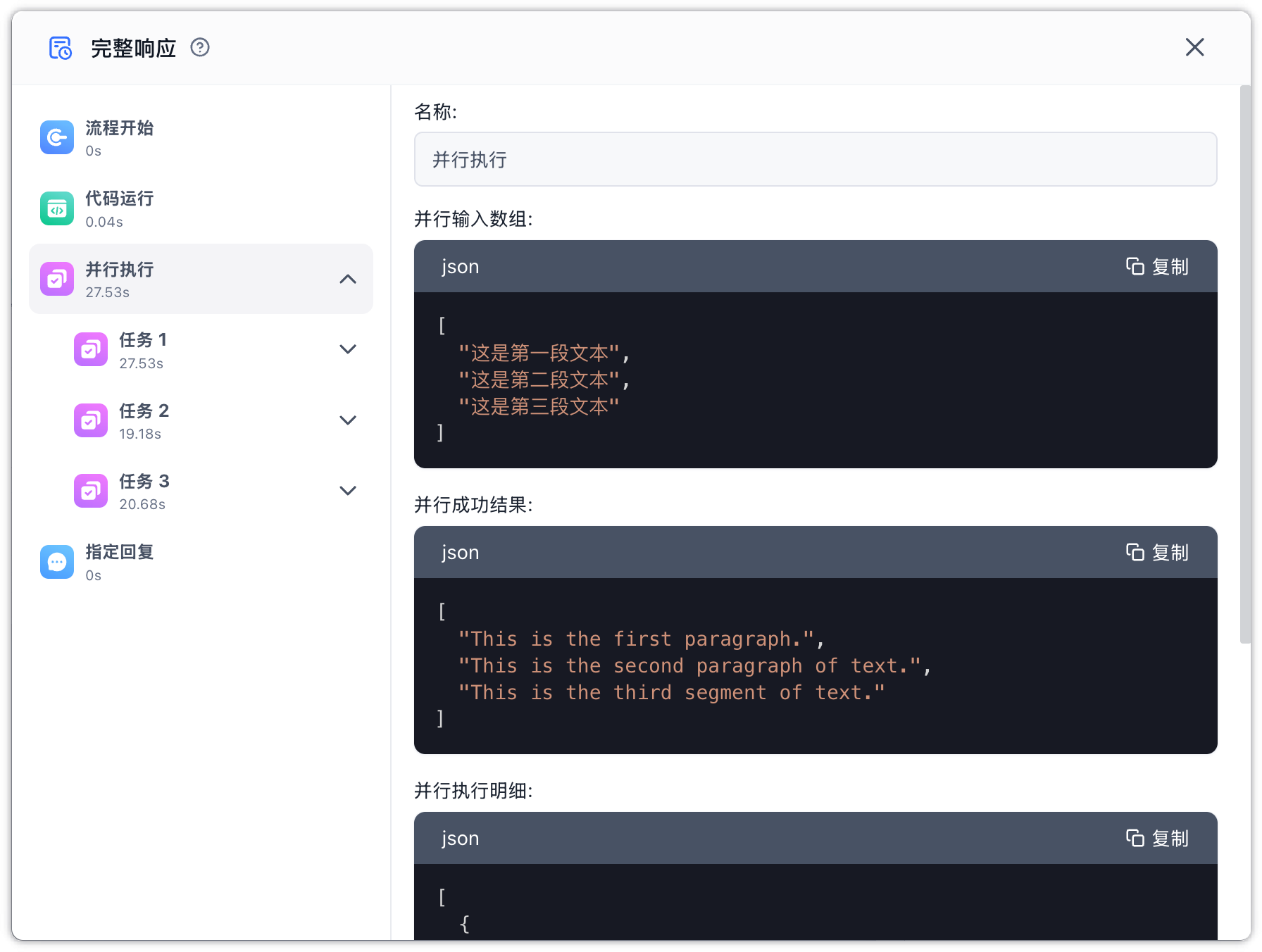
- The Code Execution node produces 3 text snippets
- The Parallel Run node sends all 3 snippets to the AI chat node at the same time
- Any failing translation is retried automatically; still-failing items are marked as failed in Full Results
- Once all tasks finish, the node emits Success Results, Full Results, and Status together
Edit on GitHub
File Updated