
Workflows & Plugins
A quick overview of FastGPT Workflows and Plugins
Starting from V4.0, FastGPT adopted a new approach to building AI applications. It uses Flow node orchestration (Workflows) to implement complex processes, improving flexibility and extensibility. This does raise the learning curve — users with development experience will find it easier to pick up.
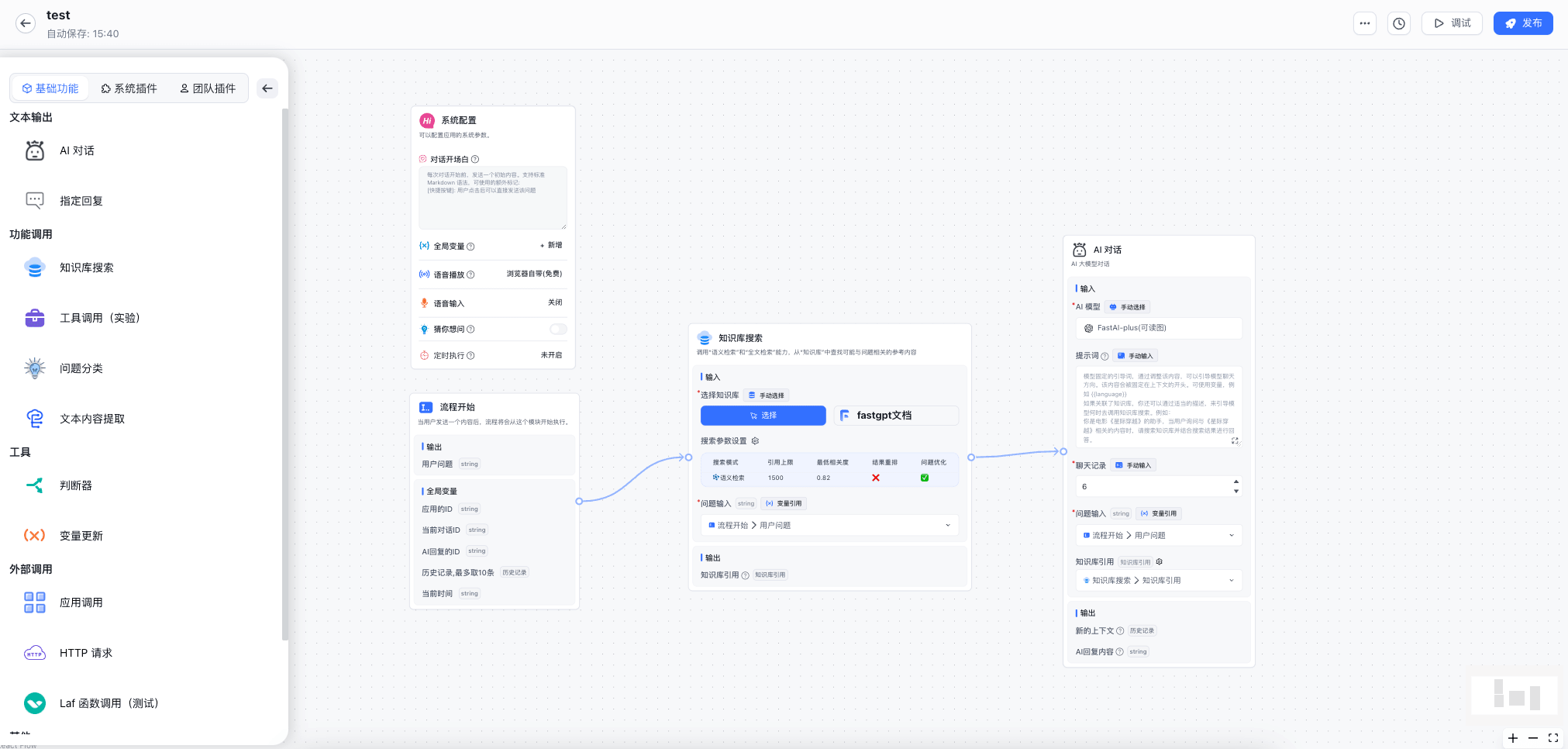
What is a Node?
In programming terms, a node is like a function or API endpoint — think of it as a step. By connecting multiple nodes together, you build a step-by-step process that produces the final AI output.
Below is the simplest AI conversation, consisting of a Workflow Start node and an AI Chat node.
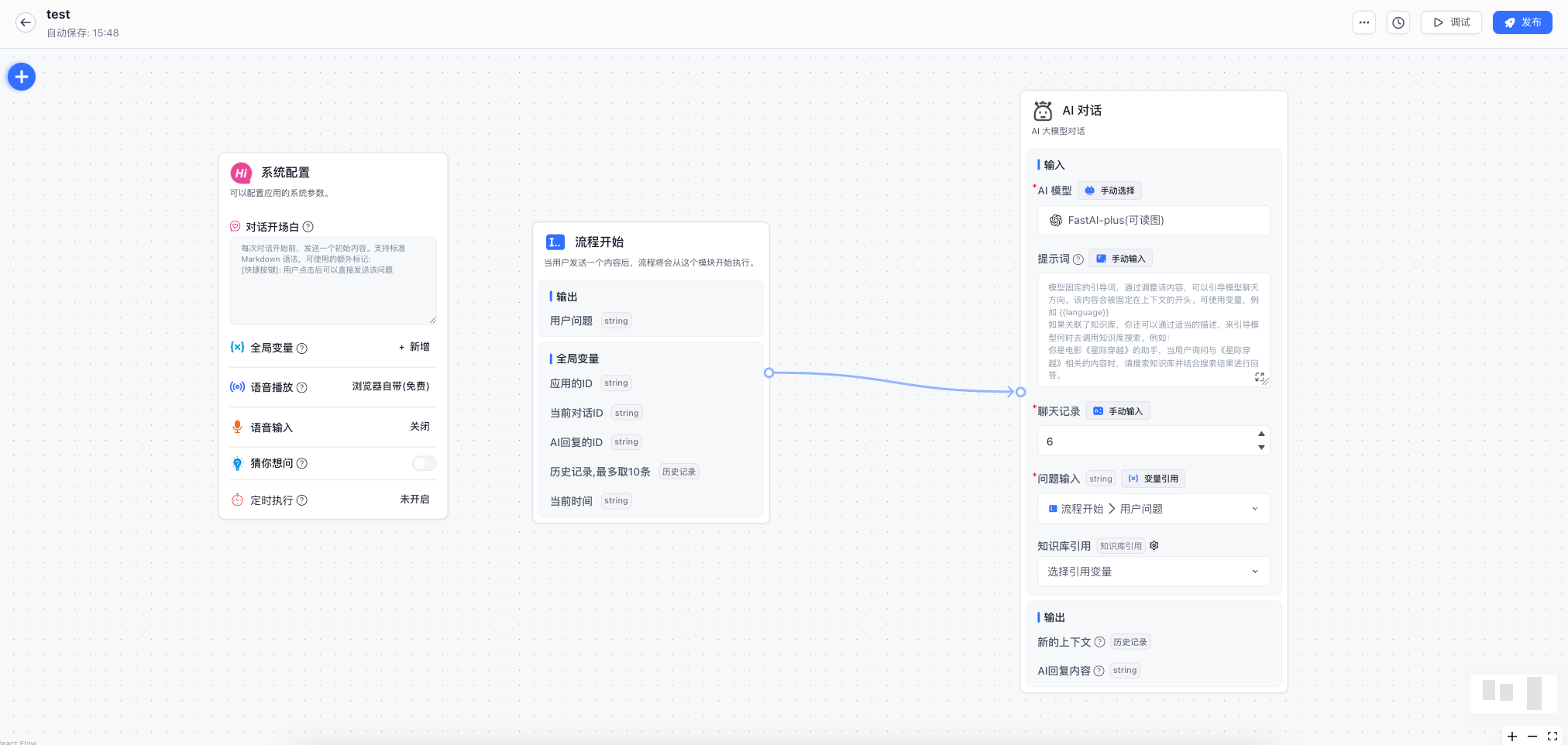
Execution flow:
- The user inputs a question. The [Workflow Start] node executes and saves the user's question.
- The [AI Chat] node executes. It has two required parameters: "Chat History" and "User Question." Chat history defaults to 6 messages, representing the context length. The user question comes from the [Workflow Start] node.
- The [AI Chat] node calls the conversation API with the chat history and user question to generate a response.
Node Categories
Functionally, nodes fall into 2 categories:
- System Nodes: User guidance (configures dialog information) and user question (workflow entry point).
- Function Nodes: Knowledge Base search, AI Chat, and all other nodes. These have inputs and outputs and can be freely combined.
Node Components
Each node has 3 core parts: inputs, outputs, and triggers.
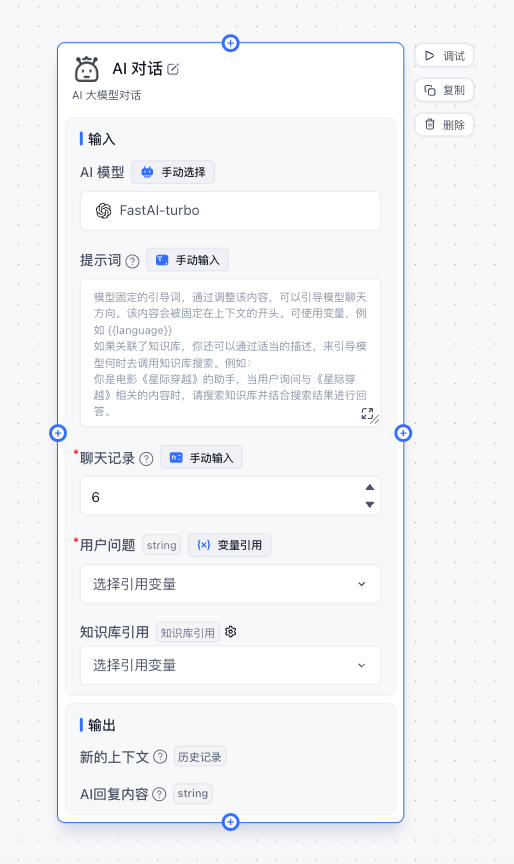
- AI model, prompt, chat history, user question, and Knowledge Base citation are inputs. Inputs can be manual entries or variable references, which include "global variables" and outputs from any previous node.
- New context and AI reply content are outputs. Outputs can be referenced by any subsequent node.
- Each node has four "triggers" (top, bottom, left, right) for connections. Connected nodes execute sequentially based on conditions.
Key Concept — How Workflows Execute
FastGPT Workflows start from the [Workflow Start] node, triggered when the user inputs a question. There is no fixed exit point — the workflow ends when all nodes stop running. If no nodes execute in a given cycle, the workflow completes.
Let's look at how workflows execute and when each node is triggered.
As shown above, nodes can "be connected to" and "connect to other nodes." We call incoming connections "predecessor lines" and outgoing connections "successor lines." In the example, the [Knowledge Base Search] node has one predecessor line on the left and one successor line on the right. The [AI Chat] node only has a predecessor line on the left.
Lines in FastGPT Workflows have these states:
waiting: The connected node is waiting to execute.active: The connected node is ready to execute.skip: The connected node should be skipped.
Node execution rules:
- If any predecessor line has
waitingstatus, the node waits. - If any predecessor line has
activestatus, the node executes. - If no predecessor lines are
waitingoractive, the node is skipped. - After execution, successor lines are updated to
activeorskip, and predecessor lines reset towaitingfor the next cycle.
Walking through the example:
- [Workflow Start] completes and sets its successor line to
active. - [Knowledge Base Search] sees its predecessor line is
active, executes, then sets its successor line toactiveand predecessor line towaiting. - [AI Chat] sees its predecessor line is
activeand executes. The workflow ends.
How to Connect Nodes
- Each node has connection points on all four sides for convenience. Left and top are predecessor connection points; right and bottom are successor connection points.
- Click the x in the middle of a connection line to delete it.
- Left-click to select a connection line.
How to Read Workflows
- Read from left to right.
- Start from the User Question node, which represents the user sending text to trigger the workflow.
- Focus on [AI Chat] and [Specified Reply] nodes — these are where answers are output.
FAQ
How do I merge multiple outputs?
- Text Processing: can merge strings together.
- Knowledge Base Search Merge: can combine multiple Knowledge Base search results.
- Other results: cannot be merged directly. Consider passing them to an
HTTPnode for merging. Use Laf to quickly create a serverless HTTP endpoint.
File Updated