
Dataset search
Configure the FastGPT Workflow Dataset Search node with semantic, full-text, hybrid retrieval, reranking, and tag filters.
For detailed parameters and internal logic, see: FastGPT Dataset search
Characteristics
- Can be added multiple times (keeps connections tidy in complex workflows)
- Has external input
- Has static configuration
- Trigger-based execution
- Core node
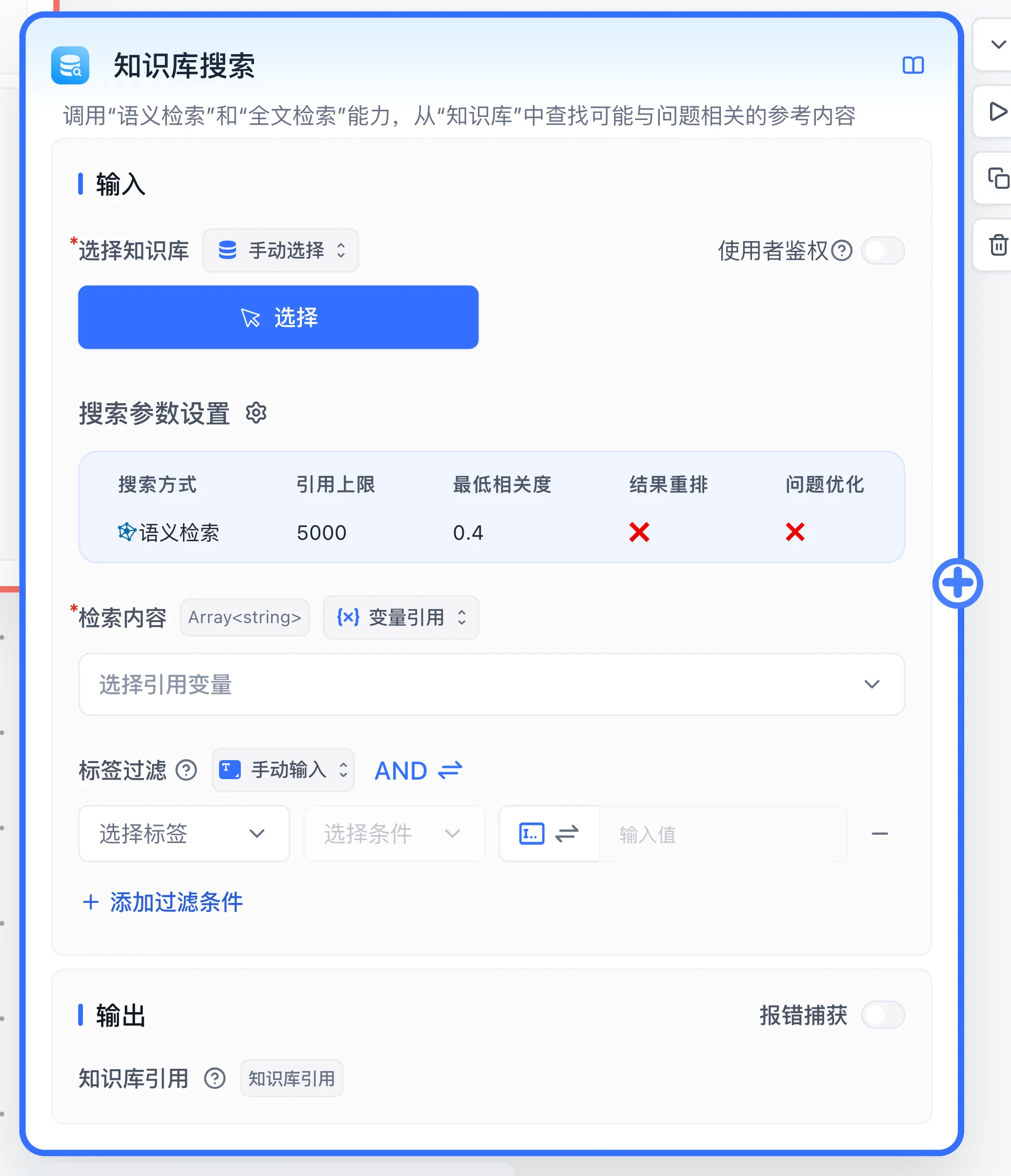
Parameters
Input - Select Dataset
Select one or more Datasets using the same embedding model for vector search.
Input - Search Parameter Settings
Output - Dataset citations
Outputs citations as an array with a possible length of 0. This means the output path will still run even when no results are found.
Input - Search content and Tag filter
The current node accepts search content as a string array. Reference the start node's question or upstream search content and check the input type shown by the editor. The citation limit controls the returned-content budget in tokens. Search mode, similarity threshold, reranking, and query expansion are configured in search settings. Selected models and services require access and quota.
Tag filter narrows collection scope. See collection tags for types and operators. Availability depends on version and commercial capabilities. Confirm that material has finished processing and that the calling identity has the required access.
Output - Errors and empty results
The Dataset citations output is a citation array containing retrieved chunks and source information for AI Chat. An empty array means the search returned no usable chunks. Execution can continue; use a Condition node to inspect array length and route to clarification or a fixed reply. Inspect error text and Run Details for failures.
Example: retrieve the travel policy
- Import and process the sample material from your first knowledge-base Q&A.
- Connect Start → Dataset search → AI Chat in a workflow.
- Select the Travel Policy knowledge base, reference the starting user input as search content, and retain default search settings initially.
- Reference the starting question in AI Chat and select the search node's Dataset citations output for Dataset citations. Instruct the model to answer the deadline question from retrieved material.
- Debug with “How soon after returning must I submit travel expenses?” Verify that the citations include
15 calendar days, then check the final answer for the same deadline.
For empty citations, inspect processing status, retrieval scope, tag filter, and threshold. For correct citations with an incorrect answer, inspect the AI node's citation reference and prompt. Combine multiple search outputs with Dataset search citation merge before passing them to AI Chat.
Last updated