
Deploy and operate
FastGPT self-hosted architecture overview, capacity planning, configuration, and operations.
System Architecture and Components
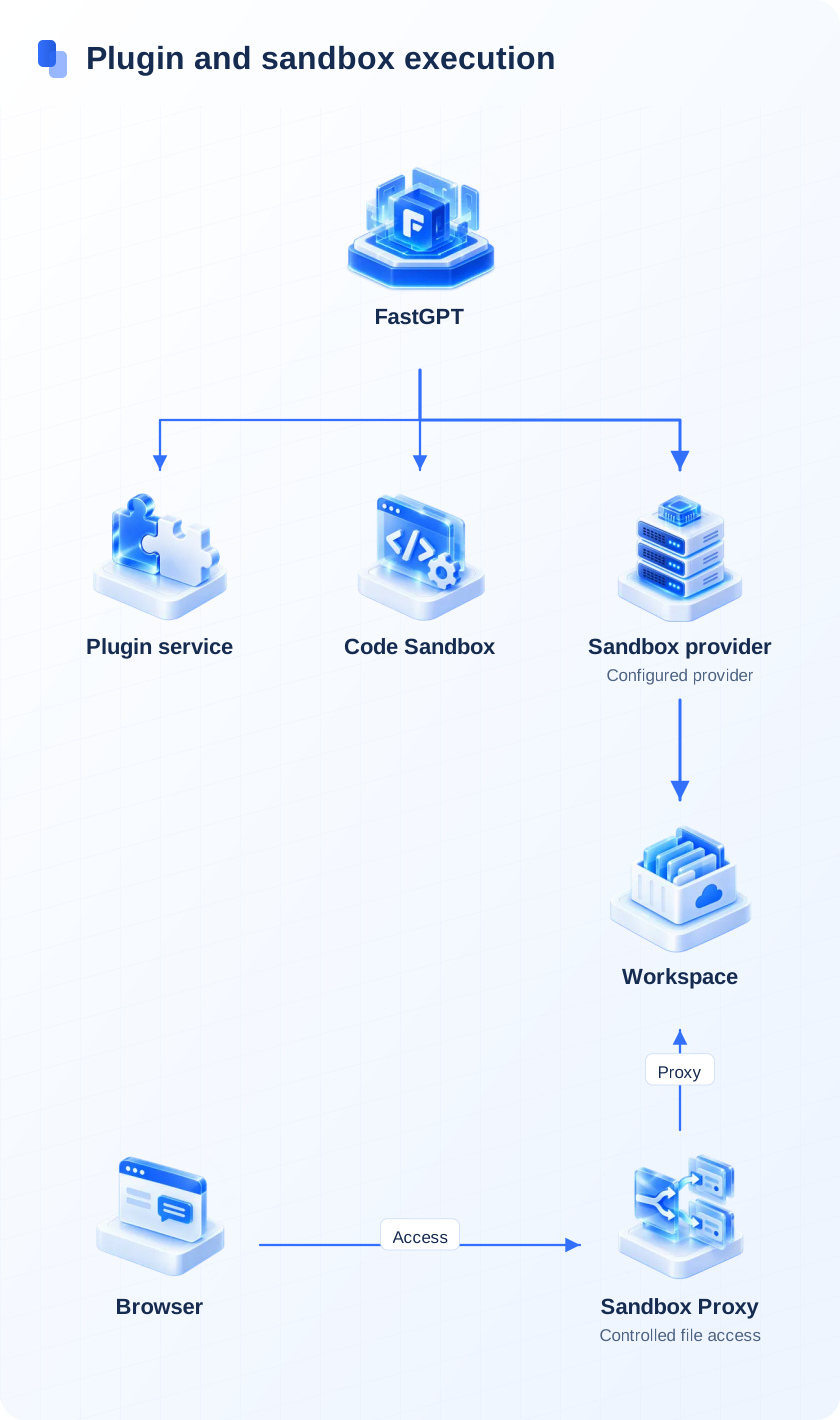
The FastGPT self-hosted deployment consists of the core application service, plugin and sandbox execution services, and four data services (MongoDB, Redis, vector database, and S3 object storage):
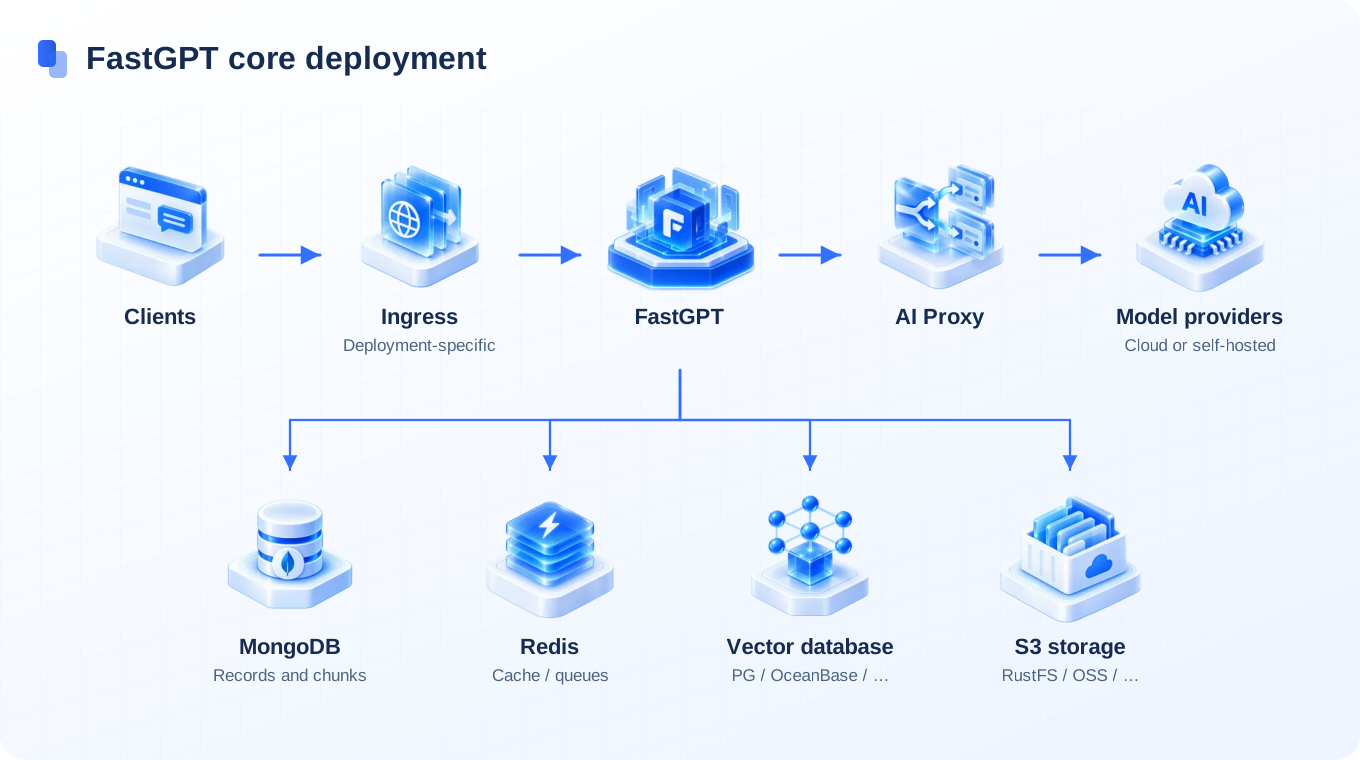

Configure the access gateway and surrounding services for your deployment, and select one supported vector database backend.
Capacity Planning and Baseline Specifications
Size the deployment with representative documents and queries. Capacity depends on vector dimensions, chunk count, model latency, ingestion concurrency, and retention. Measure before setting production limits:
| Workload | Measurements | Acceptance Check |
|---|---|---|
| Evaluation | Peak memory and disk use across required services | Complete import, retrieval, and conversation flows |
| Production | Concurrent requests, queue delay, p95 latency, vector index size | Meet the service target under a representative load |
| High availability | Replica topology, recovery time, backup storage | Verify failover and restore in a staging environment |
Vector Database Selection and Priority
FastGPT reads environment variables at startup and chooses the first configured driver in this fixed order:
- SeekDB (
SEEKDB_URL): MySQL-compatible vector driver. - OceanBase (
OCEANBASE_URL): OceanBase vector driver; configure compatible server features. - PostgreSQL (
PG_URL): Built-in default driver using the pgvector extension. - Milvus (
MILVUS_ADDRESS): Requires version 2.5.16+, using themodeldata_v2collection for unified vector and BM25 full-text storage. - OpenGauss (
OPENGAUSS_URL): Enterprise openGauss vector driver.
Deployment Pathways
| Pathway | Scenario | Guide |
|---|---|---|
| Docker Compose | Single-host private deployment, quick staging, and testing | Docker Compose Deployment Guide |
| Sealos Cloud Native | Container deployment; validate scaling and redundancy separately | Sealos Deployment Guide |
| Source Development | Platform extension, debugging, and plugin development | Local Source Development Guide |
Core Configuration and Operations
- System Configuration: Review Environment Variables, Object Storage Configuration, and Persistent Sandboxes.
- Model Integration: Configure models through AI Proxy Integration or connect Local Models via Ollama / Xinference.
- Observability: Set up SigNoz to collect logs, traces, and metrics for API latency and telemetry; traces and metrics are enabled separately.
- Data and Upgrades: Review Storage Architecture, Data Backup and Migration, and Upgrade Instructions.
- Troubleshooting: Use the Troubleshooting Manual to diagnose startup and runtime errors.
Edit on GitHub
Last updated