
App API (historical parameter archive)
Archived handwritten application log and statistics API parameters; use your deployment’s System OpenAPI for current contracts.
This archive preserves historical handwritten reference material. Some fields, endpoints, and model names belong to older releases. Follow the current integration guide and your deployment’s generated contract for current work.
Prerequisites
- Prepare your API Key: You can use a team-level API Key (
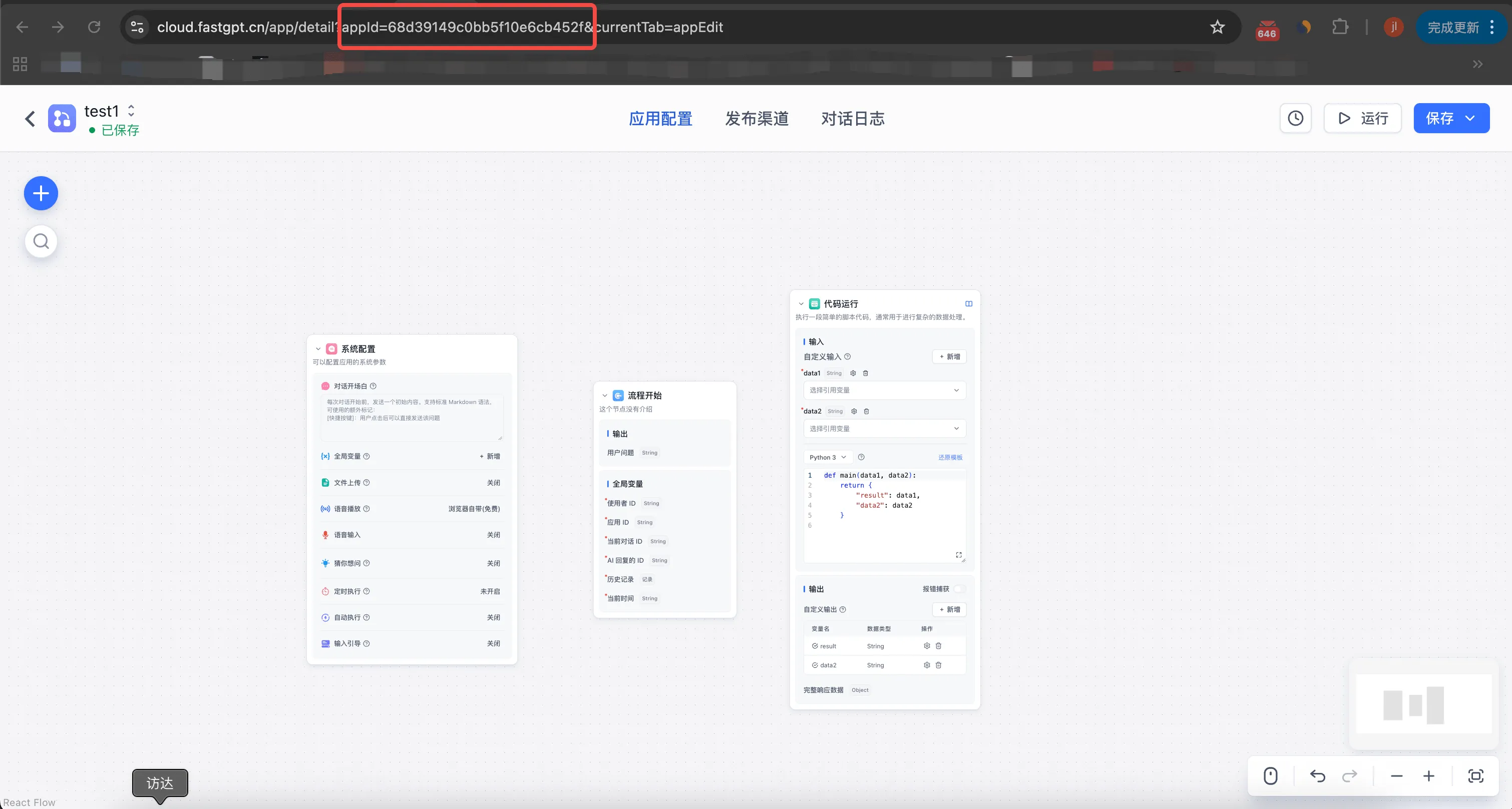
Account → API Keys) directly - Get your app's AppId
Log API
Get App Overall Statistics
curl --location --request GET 'https://cloud.fastgpt.cn/api/proApi/core/app/logs/getTotalData?appId=68c46a70d950e8850ae564ba' \
--header 'Authorization: Bearer apikey'
{
"code": 200,
"statusText": "",
"message": "",
"data": {
"totalUsers": 0,
"totalChats": 0,
"totalPoints": 0,
"totalInputTokens": 0,
"totalOutputTokens": 0
}
}Request Parameters:
- appId: App ID
Response Parameters:
- totalUsers: Total number of users
- totalChats: Total number of chats
- totalPoints: Total points consumed
- totalInputTokens: Total input tokens consumed
- totalOutputTokens: Total output tokens consumed
Get App Chart Data
curl --location --request POST 'https://cloud.fastgpt.cn/api/proApi/core/app/logs/getChartData' \
--header 'Authorization: Bearer apikey' \
--header 'Content-Type: application/json' \
--data-raw '{
  "appId": "68c46a70d950e8850ae564ba",
  "dateStart": "2025-09-19T16:00:00.000Z",
  "dateEnd": "2025-09-27T15:59:59.999Z",
  "offset": 1,
  "source": [
      "test",
      "online",
      "share",
      "api",
      "cronJob",
      "wechat",
      "feishu",
      "official_account",
      "wecom",
      "mcp"
  ],
  "userTimespan": "day",
  "chatTimespan": "day",
  "appTimespan": "day"
}'
{
"code": 200,
"statusText": "",
"message": "",
"data": {
"userData": [
{
"timestamp": 1758585600000,
"summary": {
"userCount": 1,
"newUserCount": 0,
"retentionUserCount": 0,
"points": 1.1132600000000001,
"sourceCountMap": {
"test": 1,
"online": 0,
"share": 0,
"api": 0,
"cronJob": 0,
"wechat": 0,
"feishu": 0,
"official_account": 0,
"wecom": 0,
"mcp": 0
}
}
}
],
"chatData": [
{
"timestamp": 1758585600000,
"summary": {
"chatItemCount": 1,
"chatCount": 1,
"errorCount": 0,
"points": 1.1132600000000001,
"inputTokens": 120,
"outputTokens": 80
}
}
],
"appData": [
{
"timestamp": 1758585600000,
"summary": {
"goodFeedBackCount": 0,
"badFeedBackCount": 0,
"chatCount": 1,
"totalResponseTime": 22.31
}
}
]
}
}Request Parameters:
- appId: App ID
- dateStart: Start time
- dateEnd: End time
- source: Log source
- offset: User retention offset. The unit follows userTimespan
- userTimespan: User data timespan //day|week|month|quarter
- chatTimespan: Chat data timespan //day|week|month|quarter
- appTimespan: App data timespan //day|week|month|quarter
Response Parameters:
- userData: User data array
- timestamp: Timestamp
- summary: Summary data object
- userCount: Active user count
- newUserCount: New user count
- retentionUserCount: Retained user count
- points: Total points consumed
- sourceCountMap: User count by source
- chatData: Chat data array
- timestamp: Timestamp
- summary: Summary data object
- chatItemCount: Chat message count
- chatCount: Session count
- errorCount: Error count
- points: Total points consumed
- inputTokens: Total input tokens consumed
- outputTokens: Total output tokens consumed
- appData: App data array
- timestamp: Timestamp
- summary: Summary data object
- goodFeedBackCount: Positive feedback count
- badFeedBackCount: Negative feedback count
- chatCount: Chat count
- totalResponseTime: Total response time
Last updated
Historical API parameters and migration
Find handwritten legacy parameters and migrate to team-level keys, explicit application IDs, and generated references.
Chat API (historical parameter archive)
Archived handwritten chat completion and conversation history API parameters; use System OpenAPI for current contracts.