Connect Models via PPIO LLM API
Connect Models via PPIO LLM API
FastGPT can also connect models through the PPIO LLM API.
The following content is adapted from FastGPT Integration with PPIO LLM API and may not always be up to date.
FastGPT is a platform that simplifies the entire AI development, deployment, and usage workflow into visual operations. Developers don't need to dive deep into algorithms, and users don't need to master complex technologies — it turns AI into an easy-to-use tool through a one-stop service.
PPIO Cloud provides simple and easy-to-use API interfaces that allow developers to easily call models like DeepSeek.
- For developers: No need to restructure your architecture. Complete integration for all scenarios from text generation to decision reasoning with just 3 interfaces — design AI workflows like building blocks.
- For the ecosystem: Automatically adapts resource requirements from small applications to enterprise systems, letting intelligence grow naturally with your business.
The tutorial below provides a complete integration guide (including key configuration) to help you quickly connect FastGPT with the PPIO API.
1. Prerequisites
(1) Get the API endpoint
Fixed at: https://api.ppinfra.com/v3/openai/chat/completions.
(2) Get the API Key
Log in to the PPIO Cloud console API Key Management page and click the create button. Use invitation code [VOJL20] when registering to receive a 50 yuan voucher.
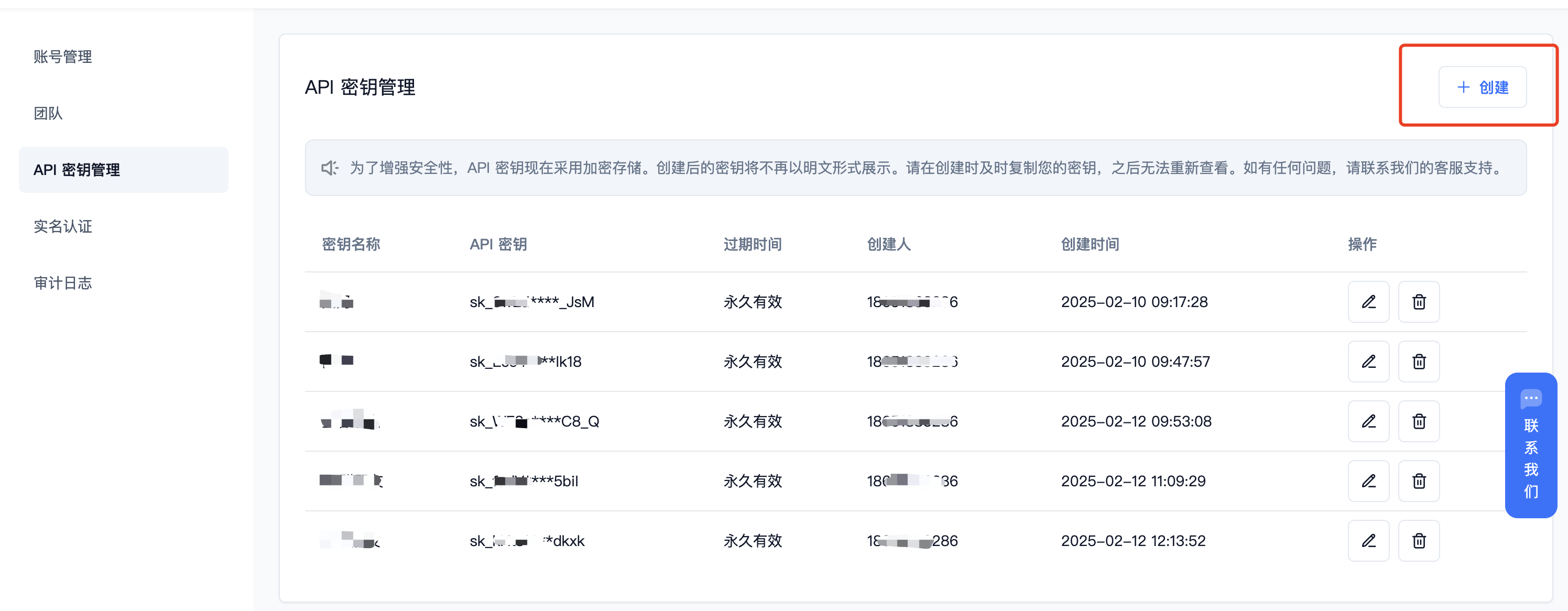
(3) Generate and save the API Key
Keys are stored encrypted on the server. Please save your key when it is generated. If lost, you can delete it and create a new one in the console.
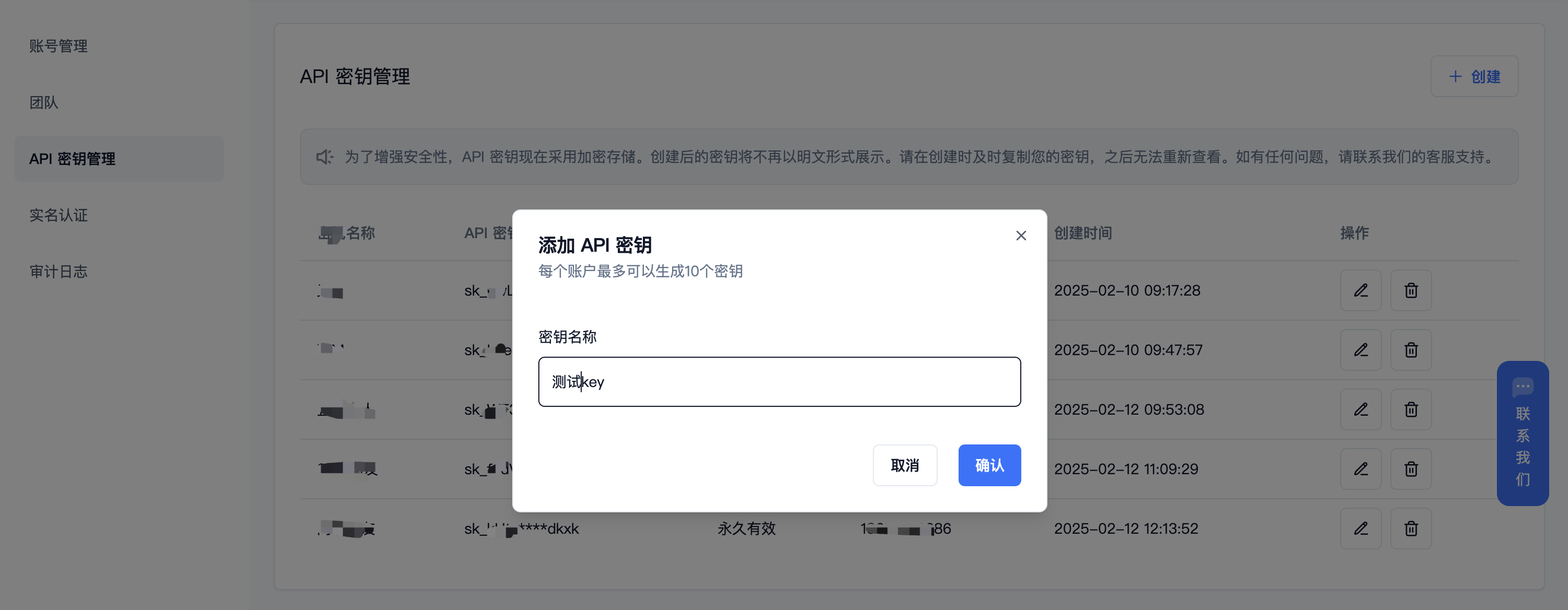
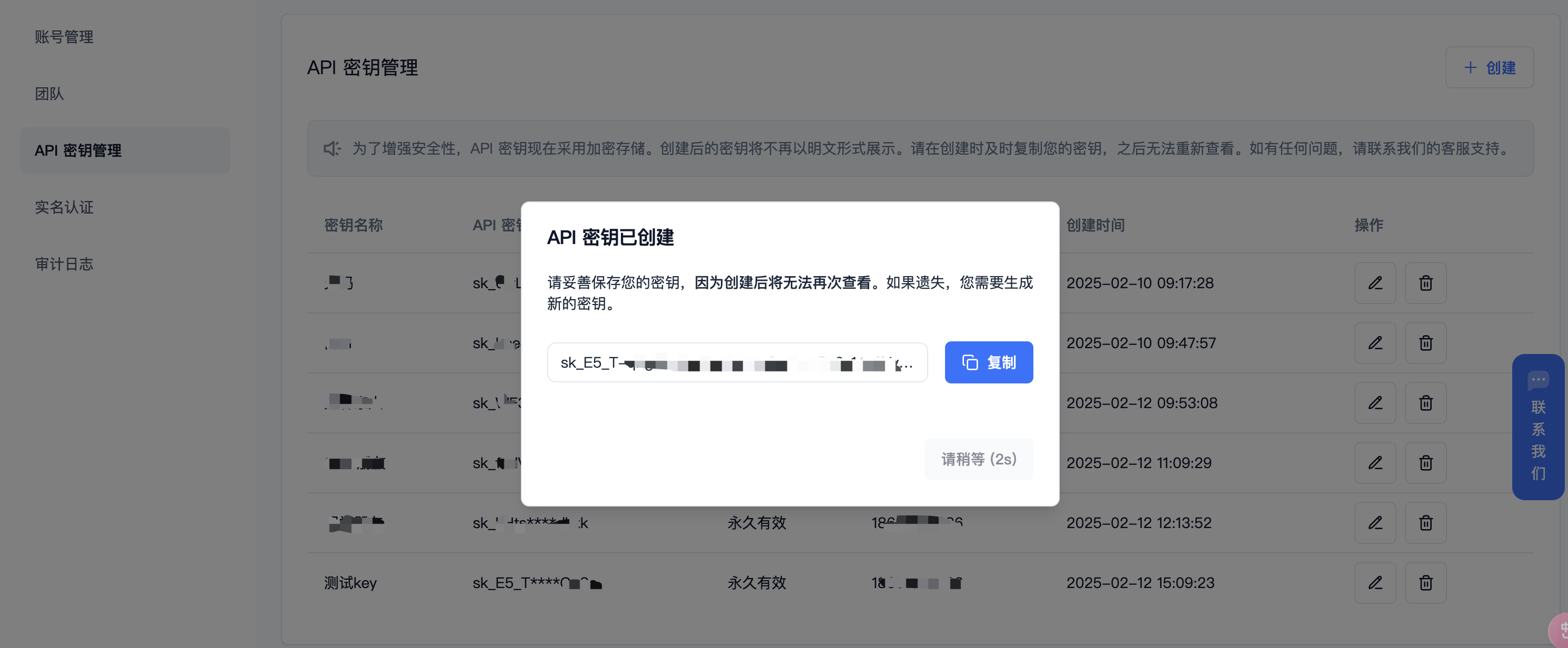
(4) Get the model IDs you need
DeepSeek series:
-
DeepSeek R1: deepseek/deepseek-r1/community
-
DeepSeek V3: deepseek/deepseek-v3/community
For other model IDs, max context, and pricing, see: Model List
2. Deploy the Latest FastGPT to Your Local Environment
Please use version v4.8.22 or above. Deployment reference: Deploy FastGPT
3. Model Configuration (Choose One of the Two Methods Below)
(1) Connect PPIO models via OneAPI: Refer to the OneAPI documentation to update FastGPT environment variables. After generating a token in One API, FastGPT can send requests to One API by modifying the baseurl and key, and One API will forward them to the appropriate models. Update these two environment variables (make sure to include v1; if on the same network, you can use the internal address):
OPENAI_BASE_URL= http://OneAPI-IP:OneAPI-PORT/v1
The key below is the token provided by One API: CHAT_API_KEY=sk-UyVQcpQWMU7ChTVl74B562C28e3c46Fe8f16E6D8AeF8736e
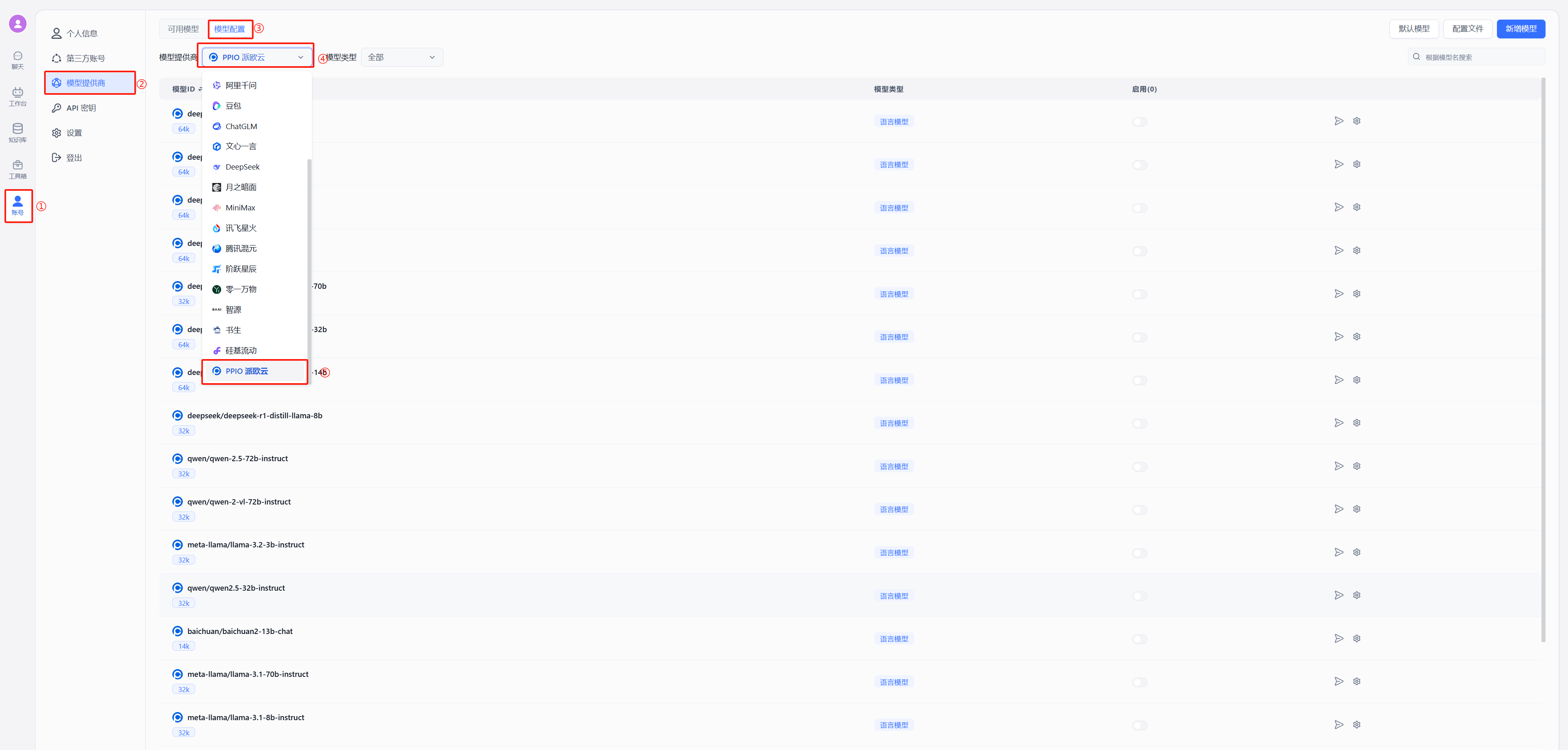
- After restarting FastGPT, select PPIO Cloud in the model providers as shown below:
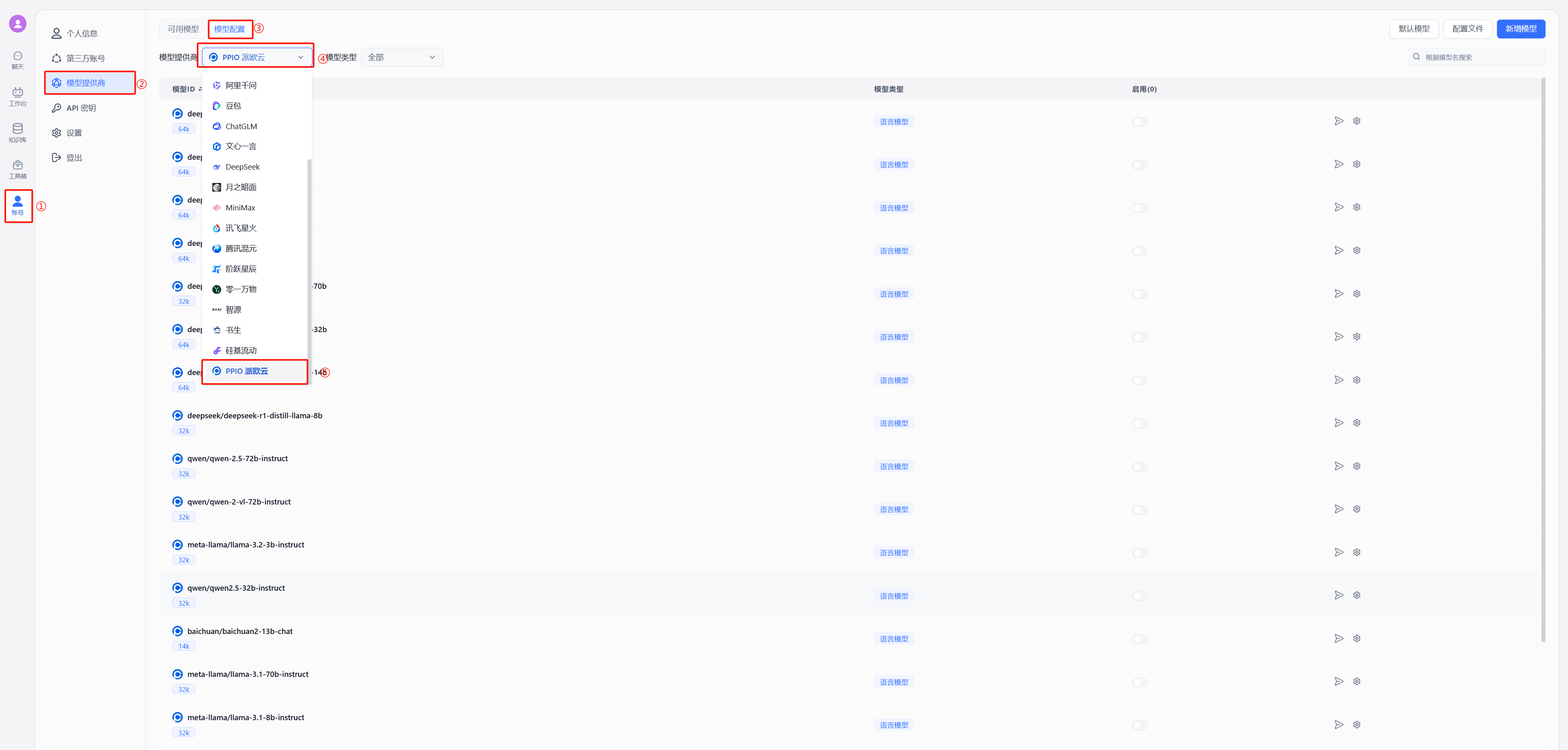
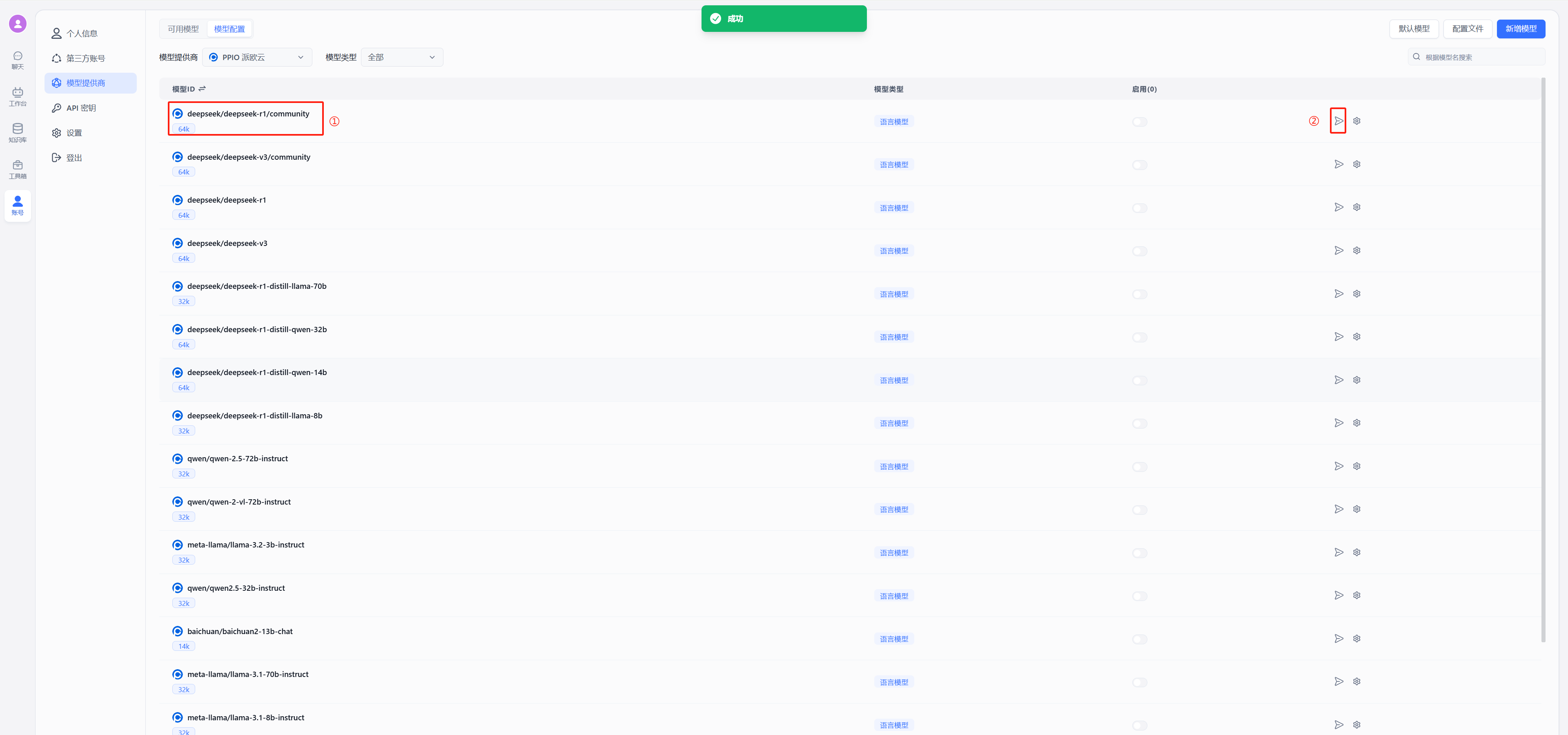
- Test connectivity
Using DeepSeek as an example, select deepseek/deepseek-r1/community in the model list, click the position marked 2 in the image to test connectivity. A green success indicator confirms the connection is working and you can proceed with configuring conversations.
(2) Connect PPIO models without OneAPI
Select PPIO Cloud in the model providers as shown below:
-
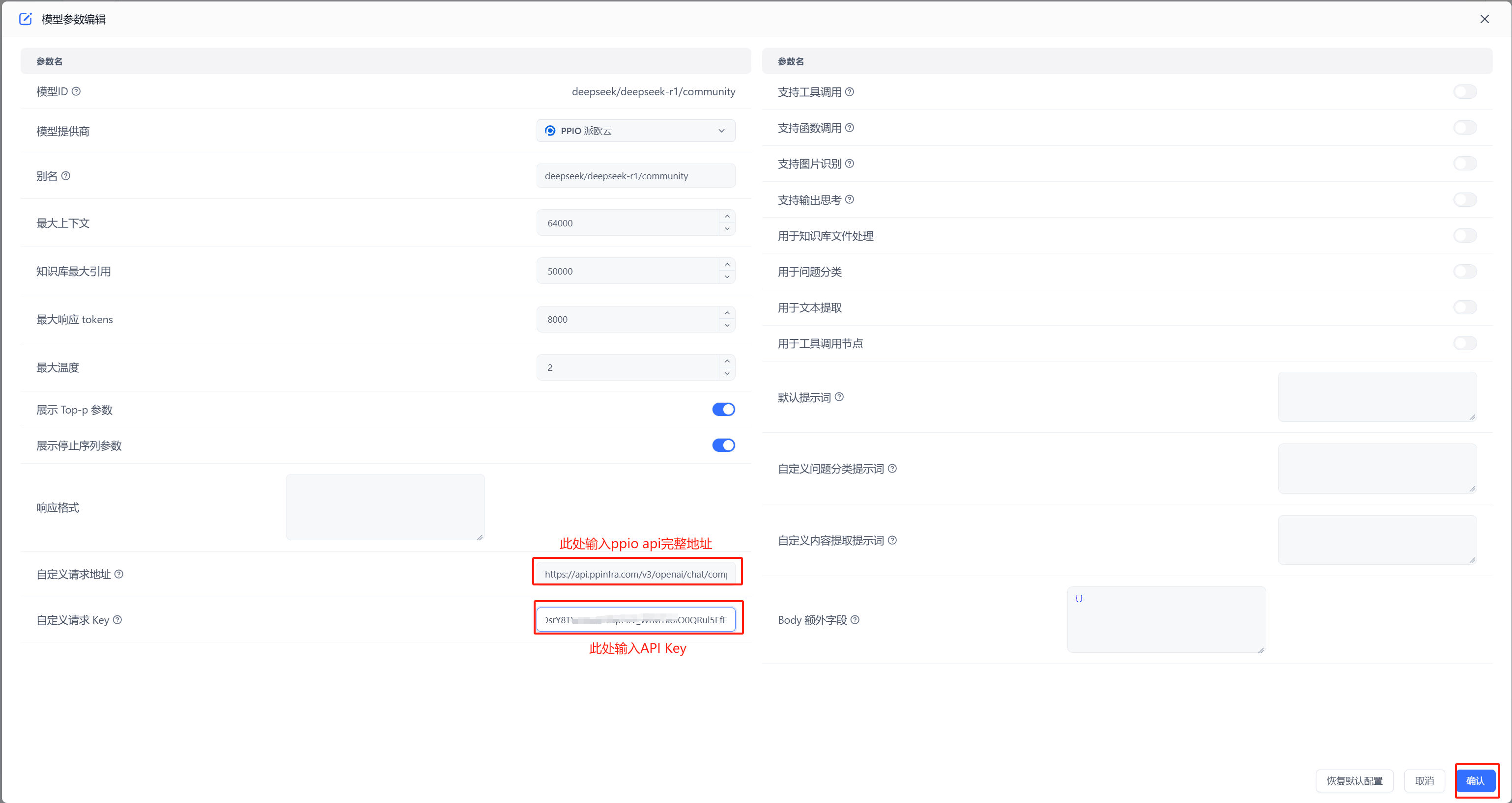
Configure the model: Enter
https://api.ppinfra.com/v3/openai/chat/completionsin the custom request URL field.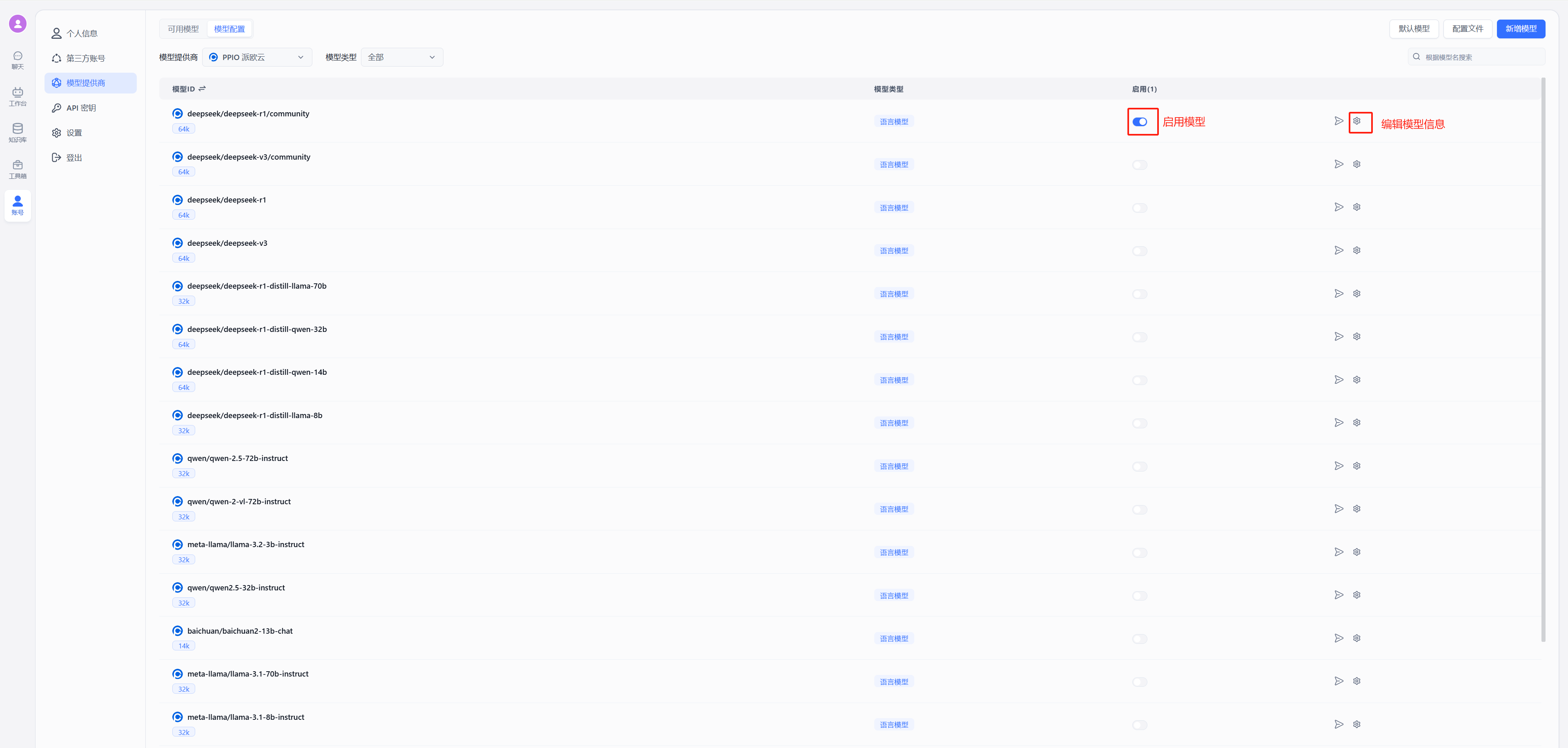
-
Test connectivity
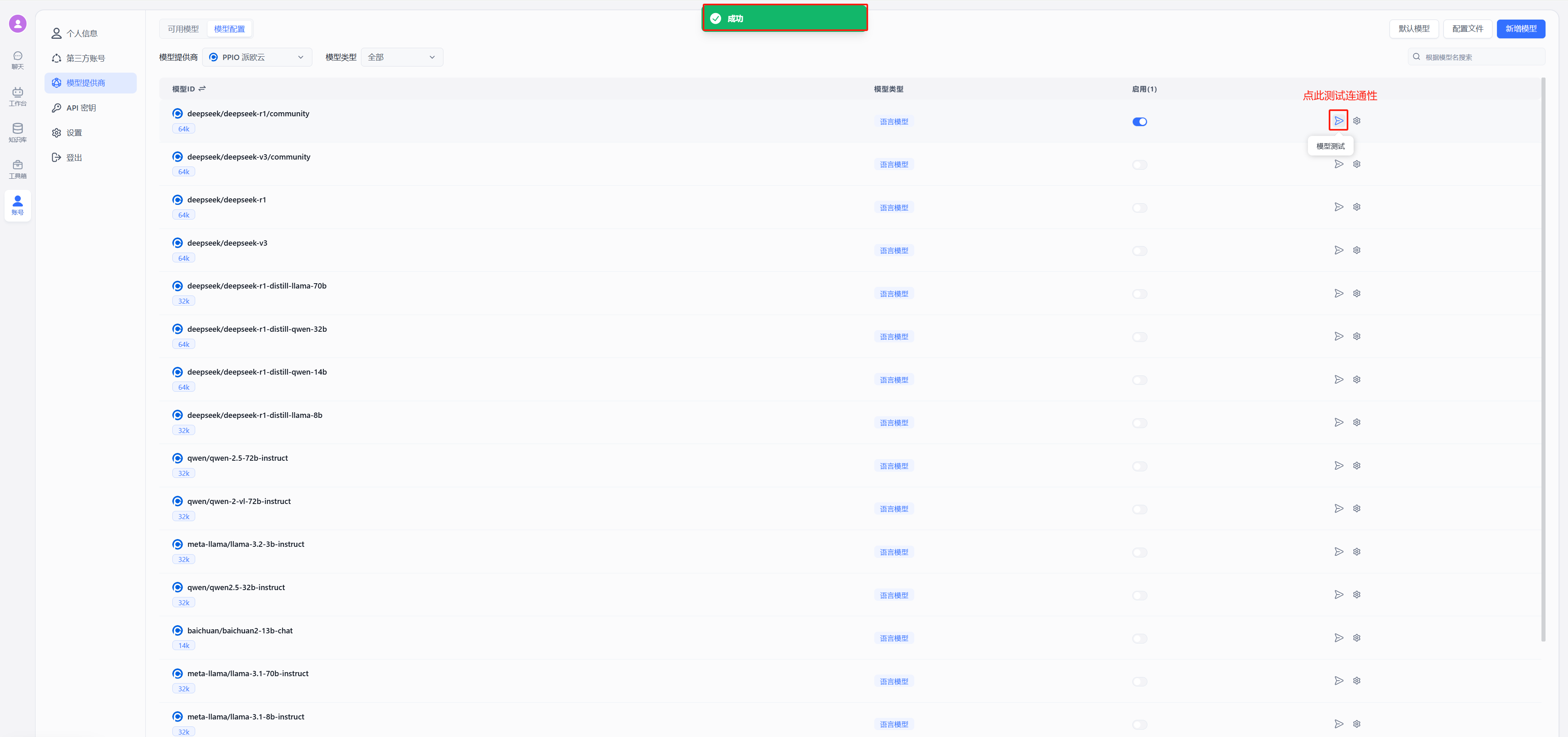
A green success indicator confirms the connection is working and you can proceed with configuring conversations.
4. Configure Conversations
(1) Create a new workspace
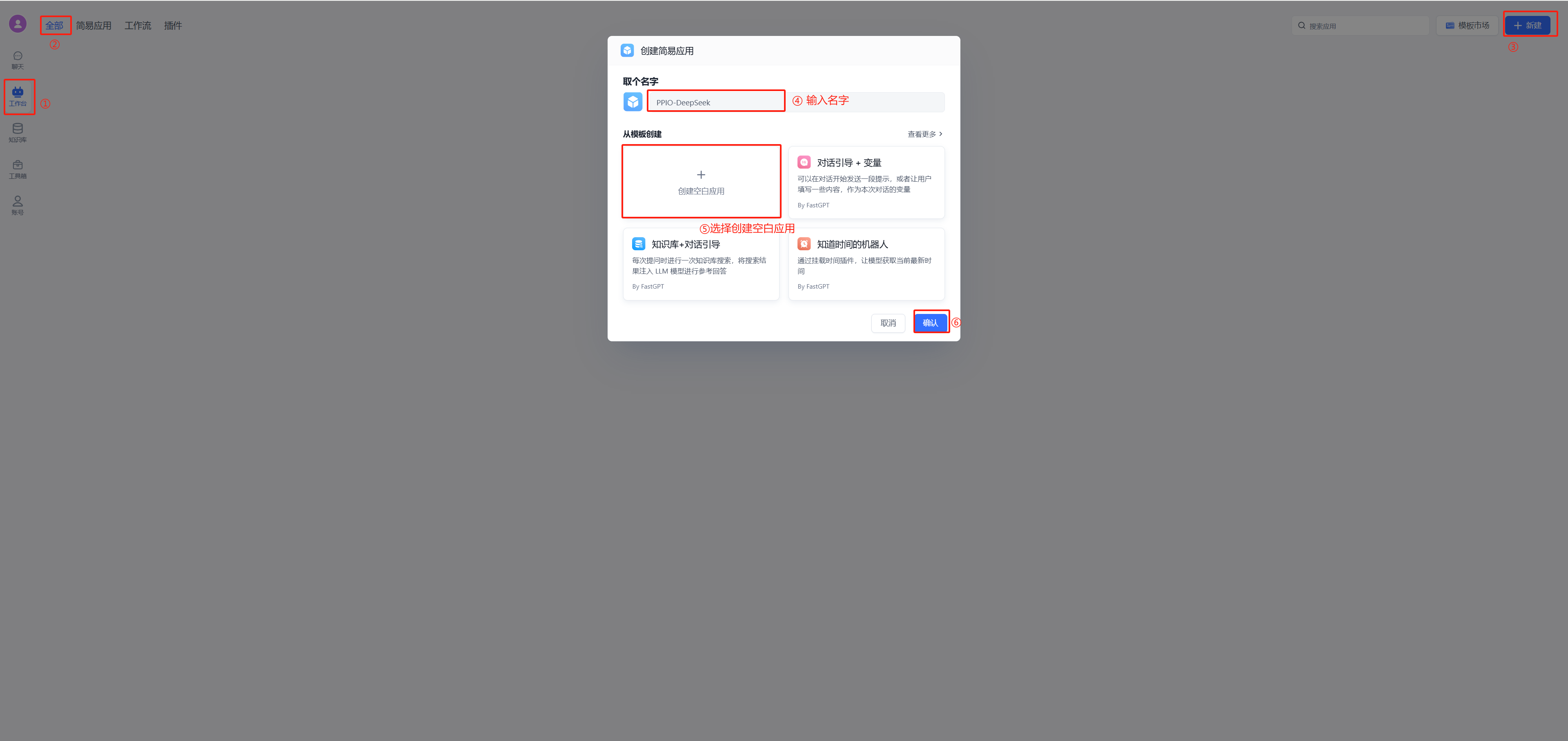
(2) Start chatting
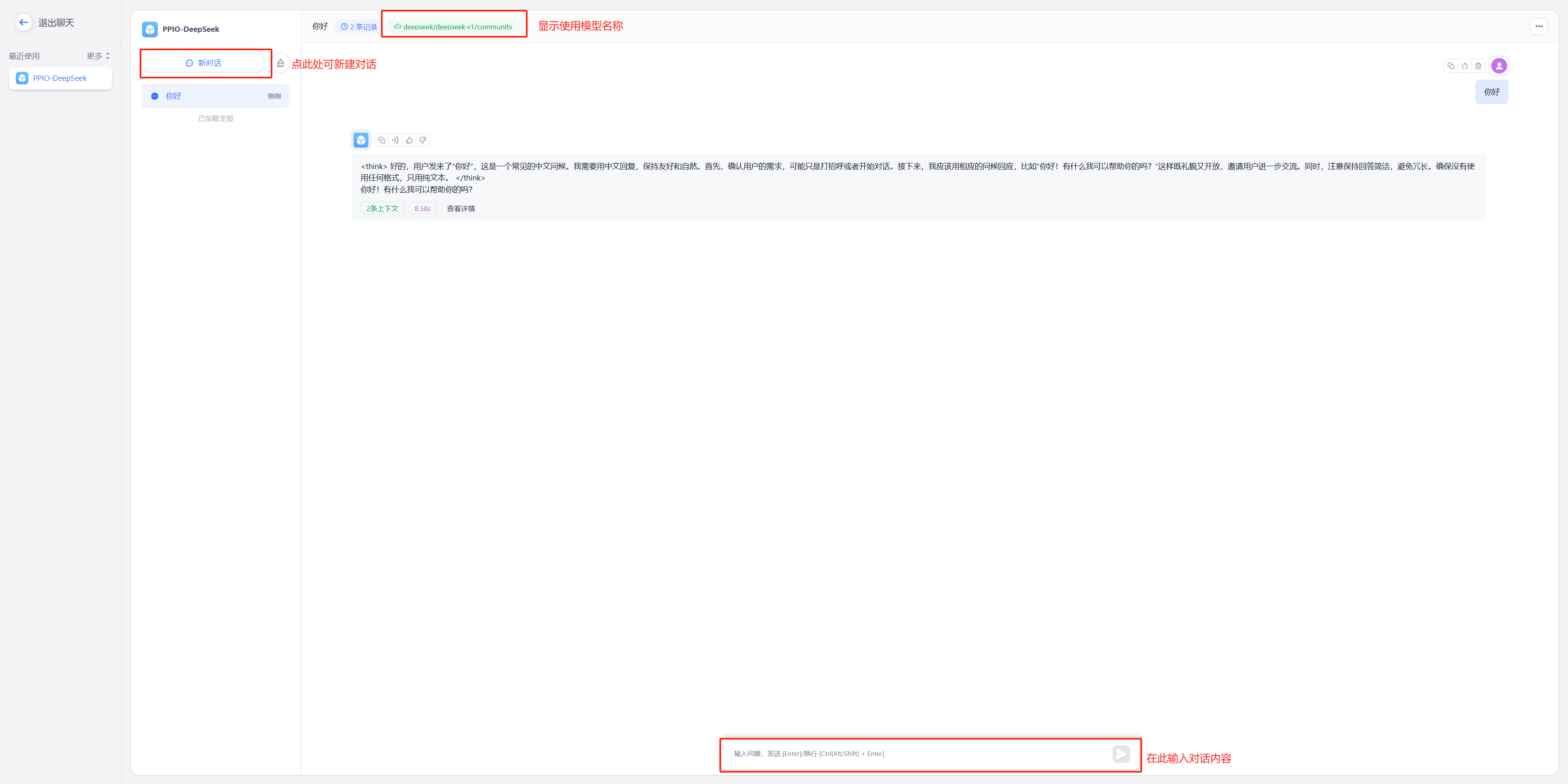
PPIO New User Benefits
After completing the tutorial configuration steps, you'll unlock two benefits: 1. Enjoy the combination of PPIO's high-speed channel with FastGPT's capabilities; 2. Activate the "New User Referral Reward" — invite friends to register using your exclusive invitation code, and both you and your friend will receive a 50 yuan voucher to boost your AI tool efficiency!
New user exclusive: Register now with invitation code [VOJL20] and receive a 50 yuan voucher instantly!
File Updated