
Yuque File Library
Introduction and usage of the FastGPT Yuque File Library
 |  |
Starting from FastGPT v4.8.16, commercial edition users can import from Yuque file libraries by configuring a Yuque token and uid. This feature is currently in beta — some interactions may still need refinement.
1. Get the Yuque Token and UID
Go to the Yuque homepage > click your avatar > Settings to find the relevant parameters.

Follow the images below to get the Token and User ID. Make sure to assign the appropriate permissions to the Token:
Personal Edition:
| Get Token | Add Permissions | Get User ID |
|---|---|---|
 |  |  |
Enterprise Edition:
| Get Token | Get User ID |
|---|---|
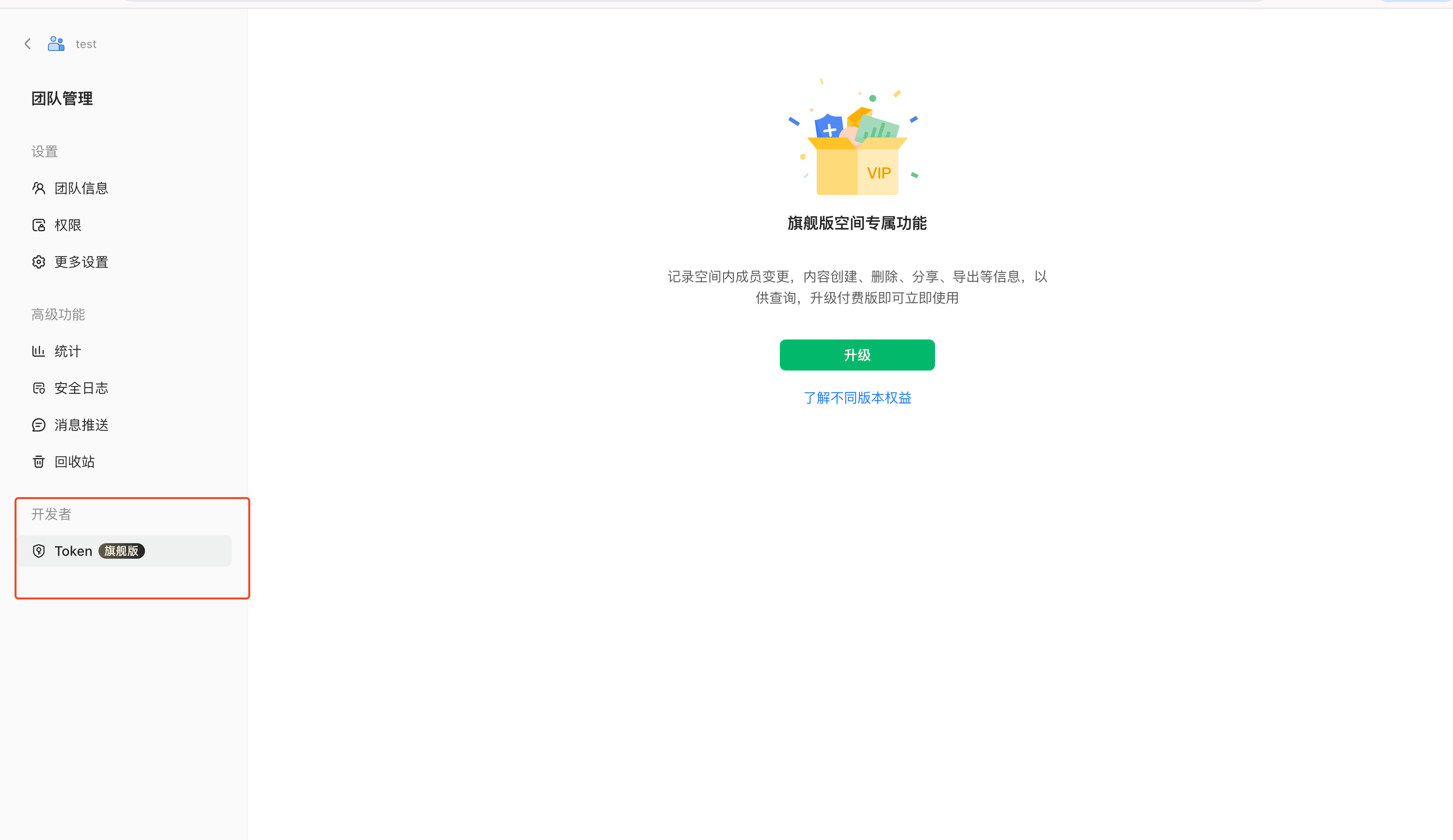 | 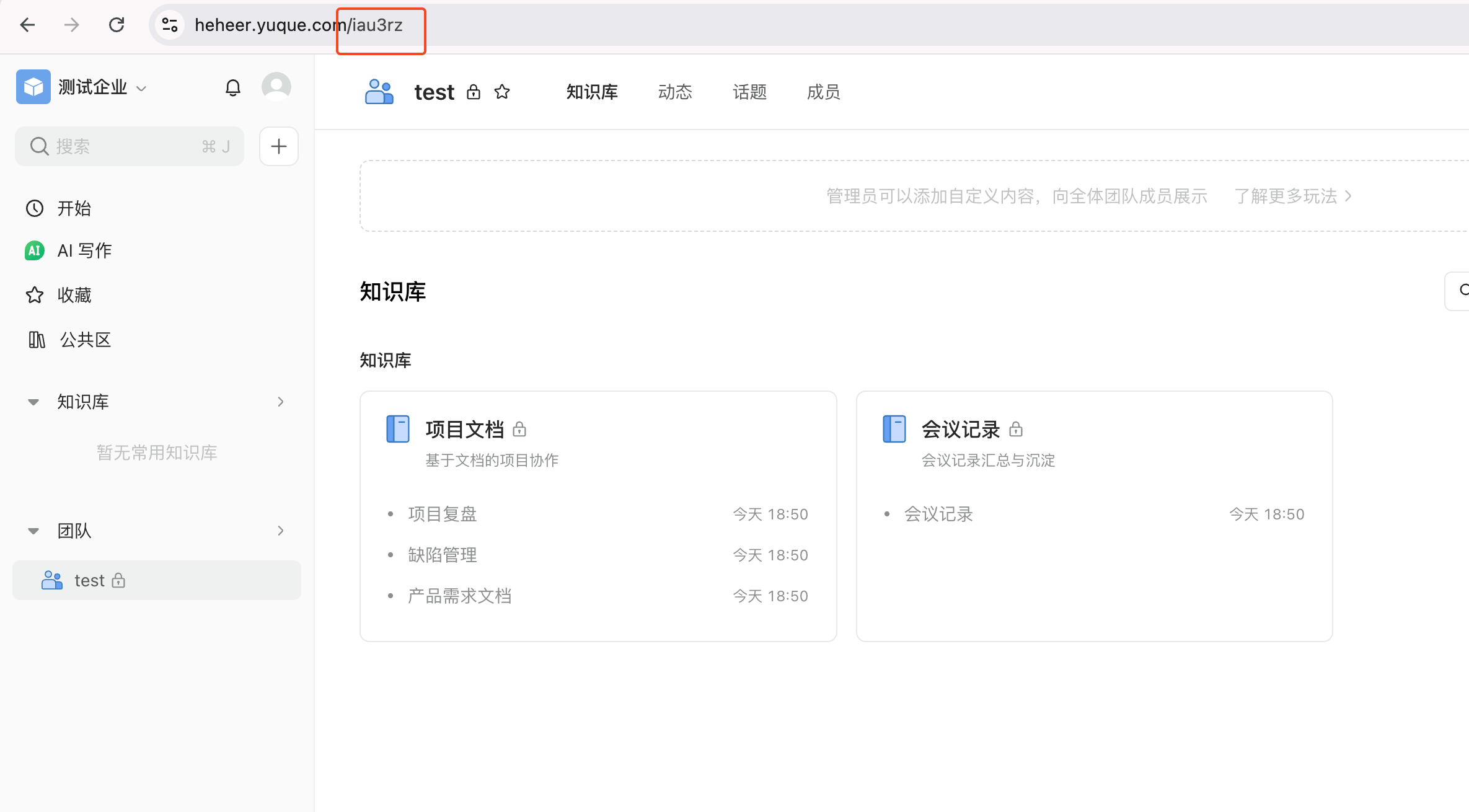 |
2. Create the Knowledge Base
Using the token and uid from the previous step, create a knowledge base. Select the Yuque file library type, fill in the parameters, and click Create.

3. Import Documents
After creating the knowledge base, click Add File to import from your Yuque document library and follow the on-screen guidance.
The Yuque knowledge base supports scheduled sync — it scans once daily at varying times. If documents have been updated, they will be synced automatically. You can also trigger a manual sync.

File Updated