Connect Models via AI Proxy
Connect Models via AI Proxy
Starting from FastGPT 4.8.23, AI Proxy was introduced to further simplify model configuration.
Similar to One API, AI Proxy serves as an OpenAI API management and distribution system that provides access to all LLMs through the standard OpenAI API format, ready to use out of the box.
Deployment
Docker Version
The docker-compose.yml file already includes the AI Proxy configuration and can be used directly. View the latest yml configuration
If upgrading from an older version, copy the AI Proxy section from the yml and add it to your existing yml file.
How It Works
AI Proxy core modules:
- Channel Management: Manage API keys and available model lists from various model providers.
- Model Invocation: Select the corresponding channel based on the requested model; construct the request body according to the channel's API format and send the request; format the response into a standard format before returning.
- Call Logs: Detailed logging of model invocations, with the ability to record input parameters and error messages on failure for easier debugging.
Workflow:
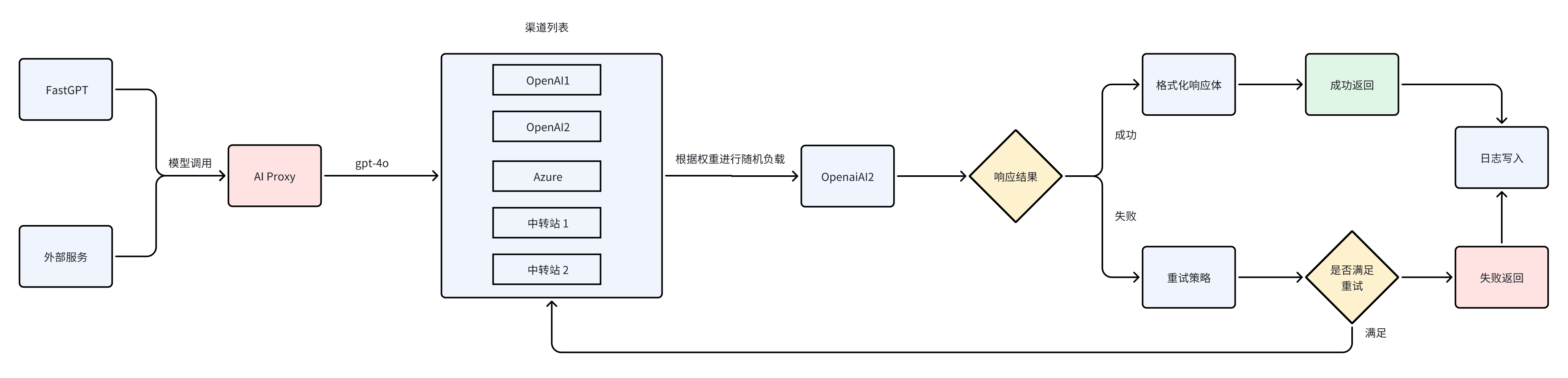
Using AI Proxy in FastGPT
AI Proxy features can be found on the Account - Model Providers page.
1. Create a Channel
On the Model Providers configuration page, click Model Channels to enter the channel configuration page.
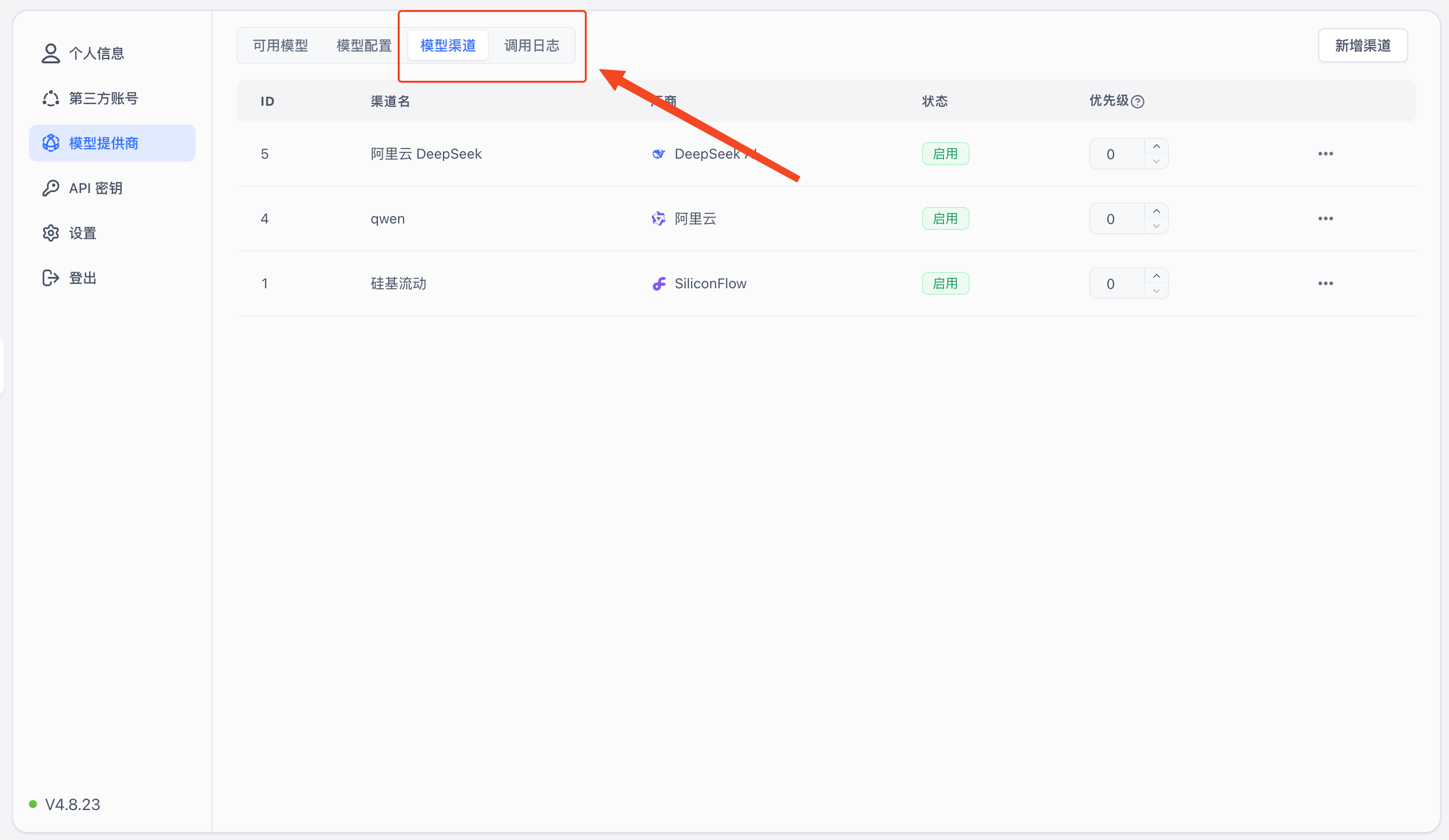
Click "Add Channel" in the upper right corner to enter the channel configuration page.
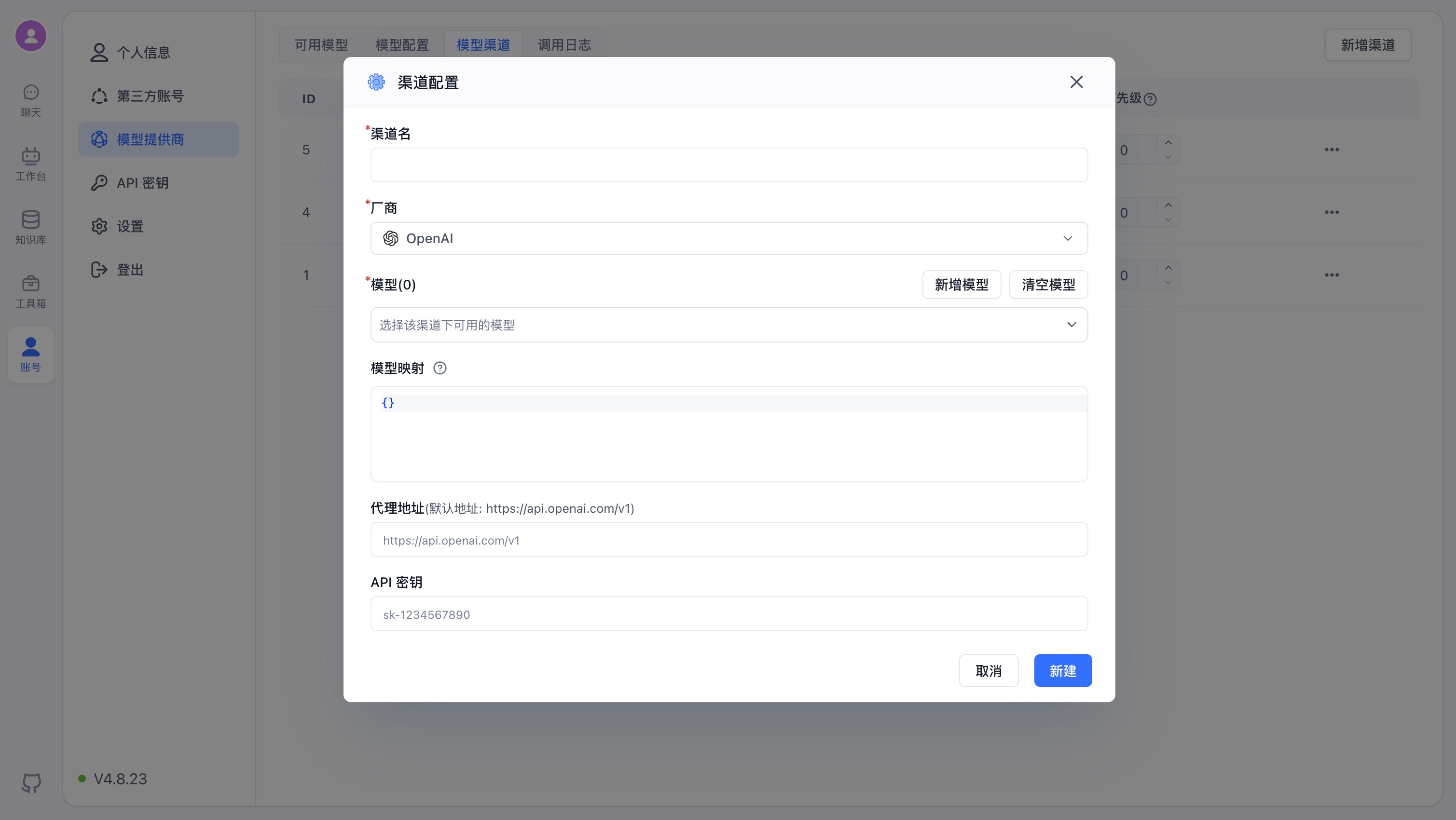
Using Alibaba Cloud models as an example:
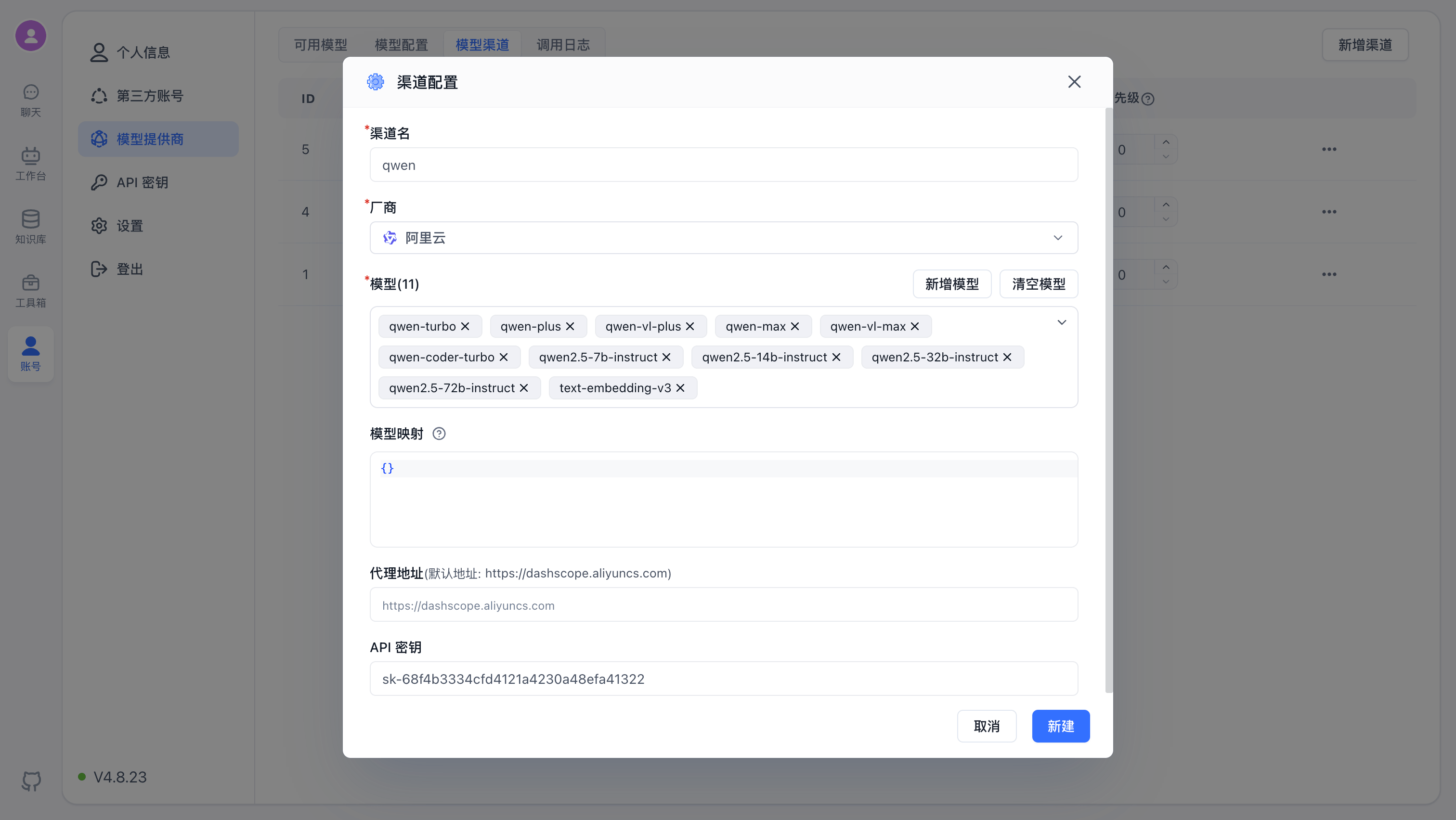
- Channel Name: The display name for the channel, used for identification only;
- Provider: The provider corresponding to the model. Different providers have different default addresses and API key formats;
- Models: The specific models available for this channel. The system includes mainstream models by default. If the desired option is not in the dropdown, click "Add Model" to add a custom model;
- Model Mapping: Map the model requested by FastGPT to the actual model provided. For example:
{
  "gpt-4o-test": "gpt-4o"
}
The model in FastGPT is gpt-4o-test, and the request to AI Proxy also uses gpt-4o-test. When AI Proxy sends the request upstream, the actual model is gpt-4o.
- Proxy Address: The actual request address. The system provides default addresses for each mainstream channel. No need to fill in if no changes are required.
- API Key: The API credentials obtained from the model provider. Note that some providers require multiple key combinations — follow the prompts to enter them.
Click "Add" to see the newly configured channel under "Model Channels".
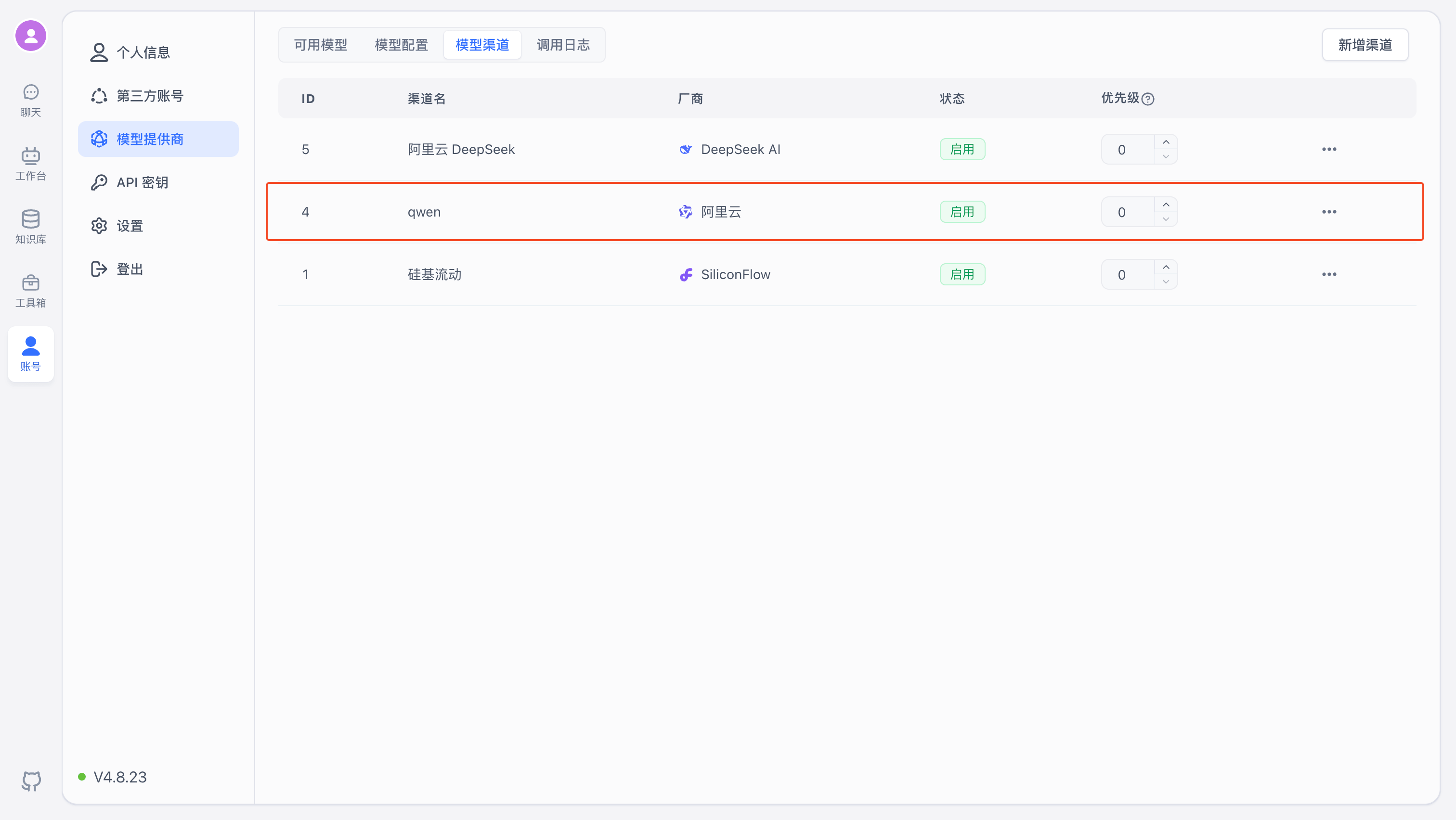
2. Channel Testing
You can then test the channel to ensure the configured models are working properly.
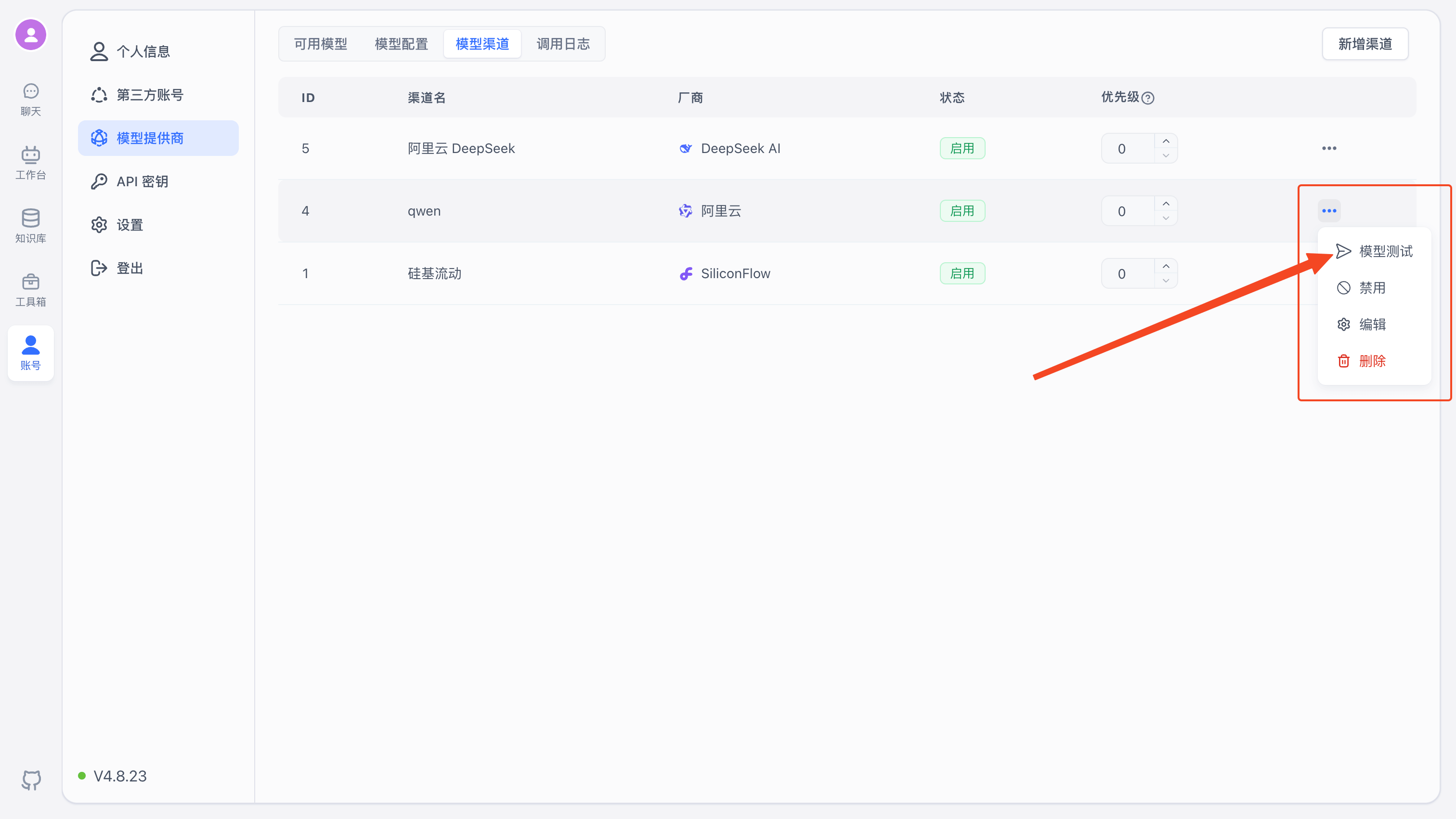
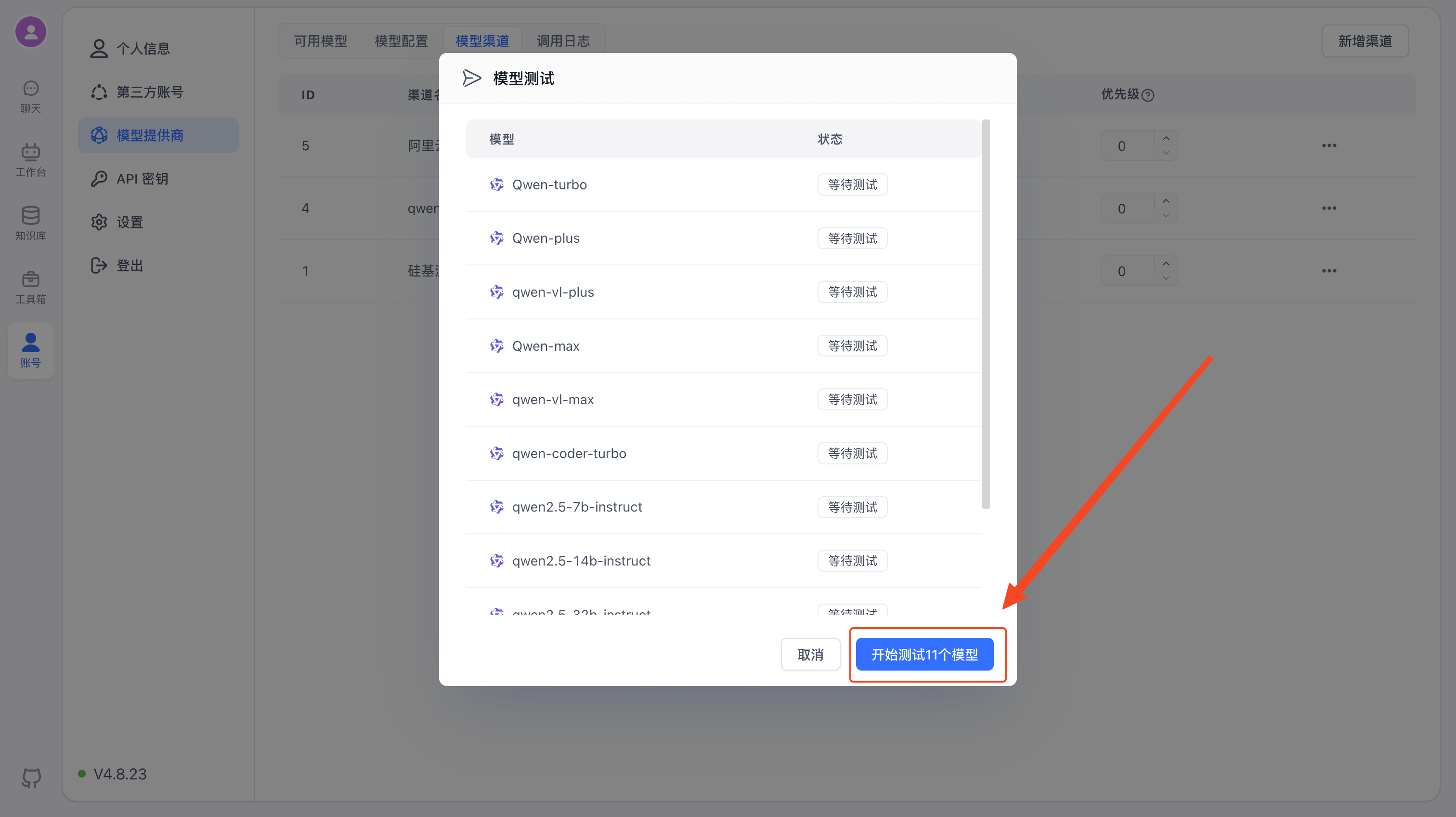
Click "Model Test" to see the list of configured models, then click "Start Test".
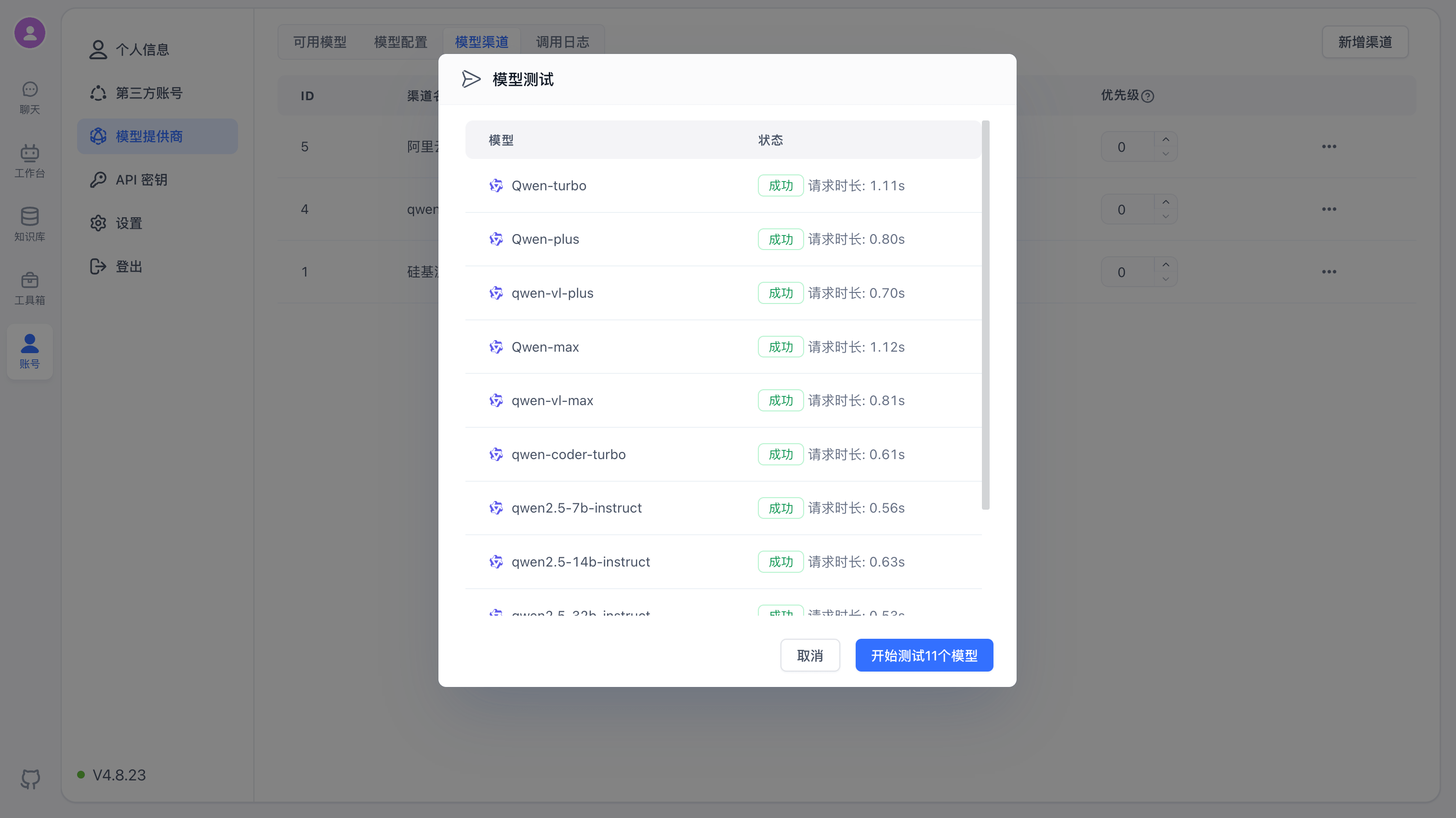
After the test completes, the results and request duration for each model will be displayed.
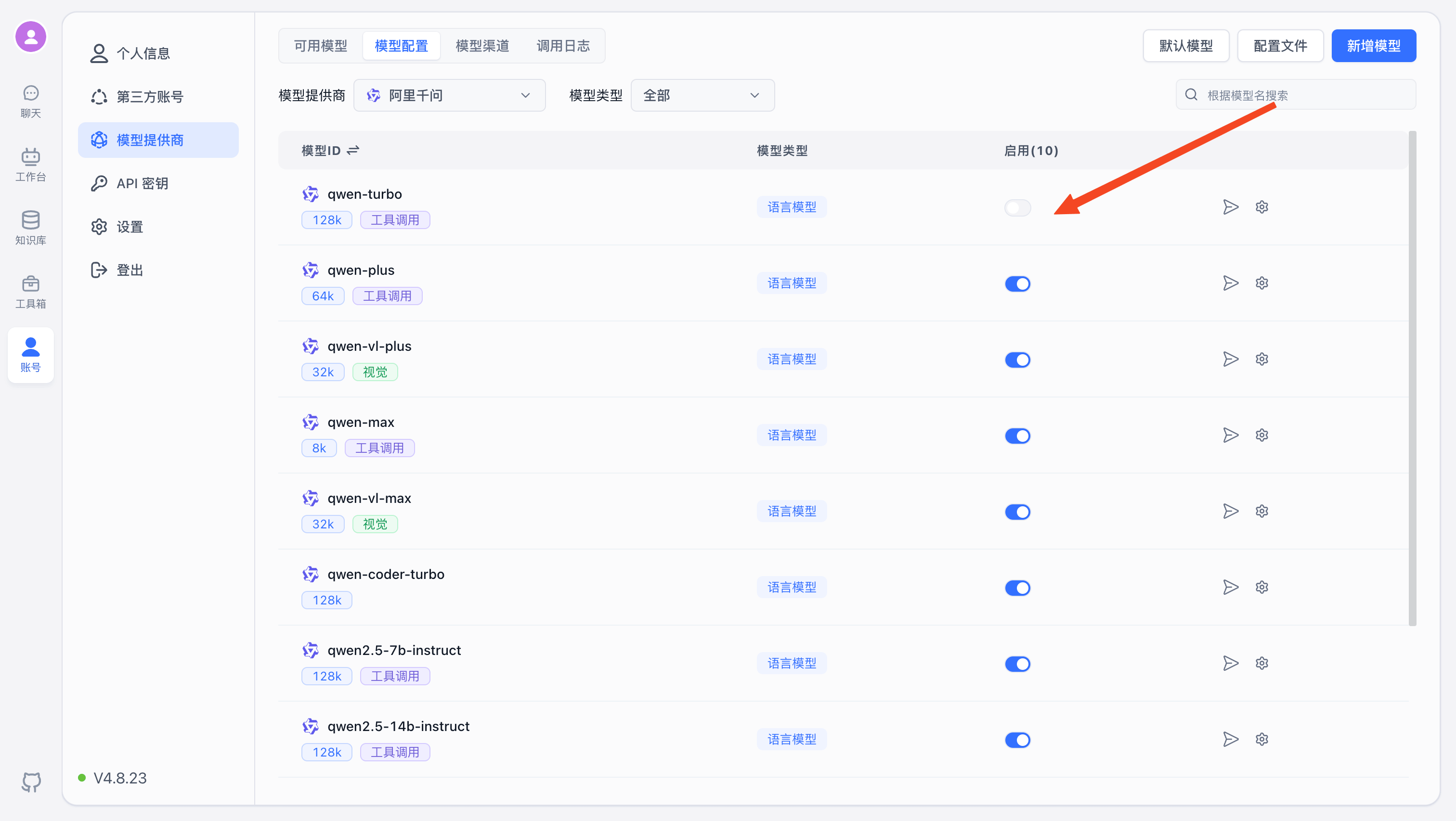
3. Enable Models
Finally, in Model Configuration, you can enable the corresponding models to use them on the platform. For more model configuration details, see Model Configuration.
Other Features
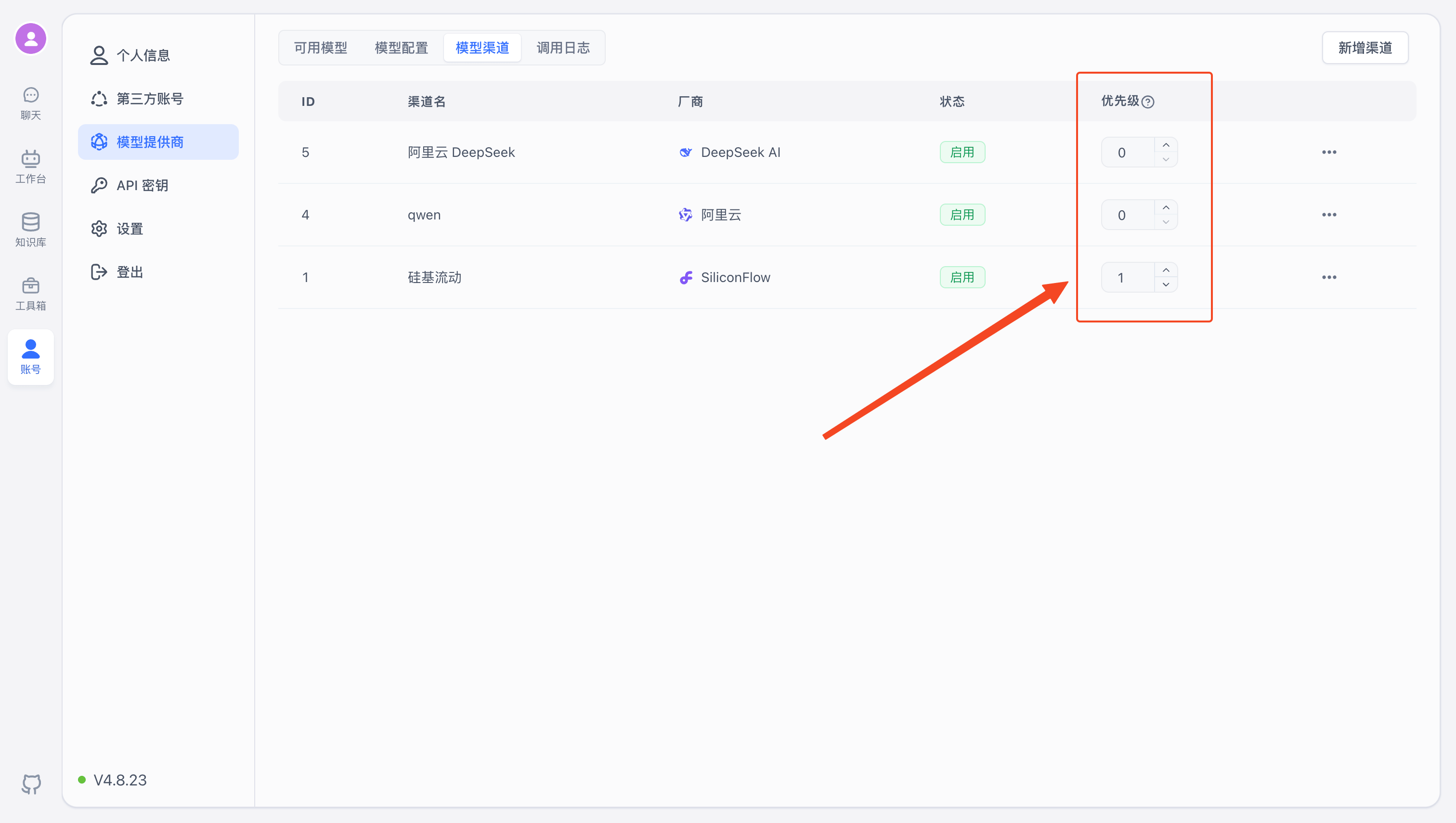
Priority
Range: 1-100. Higher values are more likely to be selected first.
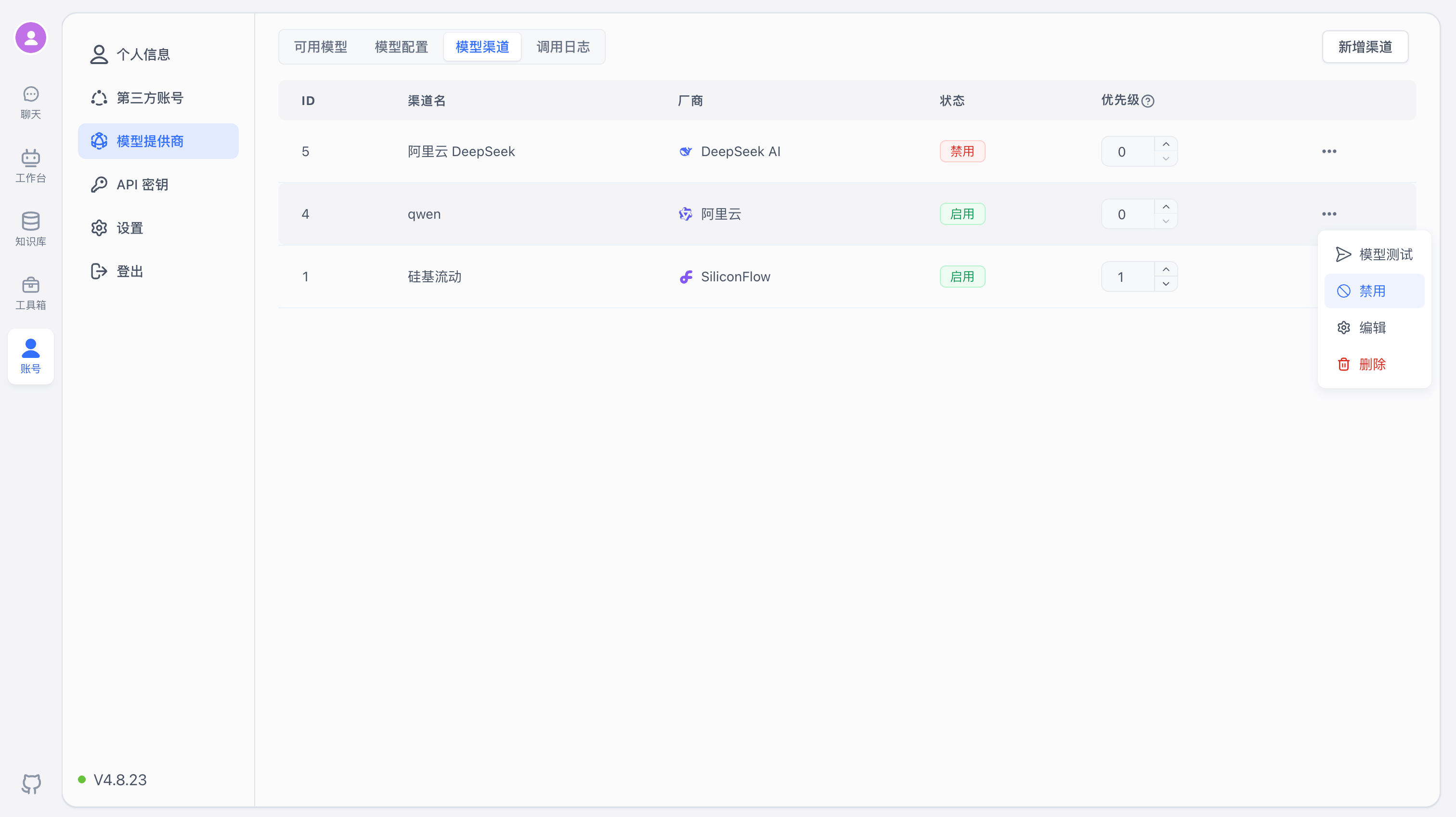
Enable/Disable
In the control menu on the right side of a channel, you can enable or disable it. Disabled channels will no longer provide model services.
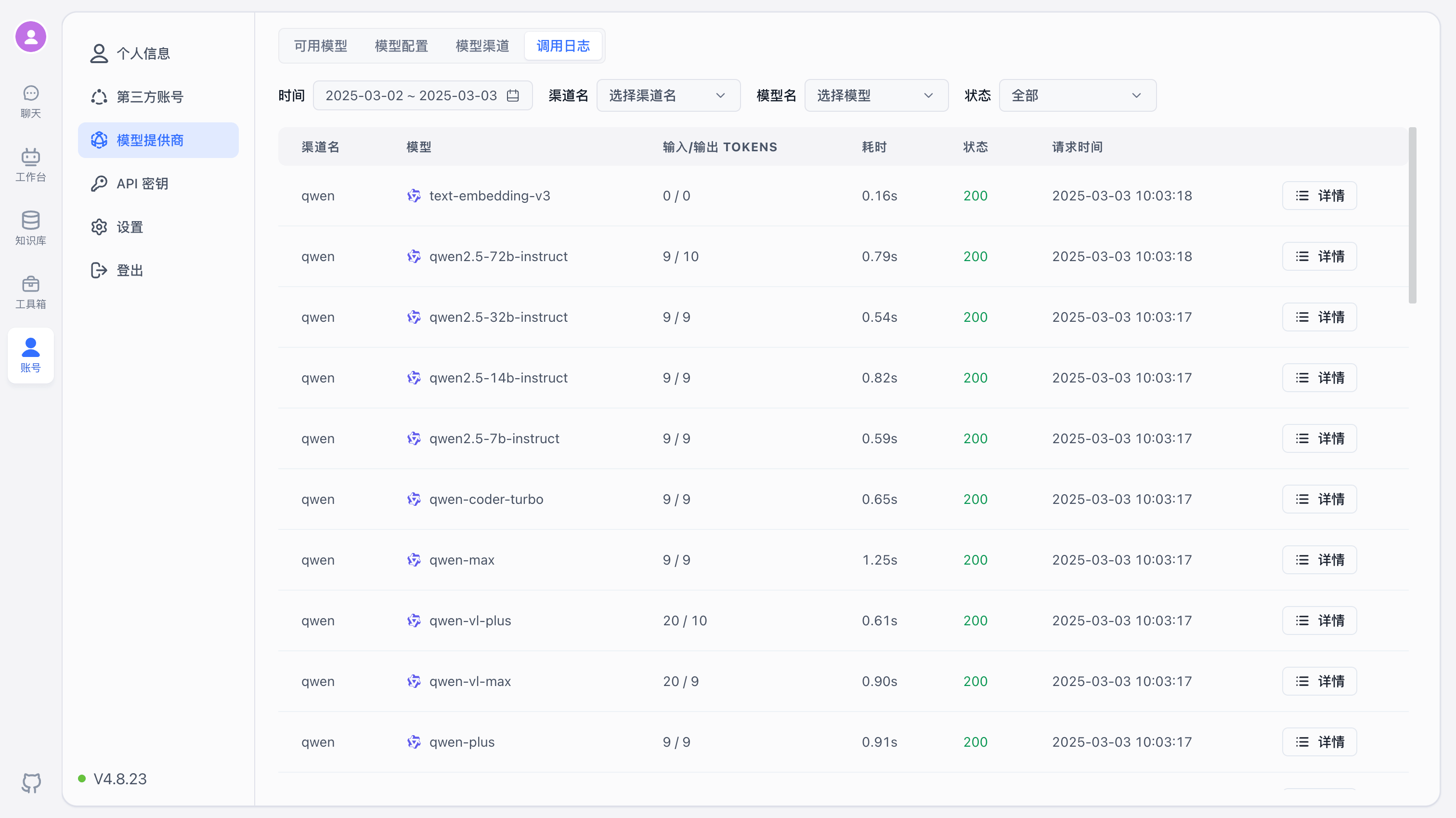
Call Logs
The Call Logs page displays request records sent to models, including input/output tokens, request time, duration, request address, and more. Failed requests include detailed input parameters and error messages for debugging, but are only retained for 1 hour (configurable via environment variables).
Migrating from OneAPI to AI Proxy
You can send an HTTP request from any terminal. Replace {{host}} with the AI Proxy address and {{admin_key}} with the value of ADMIN_KEY in AI Proxy.
The body parameter dsn is the MySQL connection string for OneAPI.
curl --location --request POST '{{host}}/api/channels/import/oneapi' \
--header 'Authorization: Bearer {{admin_key}}' \
--header 'Content-Type: application/json' \
--data-raw '{
    "dsn": "mysql://root:s5mfkwst@tcp(dbconn.sealoshzh.site:33123)/mydb"
}'
A successful execution returns "success": true.
The migration script is not fully precise — it only performs simple data mapping, primarily migrating proxy addresses, models, and API keys. Manual verification after migration is recommended.
File Updated