
WeCom Bot Integration
FastGPT WeCom Bot Integration Tutorial
- Starting from version 4.12.4, FastGPT commercial edition supports direct WeCom bot integration without additional APIs.
- Starting from version 4.14.4, FastGPT cloud service edition supports WeCom intelligent bot integration through custom domain configuration.
1. (Required for Cloud Service Edition) Configure Custom Domain
WeCom requires intelligent bot message push addresses to use the enterprise's primary domain, so cloud service edition users must configure a custom domain before using WeCom bots.
If you are a commercial edition user, continue using your enterprise domain.
2. Create an Intelligent Bot
2.1 Super Admin Login
Click to open WeCom Admin Console
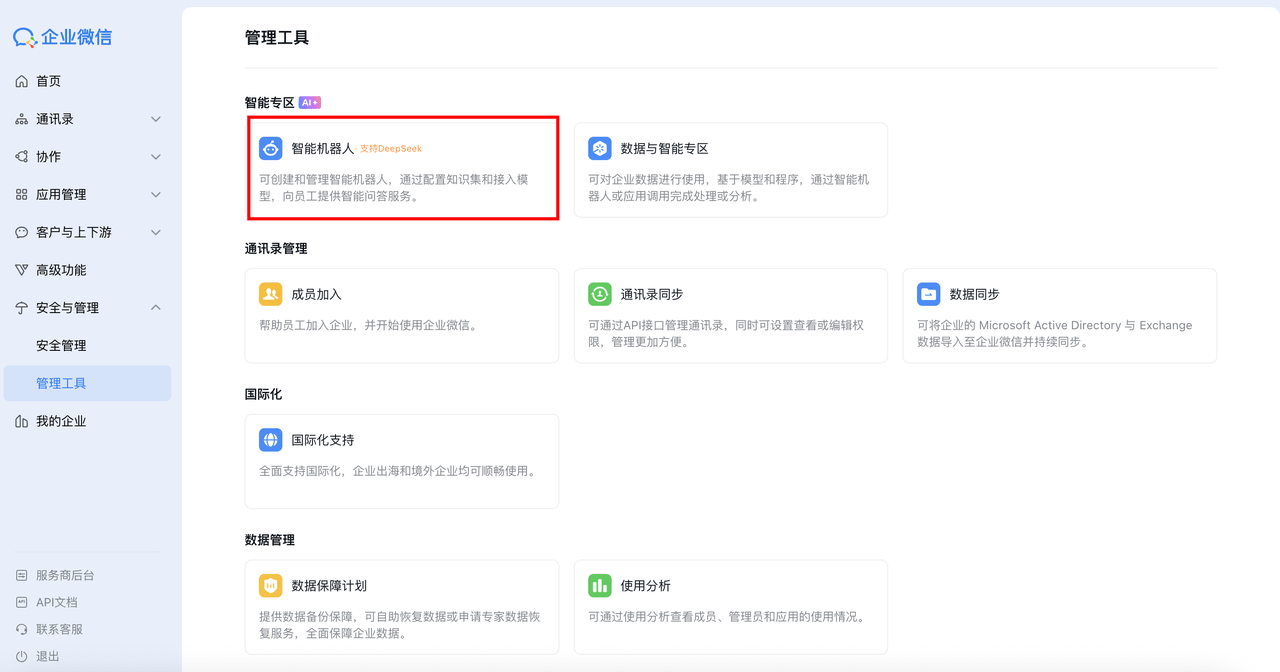
2.2 Find the Intelligent Bot Entry
On the "Security & Management" - "Management Tools" page, click "Intelligent Bot" (Note: Only the enterprise creator or super admin has permission to see this entry)
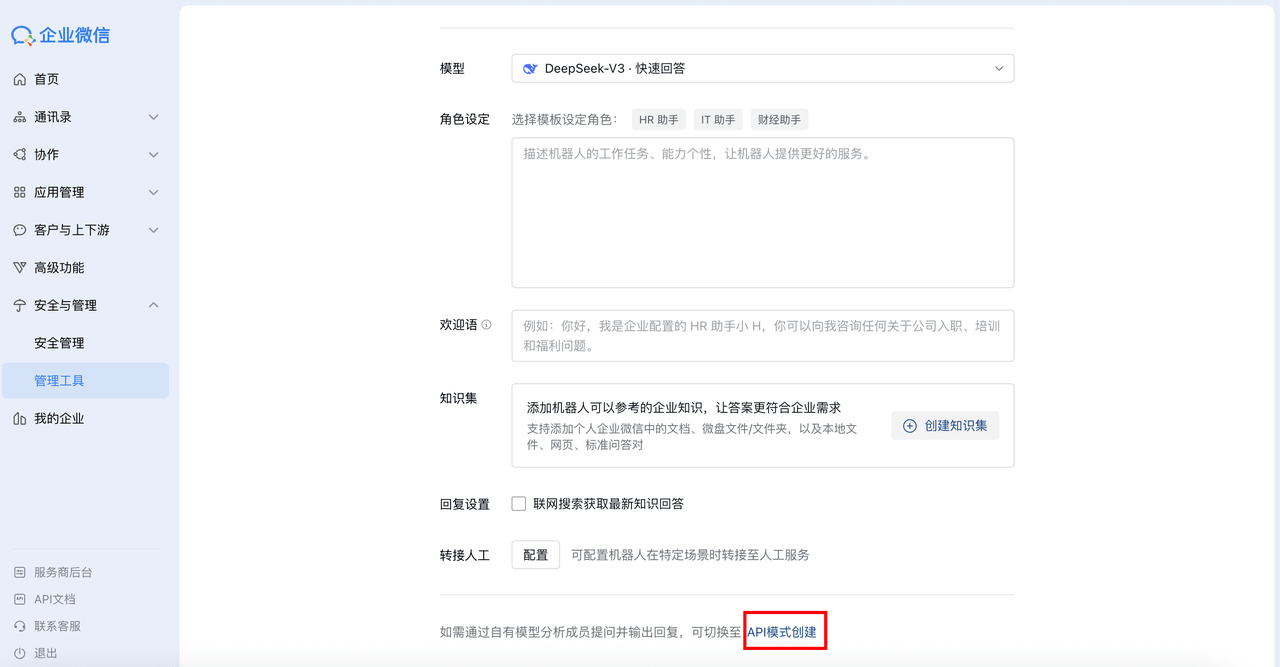
2.3 Select "API Mode Creation" for the Intelligent Bot
On the create bot page, scroll down and click "API Mode Creation"
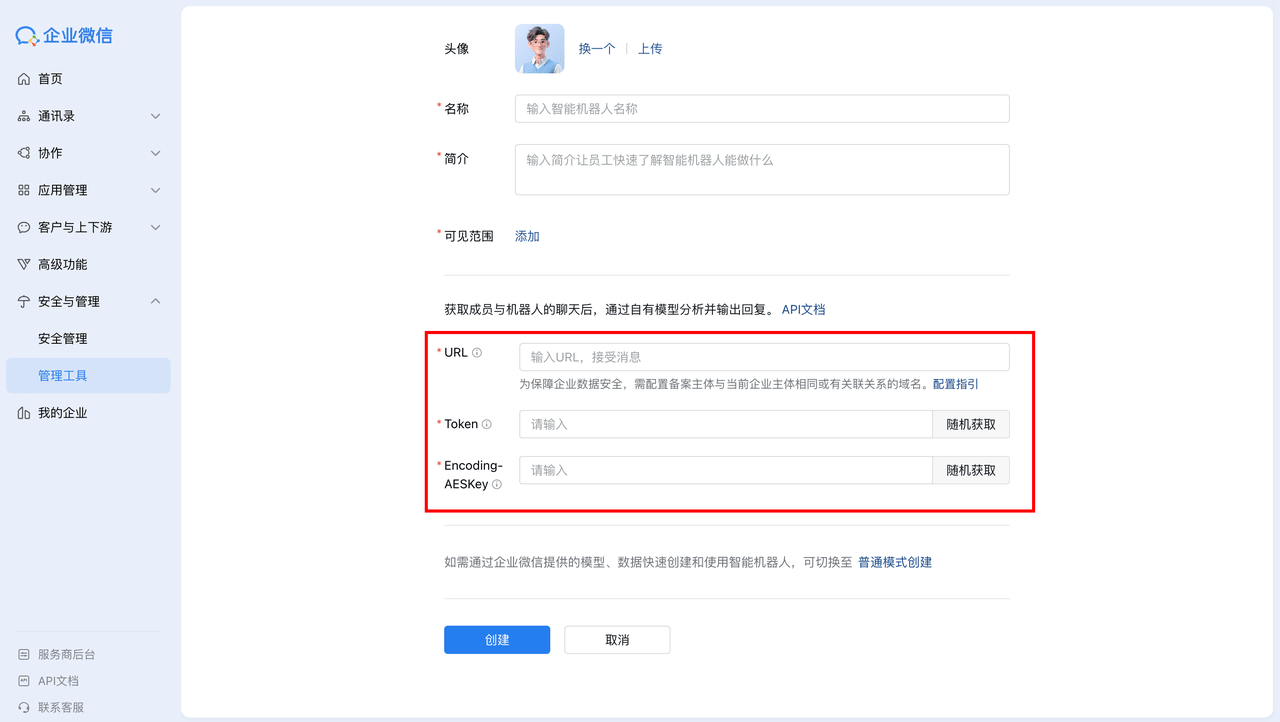
2.4 Get Key Credentials
Randomly generate or manually enter Token and Encoding-AESKey, and record them
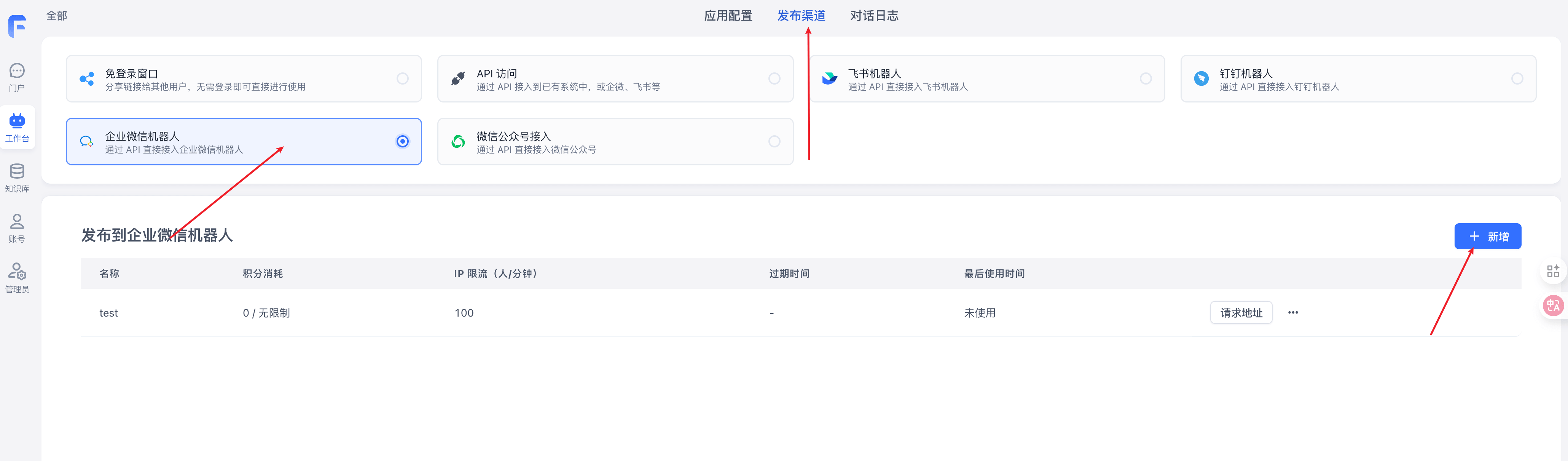
2.5 Create WeCom Bot Publishing Channel
In FastGPT, select the Agent you want to use. On the Publishing Channels page, select "WeCom Bot" and click "Create"
2.6 Configure Publishing Channel Information
Configure the publishing channel information. You need to enter the Token and AESKey recorded in step 2.4 (Token and Encoding-AESKey)
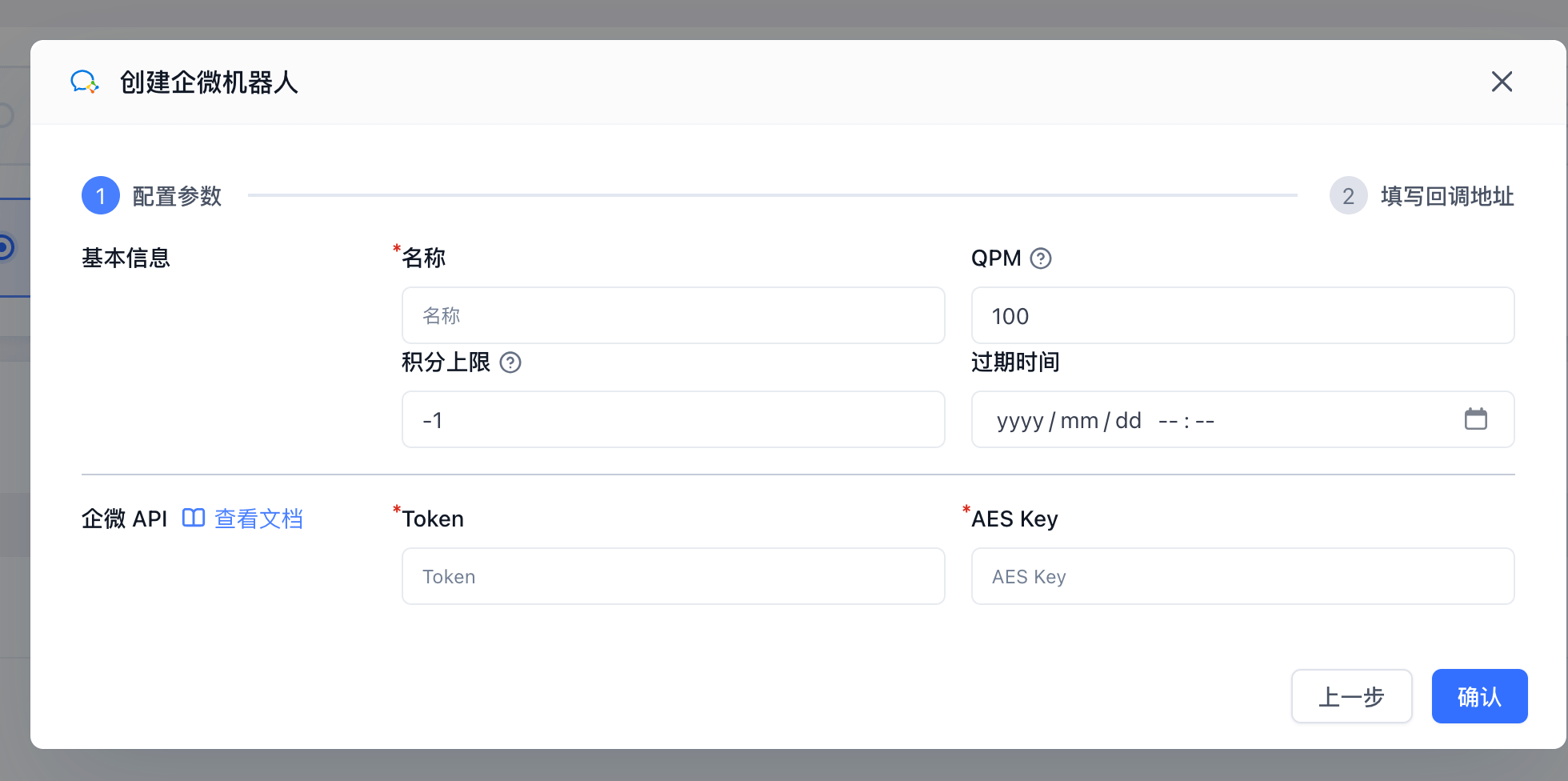
2.7 Copy Callback URL
After clicking "Confirm", select your configured custom domain, copy the callback URL, and paste it back into the WeCom intelligent bot configuration page.
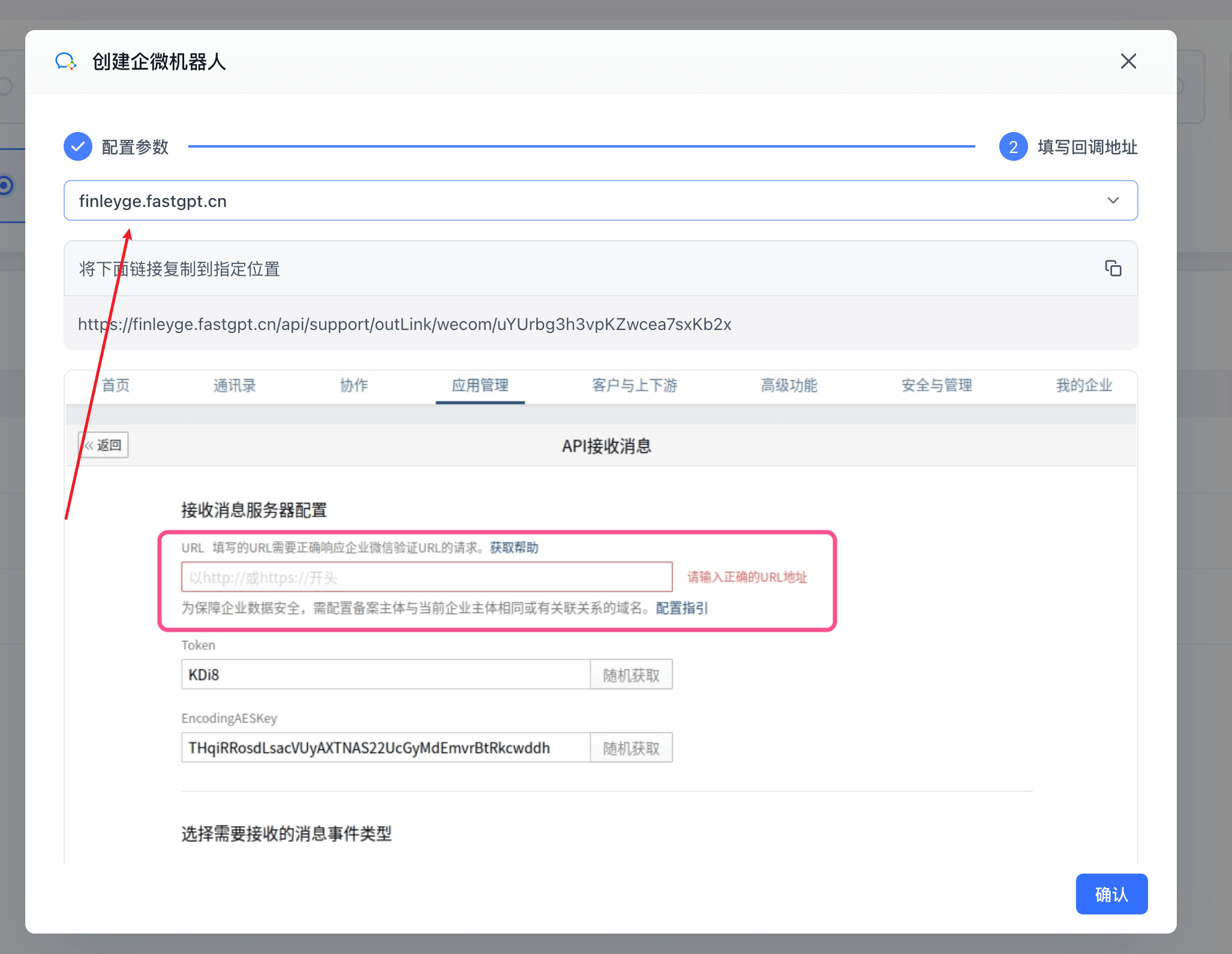
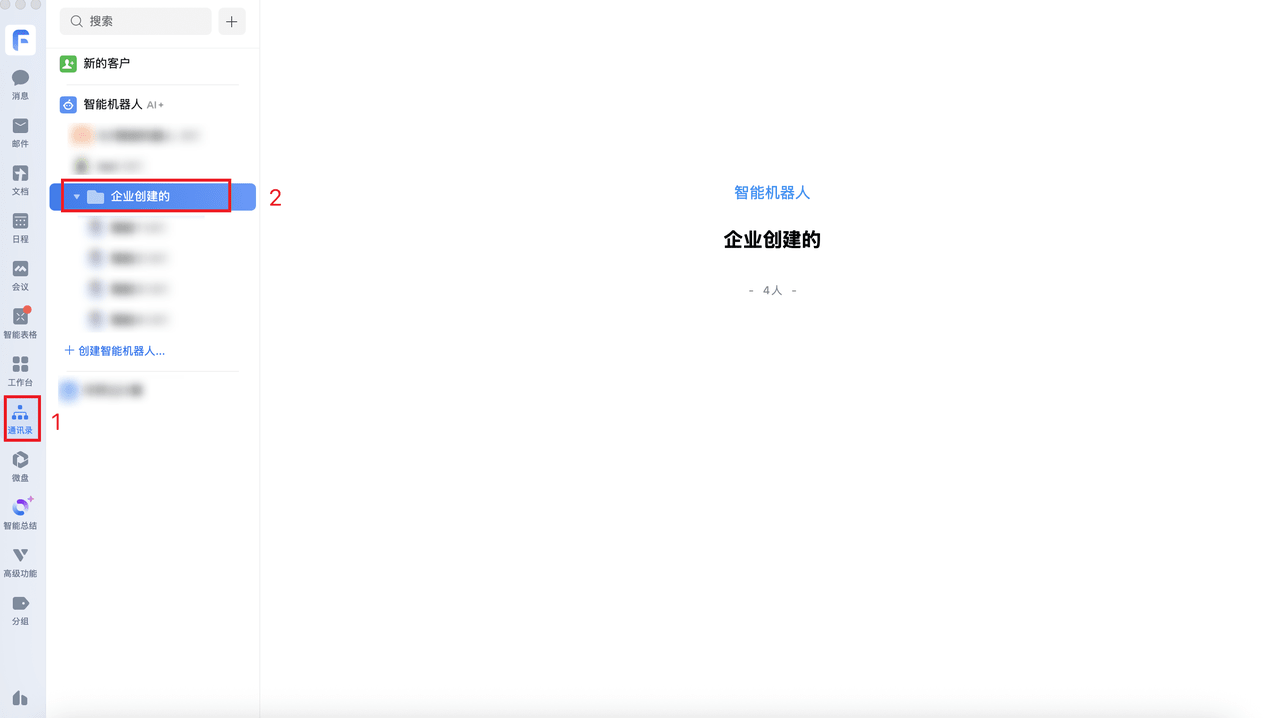
3. Use the Intelligent Bot
In the WeCom platform's "Contacts", you can find the created bot and start sending messages
FAQ
Sent a message but no response
- Check if the trusted domain is configured correctly.
- Check if Token and Encoding-AESKey are correct.
- Check FastGPT chat logs to see if there is a corresponding question record.
- If there is no record, the app may have encountered an error. Try the simplest bot first.
File Updated