
How to Submit Application Templates
Guide: How to submit application templates to FastGPT
Which Templates Can Be Merged
Currently, application templates merged into the repository are displayed to all users in the "Template Market".
To maintain template quality and avoid clutter from too many options, not all templates will be merged into the open-source repository. You can submit a PR in advance to discuss the template content with us.
We estimate the final total will be around 50 templates — half from the FastGPT Team and half from community contributors.
How to Write an Application Template
1. Set Up FastGPT and FastGPT-plugin Development Environments
The following operations need to be performed in a dev environment.
Refer to these two guides to run the FastGPT and FastGPT-plugin development environments locally:
2. Create an Application Template
In the FastGPT-plugin project, application templates are located in the modules/workflow/templates directory.
- Create a new
.jsonfile - Copy the following content and paste it into the newly created
.jsonfile
{
  "name": "Template Name",
  "intro": "Template description, displayed on the template market page",
  "author": "Your name",
  "avatar": "Template avatar — place the image file in the same folder and fill in the corresponding path",

  "tags": ["Template tags"], // writing (text creation), image-generation (image generation), web-search (web search),
  // roleplay (role-playing), office-services (office services) — currently 5 categories, choose the appropriate tag

  "type": "Template category", // simple (simple app), advanced (workflow), plugin (plugin)

  "workflow": {
    // Leave this object empty for now — we'll paste the exported workflow later
    "nodes": [],
    "edges": [],
    "chatConfig": {}
  }
}
3. Complete Template Orchestration and Testing
- Build the workflow in FastGPT (either in the cloud service version or a locally deployed version).
4. Copy Configuration to template.json
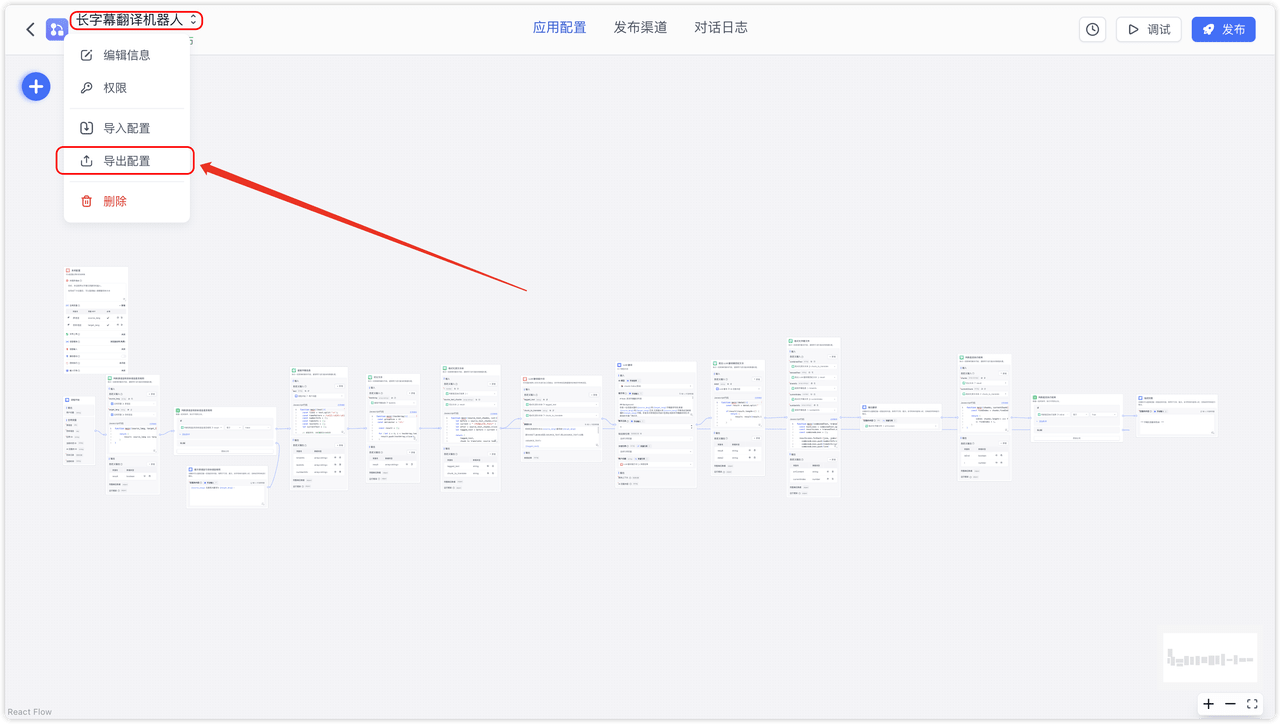
Hover your mouse over the application avatar and name in the top-left corner. A dropdown menu will appear with an option to export the workflow configuration.
The exported configuration is automatically copied to the clipboard. Paste it directly into the template.json file, replacing the workflow value from step 2.
5. Verify the Template Loads Successfully
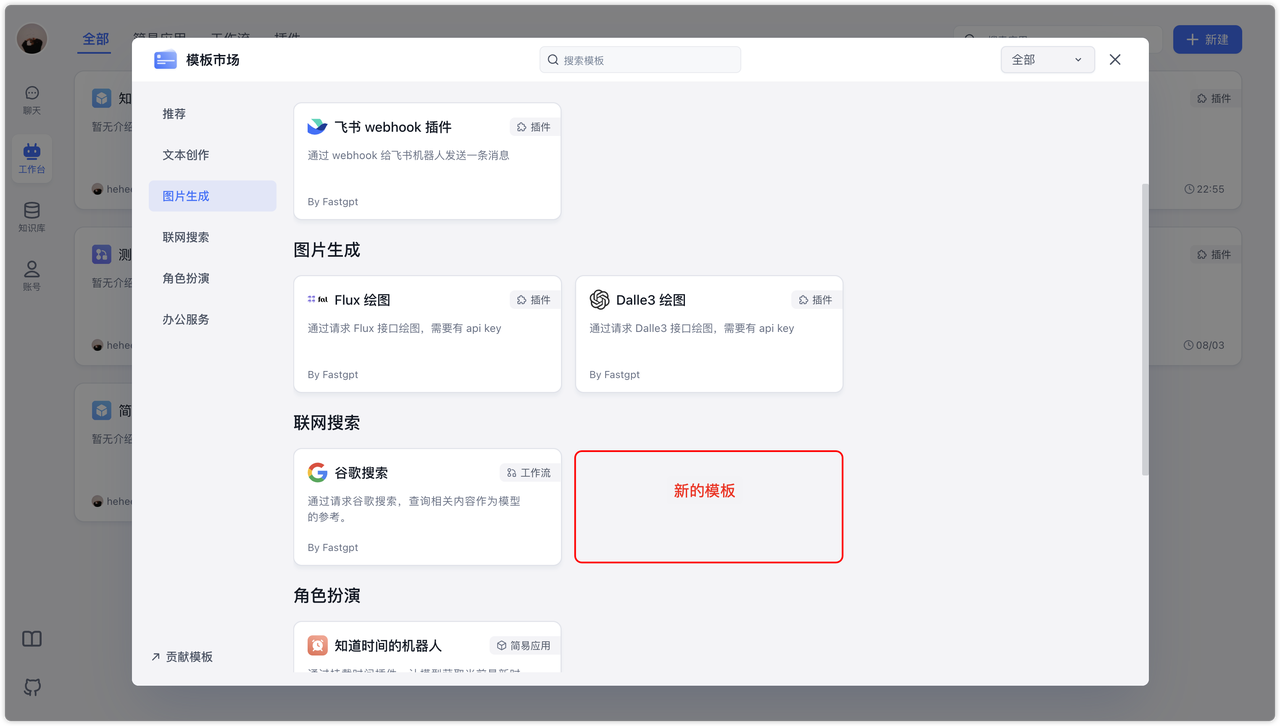
Refresh the page, open the Template Market, check if it loads successfully, and click "Use" to test its functionality.
6. Deploy and Use
After completing the above steps, you can package the fastgpt-plugin image for deployment. Currently, templates do not support hot updates — all templates are packaged within the image.
If you prefer not to repackage the fastgpt-plugin image every time you update templates, you can mount the .json file to the /app/workflows/ directory inside the container using Docker volume mounting.
7. Submit a PR
If you believe your template should be included in the open-source repository, you can submit it via a PR.
- Clearly describe the template's purpose and functionality
- Include screenshots showing the template in action
- Explain template parameter configuration in the PR. For example, if the template requires applying for a key from a provider, include the corresponding URL and tutorial — we will add it to the documentation later.
File Updated