
Structured Dataset Template Specifications
Master CSV and XLSX dataset import column definitions, tail expansion rules, metadata formatting, and formula escape mechanisms.
FastGPT provides a deterministic structured tabular data import engine. Standardized spreadsheet templates allow builders to ingest question-answer pairs, multi-route index variants, and structured metadata directly into knowledge bases.
File Format and Parsing Constraints
The platform enforces strict validation rules on uploaded spreadsheet files:
| Check Item | Specification Rule |
|---|---|
| File Format | Standard CSV files (UTF-8 encoding without BOM recommended) or .xlsx workbooks |
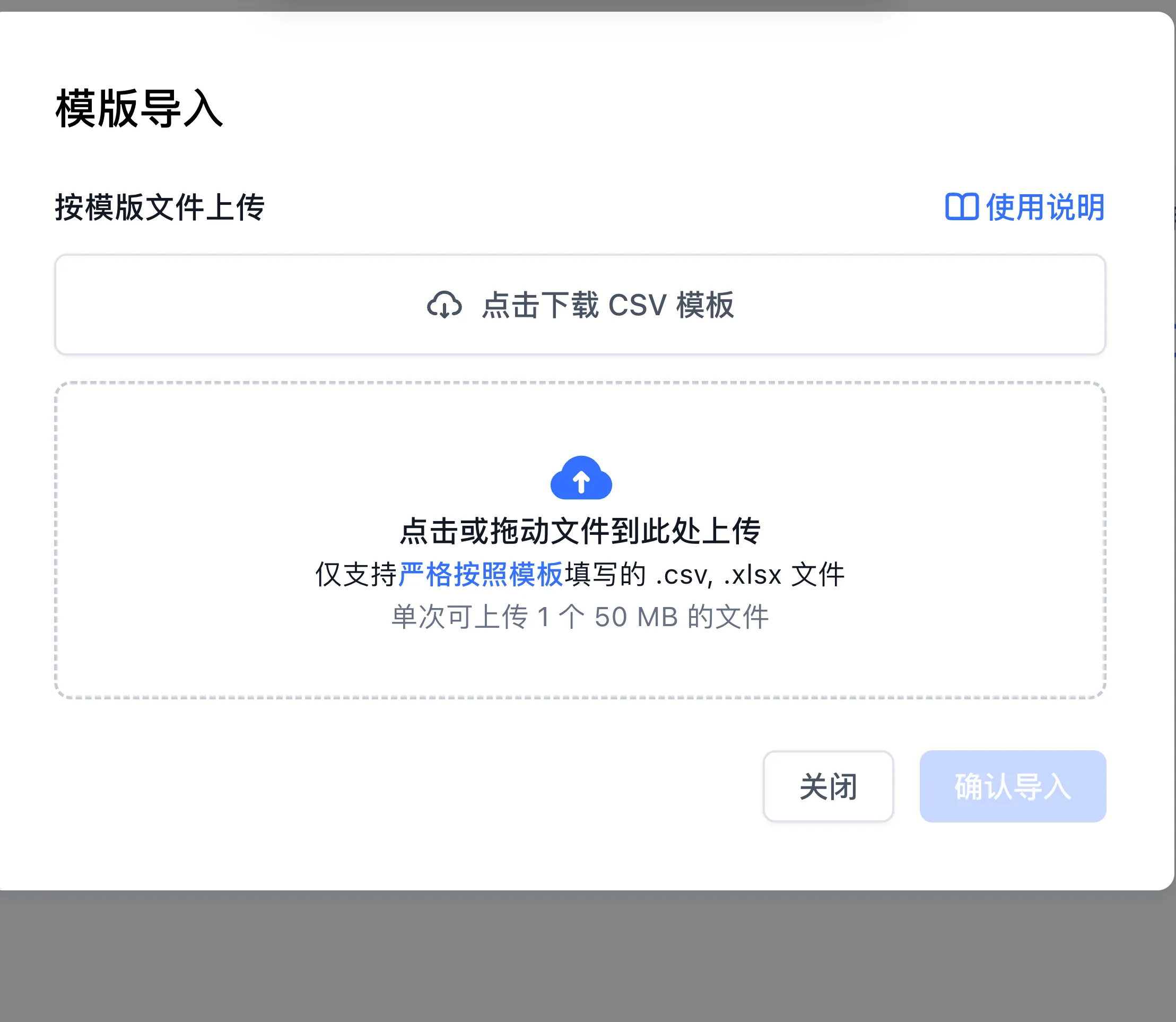
| Upload Limit | Up to 1 file per upload, with a maximum file size of 50 MB |
| Sheet Structure | XLSX workbooks must contain exactly one worksheet and must not include merged cells |
| Header Matching | The parser trims whitespace and normalizes column headers to lowercase before matching |
| Empty Rows | Rows where both q and a cells are empty are skipped automatically |
Core Column Definitions and Schema Contracts
The template schema accepts the following header declarations:
| Column Header | Occurrence Constraint | Data Type and Semantic Role |
|---|---|---|
q | Exactly one column | Question or primary index text. Vectors are computed on this column for semantic recall. |
a | Exactly one column | Answer or complete body content. Combined with q to produce the full context chunk. |
index | Multiple allowed, optional | Supplementary index. Each cell value is indexed as an independent vector query entry. |
indexes | Multiple allowed, optional | Backward-compatible alias for index, sharing identical parsing logic and weights. |
metadata | At most one column | Valid JSON string. Parsed key-value pairs are merged into the chunk metadata dictionary. |
Supplementary Indexes and Tail Expansion
To map multiple synonymous questions or alternative phrasing to a single answer, use the supplementary index mechanism:
- Multi-Column Declarations: Declare multiple independent columns named
index(e.g.,q,a,index,index). Each column cell holds a unique query variation. - Tail Expansion Mode: When the spreadsheet contains a single
index(orindexes) column and omits themetadatacolumn, the parser reads from that index column through the end of the row, treating all subsequent non-empty cells as individual index entries. When using this mode, placeqandato the left of the index column.
Metadata Column Standards
The metadata column stores operational tags, department codes, timestamps, and external references:
{
  "department": "Finance",
  "category": "Tax",
  "docId": "DOC-2026-001",
  "version": 2
}- Top-level keys of valid JSON objects are merged directly into the chunk's
metadataproperty. - If formatting is invalid or non-object, the cell's raw text is retained as a string value under the key
metadata_<column_index>.
Formula Injection Escape Protection
To prevent formula execution vulnerabilities when spreadsheets are opened in desktop spreadsheet software, FastGPT's CSV export utility implements automatic escaping:
- Cell values starting with
=,+,-,@, or|receive a prepended single quote'upon export (template import parsing retains this leading single quote as literal text; review or remove added leading'characters before re-importing an exported CSV via Template import). - Fields containing commas, quotation marks, or line breaks are enclosed in double quotes following RFC 4180 standards.
Standard CSV Sample
q,a,index,index,metadata
What is the annual leave policy?,Employees receive 5 days of paid annual leave after probation.,How is annual leave calculated,Paid vacation days,"{""category"":""HR"",""year"":2026}"
What is the company billing name?,The billing name is FastGPT Technologies Inc.,Company invoice title,Official business name,"{""category"":""Finance""}"
Import Procedure
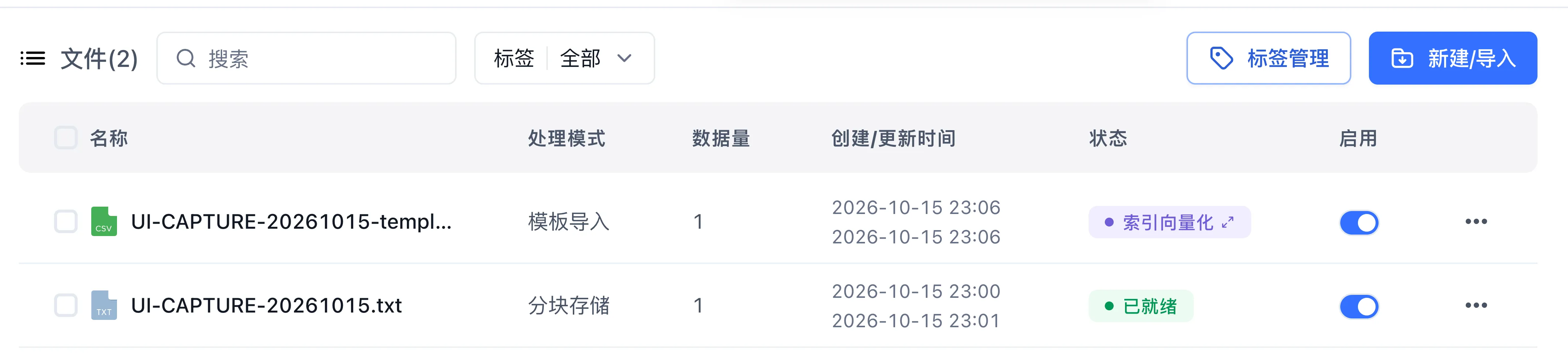
- Open your target dataset and click Create/Import → Template import.
- In the dialog, click Download CSV Template if you need the sample header format, then select or drag in your prepared
.csvor.xlsxfile. - Once the file finishes uploading, click Confirm Import in the lower-right corner to create the collection and start background indexing.
Next Steps
- Test imported Q&A recall: Explore Search Testing and Retrieval Parameters.
- Query filtering with metadata: Learn Collection Tag System.
Last updated