
User Select
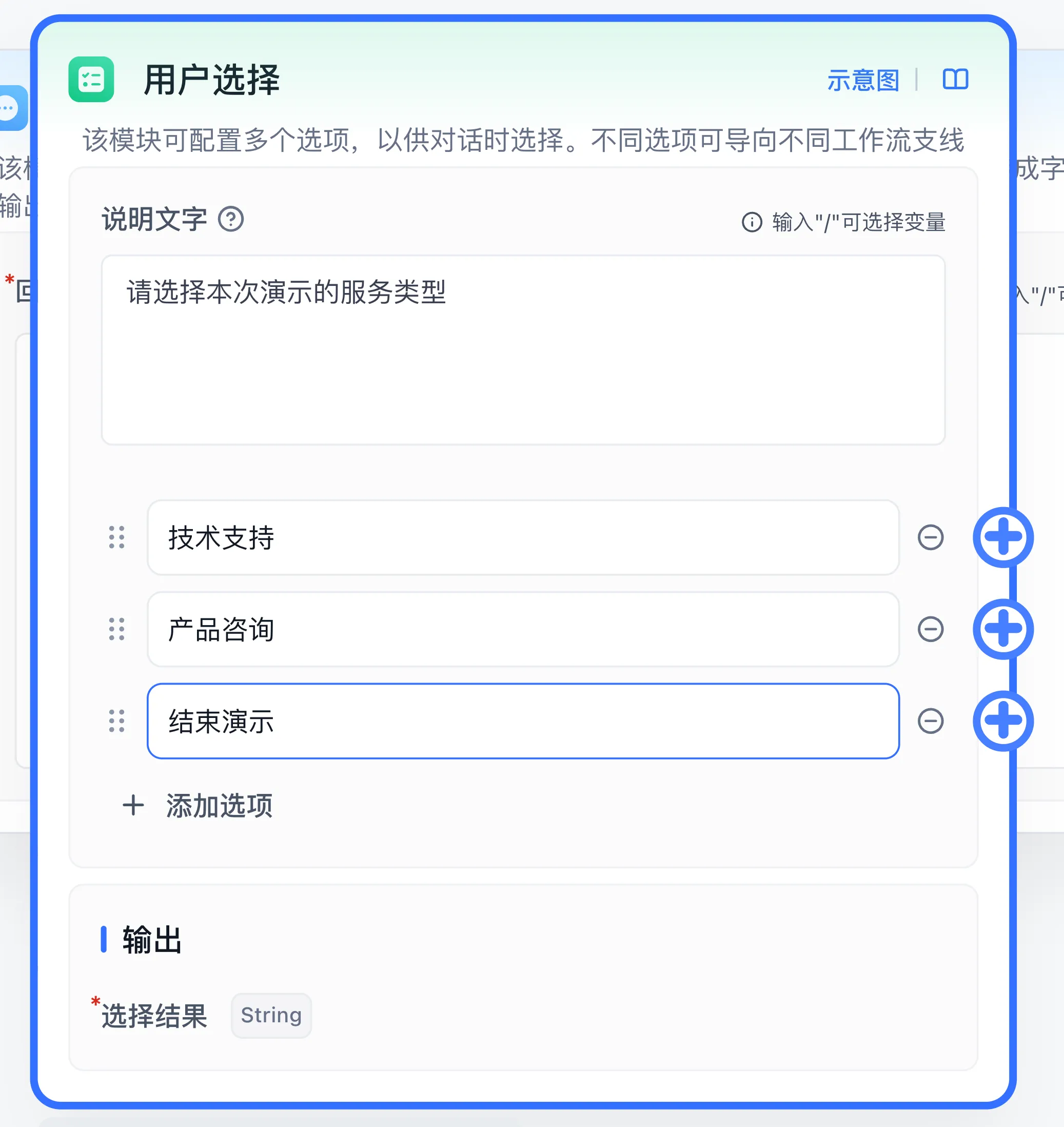
Configure the FastGPT Workflow User Select interactive node to present static or variable-driven choices and resume on user selection.
Features
- User interaction
- Can be added multiple times
- Trigger-based execution
Function
The "User Select" node is an interactive node. When triggered, the conversation enters an "interactive" state -- the workflow state is saved and execution pauses until the user completes the interaction.
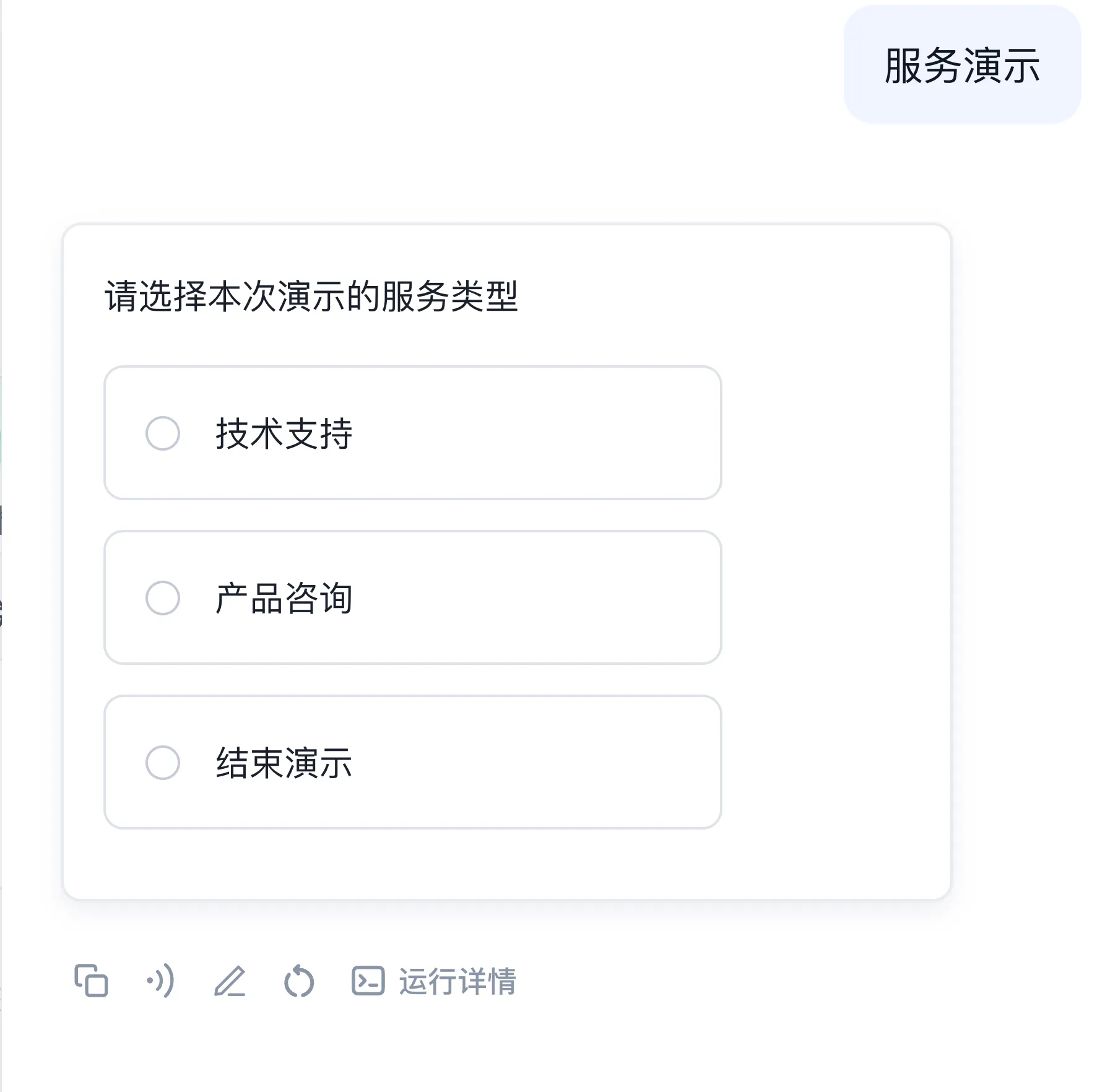
In the example above, when the User Select node triggers, the chat input is hidden and the conversation enters interactive mode.
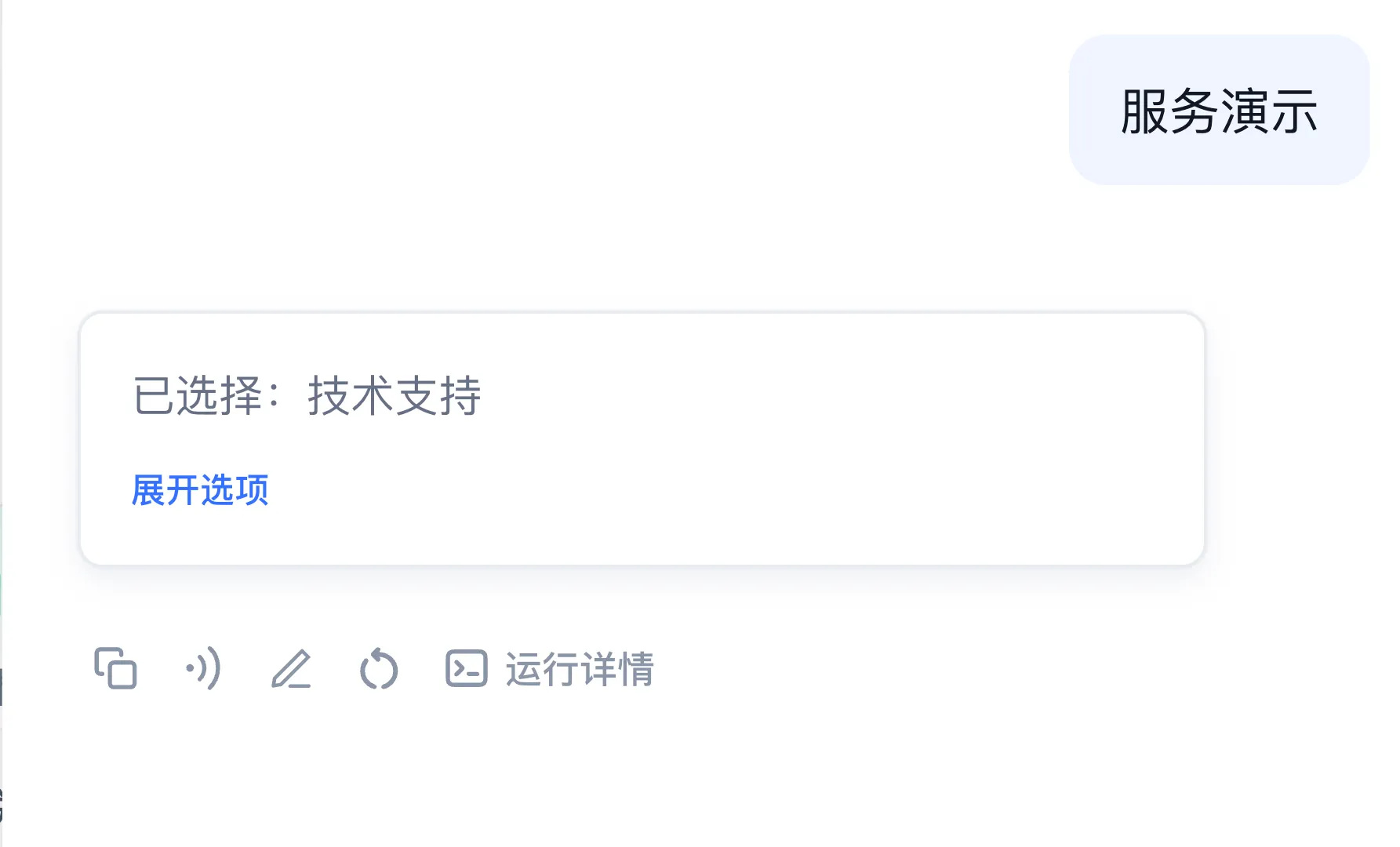
When the user makes a choice, the node evaluates the selection and executes the corresponding branch (e.g., the "Yes" branch).
Use Cases
The basic pattern is to present a question that requires a user decision, then route to different workflow paths based on the user's response.
Options and output
Enter the user-facing description, add option text, and connect each option's execution handle to its branch. Each option has its own key. The chosen option text becomes the string Selected Result; resumed execution follows the selected branch.
In addition to manually configuring fixed options, the node supports dynamically generating option lists via variable references (such as an array output from an upstream Code or HTTP node). Dynamic options share a single dynamic option exit. If the resolved dynamic option list is empty, the node returns a clear error to avoid invalid waiting without selectable options.
Example: confirm or cancel
- Connect Start to User Select and enter
Continue this task?as the description. - Keep two options,
ConfirmandCancel. Connect them to Assigned Reply nodes containingConfirmedandCancelled. - Debug and choose
Confirm. Expect Selected ResultConfirmand replyConfirmed. - Start a new conversation and choose
Cancel. Verify that only the cancellation branch runs.
The access channel must support interaction. Parallel Run containers restrict this node. If selection fails to resume execution, inspect option connections and the conversation used for resumption. Use Form input to collect multiple structured fields.
Last updated