
Condition (IF/ELSE)
Use the FastGPT Workflow Condition (IF/ELSE) node to evaluate variable rules and route execution across matching branches.
Features
- Can be added multiple times
- Has external inputs
- Trigger-based execution
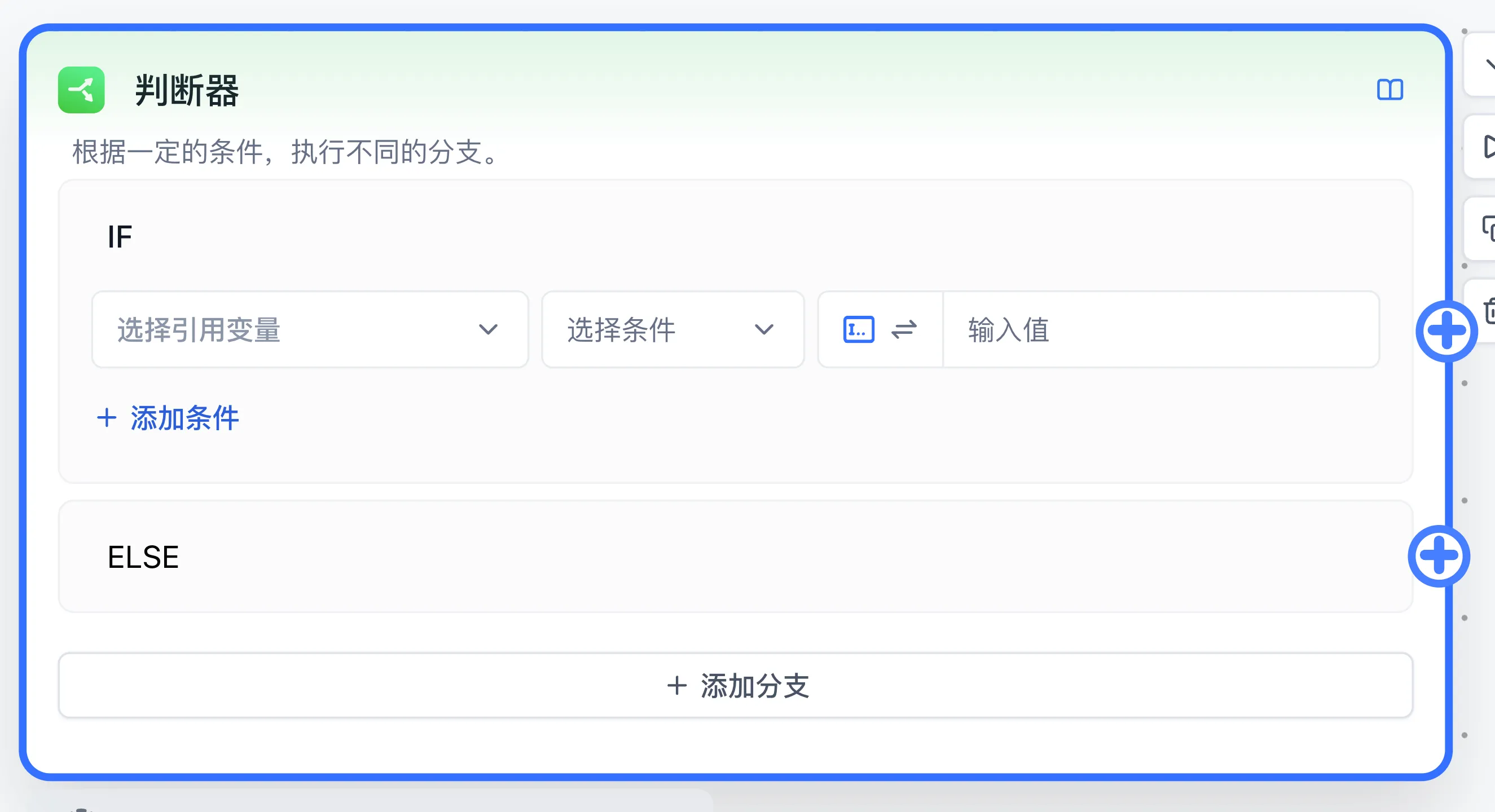
Function
Performs an IF evaluation on any variable. If the condition is met, the IF branch executes; otherwise the ELSE branch runs.
For example, after configuring the condition, if the "Dataset Citation" variable has a length of 0, the IF branch executes; otherwise the ELSE branch runs.
You can add more conditions and branches, following the same logic as IF statements in programming languages.
Use Cases
Common scenarios include: having the LLM make a judgment and then output fixed content, or checking the LLM's response to decide whether to trigger downstream nodes.
Configuration and branch order
For each condition, select a variable, an operator supported by its type, and a fixed comparison value or variable reference. Use AND within a branch to require all conditions, or OR to require at least one. The system checks branches in order and selects the first match. ELSE runs when all conditions fail. The string Judgment result identifies the selected branch.
Example: handle empty retrieval
- Connect Dataset Search to Condition.
- In the first branch, reference the Dataset citations output, choose Length Equal To, and enter
0. - Connect that branch to Assigned Reply containing
Please provide more detail.Connect ELSE to AI Chat configured with the retrieved citations. - Test one query returning chunks and one returning an empty array. Inspect judgment result and downstream execution in run details.
For unexpected routing, inspect actual variable types and values, then operators and branch order. Numeric comparisons need values convertible to numbers; regular expressions need valid syntax. Continue with Dataset search.
Last updated