
Classify
Route user queries to specialized workflow branches using LLM-powered intent classification in FastGPT.
Characteristics
- Can be added multiple times
- Has external input
- Requires manual configuration
- Trigger-based execution
- Constrains the model to output a category id through the prompt
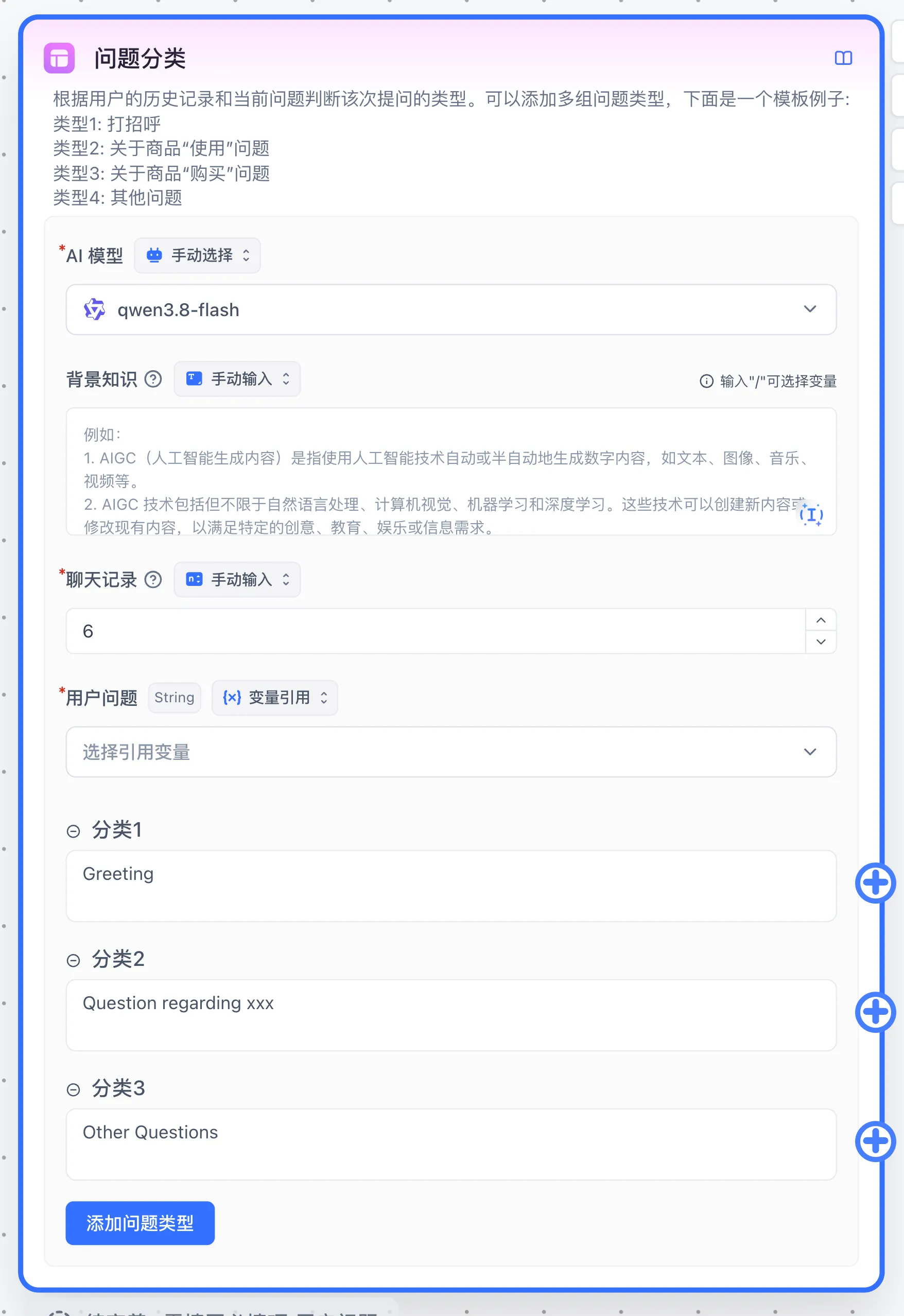
What It Does
Classifies user questions into categories and executes different operations based on the result. Classification may be less effective in ambiguous scenarios.
Parameters
Background Knowledge
Placed at the beginning of the conversation to provide supplementary definitions for classification categories. For example, questions might be classified as:
- Greetings
- Billing FAQs
- Other questions
Since "billing" can cover multiple cases, define it in the system prompt:
Billing FAQs include plan prices, balance, point usage, renewals, invoices, and refunds
Questions about why points were deducted, how to recharge, or where to view bills should be classified as Billing FAQs
General product feature questions or greetings should not be classified as Billing FAQs
Chat History
Adding some chat history enables context-aware classification.
User Question
The user's input content.
Classification Categories
Using the same 3 categories as an example: at run time, the system writes the category list as [{ id, description }] into the category list section of the system prompt and asks the model to output only the category id. id is a category key generated randomly by the system, and description is the category text you entered.
- Greetings
- Billing FAQs
- Other questions
[
  { "id": "abc", "description": "Greetings" },
  { "id": "vvv", "description": "Billing FAQs" },
  { "id": "aaa", "description": "Other questions" }
]
The model returns plain text. The system first looks for a category key in the text, then for category text; if neither matches, the last category is used. Verify the model result and selected branch in Run Details.
Connections, output, and verification
Choose an available model and configure background, history, and the user question. Give each category a clear, distinct description and connect it to its downstream branch. Successful classification returns the chosen category's display text in the string Classification Result and runs that branch. If a model result fails to match a category key, the current implementation falls back to the last category. Put Other questions last.
Example: configure Greetings, Billing FAQs, and Other questions, each connected to an Assigned Reply containing Hello, Billing help, or Please clarify. Debug with “Hello,” “Where can I view my bill?”, and “What is tomorrow's weather?” Check both the classification output and the executed branch. Classification depends on model behavior; retain a fallback and test ambiguous and follow-up questions. Inspect run errors for empty input or model failures.
Use Condition to branch on explicit values.
Last updated