
System Plugin Remote Debugging Suite Configuration
Configure the system plugin remote debugging suite for self-hosted FastGPT deployments
When to Use It
The system plugin remote debugging suite temporarily connects FastGPT system plugins running on a developer's local machine to a FastGPT test environment. It is intended for system plugin development, integration testing, and acceptance checks, not as a production plugin runtime.
The system plugin remote debugging suite is available only in the commercial edition.
We recommend using remote debugging in the FastGPT Cloud version first. Self-hosted deployments require you to operate Plugin Server, Connection Gateway, Redis, reverse proxy, TLS, and secret rotation yourself.
The default Docker Compose deployment only includes the FastGPT main service and the regular fastgpt-plugin runtime. It does not include the public WebSocket setup required by Connection Gateway. For self-hosted deployments, deploy the system plugin remote debugging suite separately.
Components
The remote debug flow includes these components:
| Component | Purpose |
|---|---|
| FastGPT main service | Provides the UI and APIs for enabling, refreshing, and revoking a debug channel. |
| Plugin Server | Manages connectionKey, debug source, and forwards debug invocations to Gateway. |
| Connection Gateway | Maintains CLI WebSocket connections, sessions, mailboxes, and debug invocation streams. |
| Redis | Stores Gateway sessions, source owner leases, and mailbox data. |
fastgpt-plugin dev | Runs plugins locally and connects to Gateway through WebSocket. |
Main flow:
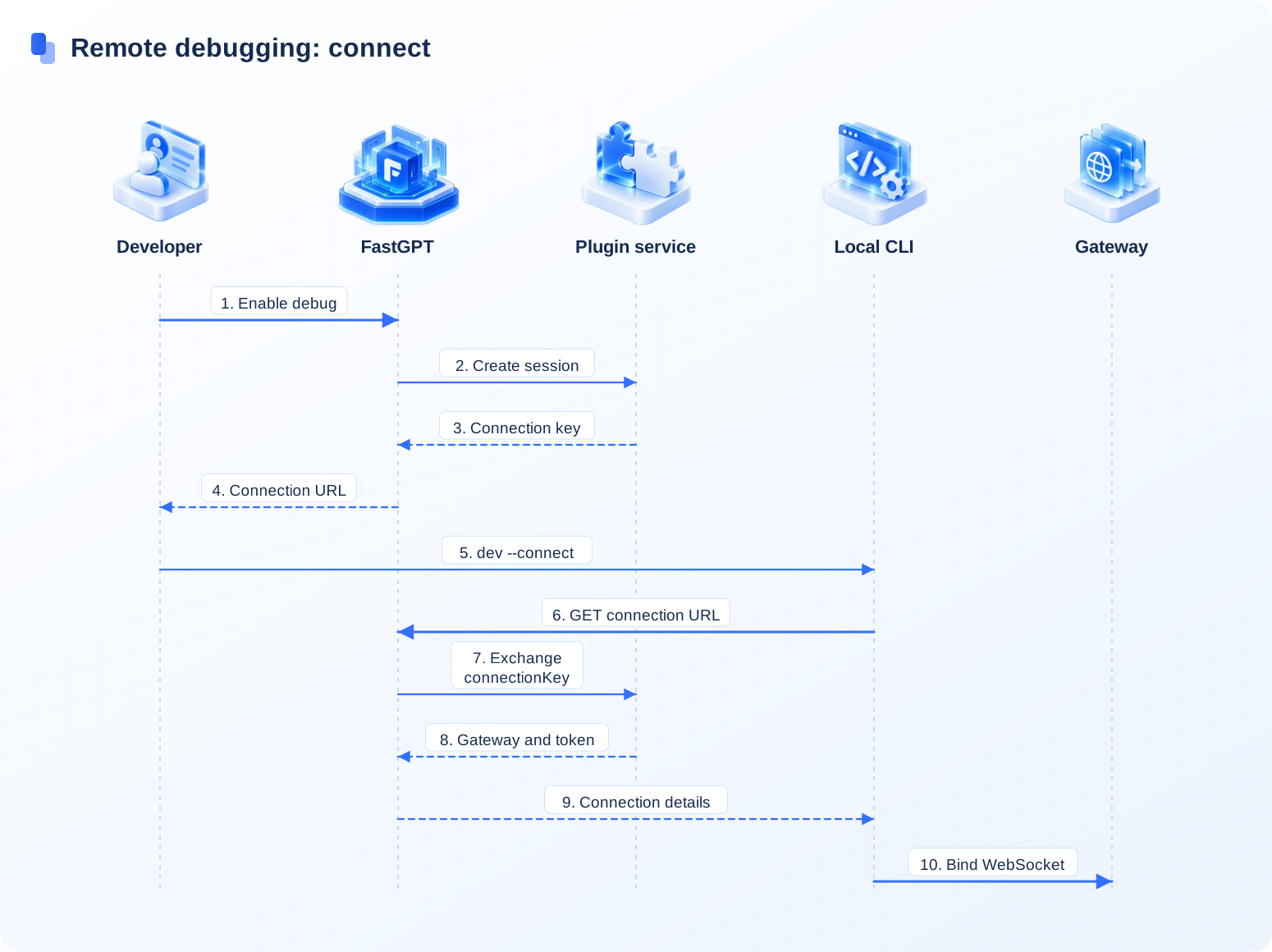
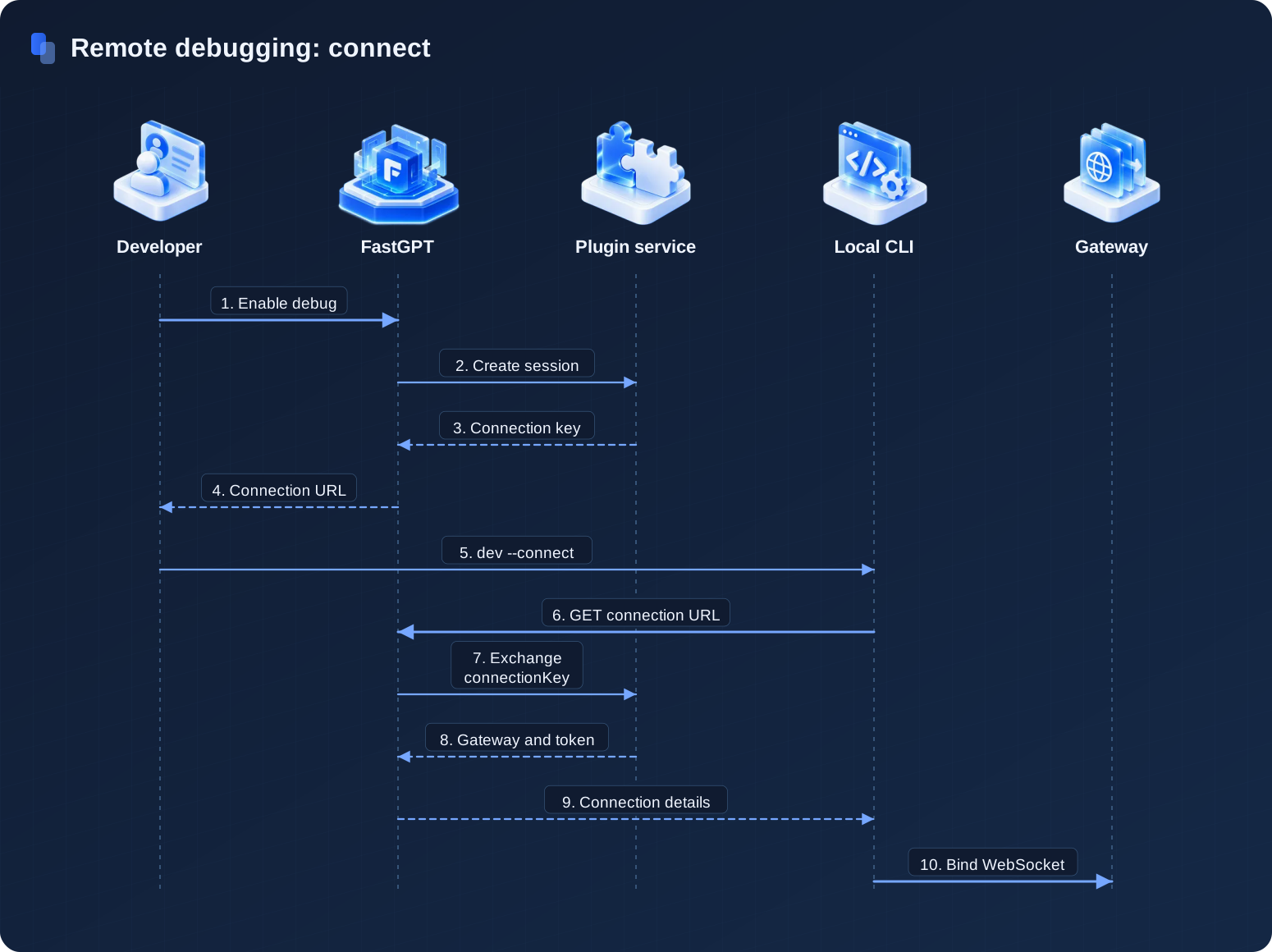
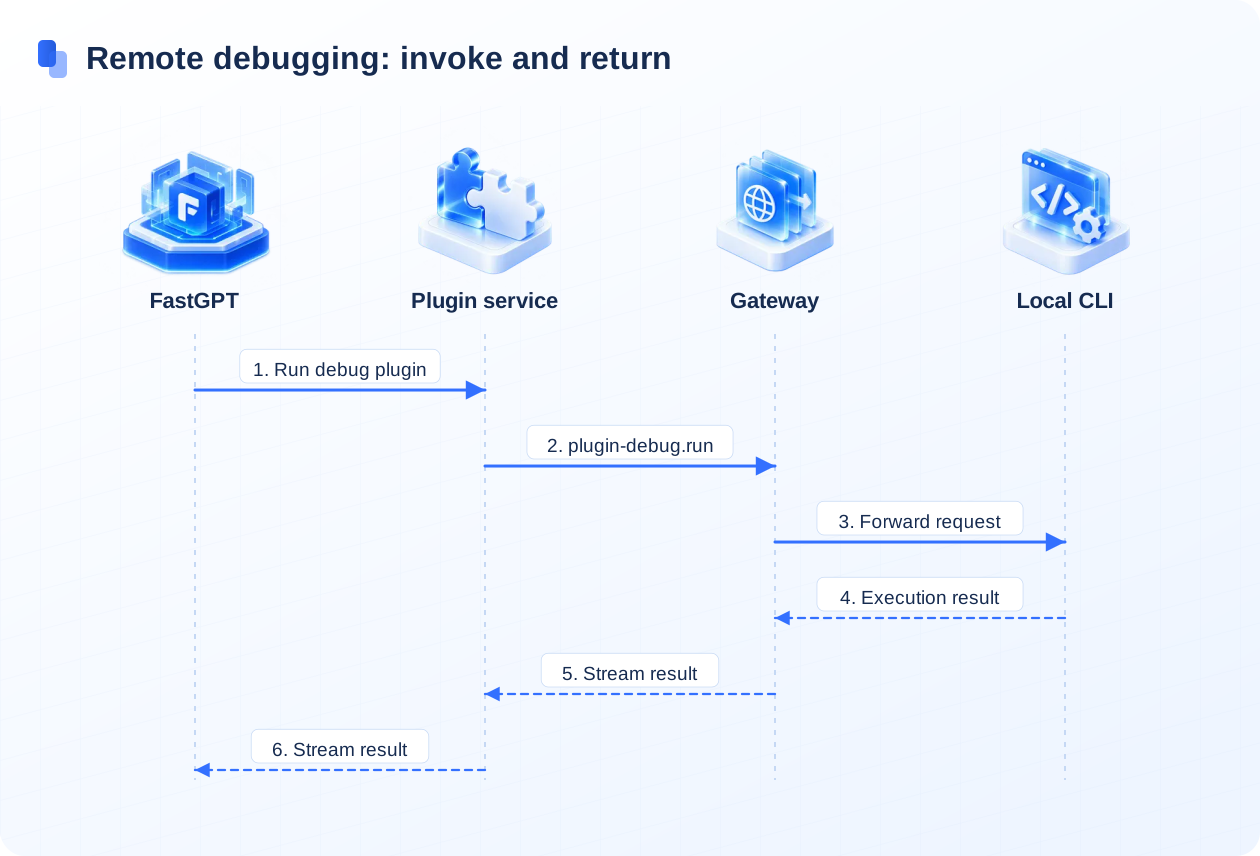
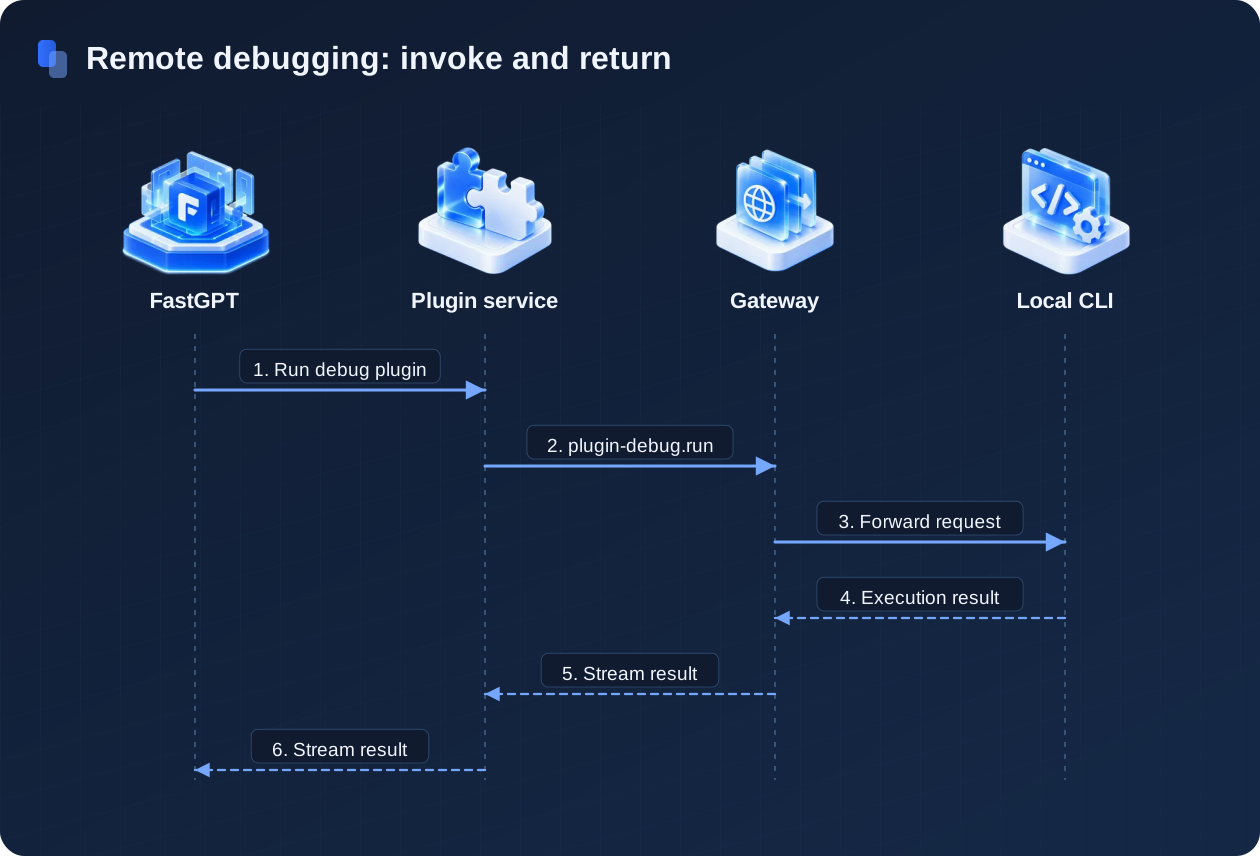
FastGPT exchanges the connection key and returns connection details to the CLI. Execution results return through the Gateway, Plugin Server, and FastGPT. Gateway and CLI interactions follow the remote debugging interface contract.
Prerequisites
- The FastGPT main service can access
fastgpt-plugin, andPLUGIN_TOKEN/AUTH_TOKENare the same on both sides. - Your
fastgpt-pluginversion includes remote debugging. Use the plugin version required by your current FastGPT release. - The Gateway WebSocket URL must be reachable from the developer's local machine. In production, expose it through HTTPS reverse proxy as
wss://. - The Gateway internal HTTP API should only be reachable from the Plugin Server's private network.
- The Redis used by Gateway must support Stream.
- All production secrets must be at least 32 characters and must not use example values, defaults, or weak passwords.
Deploy Connection Gateway
Connection Gateway is maintained in the fastgpt-plugin repository. Choose the China Mainland or global image based on your network environment:
# China Mainland
CONNECTION_GATEWAY_IMAGE=registry.cn-hangzhou.aliyuncs.com/fastgpt/fastgpt-plugin-connection-gateway:8a52896d1d5b866308778871526cfdff9d22c547

# Global
CONNECTION_GATEWAY_IMAGE=ghcr.io/labring/fastgpt-plugin-connection-gateway:8a52896d1d5b866308778871526cfdff9d22c547
A minimal setup looks like this:
services:
  connection-gateway:
    image: ${CONNECTION_GATEWAY_IMAGE}
    restart: unless-stopped
    environment:
      NODE_ENV: production
      REDIS_URL: redis://default:mypassword@fastgpt-redis:6379
      AUTH_TOKEN: ${CONNECTION_GATEWAY_AUTH_TOKEN}
      CONNECTION_GATEWAY_AUTH_TOKEN: ${CONNECTION_GATEWAY_AUTH_TOKEN}
      JWT_SECRET: ${CONNECTION_GATEWAY_JWT_SECRET}
      CONNECTION_GATEWAY_PORT: 3000
      CONNECTION_GATEWAY_WS_PORT: 3001
      CONNECTION_GATEWAY_WS_PATH: /connection-gateway/v1
    ports:
      - '3020:3000'
      - '3021:3001'
Port notes:
| Port | Purpose | Exposure requirement |
|---|---|---|
3020 | Gateway HTTP API, mapped to container port 3000, including /health, /internal/*, and /metrics. | Public exposure is not required. Plugin Server only needs private network access (avoids port 3010 used by dev AI Proxy). |
3021 | Gateway WebSocket, mapped to container port 3001, default path /connection-gateway/v1. | Must be reachable from the developer's local CLI, usually exposed as a public wss:// URL through reverse proxy. |
| Redis | Stores Gateway sessions, source owner leases, and mailboxes. | Public exposure is not required. The Redis version must support Stream. |
Configure Plugin Server
Add the Gateway-related environment variables to the fastgpt-plugin service:
# Private HTTP address used by Plugin Server to call Gateway internal APIs
CONNECTION_GATEWAY_BASE_URL=http://connection-gateway:3000

# WebSocket address returned to the local CLI; it must be reachable from developer machines
CONNECTION_GATEWAY_PUBLIC_URL=wss://debug-gateway.example.com/connection-gateway/v1

# Bearer token used by Plugin Server for Gateway /internal/* and /metrics APIs
CONNECTION_GATEWAY_AUTH_TOKEN=replace-with-a-random-token-at-least-32-chars

# HMAC secret for Gateway connect tokens; must exactly match Connection Gateway
JWT_SECRET=replace-with-a-random-jwt-secret-at-least-32-chars
Restart fastgpt-plugin after updating the configuration. When CONNECTION_GATEWAY_BASE_URL is unset, Plugin Server disables remote debugging.
Configure FastGPT Main Service
The FastGPT main service keeps using the regular plugin configuration:
PLUGIN_BASE_URL=http://fastgpt-plugin:3000
PLUGIN_TOKEN=replace-with-the-same-value-as-plugin-auth-token
The debug connection link takes its origin from the Host, X-Forwarded-Host, and X-Forwarded-Proto request headers, and falls back to FE_DOMAIN when they are missing. When X-Forwarded-Proto is absent and Host is a non-loopback address (other than localhost or 127.0.0.1), the server defaults to https; for HTTP LAN deployments behind a proxy, forward X-Forwarded-Proto: http. NEXT_PUBLIC_BASE_URL is only for sub-path deployments (for example, /fastgpt); it is prepended to the link path, so set it to the path prefix only.
Configure Reverse Proxy
Expose only the Gateway WebSocket endpoint. Keep the Gateway internal HTTP API private.
Nginx example:
location /connection-gateway/v1 {
  proxy_pass http://connection-gateway:3001;
  proxy_http_version 1.1;
  proxy_set_header Upgrade $http_upgrade;
  proxy_set_header Connection "upgrade";
  proxy_set_header Host $host;
  proxy_read_timeout 3600s;
}
Do not expose /internal/*, /metrics, or the Gateway HTTP port directly to the public internet.
Developer Connection
- In FastGPT, open Studio → System Tools, click Local Debug, click Generate Link in the dialog to enable the debug channel, and copy the Debug Link.
- Run this command in the local plugin directory:
fastgpt-plugin dev --connect '<connectionUrl>'After the connection succeeds, the local CLI reports plugin metadata through Gateway. The local plugins appear in FastGPT under the current debug source. The debug source format is:
debug:tmbId:{tmbId}Verification
- Check Gateway health (use
http://connection-gateway:3000/healthfrom a container on the same Compose network, or the mapped host portlocalhost:3020from the host):
curl http://localhost:3020/health- Enable the debug channel in FastGPT and confirm the status changes from
enabledtoconnected. - Run
fastgpt-plugin devlocally and confirm the CLI reports an active WebSocket connection. - Select a tool under the debug source in FastGPT and invoke it once. The result should come from the local plugin.
Security Notes
CONNECTION_GATEWAY_AUTH_TOKEN,JWT_SECRET,connectionKey, andconnectTokenare sensitive. Do not write them to logs, screenshots, or public docs.CONNECTION_GATEWAY_AUTH_TOKENis only for Plugin Server. The local CLI does not need it and should never receive it.connectionKeyis a long-lived debug connection secret. It is returned in plaintext only when the debug channel is enabled or refreshed. Refresh or revoke the debug channel immediately if it leaks.- Debug source invocations use the remote debug path. If the connection or session is missing, the invocation fails instead of falling back to the production plugin runtime.
- Multi-replica Gateway deployments must route session deletion requests to the node that owns the WebSocket, or accept that calls fail after the Redis session is deleted.
Connection and Invocation Troubleshooting
The debug channel opens, but the CLI cannot connect
Check whether CONNECTION_GATEWAY_PUBLIC_URL is reachable from the developer's local machine. The browser and CLI run on the developer's computer, requiring a reachable host IP or public domain.
The CLI is connected, but FastGPT shows disconnected
Check whether Plugin Server can access CONNECTION_GATEWAY_BASE_URL, and confirm that CONNECTION_GATEWAY_AUTH_TOKEN matches the Gateway configuration.
Tool call times out after connection
Check Gateway Redis, WebSocket upgrade in the reverse proxy, proxy_read_timeout, and whether the local CLI is still online.
connect token validation fails
Check whether JWT_SECRET is exactly the same in Plugin Server and Connection Gateway.
Last updated