
Dataset Chunk Reader
Use the FastGPT citation chunk reader to verify answer evidence, locate matched data chunks, inspect full-text context, and review scores.
The citation reader helps verify an answer, locate matched chunks, and inspect accessible sources. These screenshots use demonstration knowledge about service hours and refund rules.
Why a Chunk Reader?
Click a source below an answer to inspect its evidence. Available content depends on the source, publishing settings, and access permissions.
Limitations of Traditional Citations
An excerpt is useful for checking a specific fact. When context is needed, use the full-text reader with the required permission.
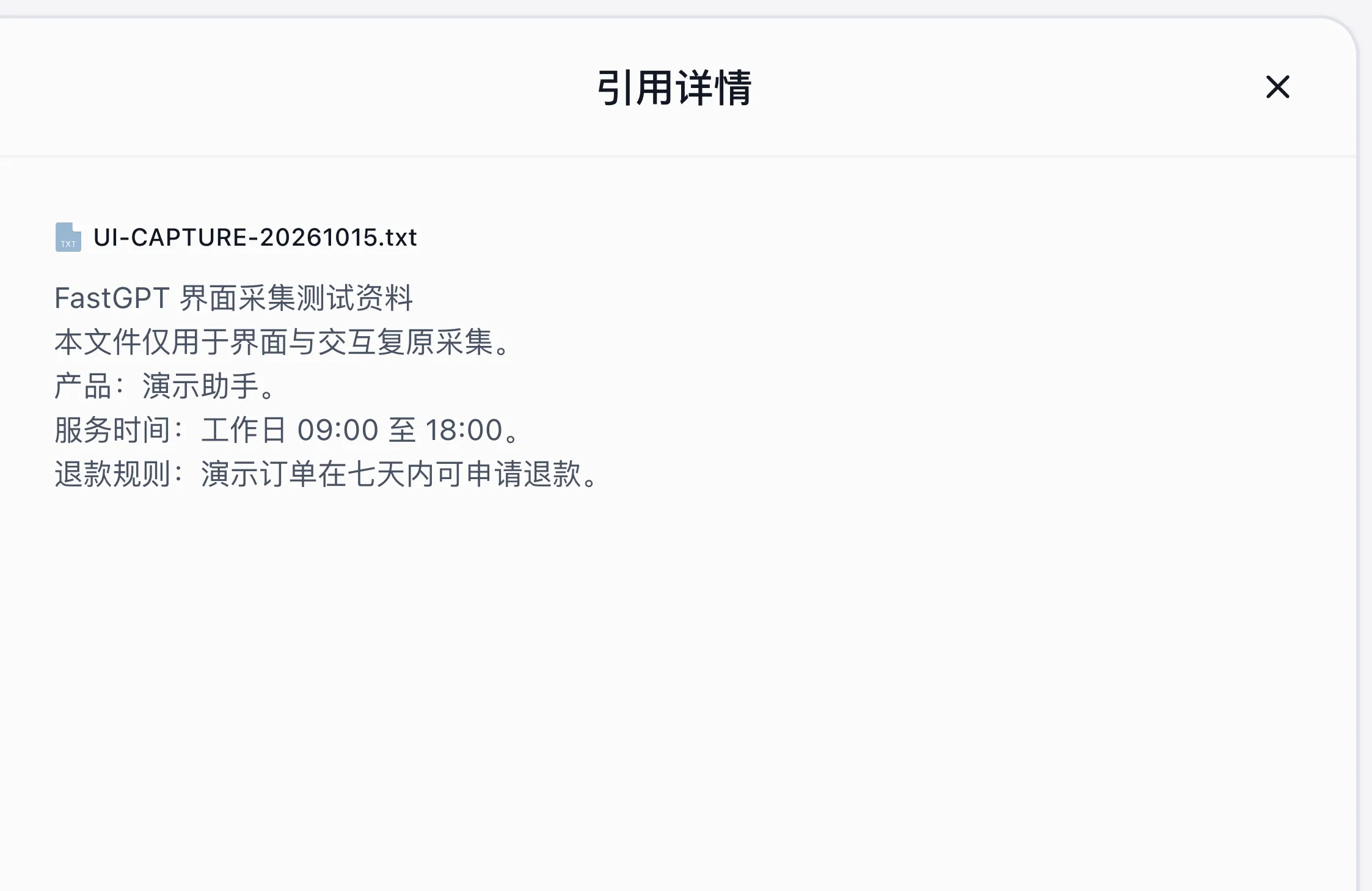
FastGPT Chunk Reader: Precise Positioning, Seamless Reading
The reader highlights the current citation and provides a citation index and navigation controls. Check that the facts in the answer agree with the highlighted text.
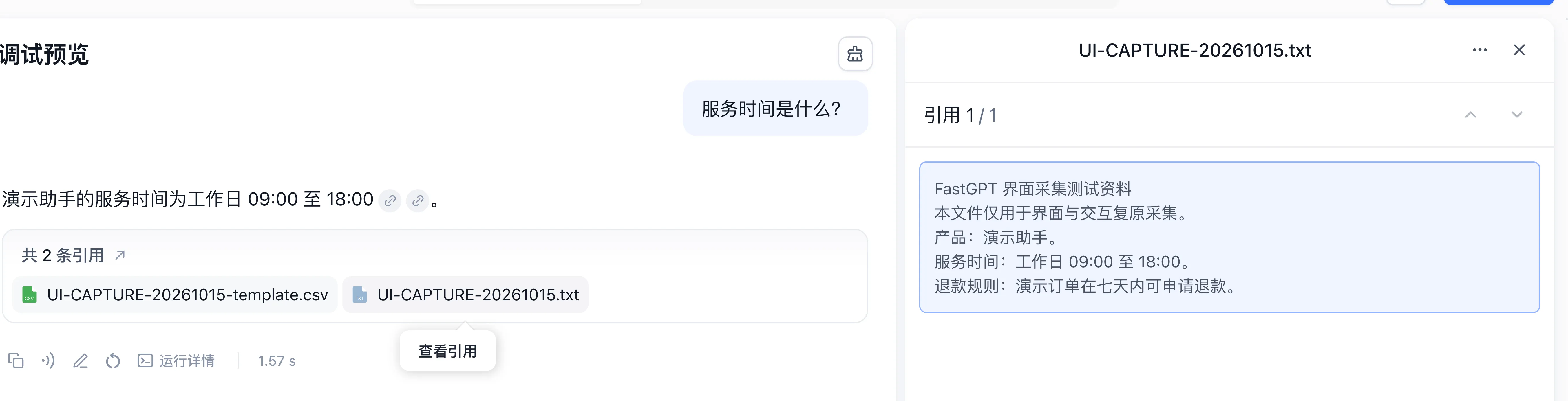
Core Features
Full-Text Display & Positioning
Click a source filename below the answer to open its highlighted excerpt. With full-text visibility enabled, you can also inspect the surrounding context.
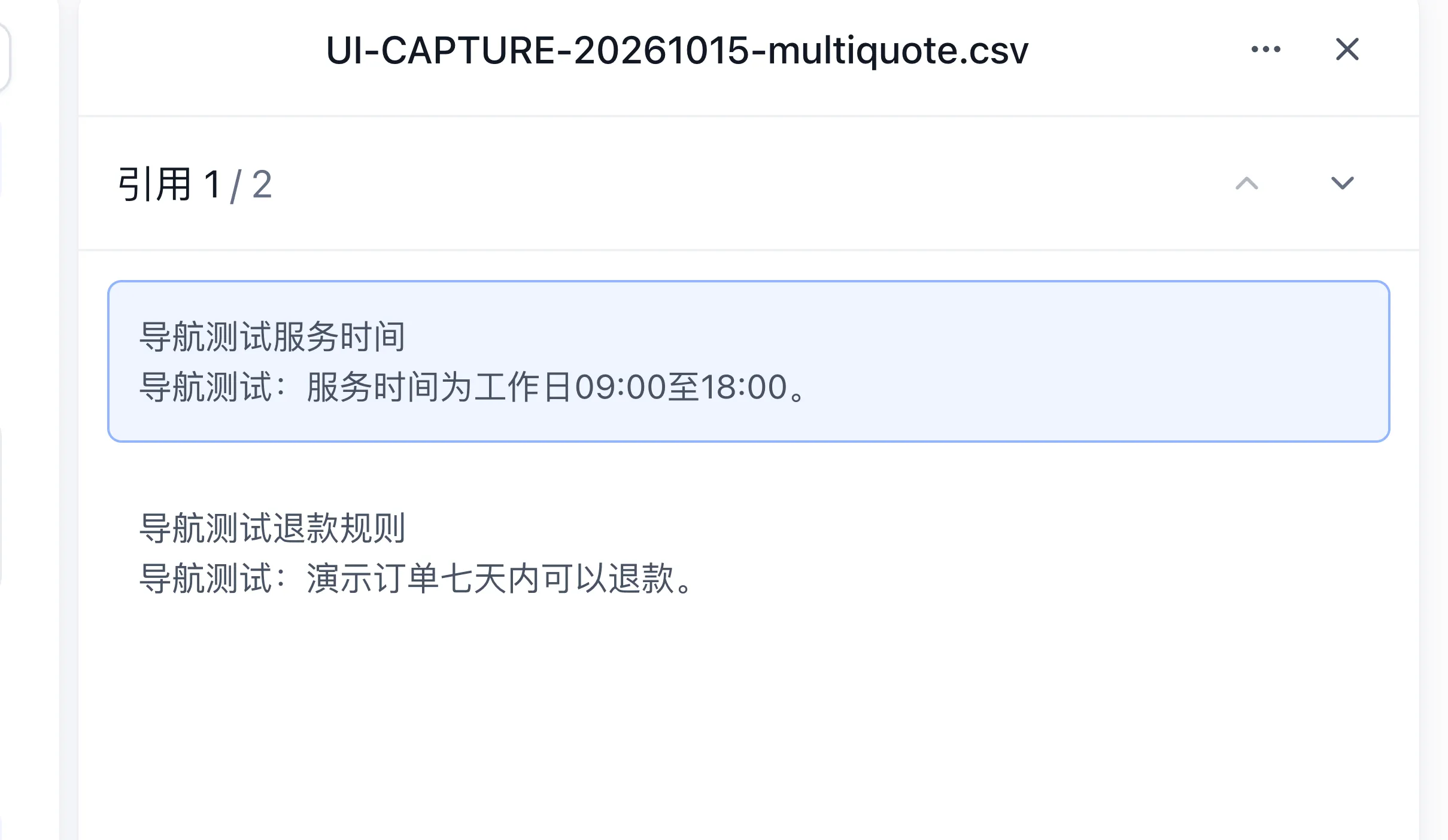
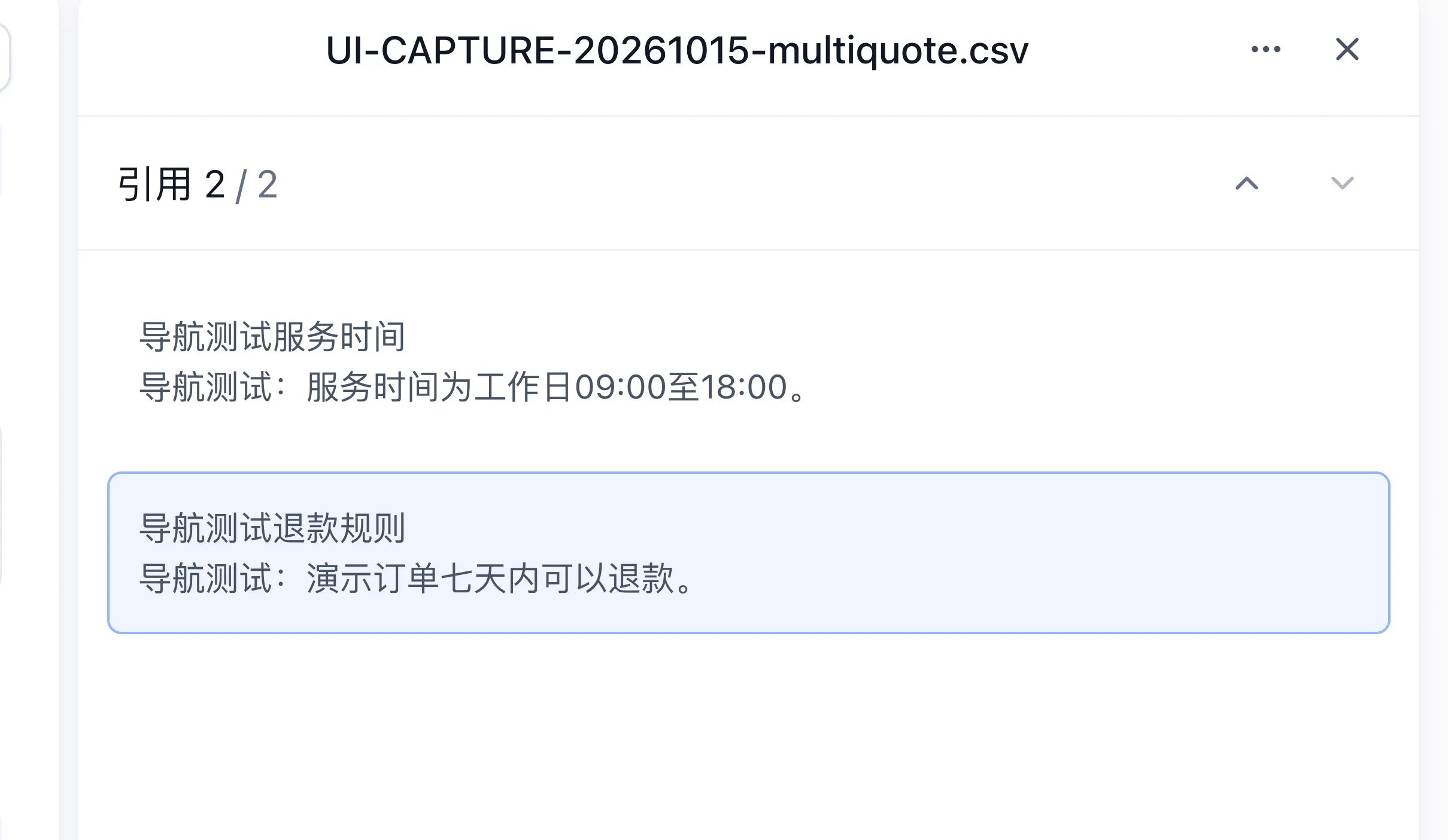
Citation Navigation
Use the previous and next controls at the upper right to move between matched chunks. The index shows positions such as 1/2 and 2/2; the corresponding control is disabled at either boundary.
Citation Quality Scoring
Inspect retrieval scores in the knowledge base Search Test or in the knowledge-search execution details of a conversation. Score meanings vary by retrieval channel. Hover a score label for its explanation; this screenshot shows a rerank tooltip in Search Test.

One-Click Document Export
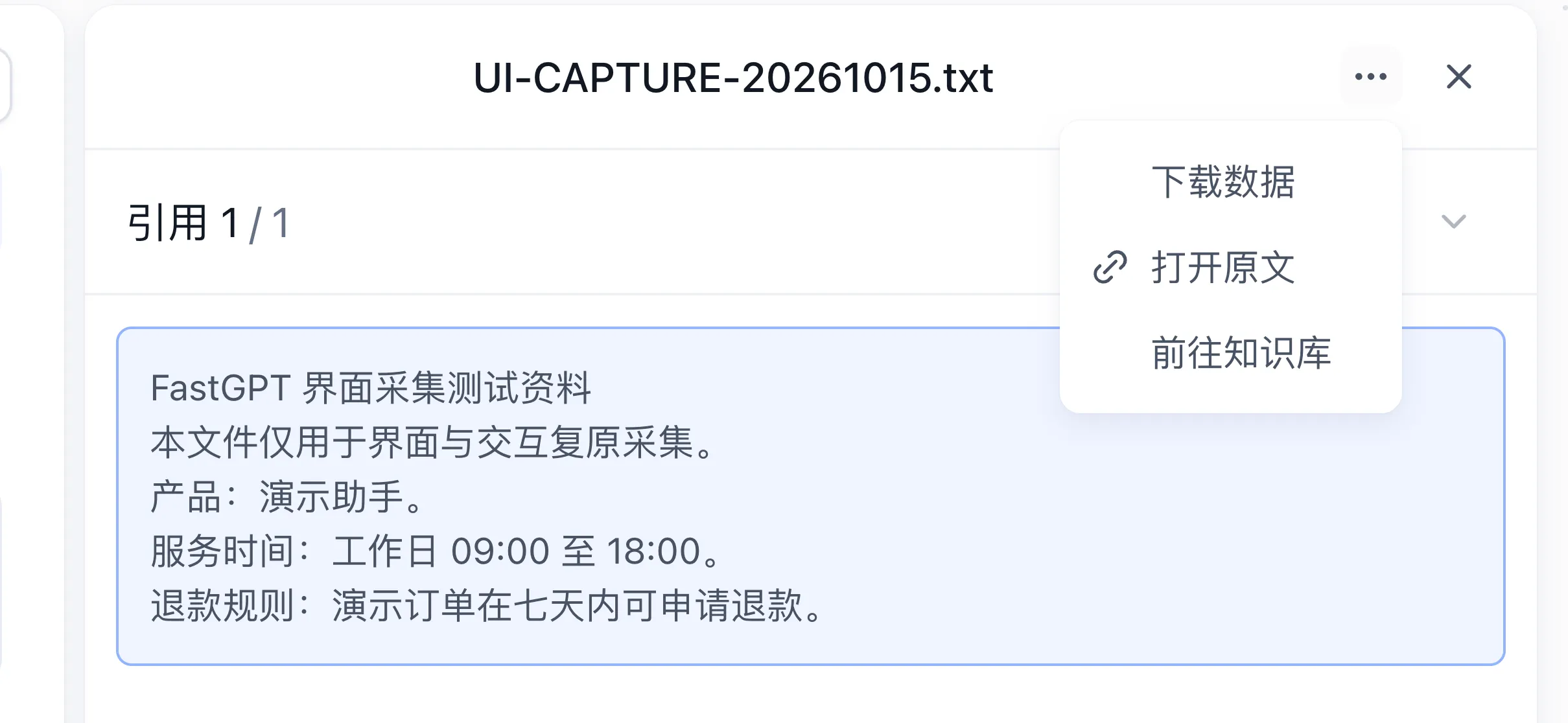
Open the source menu at the upper right. With the required permissions, it offers Download data, Open original, or Go to knowledge base. Availability depends on the source and access settings.
Advanced Features
Flexible Visibility Control
Configure citation visibility in the Login-Free Window settings: View citation snippets exposes matched chunks, View full citation enables full-document reading and citation navigation, and Download/open source original text allows downloading original files or opening source URLs. Verify the result as a visitor.
Instant Annotation
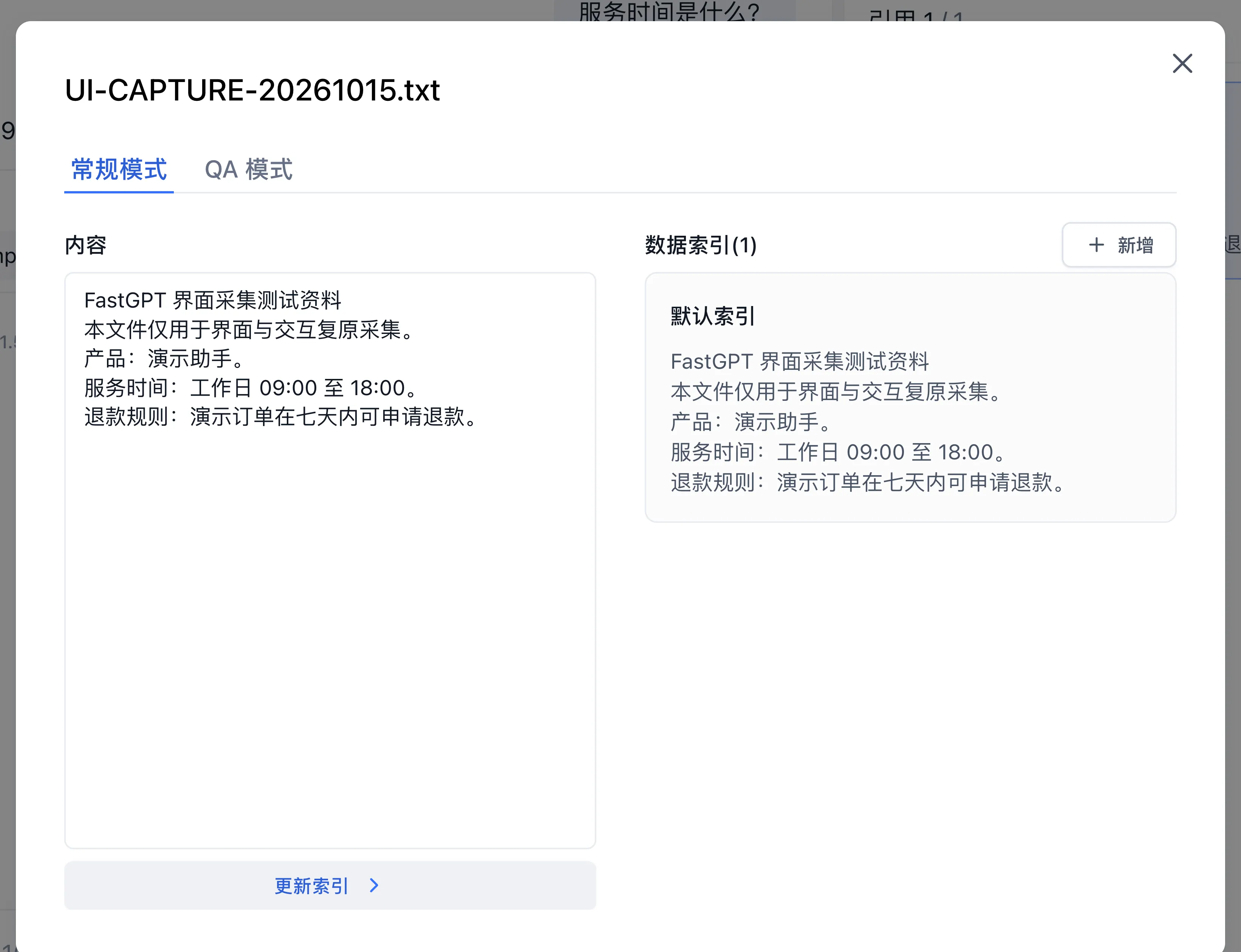
Users with knowledge-base editing permission can choose Go to knowledge base and edit the content and indexes. After saving, wait for processing to finish, run a new search, and verify that the result uses the updated content.
Smart Document Performance
Long documents load content as needed for the reading position. After navigating between citations, wait for loading to finish before checking the highlight and context. Network conditions, document length, and service response affect loading time.
Last updated