
Start Node, Global Variables, and System Variables Reference
Reference guide for workflow start node outputs, 12 global variable types, read-only system variables, and node I/O data types.
In FastGPT workflows, data flows across the canvas from three variable sources: Start node outputs, application-level global variables, and read-only runtime system variables.
1. Workflow Start Node (workflowStart)
Every main workflow canvas contains a single Workflow Start node that serves as the entry point for incoming conversation requests.
| Output Field | Internal Key | Value Type | Description |
|---|---|---|---|
| User question | userChatInput | String | Text message submitted by the user in the current turn |
| File URLs | userFiles | Array<string> | Temporary signed URLs of documents and images uploaded in the current turn when File Input is enabled |
2. Global Variables
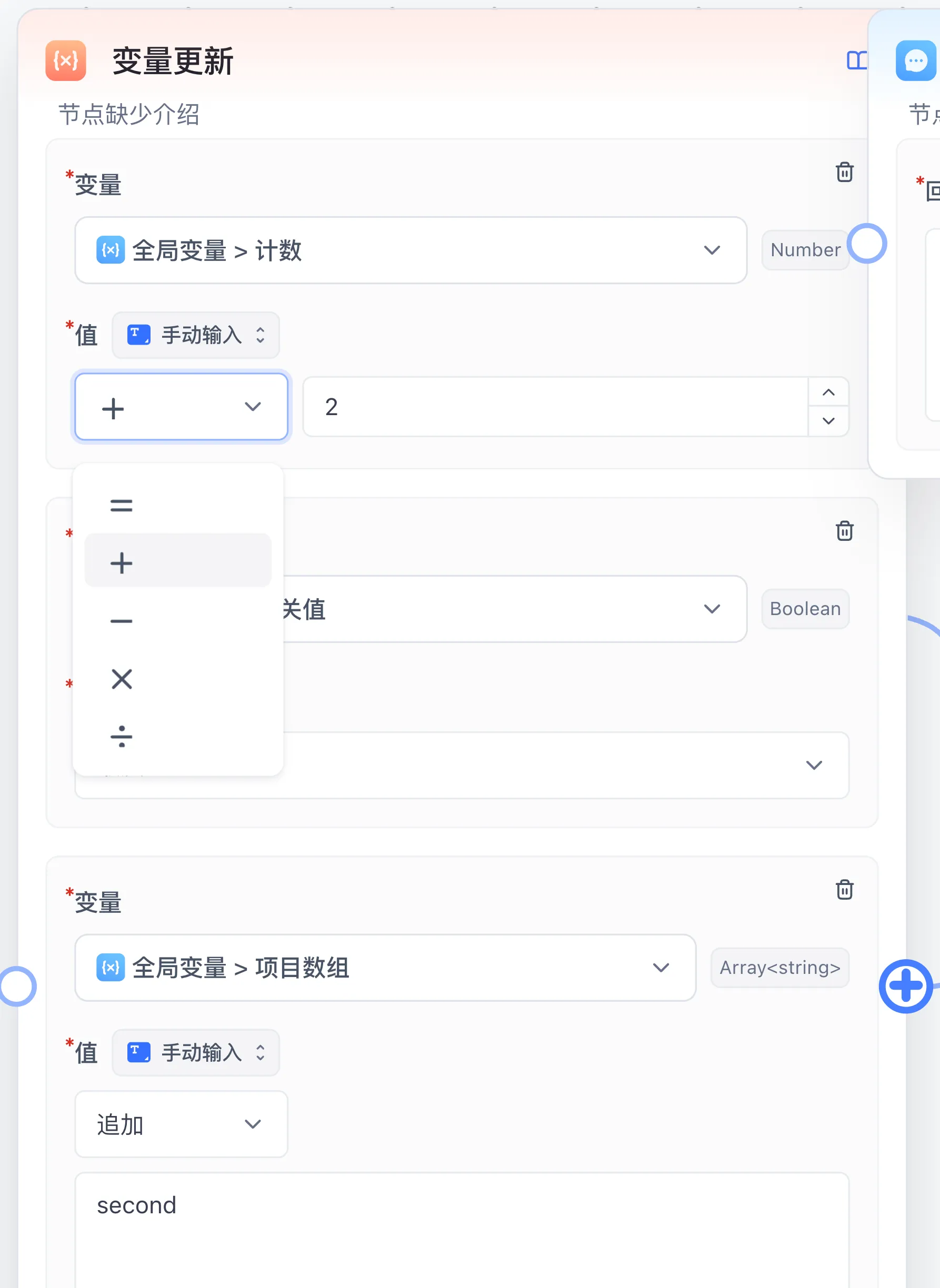
Declare global variables under System configuration → Global Variable in the workflow editor or in the Global Variable section of a Chat Agent. Global variables can be referenced in any node via the variable picker and updated at runtime by the Variable Update node.
1. Pre-Chat Form Variables (User-Facing)
When configured, users see the corresponding form controls before starting a new conversation:
| Variable Type | Enum Key | Default Value Type | Typical Use Case |
|---|---|---|---|
| Text Input box | input | String (or Object / typed arrays) | Name, ticket number, background context, or structured input |
| Number Input Box | numberInput | Number | Result count limit, budget cap, or numeric threshold |
| Single Select Box | select | String | Business category, target language, or output tone |
| Multiple selection boxes | multipleSelect | Array<string> | Multiple review dimensions or delivery channels |
| Switch | switch | Boolean | Toggle web search, deep analysis, or strict review branches |
| Password | password | String | Masked temporary access token or secret |
| Time point | timePointSelect | String | Specific deadline or query timestamp |
| Time range | timeRangeSelect | Array<string> | Start and end time pair |
| Chat Model Selection | llmSelect | String | Allow the user to switch the underlying chat model |
| File upload | file | Array<string> | Supply pre-chat attachment file URLs |
2. Hidden and Internal State Variables
| Variable Type | Enum Key | Visibility | Initialization and Update |
|---|---|---|---|
| External Variable (Custom) | custom | Hidden only in share links; the input box is shown in in-app chat and run preview | Supplied via embedded URL query parameters, share-auth callbacks, or OpenAPI variables |
| Internal variables (Internal) | internal | Hidden from end users and external APIs | Initialized with its default value inside the workflow and mutated across nodes or loop iterations via Variable Update |
3. Runtime System Variables
System variables are injected automatically by the workflow engine on each run and are always available in the variable picker:
| System Variable | Internal Key | Value Type | Description |
|---|---|---|---|
| User ID | userId | String | Authenticated member ID or external customUid, often passed to HTTP nodes for permission lookup |
| App ID | appId | String | Unique identifier of the running application |
| Current Chat ID | chatId | String | Unique identifier of the active multi-turn conversation |
| AI Response ID | responseChatItemId | String | Unique record ID of the current assistant response item |
| Chat history | histories | ChatHistory | Conversation history array formatted as { obj: 'System' | 'Human' | 'AI', value: string }[] |
| Current time | cTime | String | Timestamp string with timezone context when the run started |
4. Node I/O Value Types (WorkflowIOValueTypeEnum)
Canvas connections and variable pickers validate compatibility using the declared port value types:
| Type Key | Display Label | Structure |
|---|---|---|
string / number / boolean | String / Number / Boolean | Scalar primitive types |
object | Object | JSON key-value object |
arrayString / arrayNumber / arrayBoolean / arrayObject | Array<T> | Strongly typed arrays used directly by Loop or Parallel Run |
arrayAny / any | Array / Any | Untyped array or dynamic value (common in Code Run and HTTP Request outputs) |
chatHistory | History | Multi-turn context array consumed by AI Chat and Question Classification |
datasetQuote | Dataset citations | Retrieved chunk array { id, datasetId, collectionId, sourceName, q, a }[] |
selectDataset | Select Dataset | Target knowledge base ID list passed into a workflow tool |
Next: Learn how to mutate state with Variable Update or check Workflow Connection Rules.
Last updated