
Document Parse
Parse file links into text and pass the result to downstream nodes.
Function
The document-parsing node reads a list of file links and outputs text for a model or another node. Enable application file uploads or supply links accessible to the service from an upstream node. File types and size limits follow your deployment's upload and parsing configuration.
Inputs, configuration, and outputs
| Item | Type | Meaning |
|---|---|---|
| Document Link | String array | URLs to parse, referencing uploaded files or upstream results |
| Document Parsing Result | String | Text for downstream nodes |
| Raw Response | Object array | Original per-file parsing results for further processing |
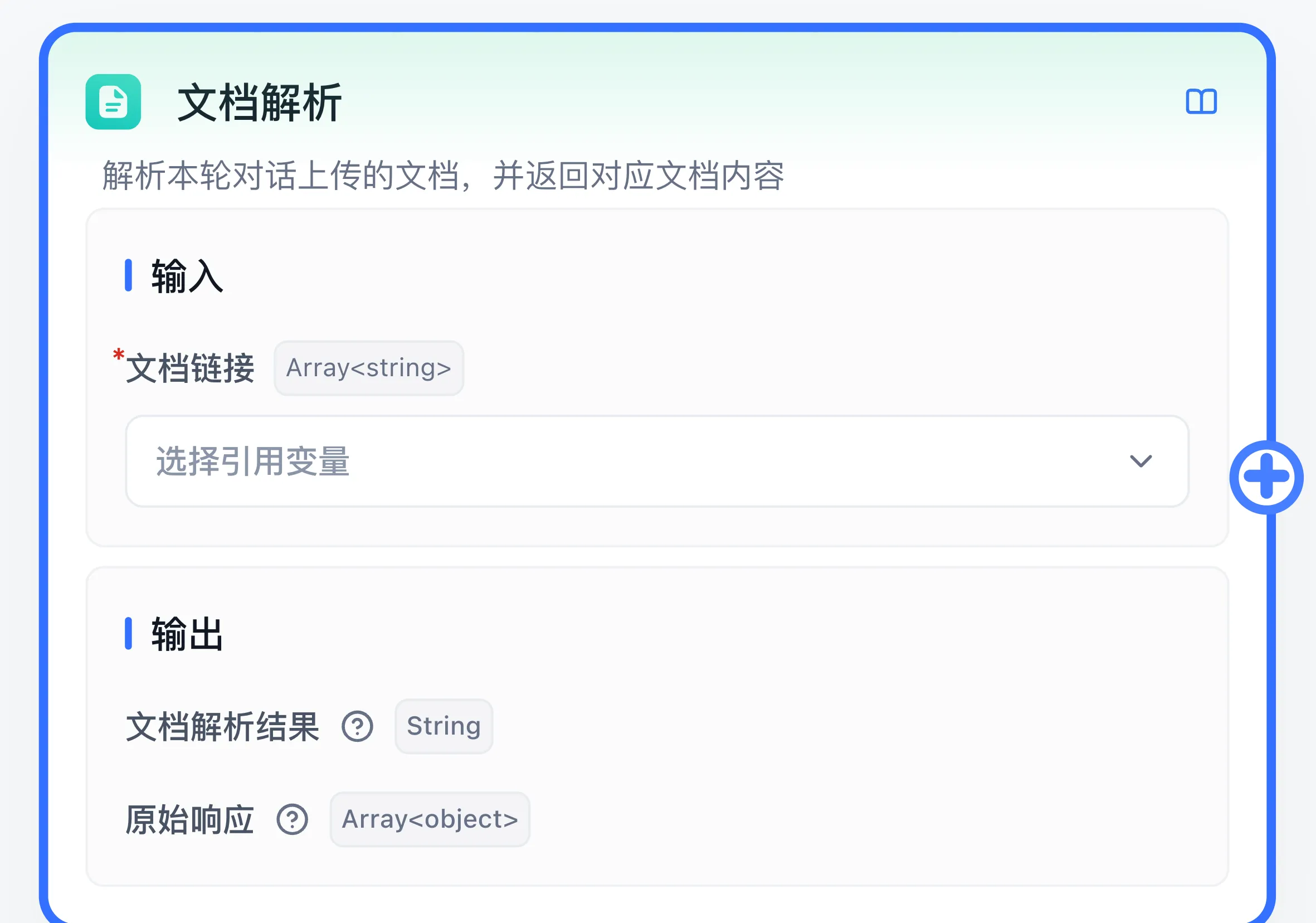
If parsing fails, check the error in Run Details.
Purpose
Use parsing before summarization, extraction, or question answering. Knowledge-base retrieval requires its own import and indexing process; this node reads files for the current workflow.
Example: summarize an uploaded file
- Enable uploads in application file-input settings and prepare a short document containing readable text.
- Connect the start node to Document Parse and then to AI Chat.
- Reference the start node's file-link list as the Document Link input.
- Reference the Document Parsing Result in AI Chat and set instructions to
Summarize the supplied document in three bullet points. Preserve dates and amounts. - Upload the file in debug preview. Inspect the parsed text before checking the summary.
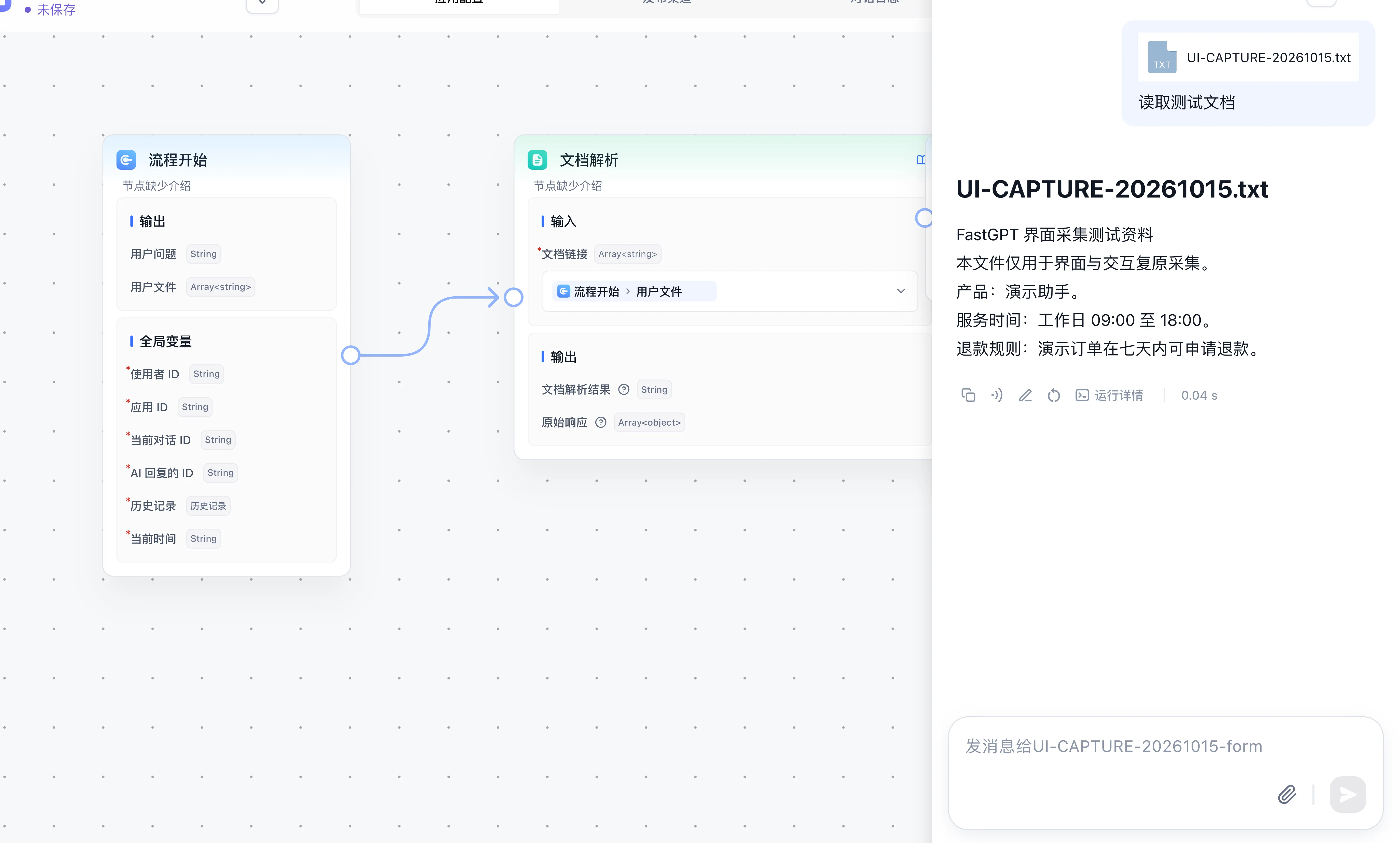
Compare every date and amount with the source. For empty text, inspect scans, source content, and parsing services. For reading failures, check URL reachability, expiration, and upload limits. See file input for the full capability guide.
Last updated