
Text Content Extraction
Extract structured fields and JSON parameters from unstructured conversation text using the FastGPT Content Extraction node.
Characteristics
- Can be added multiple times
- Requires manual configuration
- Trigger-based execution
- Constrains the model to output JSON through the prompt
- Core node
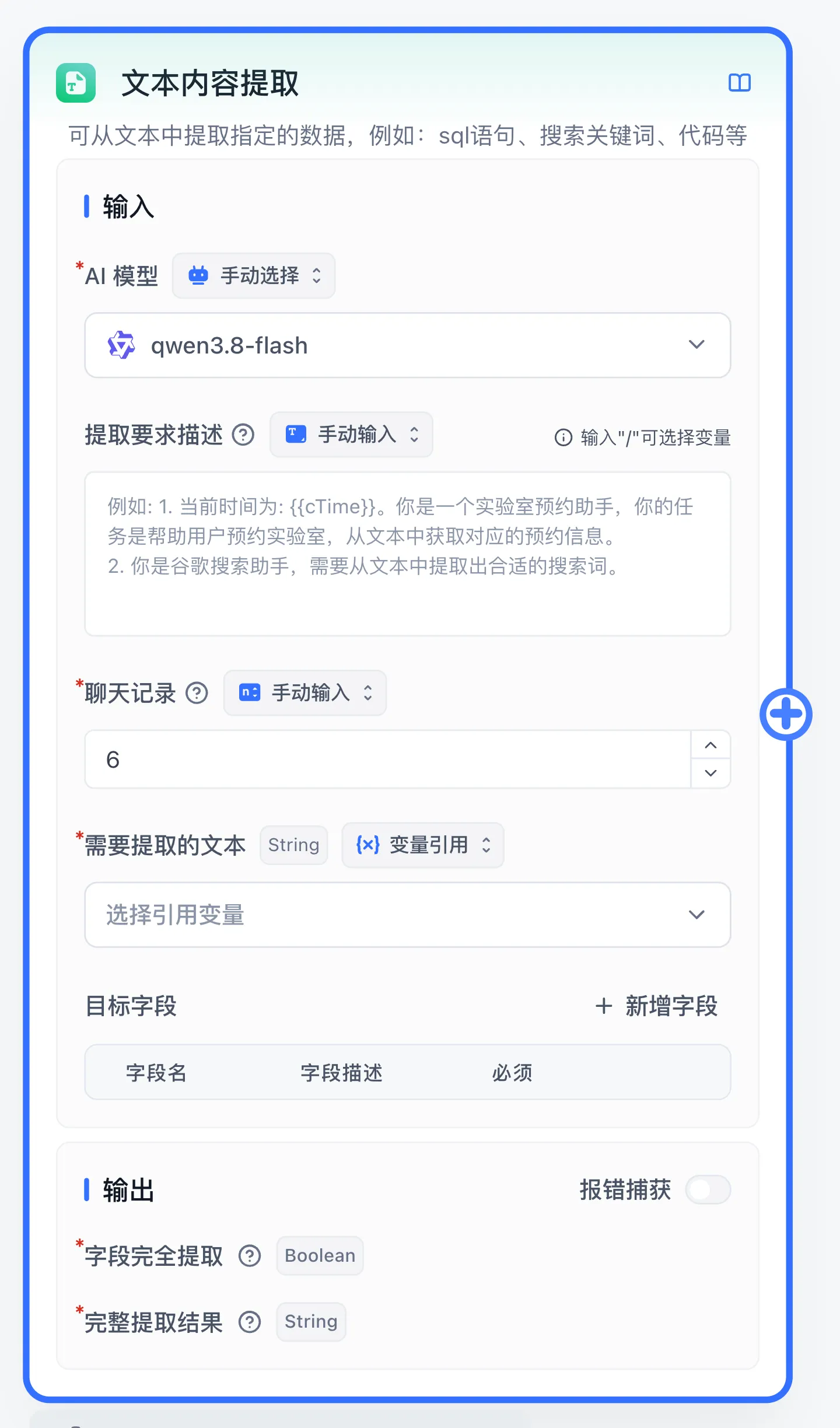
What It Does
Extracts structured data from text, typically used with the HTTP node for extended functionality. It can also perform direct extraction tasks such as translation.
Parameters
Extraction Requirement Description
Set a goal for the model describing what content needs to be extracted.
Example 1
You are a lab appointment assistant. Extract the name, appointment time, and lab number from the conversation. Current time
{{cTime}}
Example 2
You are a Google search assistant. Extract search keywords from the conversation.
Example 3
Translate my question directly into English without answering it.
Chat History (history)
Configure the number of context turns or reference an upstream chat-history array so multi-turn conversations can complete missing fields across turns.
Text to Extract (content)
Required input. Typically references the Start node's User Question (userChatInput) or an upstream text output.
Target Fields (extractKeys)
Each target field adds an output handle whose key equals the field name and whose label is Extraction Results-{key}:
- Must Return: Marks the field as required and lets you configure a Default Value when the field is absent from the input.
- Data Type: Supports 7 types:
string,number,boolean,array<string>,array<number>,array<boolean>, andobject. - Field Name (
key): Unique identifier for the field and its output port. - Field Description: Semantic and format instructions for the field (such as name, appointment time, or search keyword).
- Enum Value (optional): Shown only for
stringornumberfields; enter one allowed value per line.
Output
| Output Port | Internal Key | Value Type | Description |
|---|---|---|---|
| Complete Extraction Result | fields | String | JSON string containing all extracted key-value pairs |
| Full Field Extraction | success | Boolean | true when all required target fields are extracted or populated by default values |
Extraction Results-{key} | Field name key | Configured Data type | Individual output port for each declared target field |
| Error text | system_error_text | String | Available when Error catch is enabled; outputs the error reason when model execution fails |
Last updated