
API Documentation Introduction
Introduction to FastGPT API Documentation
Starting with 4.15.0, FastGPT API documentation is generated automatically with zod-openapi. You can view the latest endpoint status by opening the API documentation URL. The manually edited endpoint descriptions in the left sidebar of this documentation are no longer updated.
FastGPT API documentation is split into two sets:
- Dev API: all development APIs. Not every endpoint can be called with an API Key.
- System OpenAPI: all system public endpoints, callable with a system API Key.
API Documentation URL
endpoint is your FastGPT access URL. Append the corresponding path to open the documentation.
- Dev API:
{{endpoint}}/apidoc/devapi - System OpenAPI:
{{endpoint}}/apidoc/systemopenapi
Cloud API Documentation URL
Dev API:
System OpenAPI
Usage Notes
FastGPT OpenAPI endpoints let you authenticate with an API Key to operate related FastGPT services and resources, such as calling app chat endpoints, uploading Dataset data, and running search tests. For compatibility and security reasons, not all endpoints can be accessed with an API Key.
How to Get an API Key
You can find API Keys in two places:
Account-API KeysApp-Publish Channels-API Access
API Key Scope
An API Key acts as the current account's access credential within the current team. In other words, any resource the account can access in that team can also be operated through the API Key.
API key usage
- Authenticate with an API Key. When calling
chat/completions, passappIdin the request body whenever possible. - For OpenAI SDK compatibility, you can also use
Authorization: Bearer <apiKey>-<appId>. In this case, you can omitbody.appId. - The
appIdprecedence is:body.appId> theappIdin<apiKey>-<appId>> theappIdassociated with the API Key (legacy compatibility). - Some SDKs require adding
v1to theBaseURL. If you get a 404 error, try addingv1and retry. - To proxy a team member's identity through
authProxy, the team owner must enableauthProxywhen creating or editing the key. The proxied member must still have permission to access the target app and session. (FastGPT >= v4.15.0)
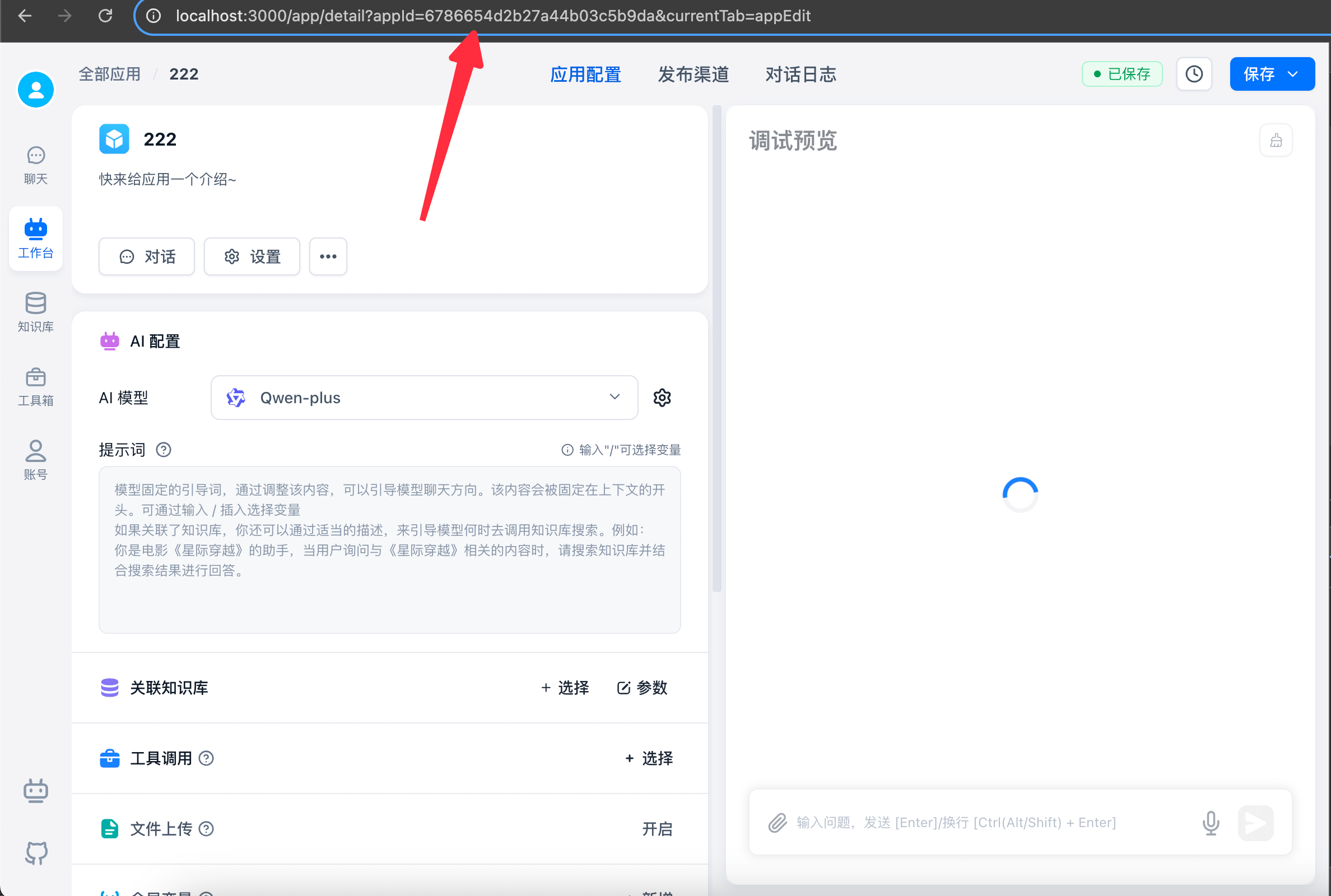
How to find the app ID (appId)
Open the app details page and find appId in the URL in your browser's address bar.
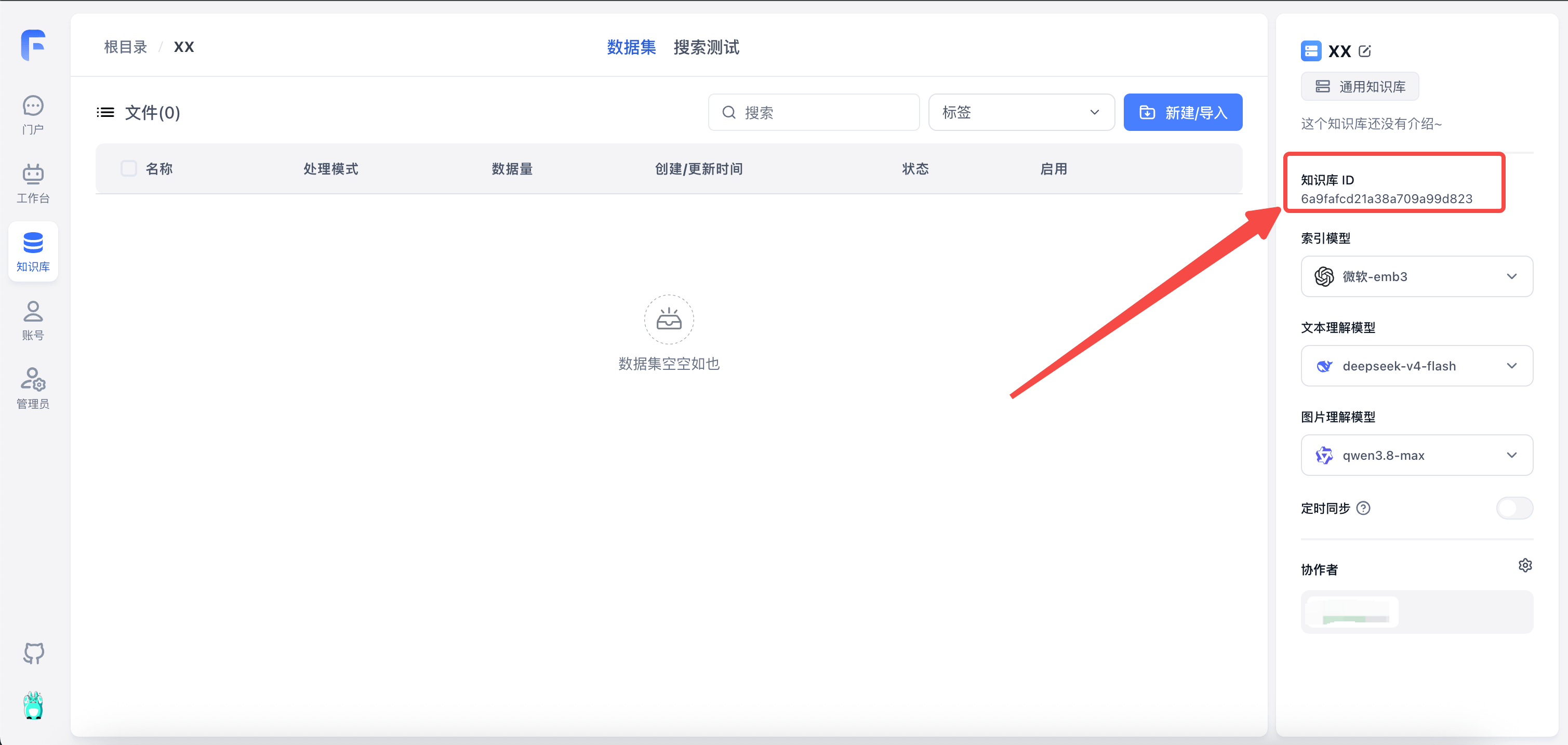
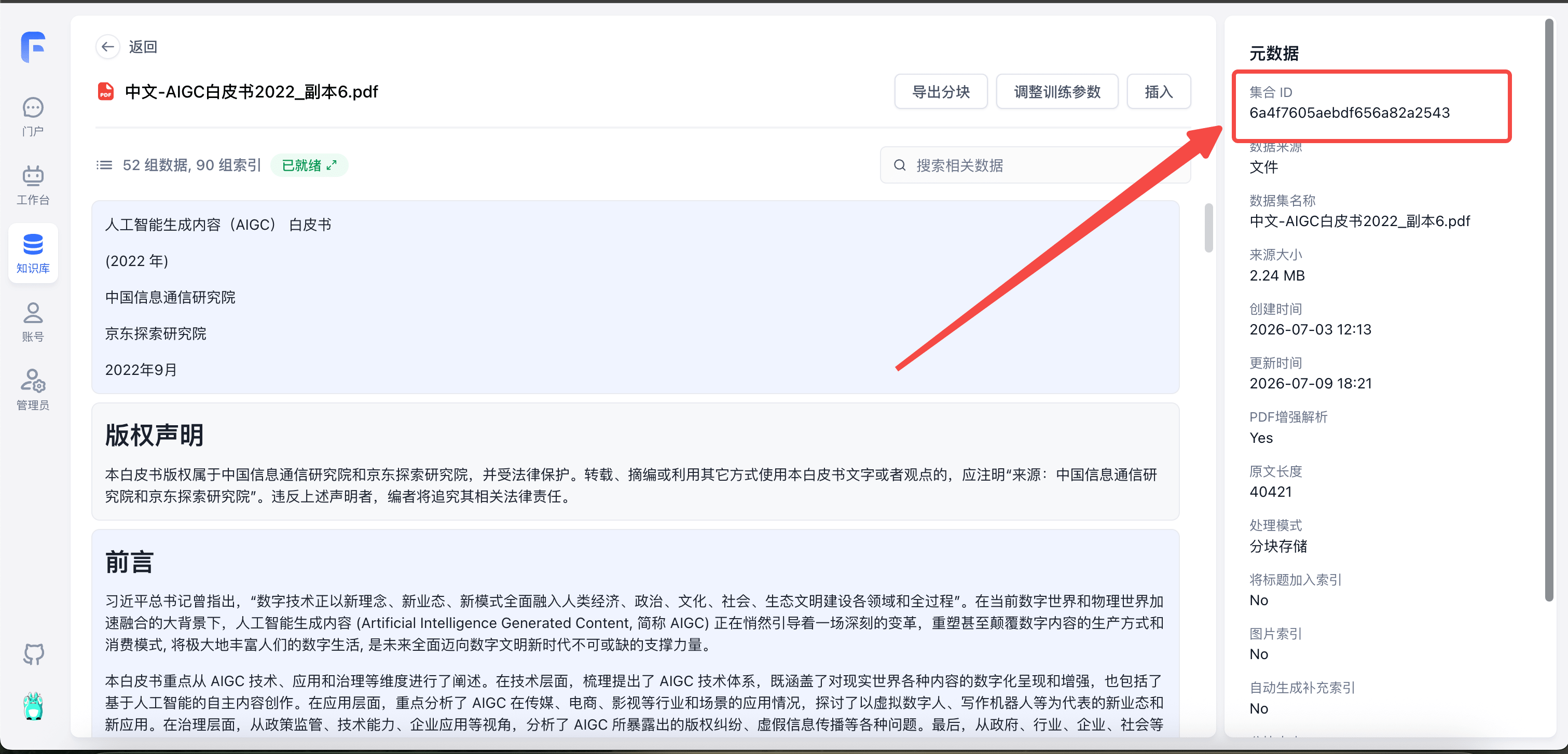
How to find Dataset and Collection IDs
| Dataset ID (datasetId) | Collection ID (collectionId) |
|---|---|
 |  |
Basic Configuration
In OpenAPI, all endpoints authenticate through Header.Authorization.
baseUrl: "http://localhost:3000/api"
headers: {
    Authorization: "Bearer {{apikey}}"
}File Updated