
Platform Administration
Root Platform Administration Console Guide
Reference for root administrators managing global dashboards, users, teams, model channels, marketplaces, billing, audit logs, and migrations.
In self-hosted deployments, signing in with the root administrator account and clicking Admin at the bottom of the left navigation bar opens the Platform Administration Console:
- Community Edition (without an active commercial license): Exposes four top-level management pages: System Models, System Tools, Version Upgrade, and License.
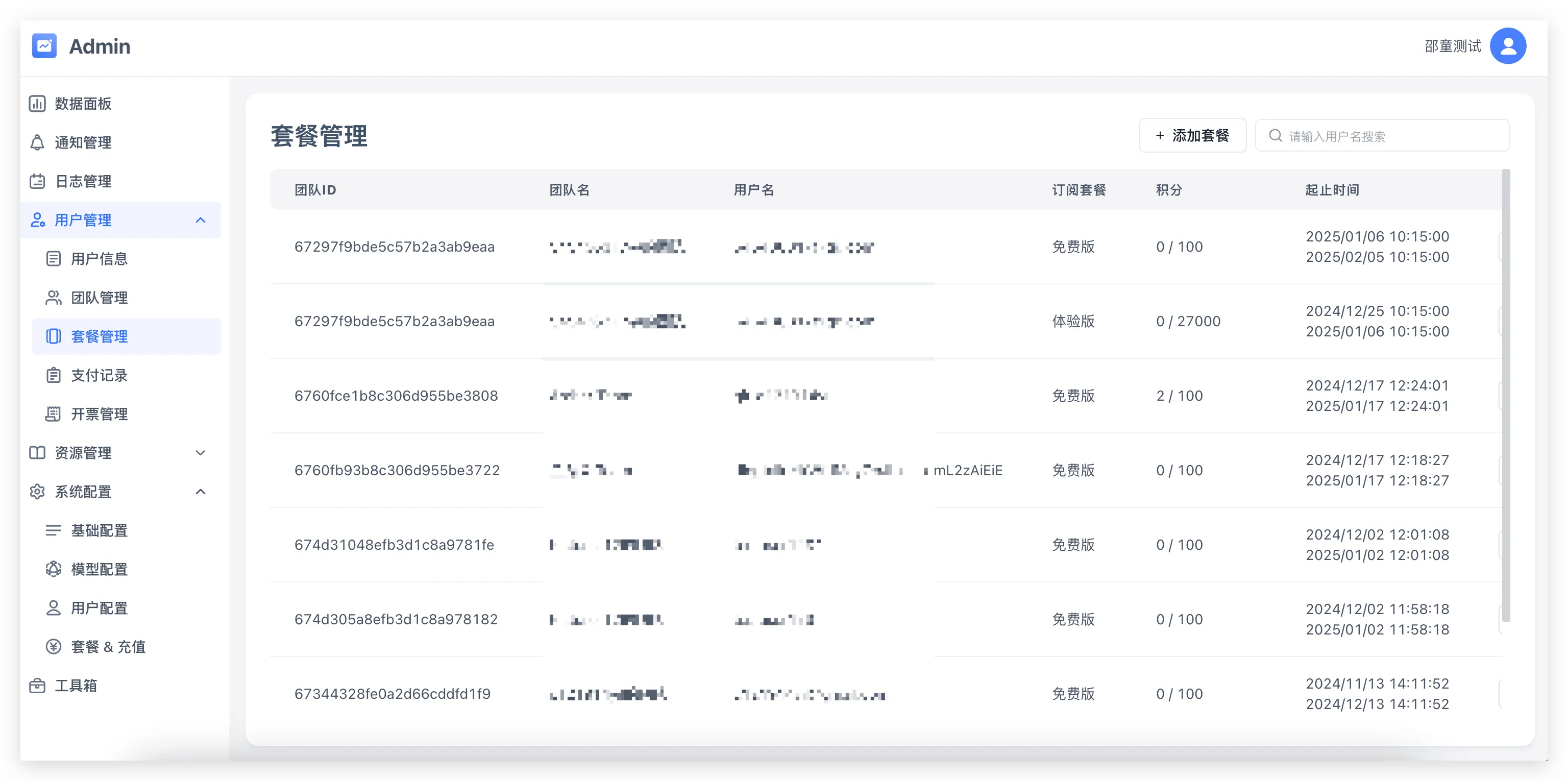
- Commercial Edition (with an active commercial license): Exposes nine top-level navigation sections for governing tenants, system resources, model routing, billing, and system upgrade migrations; User Management → Team Plans / Orders / Invoices and System Config → Plans & Pricing appear when the license includes payment capabilities.
1. Dashboard, Notifications, and User & Resource Governance
| Navigation Path | Responsibilities |
|---|---|
| Dashboard | Monitor platform-wide user growth, active teams, total applications and datasets, conversation turns, and AI point consumption trends |
| Notifications | Publish global banner announcements or send targeted in-app and email notifications |
| User Management → Users | Filter user accounts by status (All, Active, Disabled, Cancelled) and username, create or disable accounts, reset passwords, and inspect team memberships |
| User Management → Teams | Manage tenant teams, transfer team ownership, and inspect team members |
| User Management → Team Plans | View and adjust active subscription tiers, expiration dates, and add-on quotas across teams |
| User Management → Orders | Inspect payment orders, top-ups, and coupon redemptions across the platform |
| User Management → Invoices | Review team invoice requests, verify tax headers, and upload issued PDF invoices |
| User Resources → Apps | Search applications (Agents, Workflows, Tools) across all teams for troubleshooting or ownership transfer |
| User Resources → Datasets | Inspect dataset sizes and collections across teams and monitor global embedding and QA training queues |
2. System Resources (System Models, System Tools, and App Templates)
1. System Resources → System Models
Manage platform-wide model infrastructure across five tabs (see Model Configuration for setup procedures):
- Model configuration: Browse and manage LLM, Embedding, Rerank, TTS, and STT presets and model instances, configuring context windows, capability tags, platform default models, and
pricingrules. - Model provider: Configure provider endpoints, API keys, model mappings, and channel routing priority weights.
- Call log: Search underlying model requests by request ID, channel, model name, or HTTP status to inspect latency and error payloads.
- Monitoring: Inspect channel call success rates, throughput, and latency metrics.
- Model probes: Run batch connectivity probes and configure automated health checks and alert webhooks.

2. System Tools and App Templates
| Navigation Path | Key Operations |
|---|---|
| System Resources → System Tools | Upload .pkg plugin archives, manage tool tags, configure platform-wide tool secrets, toggle availability, and set tool point costs; see Configure System Tools |
| System Resources → App Templates | Maintain template categories and featured templates displayed in the Studio Template Market |
3. System Config, Version Upgrade, Audit Logs, and License
1. System Config
- System Config → Basic Config: Configure site title, branding logos, help links, Max Vector Recall Concurrency (
systemEnv.vectorRecallConcurrency, integer0–1000, defaulting to0for unlimited), and PDF Parsing Config (prioritized as: Custom PDF Parsing URL (Priority 1), Doc2x Key, and Textin (Priority 3)). - System Config → Feature Flags: Toggle team model management (
enable_team_model), team plugin uploads (enable_team_plugin_upload), and background sync features. - System Config → Security Config: Configure ignoring HTTPS certificate verification in workflow nodes, model content safety review (Baidu Content Moderation ID/Secret and custom safety check URL), and file URL whitelists.
- System Config → Third-Party Providers: Configure custom global workflow variables (reusable external provider credential variables).
- System Config → User Config: Configure team mode, custom user system settings (read-only SSO service URL, SSO login button title, icon, and auto-redirect), email and Alibaba Cloud SMS gateways, and quick login providers (WeChat Official Account, WeCom, GitHub, Google, Microsoft; see SSO & External Member Sync and Team Mode).
- System Config → Plans & Pricing: Configure the four standard subscription tiers (
Free,Basic,Advanced, andCustom, alongside legacyExperience/Team/Enterprisetiers), extra AI point or dataset index add-on packs, and payment gateway credentials.
2. Version Upgrade, Audit Logs, and License
| Navigation Path | Responsibilities |
|---|---|
| Version Upgrade | Inspect registered automated migration tasks (System Migration), progress counters, and saved checkpoints, and trigger or resume migrations after confirming database backups; see Upgrade Instructions |
| Audit Logs | Query platform-wide administrative and operational audit events by actor, team, event type, and time range |
| License | Inspect tenant name, resource quotas, licensed capabilities, and expiration date, and activate or update Commercial Edition license keys |
Edit on GitHub
Last updated