
SearXNG Search Plugin Configuration Guide
FastGPT SearXNG Search Plugin Configuration Guide
SearXNG is a free internet metasearch engine that aggregates results from various search services and databases. It does not track or profile users. You can self-host it for your own use. This guide covers deploying SearXNG and integrating it with FastGPT.
1. Deploy the Application
This section covers deploying SearXNG on Sealos. For Docker deployment, refer to the official SearXNG documentation.
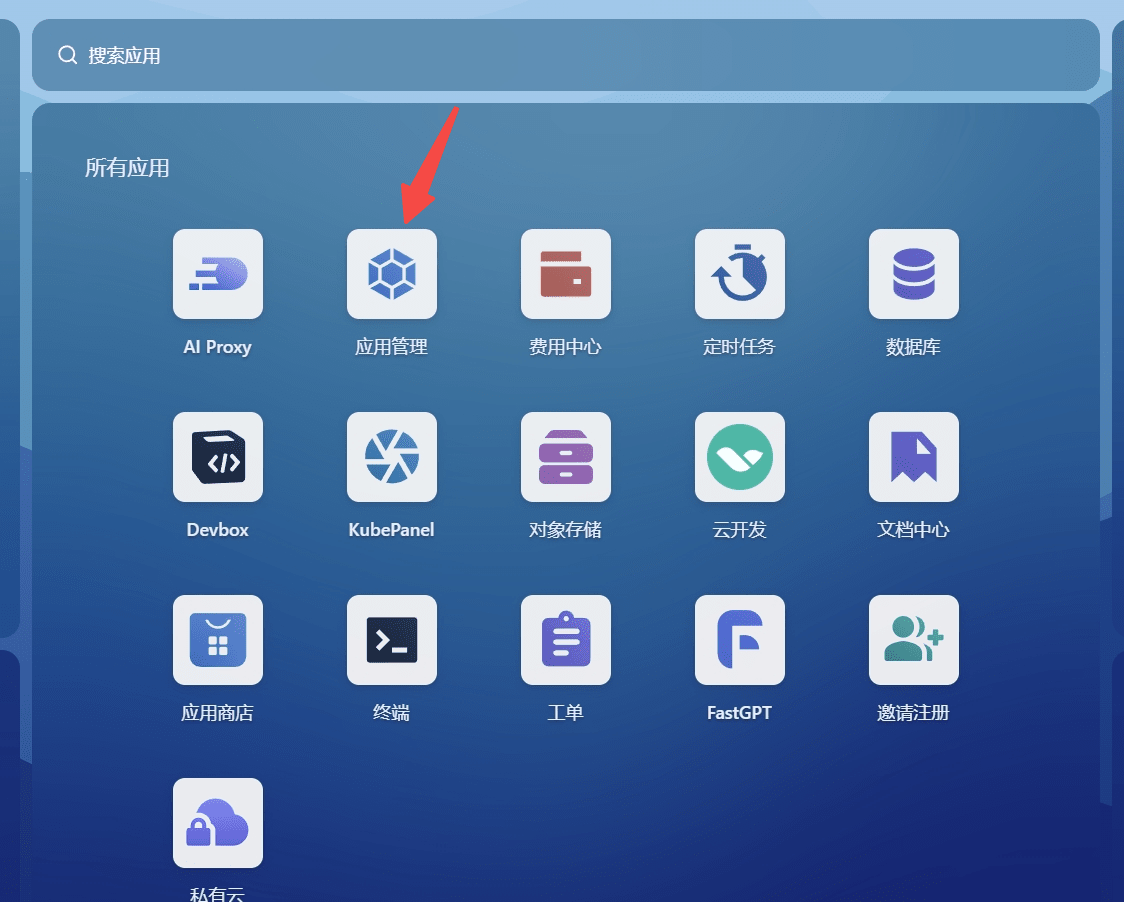
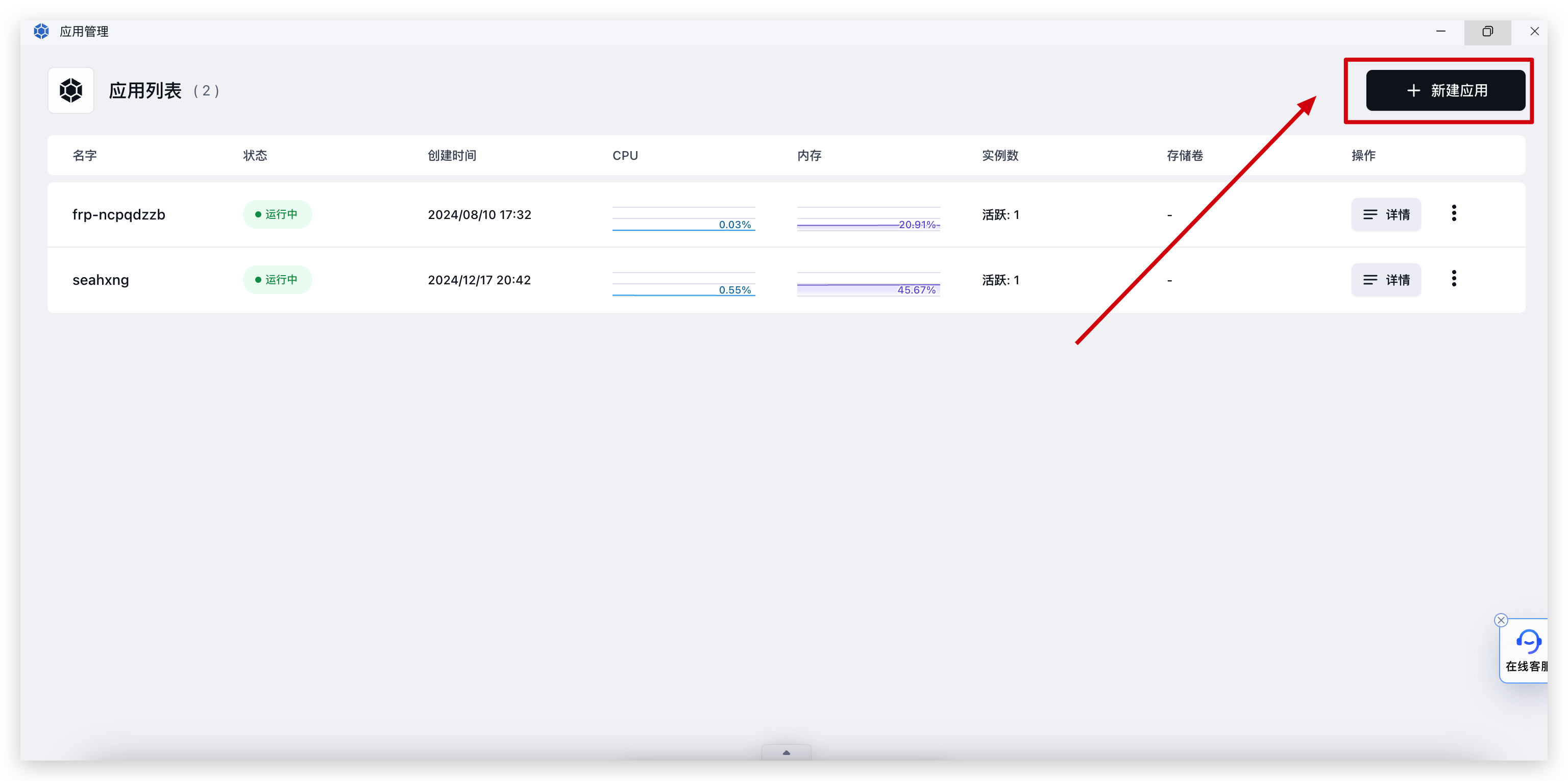
Open Sealos Beijing Region, click App Launchpad, and create a new app:
| Open App Launchpad | Create New App |
|---|---|
 |  |
2. Deployment Configuration
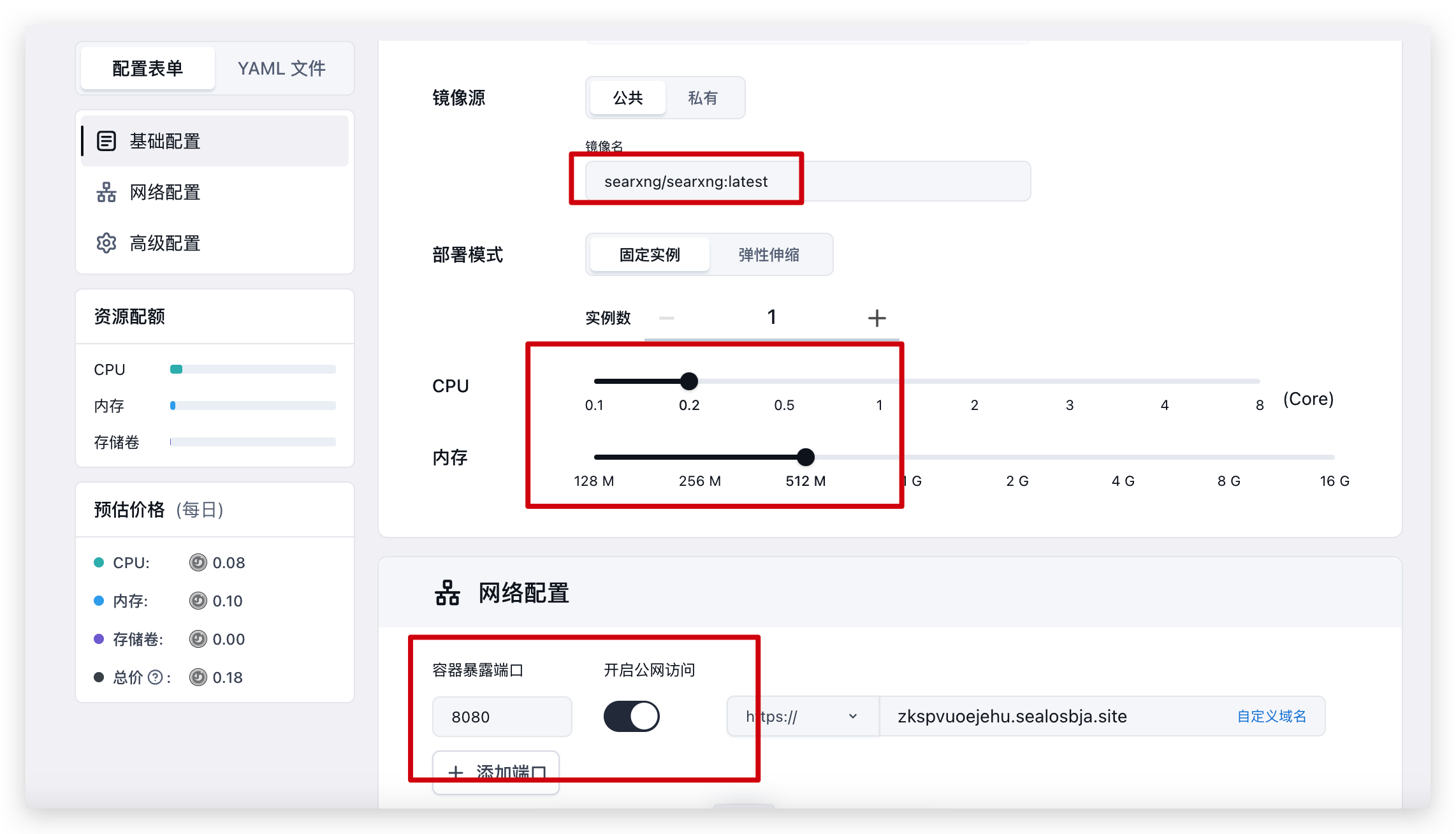
Fill in the following parameters:
- Image: searxng/searxng:latest
- CPU: 0.2
- Memory: 512M
- Container Port: 8080
- Enable public access
- Click Advanced Configuration to add environment variables and config files
Environment Variables
Add these two variables to reduce concurrency and memory usage:
UWSGI_WORKERS=4
UWSGI_THREADS=4
Configuration File
Add a new config file with filename: /etc/searx/settings.yml
File content:
general:
  debug: false
  instance_name: "searxng"
  privacypolicy_url: false
  donation_url: false
  contact_url: false
  enable_metrics: true
  open_metrics: ''

brand:
  new_issue_url: https://github.com/searxng/searxng/issues/new
  docs_url: https://docs.searxng.org/
  public_instances: https://searx.space
  wiki_url: https://github.com/searxng/searxng/wiki
  issue_url: https://github.com/searxng/searxng/issues

search:
  safe_search: 0
  autocomplete: ""
  autocomplete_min: 4
  default_lang: "auto"
  ban_time_on_fail: 5
  max_ban_time_on_fail: 120
  formats:
    - html

server:
  port: 8080
  bind_address: "0.0.0.0"
  base_url: false
  limiter: false
  public_instance: false
  secret_key: "example"
  image_proxy: false
  http_protocol_version: "1.0"
  method: "POST"
  default_http_headers:
    X-Content-Type-Options: nosniff
    X-Download-Options: noopen
    X-Robots-Tag: noindex, nofollow
    Referrer-Policy: no-referrer

redis:
  url: false

ui:
  static_path: ""
  static_use_hash: false
  templates_path: ""
  default_theme: simple
  default_locale: ""
  query_in_title: false
  infinite_scroll: false
  center_alignment: false
  theme_args:
    simple_style: auto

outgoing:
  request_timeout: 30.0
  max_request_timeout: 40.0
  pool_connections: 200
  pool_maxsize: 50
  enable_http2: false
  retries: 5

engines:

  - name: bing
    engine: bing
    shortcut: bi

doi_resolvers:
  oadoi.org: 'https://oadoi.org/'
  doi.org: 'https://doi.org/'
  doai.io: 'https://dissem.in/'
  sci-hub.se: 'https://sci-hub.se/'
  sci-hub.st: 'https://sci-hub.st/'
  sci-hub.ru: 'https://sci-hub.ru/'

default_doi_resolver: 'oadoi.org'
Currently, only Bing works reliably in mainland China, so the config above only includes Bing. For overseas deployment, use Sealos Singapore Region and add other search engines. Refer to the SearXNG default config for engine configurations. For example:
  - name: duckduckgo
    engine: duckduckgo
    shortcut: ddg

  - name: google
    engine: google
    shortcut: go
3. Using with FastGPT
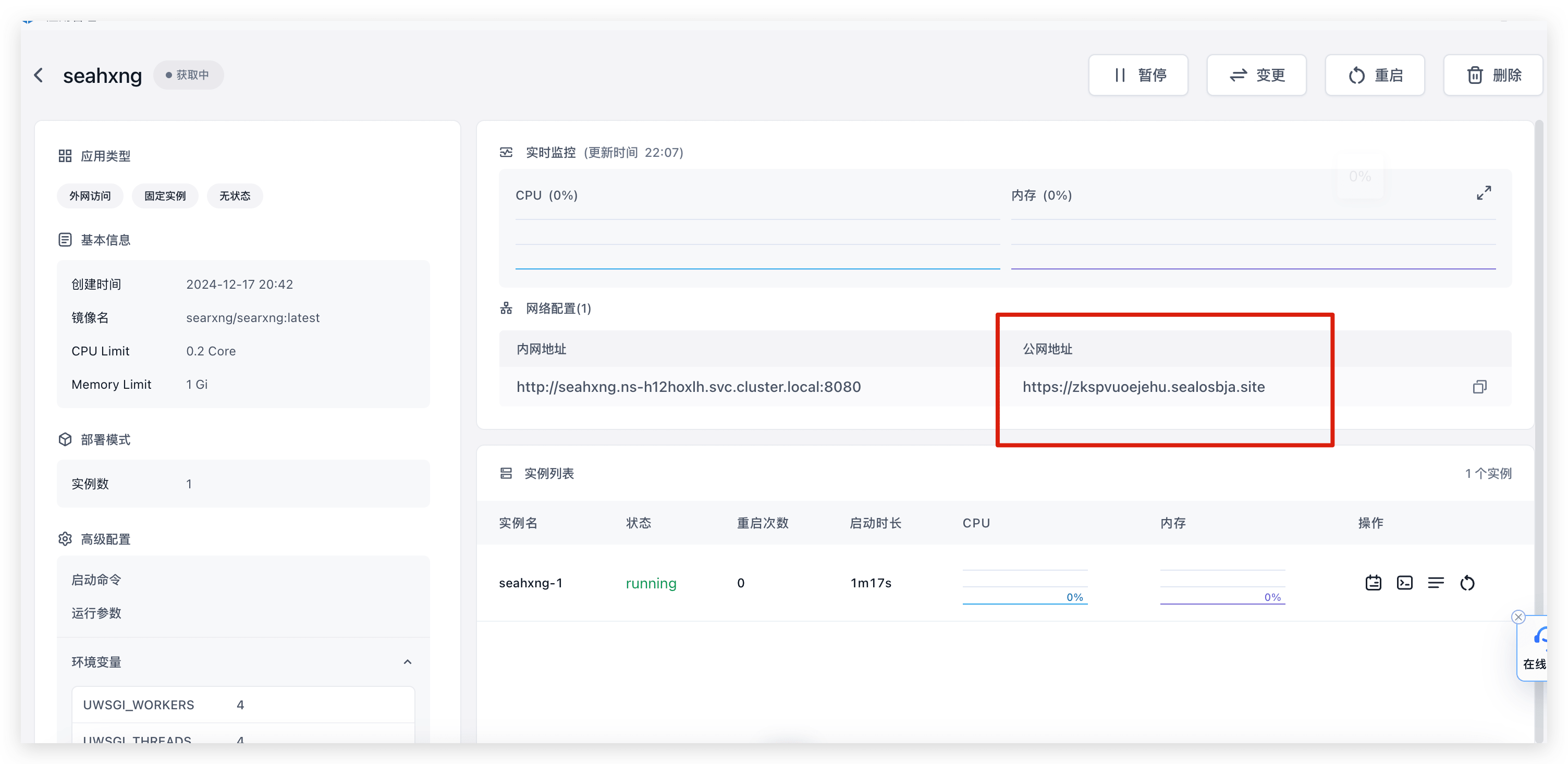
Copy the public URL from your Sealos deployment and paste it into the SearXNG plugin URL field in FastGPT.
| Copy Public URL | Paste into URL |
|---|---|
 | 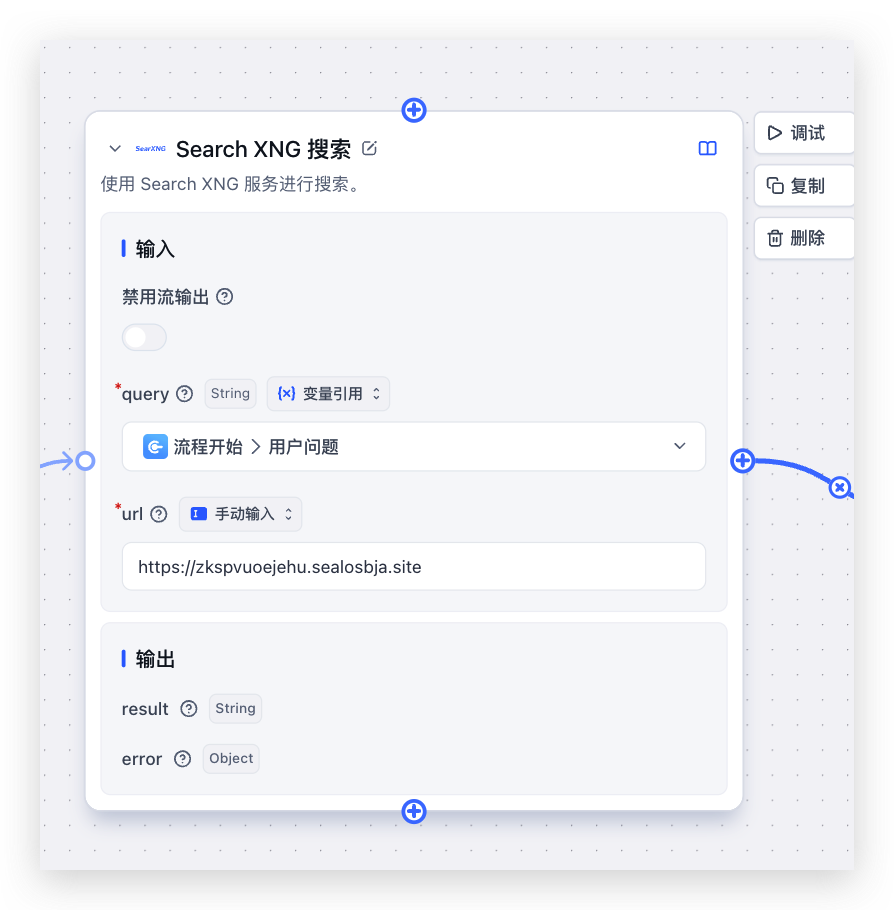 |
Response Format
- Success returns an array of search results:
{
  "result": "[{\"title\":\"Title1\",\"link\":\"Link1\",\"snippet\":\"Snippet1\"}, ...]"
}- Empty results return a friendly message:
{
  "result": "[]",
  "error": {
    "message": "No search results",
    "code": 500
  }
}- Failures may return these error messages via Promise.reject:
- "Missing query parameter"
- "Missing url"
- "Failed to fetch data from Search XNG"
Issues typically stem from missing parameters or deployment problems. For more help, ask in the user community.
FAQ
No Search Results
- First, open the public URL directly and test if search works.
- Check for timed-out search engines -- API calls won't return results if engines time out.
File Updated