
Quick Start
Get started with FastGPT basics
For more tips, watch the video tutorial
Knowledge Base
Before you begin, prepare a test document — Word, PDF, TXT, Excel, or Markdown all work. For example, a company leave policy, non-confidential sales scripts, or product documentation.
We'll use the FastGPT Chinese README file as an example.
First, create a Knowledge Base.
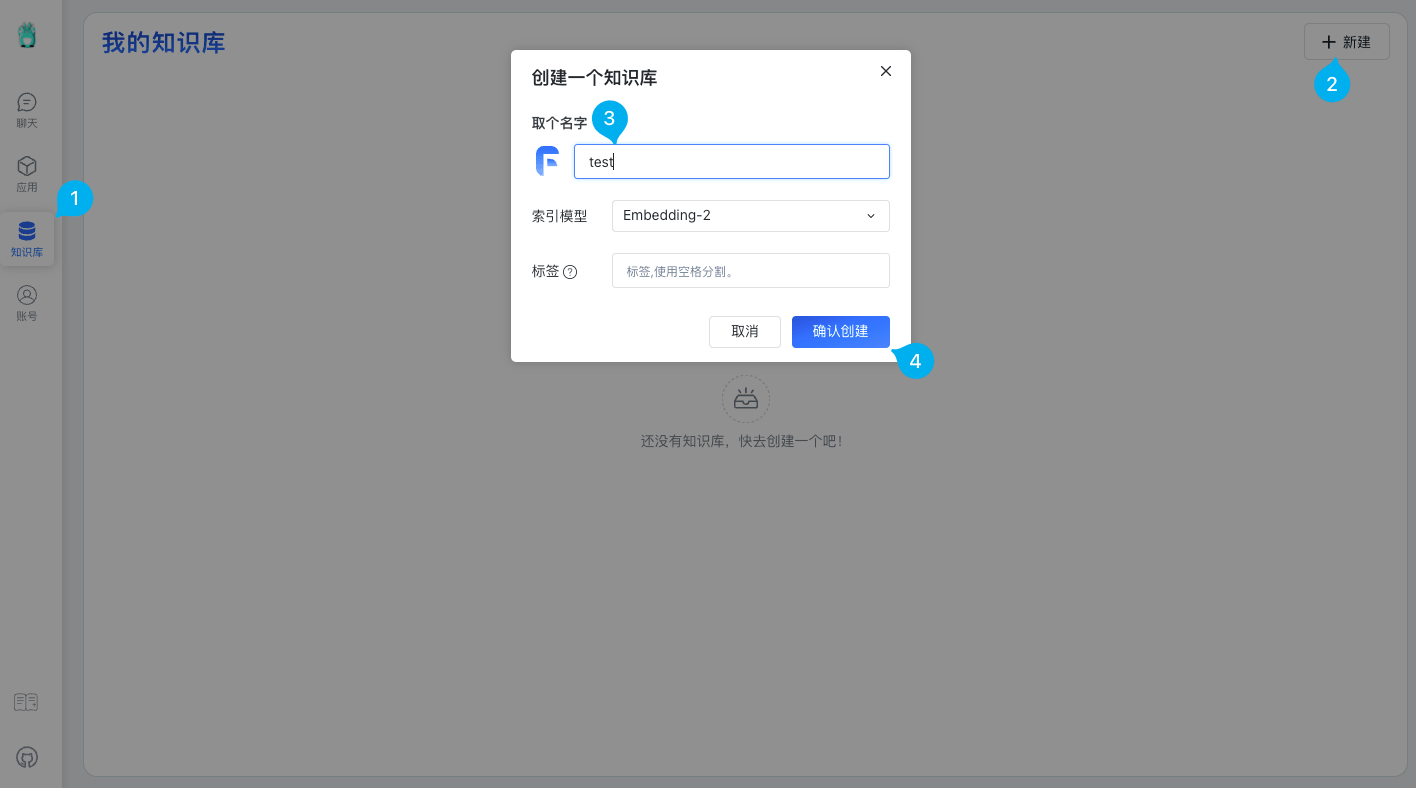
After creating the Knowledge Base, upload some content.
There are four upload modes:
- Manual Input: Enter QA pairs manually — the most precise method
- QA Split: Upload a text file and let AI generate QA pairs automatically
- Direct Chunking: Upload a text file and split it into segments directly
- CSV Import: Batch import QA pairs
Here we'll use QA Split to let AI generate QA pairs automatically. You can edit them manually later if the quality isn't satisfactory.
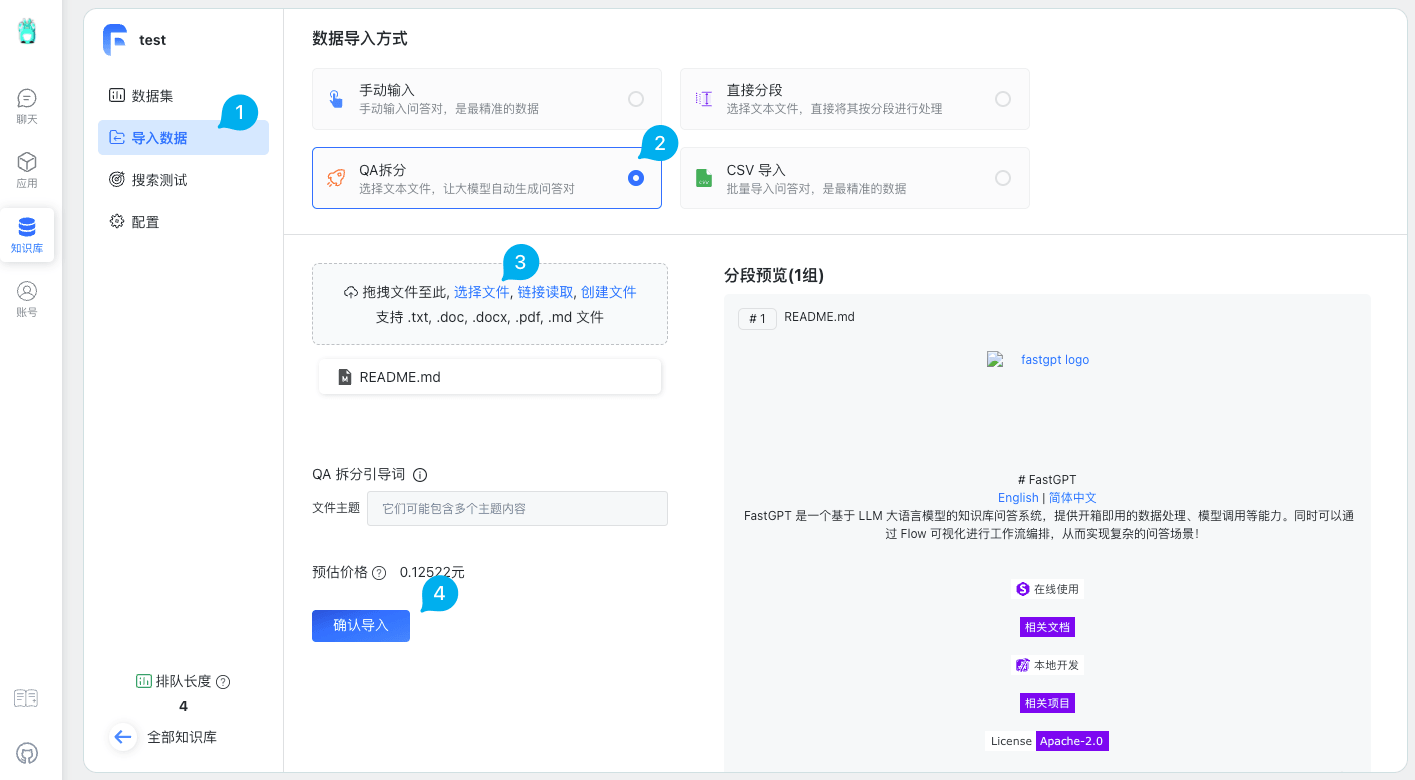
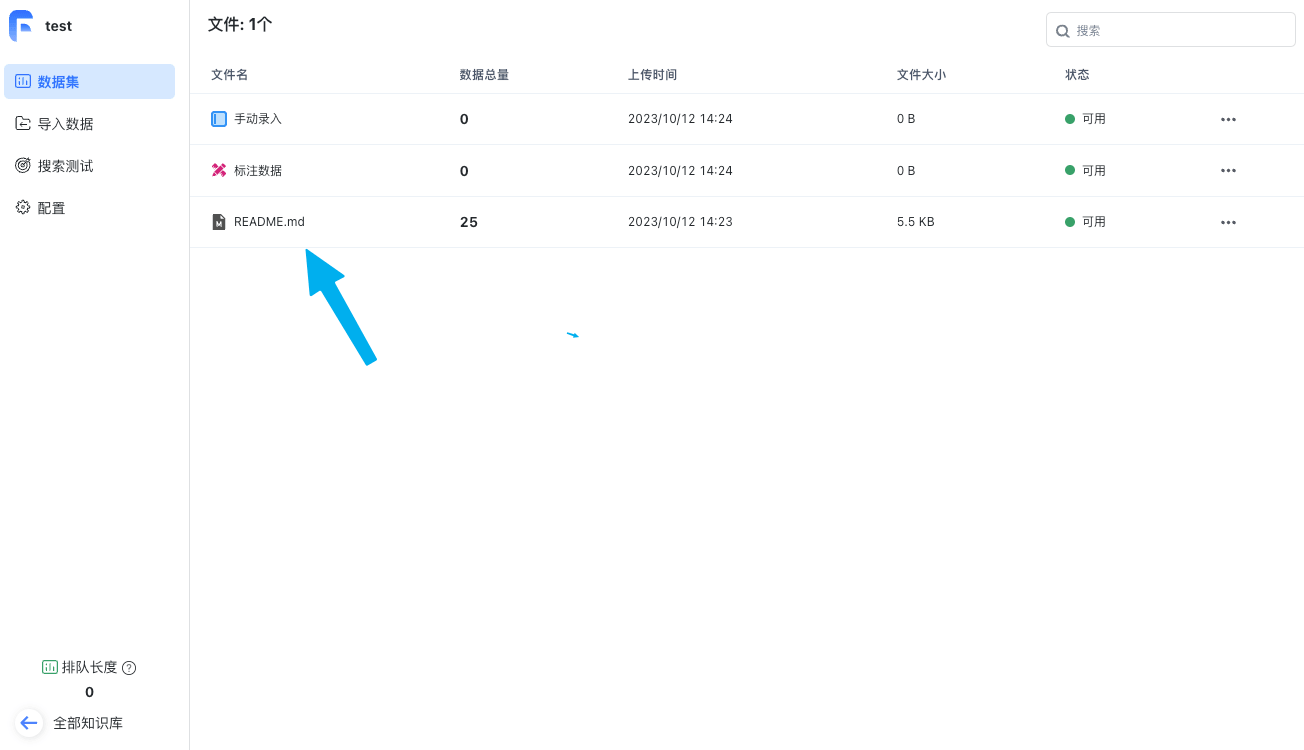
After uploading, wait for processing to complete until the file status shows as available.
Application
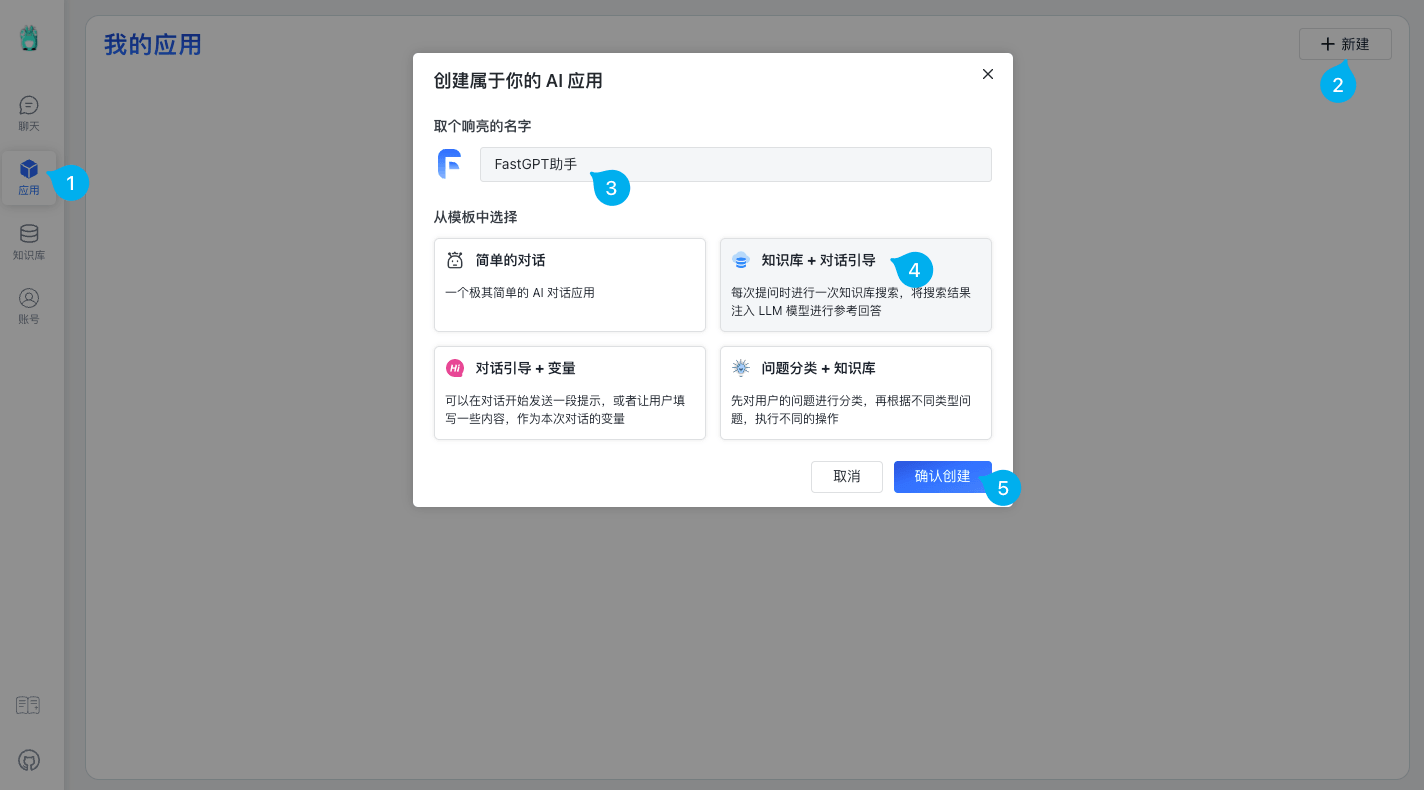
Click the "Application" button to create a new app. There are four templates — select "Knowledge Base + Chat Guide."
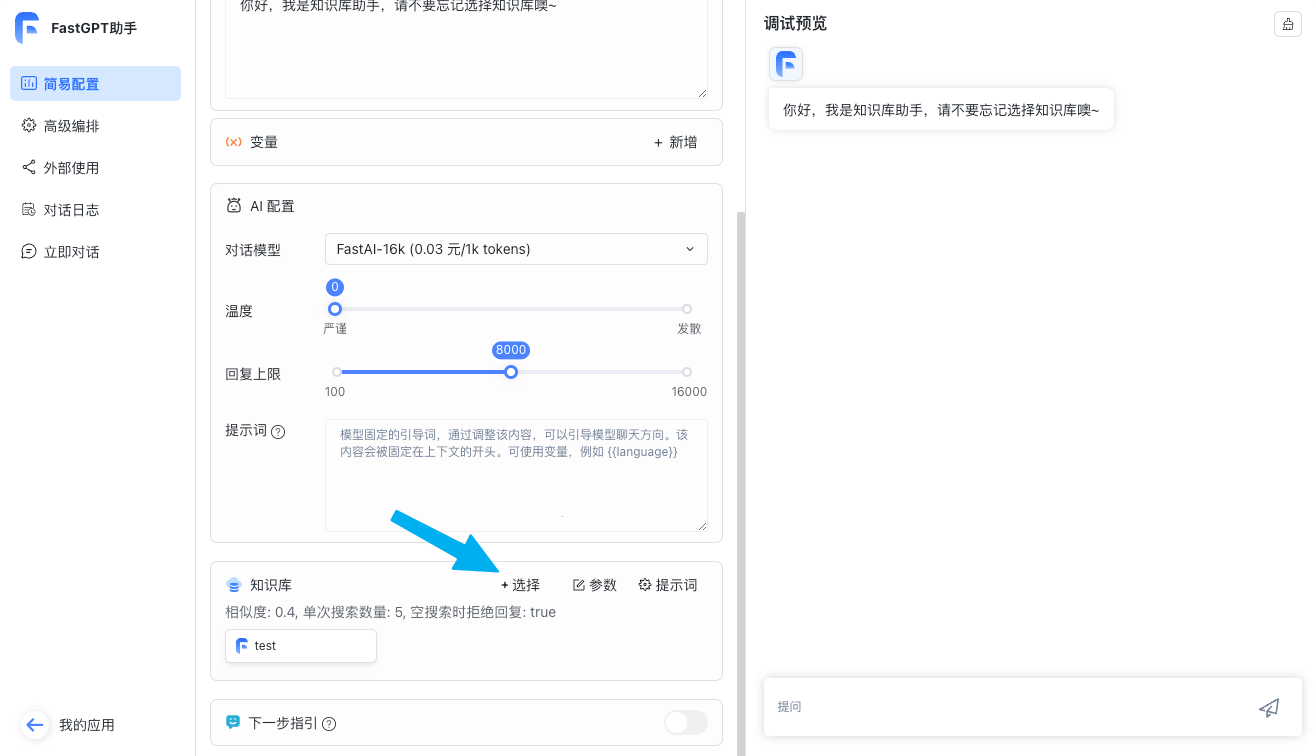
After creating the app, go to the detail page, find the "Knowledge Base" section, and add the Knowledge Base you just created.
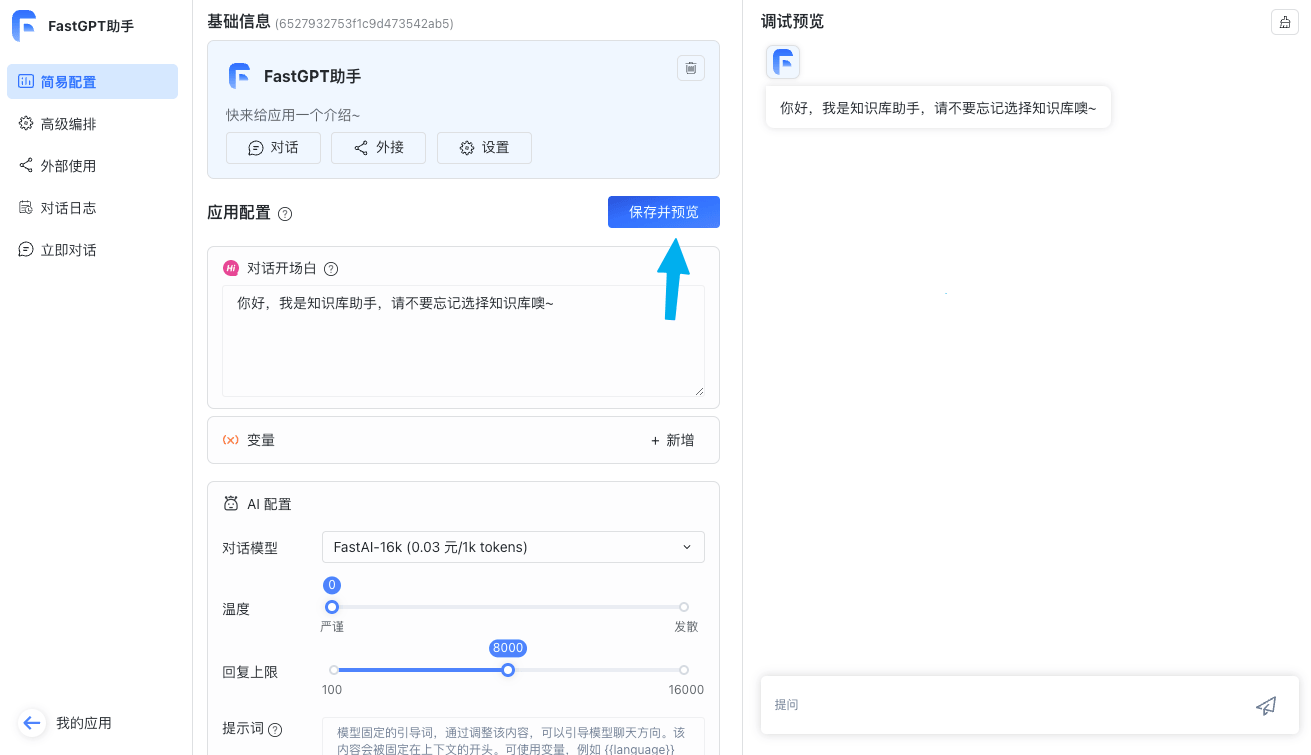
After adding the Knowledge Base, click "Save and Preview" to link your app with the Knowledge Base.
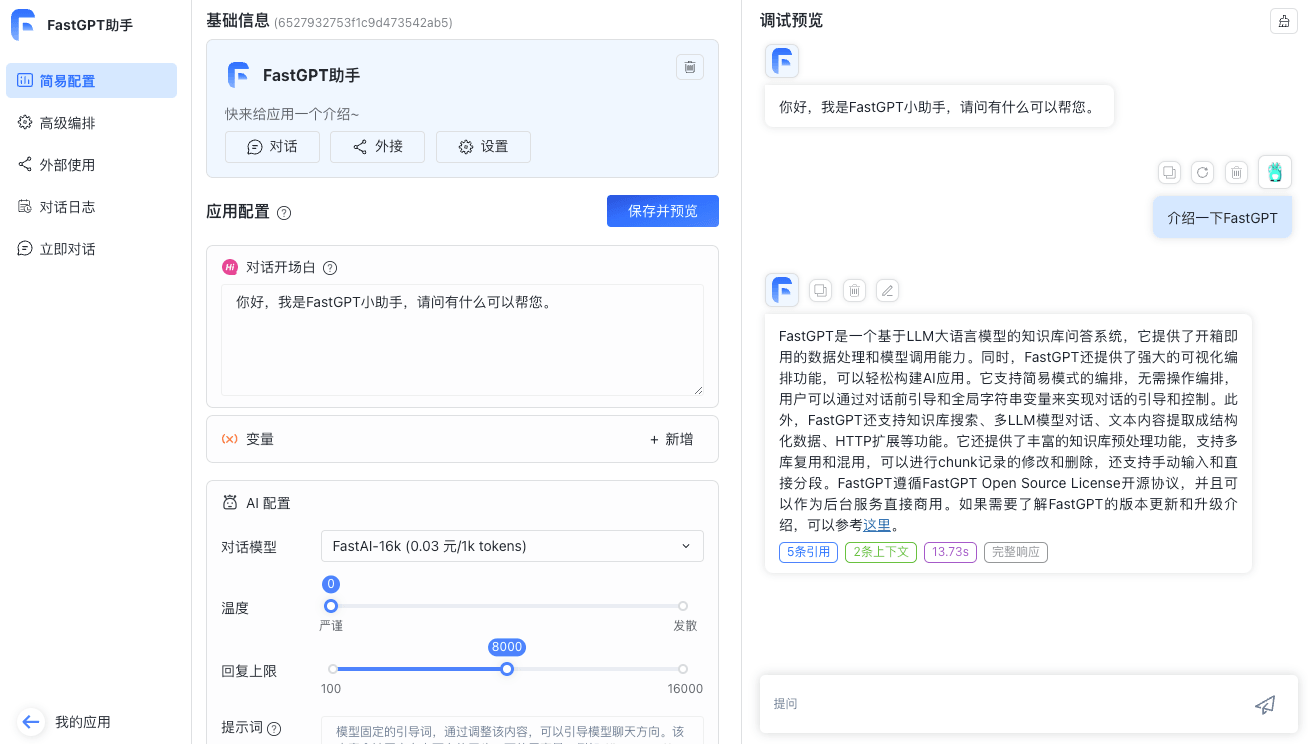
Now you're ready to start chatting.
File Updated