
Commercial Admin
Team Mode
FastGPT Team Mode Documentation
Overview
Currently supported team modes:
- Multi-team mode (default)
- Single-team mode (one global team)
- Member sync mode (all members synced from external systems)
| Team Mode | SMS/Email Registration | Admin Direct Add | SSO Registration | |||
|---|---|---|---|---|---|---|
| Creates Default Team | Joins Root Team | Creates Default Team | Joins Root Team | Creates Default Team | Joins Root Team | |
| Single-team Mode | ❌ | ✅ | ❌ | ✅ | ❌ | ✅ |
| Multi-team Mode | ✅ | ❌ | ✅ | ❌ | ✅ | ❌ |
| Sync Mode | ❌ | ❌ | ❌ | ❌ | ❌ | ✅ |
Multi-team Mode (Default)
In multi-team mode, a default team owned by the user is automatically created when each user is created.
Single-team Mode
Single-team mode is a new feature introduced in v4.9. To simplify personnel and resource management for enterprises, when single-team mode is enabled, new users no longer get their own default team — instead, they are added to the root user's team.
Sync Mode
When system configuration is complete and sync mode is enabled, members from external member systems are automatically synced to FastGPT.
For specific sync methods and rules, see SSO & External Member Sync.
Configuration
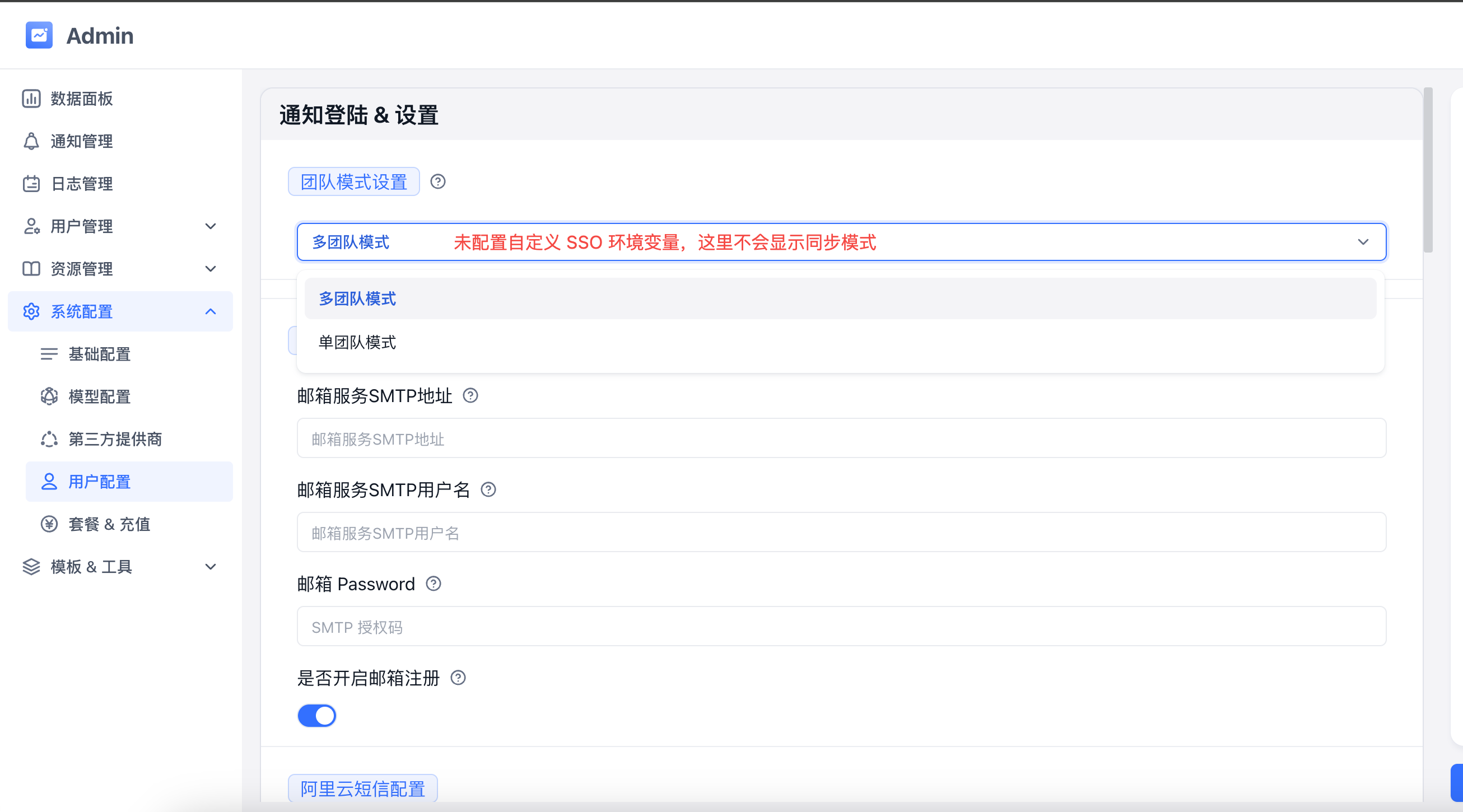
In fastgpt-pro's System Configuration - Member Configuration, you can configure the team mode.
Edit on GitHub
File Updated