Upgrade Guide

FastGPT version upgrade guide

Upgrading FastGPT involves two steps:

  1. Update the image
  2. Run the upgrade initialization script

Image Names

GitHub Container Registry

  • FastGPT main image: ghcr.io/labring/fastgpt:latest
  • Plugin image: ghcr.io/labring/fastgpt-plugin
  • Code sandbox image: ghcr.io/labring/fastgpt-sandbox
  • MCP SSE server image: ghcr.io/labring/fastgpt-mcp_server
  • Commercial edition image: ghcr.io/c121914yu/fastgpt-pro:latest

Alibaba Cloud

  • FastGPT main image: registry.cn-hangzhou.aliyuncs.com/fastgpt/fastgpt
  • Plugin image: registry.cn-hangzhou.aliyuncs.com/fastgpt/fastgpt-plugin
  • Code sandbox image: registry.cn-hangzhou.aliyuncs.com/fastgpt/fastgpt-sandbox
  • MCP SSE server image: registry.cn-hangzhou.aliyuncs.com/fastgpt/fastgpt-mcp_server
  • Commercial edition image: ghcr:registry.cn-hangzhou.aliyuncs.com/fastgpt/fastgpt-pro

An image consists of the image name and a Tag. For example, registry.cn-hangzhou.aliyuncs.com/fastgpt/fastgpt:v4.6.1 refers to the 4.6.3 version image. Check Docker Hub or the GitHub repository for details.

Updating Images on Sealos

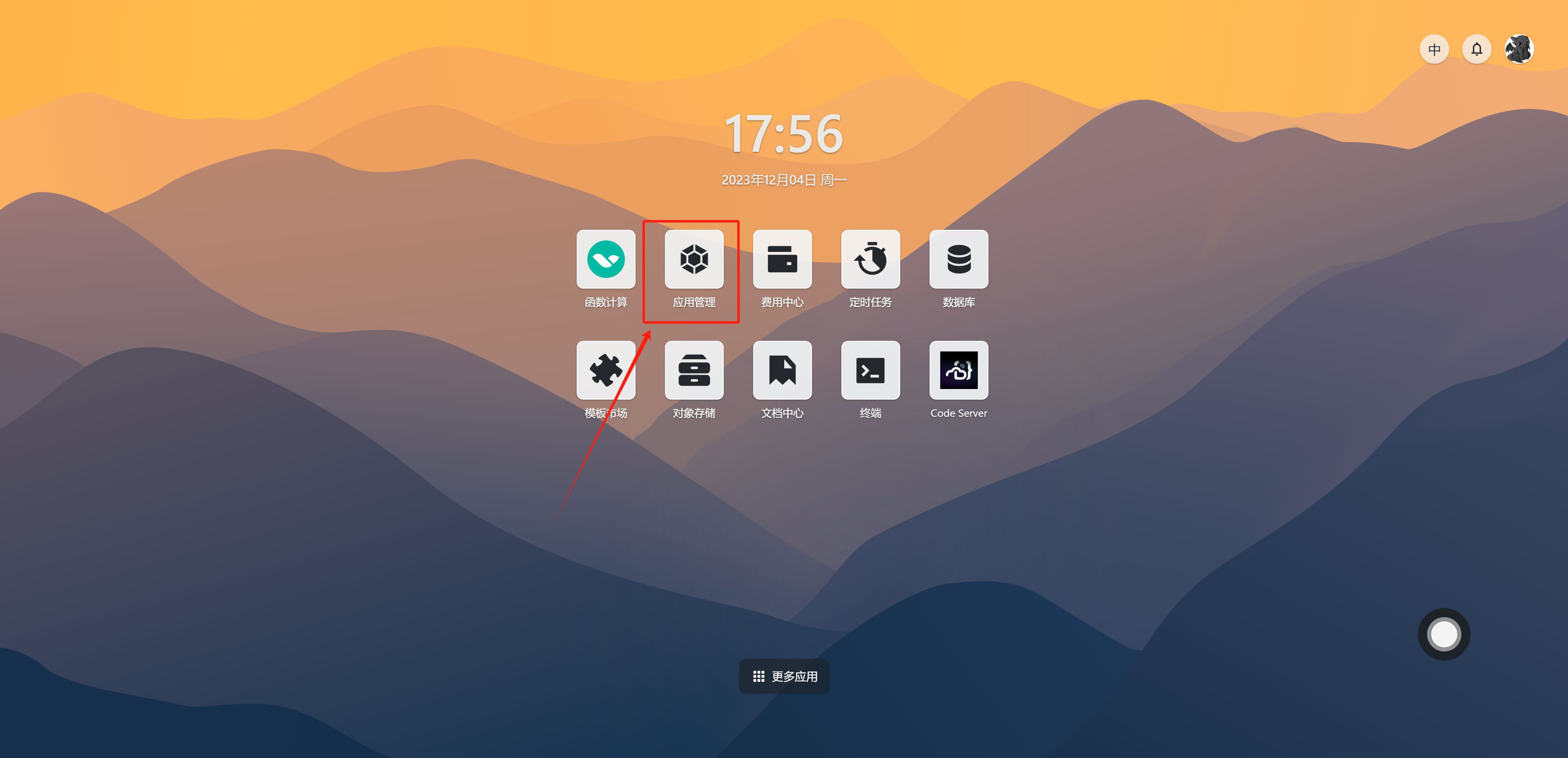
  1. Open Sealos Cloud and find App Management on the desktop.

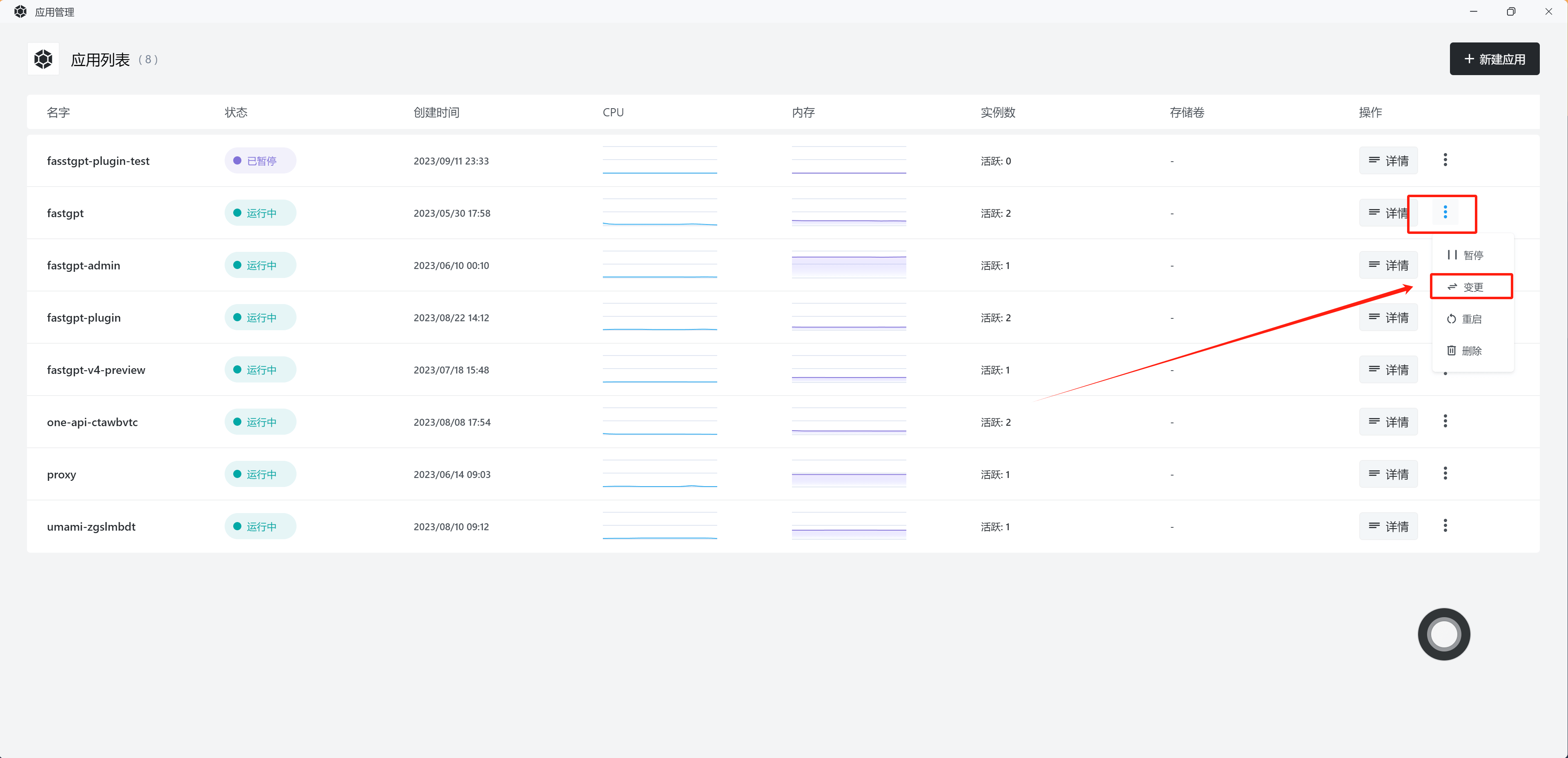
  1. Select the corresponding app - click the three dots on the right - Update.

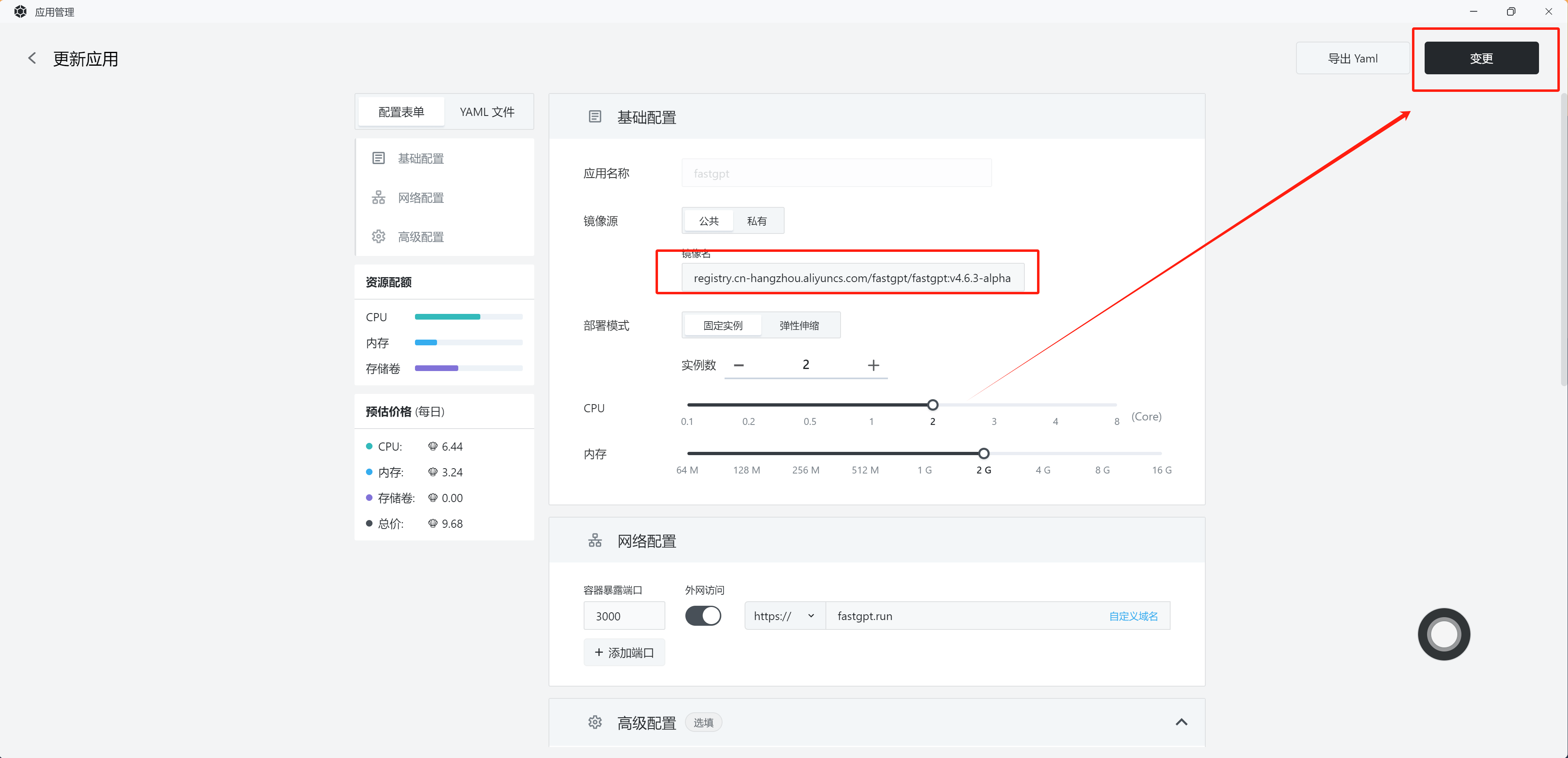
  1. Update the image - Confirm changes.

    If you need to modify the configuration file, scroll down to the Configuration File section to make changes.

Updating Images with Docker Compose

Simply modify the image: field in the yml file, then run:

docker-compose pull
docker-compose up -d

Running the Upgrade Initialization Script

After updating the images, check the version notes in the documentation. Versions that require an upgrade script are typically labeled with "includes upgrade script". Open the corresponding documentation and follow the instructions to run the upgrade script -- in most cases, you just need to send a POST request.

FAQ

Why do I need to run an upgrade script?

When there are significant changes to the database schema that cannot be handled through default values, or when the migration logic is complex, an upgrade script is used to update certain database fields. Following the initialization steps carefully will not cause any data loss. However, if the data volume is large, the initialization may take a while, during which the service may be temporarily unavailable.

What is {{host}}?

{{}} denotes a variable. {{host}} refers to a variable named "host", which is your server's domain name or IP address.

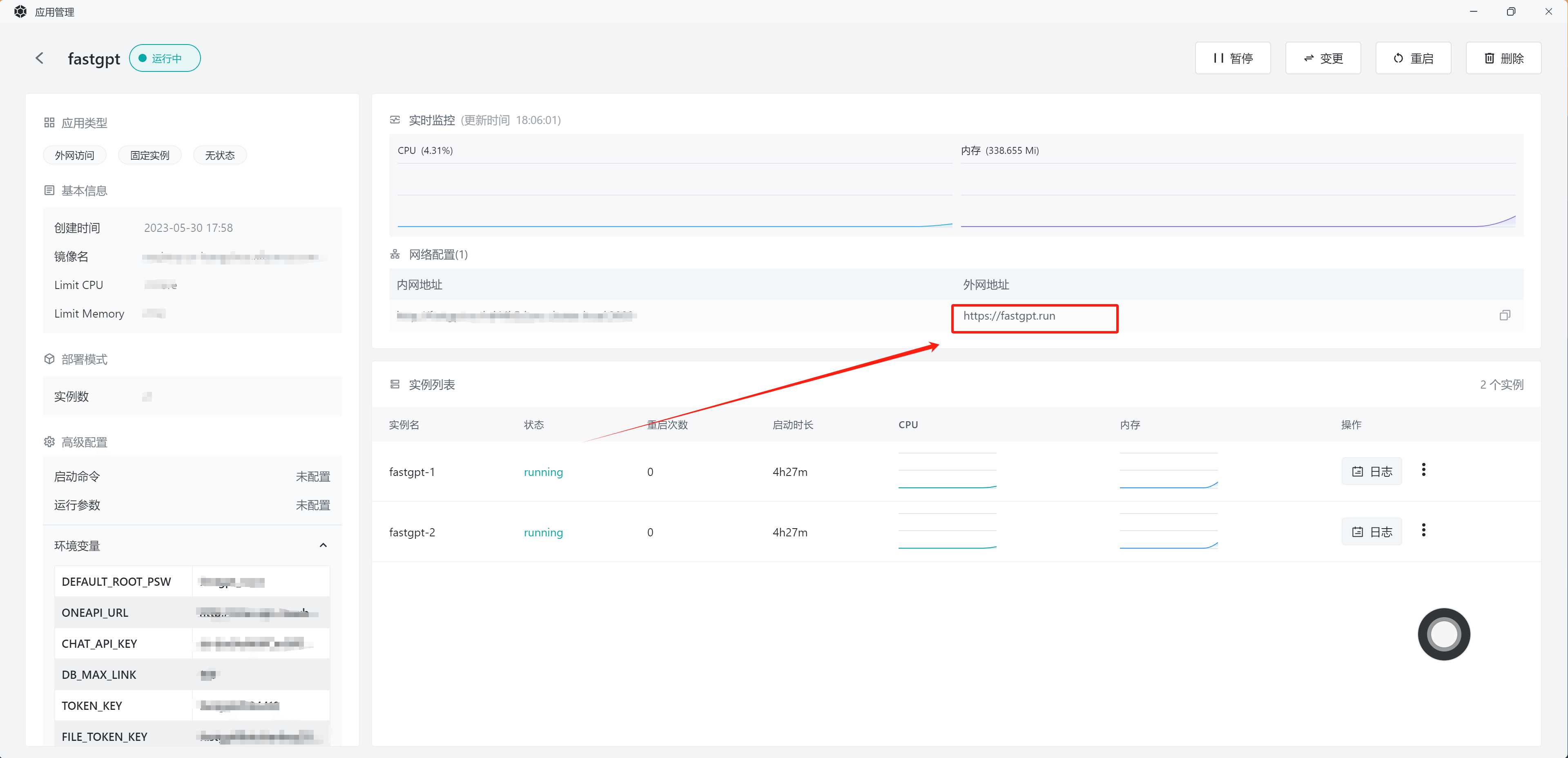
On Sealos, you can find your domain name as shown below:

How to get the rootkey

You can find it in the environment section of your docker-compose.yml file -- it's the value of ROOT_KEY.

On Sealos, you can find it in the environment variables panel shown in the image above.

How to upgrade across multiple versions

Back up your data first!

You can upgrade to the latest version and then run all the upgrade scripts in order. However, for stability, we recommend upgrading one version at a time. For example, if your current version is 4.4.7 and you need to upgrade to 4.6:

  1. Update the image to 4.5, run the upgrade script
  2. Update the image to 4.5.1, run the upgrade script
  3. Update the image to 4.5.2, run the upgrade script
  4. Update the image to 4.6, run the upgrade script
  5. .....

Upgrade one version at a time.

Edit on GitHub

File Updated